
Уводзіны
This manual provides essential information for the setup, operation, and maintenance of your AOC Smart TV Roku 43" Full HD, model 43S5045/78G. Please read these instructions carefully before using your television to ensure proper functionality and safety. Keep this manual for future reference.
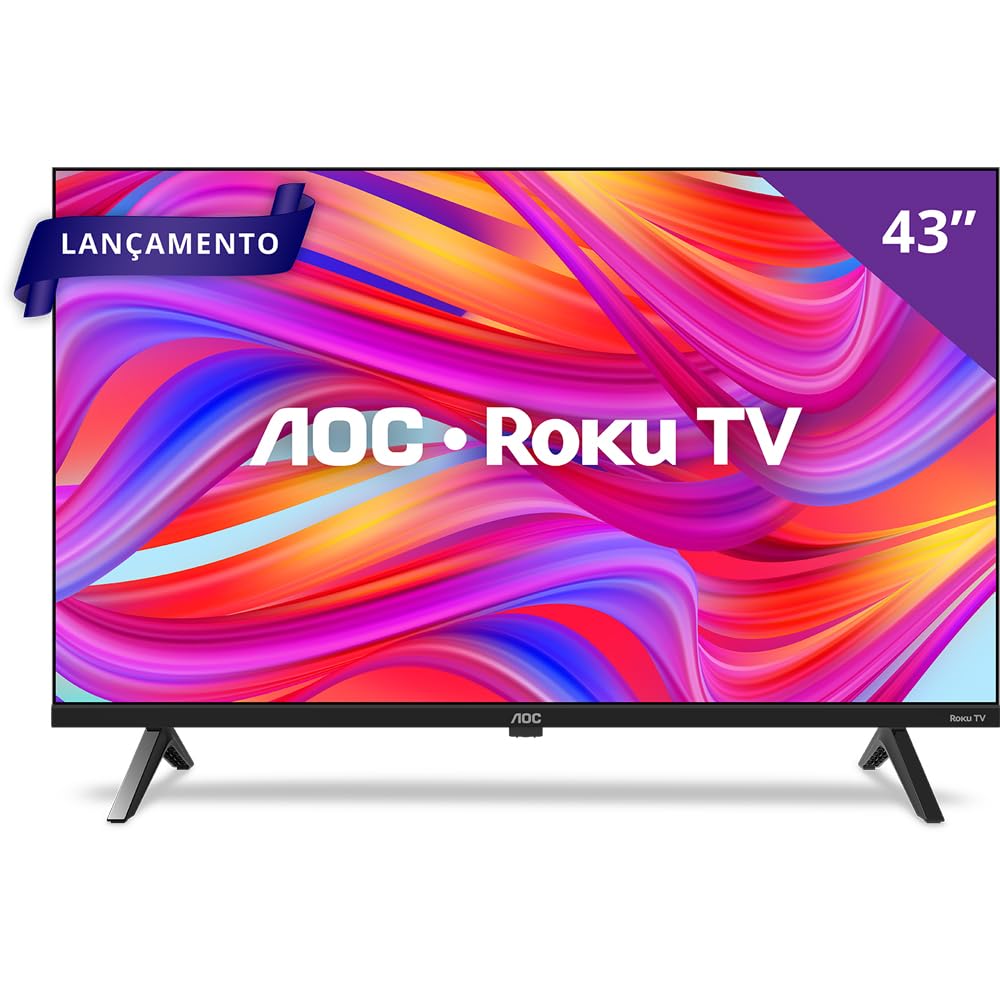
Фронт view of the AOC Roku TV displaying the main Roku interface with streaming application icons.
Асаблівасці прадукту
- Дысплей Full HD: Enjoy vibrant colors and sharp images on a 43-inch Full HD screen.
- Дызайн без палёў: A modern, sleek design that integrates seamlessly into any environment.
- Roku TV Operating System: Access thousands of streaming applications, including Netflix, Prime Video, Disney+, and YouTube, through an intuitive and user-friendly interface.
- Двухдыяпазонны Wi-Fi: Ensures stable and fast wireless connectivity for uninterrupted streaming.
- Некалькі варыянтаў падключэння: Features 3 HDMI ports, 1 USB 2.0 port, 1 RF (Antenna) input, 1 SPDIF (Optical Audio) output, 1 Headphone output, and 1 Ethernet RJ-45 port.
- Разумнае кіраванне: Control your TV using the Roku Mobile app (iOS and Android) or the included remote control.
- Сумяшчальнасць з галасавым памочнікам: Works with Alexa, Google Assistant, Apple HomeKit, and Apple AirPlay for convenient voice control.
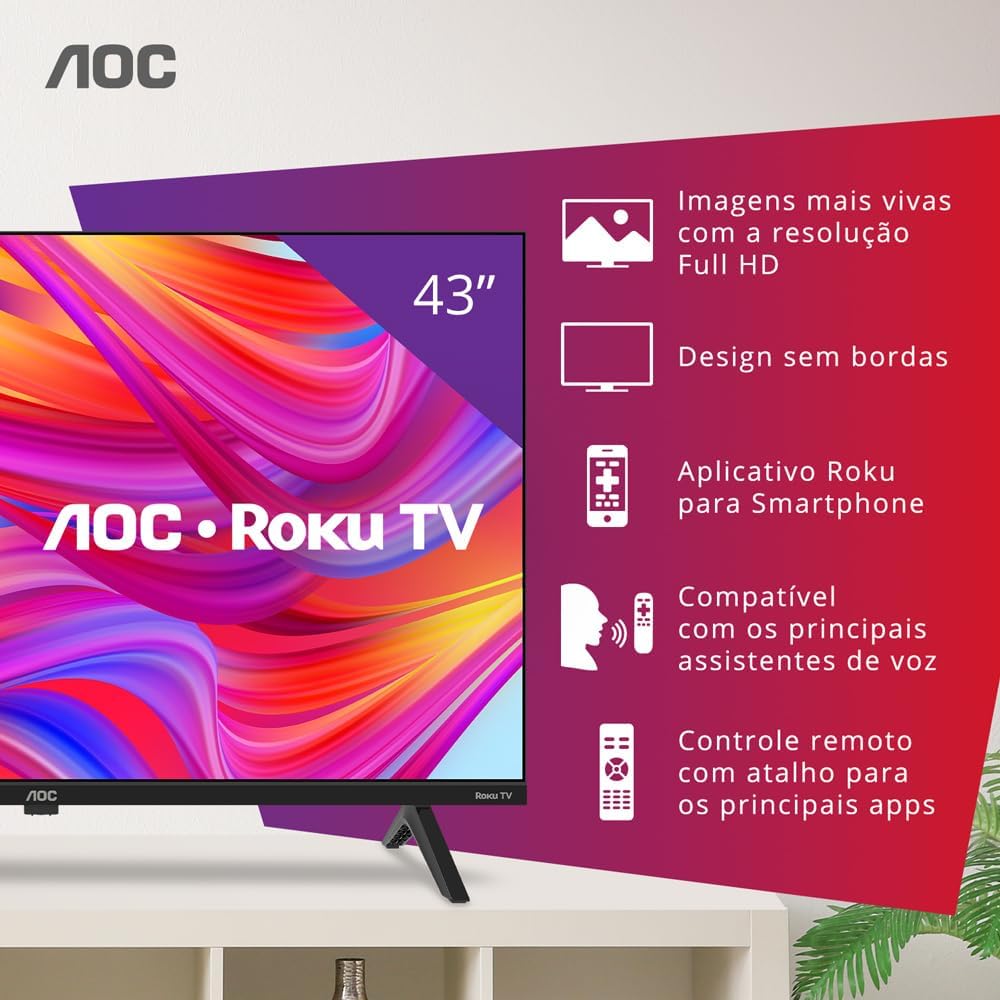
AOC Roku TV with graphical callouts illustrating key features such as Full HD resolution, borderless design, Roku app, voice assistant compatibility, and remote control shortcuts.
Змест пакета
Пераканайцеся, што ў камплекце ёсць усе наступныя прадметы:
- AOC Smart TV Roku 43" Full HD
- Пульт дыстанцыйнага кіравання
- 2 батарэйкі тыпу AAA (для пульта дыстанцыйнага кіравання)
- Настольная падстаўка
- Сілавы кабель
- Кароткае кіраўніцтва
- Legal and Safety Information Leaflet
Настройка
1. Распакаванне і размяшчэнне
Carefully remove the TV from its packaging. Place the TV on a stable, flat surface or mount it on a wall using a compatible VESA mount (200 x 200 mm). Ensure adequate ventilation around the TV.
2. Attaching the Table Stand
If using the table stand, align the stand with the designated slots on the bottom of the TV. Secure the stand using the screws provided in the package. Refer to the quick start guide for detailed illustrations.
3. Падключэнне прылад
Connect your external devices to the appropriate ports on the TV:
- HDMI: Use HDMI cables to connect devices such as Blu-ray players, game consoles, or cable/satellite boxes to the HDMI ports (3 available).
- USB: Insert USB drives for media playback into the USB 2.0 port (1 available).
- Антэна/кабель: Падключыце антэну або кабельнае тэлебачанне да радыёчастотнага ўваходу.
- Ethernet: Для праваднога падключэння да Інтэрнэту падключыце кабель Ethernet да порта RJ-45.
- Аўдыявыхад: Use the SPDIF (Optical Audio) output for digital audio to a soundbar or receiver, or the Headphone output for private listening.

Бокавы профіfile of the AOC Roku TV, highlighting the accessible HDMI and USB ports.
4. Power On and Initial Roku Setup
Connect the power cable to the TV and a power outlet. Press the power button on the remote control. Follow the on-screen instructions to complete the initial Roku setup, which includes selecting your language, connecting to a Wi-Fi network (Dual-Band supported), and activating your Roku account. An active internet connection is required for full Smart TV functionality.
Інструкцыя па эксплуатацыі
1. Выкарыстанне пульта дыстанцыйнага кіравання
The included remote control allows you to navigate the Roku interface, adjust volume, change channels, and access dedicated streaming services directly. Insert the two AAA batteries into the remote control before use.

The included AOC Roku TV remote control, featuring dedicated buttons for popular streaming services.
2. Мабільнае прыкладанне Roku
Download the free Roku Mobile App on your iOS or Android smartphone. This app functions as a full-featured remote, offers a virtual keyboard for easier text entry, enables private listening through headphones connected to your phone, and allows casting media from your device to the TV.
3. Галасавое кіраванне
Your AOC Roku TV is compatible with major voice assistants. You can use devices enabled with Alexa, Google Assistant, Apple HomeKit, and Apple AirPlay to control your TV with voice commands. Ensure your TV and voice assistant devices are connected to the same network and properly configured.
4. Доступ да струменевых сэрвісаў
From the Roku home screen, select the icon for your desired streaming service. The Roku Channel Store offers thousands of free and paid channels, including Netflix, YouTube, Prime Video, Disney+, Star+, HBO Max, Apple TV, and Spotify.
Тэхнічнае абслугоўванне
1. Чыстка тэлевізара
Before cleaning, unplug the TV from the power outlet. Use a soft, dry cloth to wipe the screen and cabinet. Do not use liquid cleaners or aerosol sprays directly on the TV, as they may damage the finish or electronic components.
2. Абнаўленне праграмнага забеспячэння
Your Roku TV automatically checks for software updates when connected to the internet. Ensure your TV is connected to the internet to receive the latest features and performance improvements. You can manually check for updates in the Roku settings menu.
Ліквідацыю непаладак
Калі ў вас узніклі праблемы з тэлевізарам, звярніцеся да наступных распаўсюджаных рашэнняў:
- Няма харчавання: Пераканайцеся, што кабель сілкавання надзейна падключаны як да тэлевізара, так і да спраўнай разеткі. Паспрабуйце іншую разетку.
- Няма выявы/гуку: Verify that the correct input source is selected. Check all cable connections (HDMI, antenna). Restart the TV by unplugging it for 30 seconds and plugging it back in.
- Няма падключэння да Інтэрнэту: Check your Wi-Fi router and modem. Ensure the TV is within range of your Wi-Fi signal. If using an Ethernet cable, ensure it is securely connected. Restart your router and TV.
- Пульт дыстанцыйнага кіравання не працуе: Праверце батарэйкі і пры неабходнасці замяніце іх. Пераканайцеся, што паміж пультам дыстанцыйнага кіравання і ІЧ-датчыкам тэлевізара няма перашкод.
- Праблемы прыкладання: If a specific app is not working, try restarting the app or uninstalling and reinstalling it from the Roku Channel Store.
Тэхнічныя характарыстыкі
| Памер экрана | 43 цалі |
| Тэхналогія адлюстравання | FULL HD, LED |
| дазвол | FULL HD |
| Частата абнаўлення | 60 Гц |
| Аперацыйная сістэма | Roku OS |
| Сувязь | 3 HDMI, 1 USB 2.0, 1 RF (Antenna), 1 SPDIF (Optical Audio), 1 Headphone Out, 1 Ethernet RJ-45, Wi-Fi Dual Band |
| Стандарт мацавання VESA | 200 х 200 мм |
| Выхадная магутнасць гуку | 16 Watts (2.0 Channel, Dolby Audio) |
| Памеры (Д x Ш x В) | 8.7P x 95.6L x 55.6A cm (without stand) |
| Вага (без падстаўкі) | 6.3 кілаграма |
| Энергаспажыванне | 4.95 Kilowatt (Efficiency A) |
| тtage | 100-240 В пераменнага току 50-60 Гц |
Гарантыя і падтрымка
Your AOC Smart TV Roku 43" Full HD, model 43S5045/78G, comes with a 1-гадовая гарантыя вытворцы. Please retain your proof of purchase for warranty claims. For technical support or service inquiries, refer to the contact information provided in the legal and safety information leaflet included with your product, or visit the official AOC support webсайт.


