
1. Уводзіны
The Awei H15 Smartwatch is designed to integrate seamlessly into your daily life, offering health monitoring, communication features, and smart notifications. This manual provides essential information for setting up, operating, and maintaining your device.
2. Што ў скрынцы
- 1 x Awei H15 Smartwatch
- 1 х зарадны кабель
- 1 х Кіраўніцтва карыстальніка (гэты дакумент)
3. Прадукт скончыўсяview
Familiarize yourself with the key components of your Awei H15 Smartwatch.
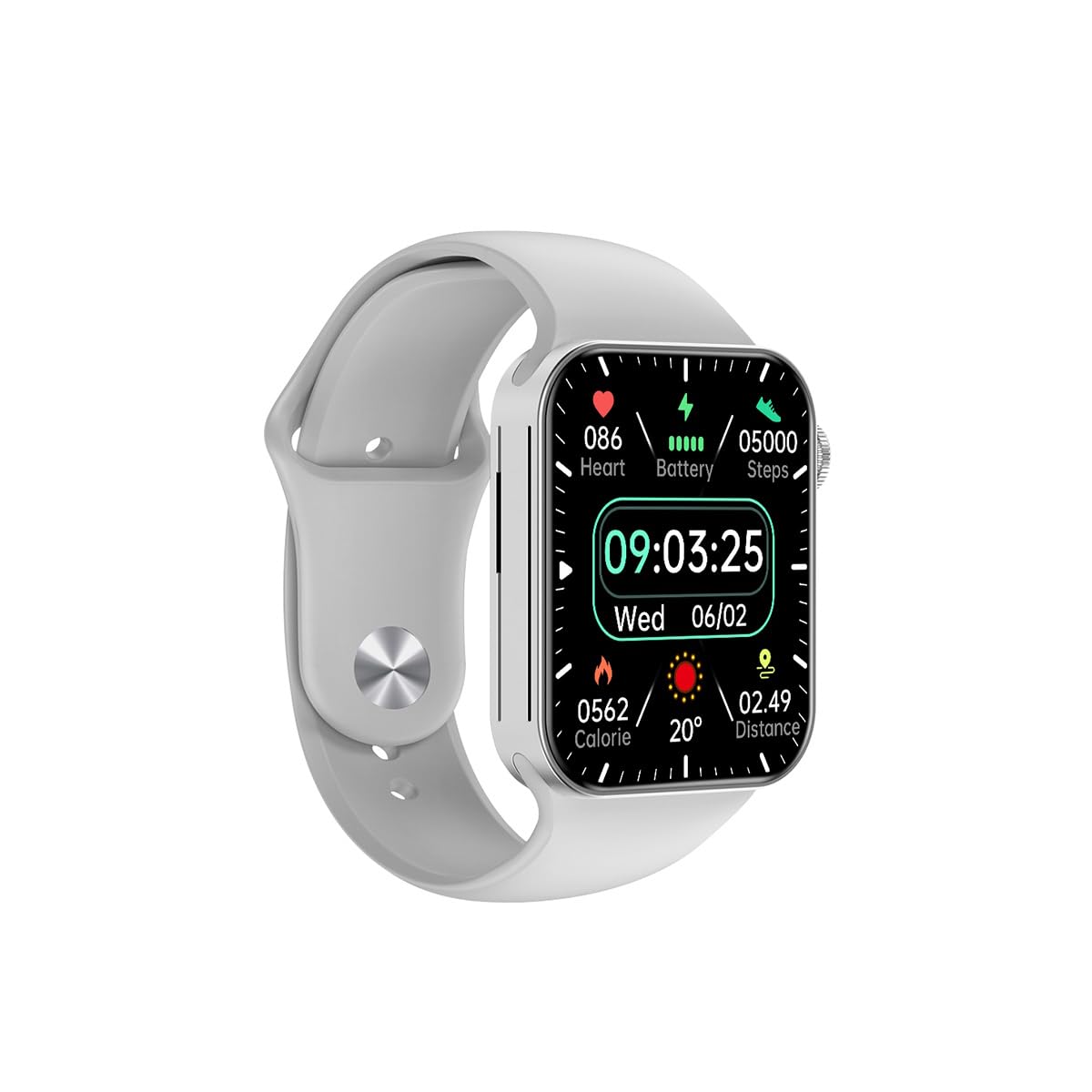
Малюнак 3.1: Фронт view of the Awei H15 Smartwatch display, illustrating various health metrics and time.

Малюнак 3.2: Збоку view of the smartwatch, highlighting the rotary crown for navigation and an additional button.
4. Настройка
4.1 Зарадка разумнага гадзінніка
Before first use, fully charge your Awei H15 Smartwatch. Connect the provided charging cable to the charging port on the back of the watch and to a standard USB power adapter (not included).
- Час зарадкі: прыблізна 2-3 гадзіны для поўнай зарадкі.
- Battery Life: Up to 7 days with calls, up to 15 days without calls.
4.2 Уключэнне/выключэнне сілкавання
- Каб уключыць: Press and hold the side button until the Awei logo appears.
- Каб выключыць: Націсніце і ўтрымлівайце бакавую кнопку, затым выберыце на экране «Выключыць харчаванне».
4.3 Спалучэнне са смартфонам
The Awei H15 Smartwatch uses Dual Bluetooth 3.0/5.0 for stable connectivity. To unlock full features, download the companion app (refer to the packaging or quick start guide for app name) from your smartphone's app store.
- Ensure your smartwatch is powered on and fully charged.
- Уключыце Bluetooth на вашым смартфоне.
- Open the companion app and follow the on-screen instructions to search for and connect to your Awei H15 Smartwatch.
- Пацвердзіце запыт на спалучэнне як на смартфоне, так і на смарт-гадзінніку.
5. Інструкцыя па эксплуатацыі
5.1 Асноўная навігацыя
- Сэнсарны экран: Правядзіце пальцам улева, управа, уверх або ўніз, каб перамяшчацца па меню і экранах. Націсніце, каб выбраць элементы.
- Ратарная карона: Rotate the crown to scroll through lists or zoom in/out (where applicable). Press the crown to return to the home screen or confirm selections.
5.2 Multi-Dial Switching
Customize your smartwatch's appearance by switching between various watch faces.

Малюнак 5.1: Examples of different watch faces available on the Awei H15 Smartwatch.
Каб змяніць цыферблат:
- From the home screen, press and hold the display.
- Swipe left or right to browse available watch faces.
- Tap on a watch face to select it.
5.3 Маніторынг здароўя
The Awei H15 Smartwatch tracks various health metrics to support your active lifestyle.
- Частата сардэчных скарачэнняў: Сачыце за пульсам на працягу дня.
- Адсочванне актыўнасці: The built-in G-Sensor (MSA311) accurately tracks steps, distance, and calories burned.
- Маніторынг сну: Track your sleep patterns (light sleep, deep sleep, wake-up times).
Access detailed health data through the companion app on your smartphone.
5.4 Разумныя функцыі
- Званкі: Make and receive calls directly from your smartwatch when connected to your phone via Bluetooth.
- Апавяшчэнні: Атрымлівайце апавяшчэнні аб паведамленнях, электронных лістах і апавяшчэннях праграм.
- Абнаўленні надвор'я: Атрымлівайце інфармацыю пра надвор'е ў рэжыме рэальнага часу.
- Кіраванне музыкай: Кіруйце прайграваннем музыкі на вашым смартфоне.
6. Тэхнічнае абслугоўванне
6.1 Ачыстка
Рэгулярна чысціце свой разумны гадзіннік, каб забяспечыць аптымальную прадукцыйнасць і гігіену.
- Працярыце экран і корпус мяккай тканінай без ворса.
- Для ўстойлівага бруду злёгку ачысціцеampпрамыйце тканіну вадой. Пазбягайце агрэсіўных хімічных рэчываў.
- Перыядычна чысціце кантакты зарадкі, каб забяспечыць добрае злучэнне.
6.2 Воданепранікальнасць (IP67)
The Awei H15 Smartwatch is IP67 water-resistant, meaning it is protected against dust and can withstand immersion in water up to 1 meter for 30 minutes.
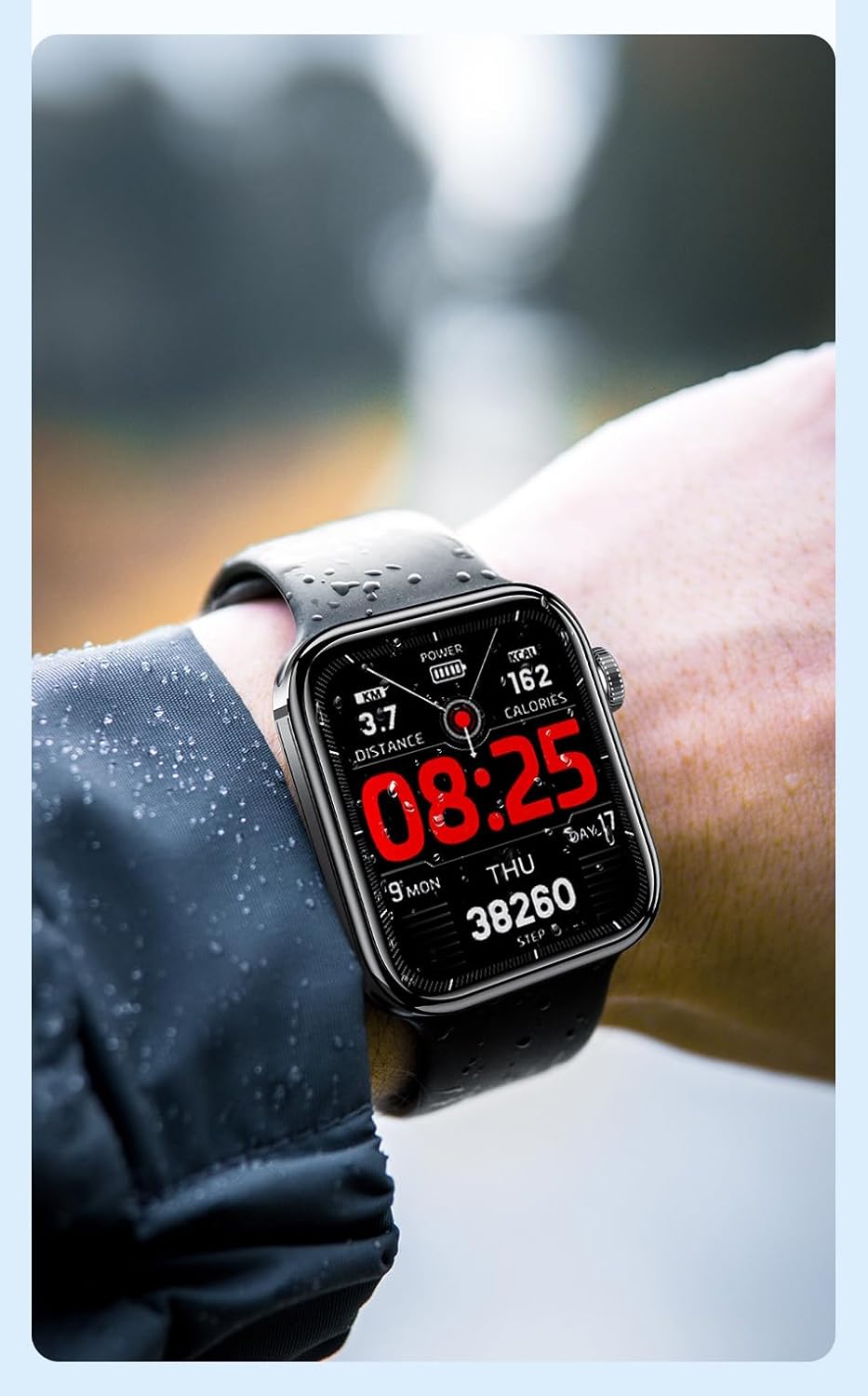
Малюнак 6.1: The Awei H15 Smartwatch is designed to withstand splashes and dust.
Important: IP67 rating does not mean the watch is suitable for swimming, showering, or diving. Avoid exposing the watch to hot water, steam, or high-velocity water.
7. Выпраўленне непаладак
- Гадзіннік не ўключаецца: Пераканайцеся, што гадзіннік цалкам зараджаны. Падключыце яго да зараднай прылады як мінімум на 30 хвілін.
- Немагчыма спалучыць прыладу са смартфонам:
- Пераканайцеся, што Bluetooth уключаны на вашым тэлефоне і гадзінніку.
- Пераканайцеся, што гадзіннік знаходзіцца ў зоне дзеяння вашага тэлефона.
- Перазагрузіце і гадзіннік, і тэлефон.
- Праверце, ці абноўлена суправаджальнае прыкладанне да апошняй версіі.
- Недакладныя дадзеныя пра здароўе: Пераканайцеся, што гадзіннік шчыльна прылягае да запясця, не занадта туга і не занадта свабодна. Ачысціце датчык на задняй панэлі гадзінніка.
- Кароткі тэрмін службы батарэі: Reduce screen brightness, disable unnecessary notifications, and limit continuous heart rate monitoring.
8. Тэхнічныя характарыстыкі
| Асаблівасць | Спецыфікацыя |
|---|---|
| мадэль | H15 |
| Тэхналогія падлучэння | Bluetooth 3.0/5.0 |
| Воданепранікальнасць | IP67 |
| Ёмістасць батарэі | 260 мАг |
| Час зарадкі | 2-3 гадзін |
| Час выкарыстання | Up to 7 days (with calls), 15 days (without calls) |
| G-сэнсар | MSA311 |
| Памеры | 36.8 × 42.5 × 13.2 мм |
| Даўжыня бранзалета | 270 мм |
| Вытворца | Авей |
9. Гарантыя і падтрымка
Your Awei H15 Smartwatch comes with a Гарантыя 6 месяцаў з даты пакупкі. Гэтая гарантыя распаўсюджваецца на вытворчыя дэфекты пры нармальным выкарыстанні.
For warranty claims or technical support, please contact your retailer or the official Awei customer service. Keep your proof of purchase for warranty validation.