
1. Уводзіны
The Hello Kitty Sunrise Alarm Clock is designed to provide a gentle and natural waking experience with its sunrise simulation feature. This digital alarm clock includes multicolor lights, an LED display showing time, date, and temperature, a USB charging port, and a convenient snooze function. Its charming Cinnamoroll design adds a whimsical touch to any room.

Image 1: Hello Kitty Cinnamoroll Sunrise Alarm Clock with multicolor lighting.
2. Інфармацыя па бяспецы
- Не падвяргайце прыладу ўздзеянню экстрэмальных тэмператур, прамых сонечных прамянёў або высокай вільготнасці.
- Use only the provided USB power cable or a certified equivalent.
- Трымайце прыладу далей ад вады ці іншых вадкасцей.
- Не спрабуйце разбіраць або рамантаваць прыладу самастойна. Звярніцеся да кваліфікаванага абслугоўваючага персаналу.
- Пераканайцеся, што прылада размешчана на ўстойлівай роўнай паверхні.
3. Змесціва ўпакоўкі
Калі ласка, праверце ўпакоўку на наяўнасць наступных прадметаў:
- Hello Kitty Sunrise Alarm Clock (Cinnamoroll design)
- USB кабель харчавання
- Кіраўніцтва карыстальніка (гэты дакумент)
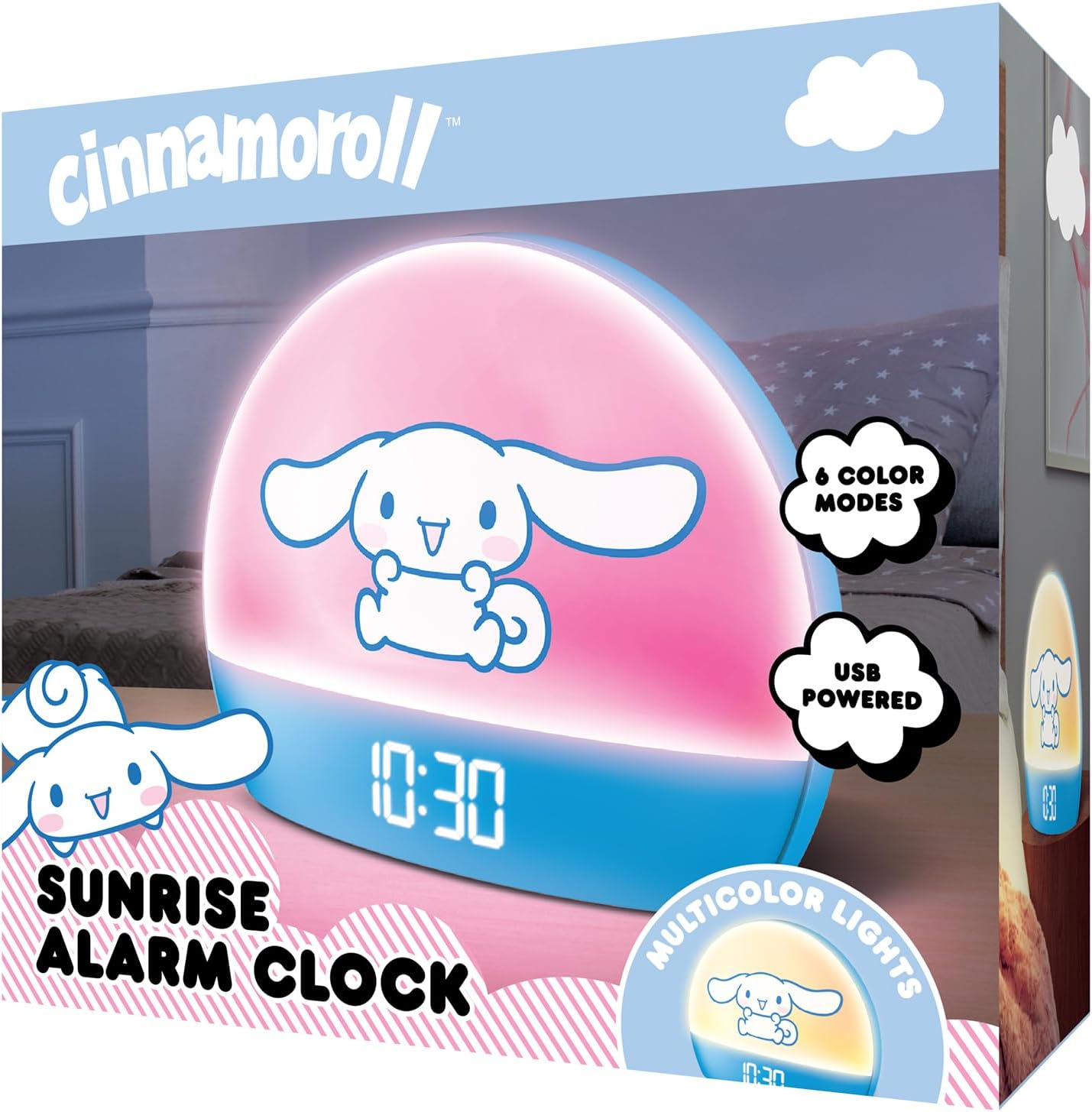
Image 2: Front packaging of the Hello Kitty Cinnamoroll Sunrise Alarm Clock.
4. Прадукт скончыўсяview
Familiarize yourself with the main components of your alarm clock.
- Святлодыёдны дысплей: Shows time, date, and temperature.
- Светлавая панэль: Emits multicolor and sunrise simulation lights.
- Кнопкі кіравання: Located on the back or bottom for setting time, alarm, and light functions.
- Порт для зарадкі USB: For powering the device and charging external devices.
- Кнопка "Адкласці": Typically a prominent button on the top or front.

Image 3: Hello Kitty Cinnamoroll Sunrise Alarm Clock in a bedroom setting.
5. Настройка
5.1 Падключэнне харчавання
- Connect the provided USB power cable to the USB port on the back of the alarm clock.
- Падключыце другі канец USB-кабеля да сумяшчальнага адаптара харчавання USB (не ўваходзіць у камплект) або да порта USB з харчаваннем.
- The LED display will light up, indicating the device is powered on.
5.2 Устаноўка часу і даты
Specific button names are not provided, so general instructions are given. Refer to the physical device for exact button labels.
- Press the "SET" or "TIME" button to enter time setting mode.
- Use the "UP" and "DOWN" buttons to adjust the hour. Press "SET" again to confirm.
- Adjust the minute using "UP" and "DOWN" buttons. Press "SET" to confirm.
- Continue this process to set the year, month, and day.
- The clock may offer 12-hour or 24-hour format selection. Follow on-screen prompts or consult the device's specific button functions.
6. Інструкцыя па эксплуатацыі
6.1 Налада будзільніка
- Press the "ALARM" button to enter alarm setting mode.
- Use "UP" and "DOWN" buttons to set the desired alarm hour. Press "ALARM" to confirm.
- Adjust the alarm minute. Press "ALARM" to confirm.
- Some models may allow setting alarm volume or sound. Follow prompts if available.
- To activate/deactivate the alarm, look for an "ALARM ON/OFF" button or a toggle within the alarm setting menu.
6.2 Мадэляванне ўзыходу сонца
The sunrise simulation feature gradually increases light intensity before your set alarm time, mimicking a natural sunrise.
- This feature is typically linked to the alarm function. When the alarm is active, the light will begin to brighten a set period (e.g., 30 minutes) before the alarm sounds.
- Consult the device's specific controls for adjusting the duration or intensity of the sunrise simulation, if applicable.
6.3 шматколерных агнёў
The clock offers various color modes for ambient lighting.
- Press the "LIGHT" or "COLOR" button to cycle through different color options or activate a color-changing mode.
- Press and hold the "LIGHT" button to turn off the ambient light.
- Brightness of the display and ambient light can often be adjusted using dedicated buttons or by holding the "LIGHT" button.
6.4 Функцыя паўтору
When the alarm sounds, press the large "SNOOZE" button (usually on top) to temporarily pause the alarm. The alarm will sound again after a short interval (e.g., 5-10 minutes).
6.5 USB-порт для зарадкі
The integrated USB port can be used to charge small electronic devices like smartphones or tablets. Simply connect your device's charging cable to the USB port on the alarm clock.
6.6 Дысплей тэмпературы
The LED display shows the current room temperature. No specific action is usually required to view this, as it cycles with time and date or is displayed continuously.
7. Тэхнічнае абслугоўванне
- Працірайце гадзіннік мяккай сухой тканінай. Не выкарыстоўвайце абразіўныя ачышчальнікі або растваральнікі.
- Ensure the USB port is free from dust and debris.
- Store the clock in a cool, dry place when not in use for extended periods.
8. Выпраўленне непаладак
| праблема | Магчымая прычына | Рашэнне |
|---|---|---|
| Гадзіннік не ўключаецца. | USB cable not connected properly or power source issue. | Check USB cable connection. Try a different USB power adapter or port. Ensure the cable is securely inserted. |
| Time is incorrect or drifts. | Time not set correctly or internal clock issue. | Re-set the time following Section 5.2. If the issue persists, try disconnecting and reconnecting power. |
| Сігналізацыя не гучыць. | Сігналізацыя не ўключана або настроена няправільна. | Verify the alarm is set and activated (check for an alarm icon on the display). Ensure the volume is not set to zero if adjustable. |
| Кнопкі не рэагуюць. | Часовы збой праграмнага забеспячэння або праблема з фізічнай кнопкай. | Disconnect power for a few seconds and reconnect to reset the device. If buttons remain unresponsive, contact support. |
| Не працуе порт зарадкі USB. | Cable issue, device not fully powered, or port malfunction. | Ensure the clock is properly powered. Try a different USB charging cable. Check if the port is clean and free of debris. |
9. Тэхнічныя характарыстыкі
| Марка | Прывітанне Кіці |
| Нумар мадэлі | HKCLK01CR-MFN |
| Колер | Цынамарол |
| Тып дысплея | Лічбавы |
| Асаблівасці | Adjustable Brightness, Alarm, Charging Port, LED Display, Temperature Display, Sunrise Simulation, Multicolor Lights |
| Памеры прадукту | 7"Ш х 6"В |
| Крыніца харчавання | Правадная электрычная (USB) |
| Матэрыял | Пластыкавыя |
| Вага прадмета | 0.4 кілаграма (14 унцыі) |
| Тэхналогія падлучэння | USB |
| Вытворца | Паўднёвы Тэлекам |
10. Гарантыя і падтрымка
For warranty information or technical support, please refer to the contact details provided on the product packaging or visit the official Hello Kitty product support webсайт. Захоўвайце чэк аб пакупцы на выпадак прэтэнзій па гарантыі.