
FINGERTIME Roam
FINGERTIME Retro Headphones
Кіраўніцтва карыстальніка
Мадэль: Roam
Уводзіны
Thank you for choosing FINGERTIME Retro Headphones. These on-ear headphones combine a classic aesthetic with modern technology, featuring Hybrid Active Noise Cancelling, Bluetooth V5.4 connectivity, and an impressive battery life of up to 60 hours. Designed for comfort and superior audio, they include a built-in microphone for seamless calls and support multi-device connection. This manual provides detailed instructions to help you get the most out of your new headphones.

Image: The FINGERTIME Retro Headphones, showcasing their on-ear design and blue color.
Што ў скрынцы
Your FINGERTIME Retro Headphones package includes the following items:
- FINGERTIME Retro Headphones (Roam)
- Зарадны кабель
- Кіраўніцтва карыстальніка
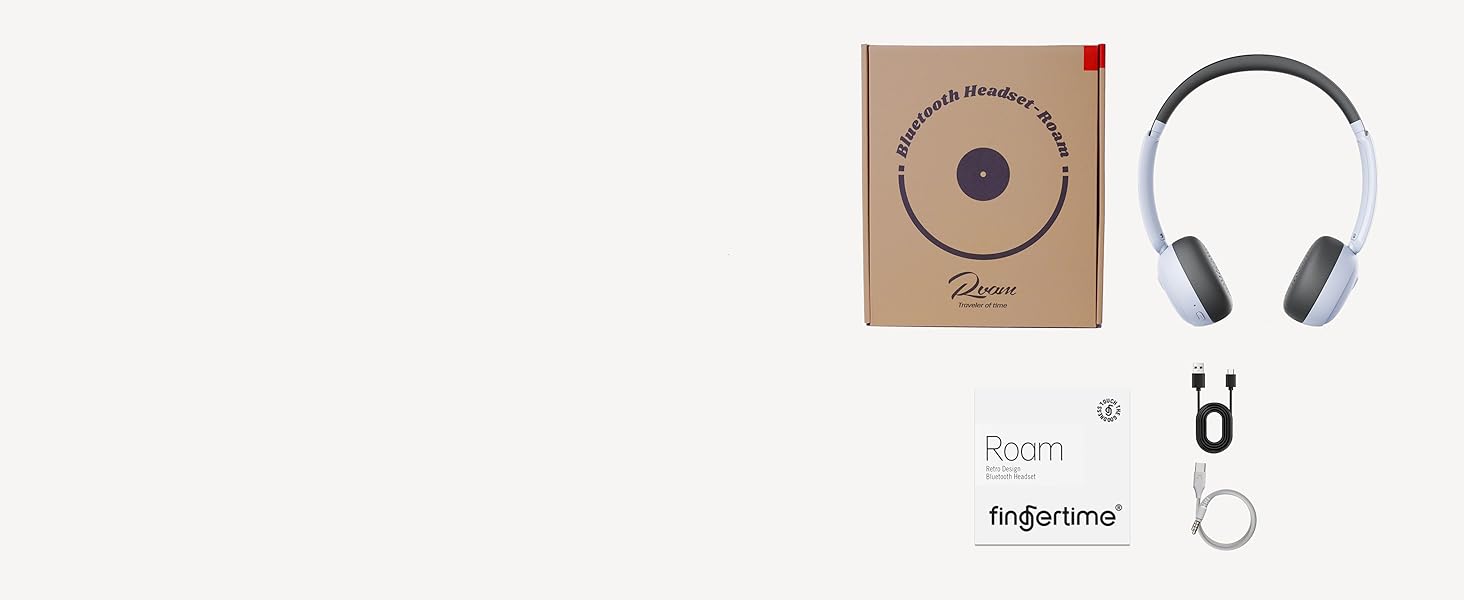
Image: A visual representation of the items included in the product packaging: the headphones, a charging cable, and the user manual.
Прадукт скончаныview
Familiarize yourself with the various components and controls of your headphones:
- Навушнікі: Ultra-soft protein leather earcups for comfort.
- Павязка на галаву: Adjustable for different head shapes.
- Rotating Earcups: Multi-angle rotation for a customized fit.
- Кнопкі кіравання: Located on the earcups for power, volume, and noise reduction.
- Порт для зарадкі: Для падзарадкі ўнутранай батарэі.
- Мікрафон: Убудаваны для званкоў.
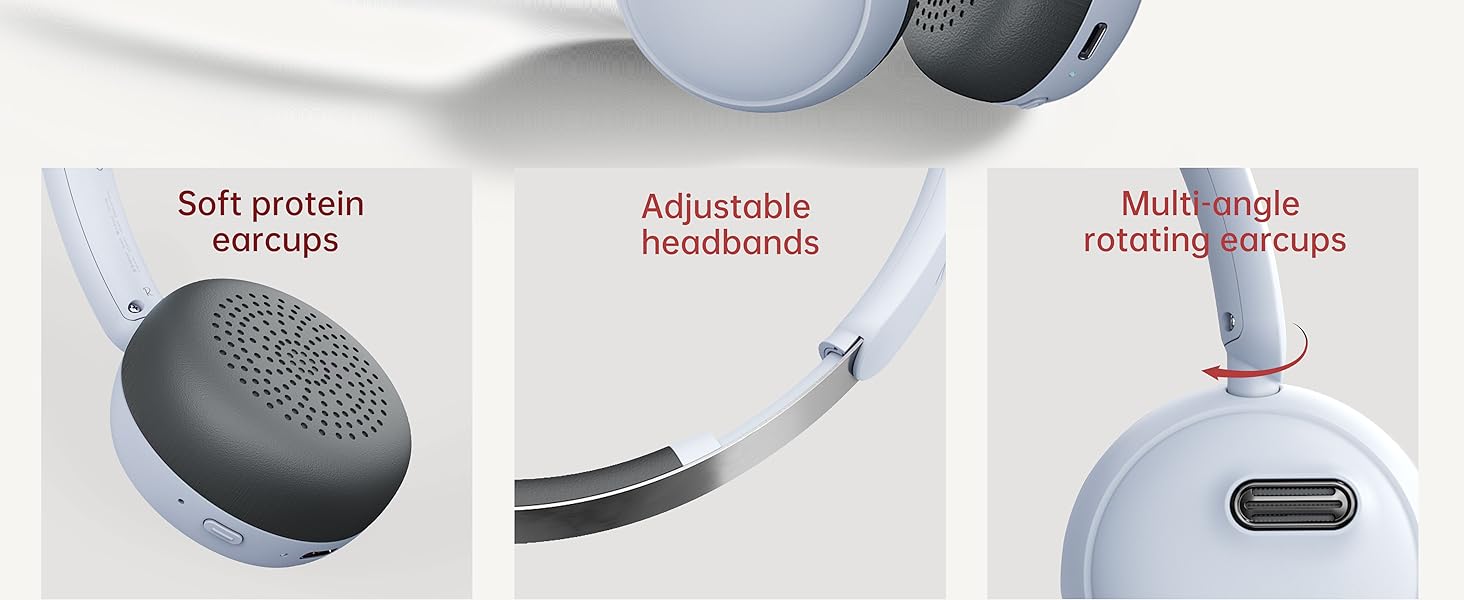
Выява: Падрабязная view of the headphone's comfort features, including soft earcups, adjustable headband, and rotating earcups.
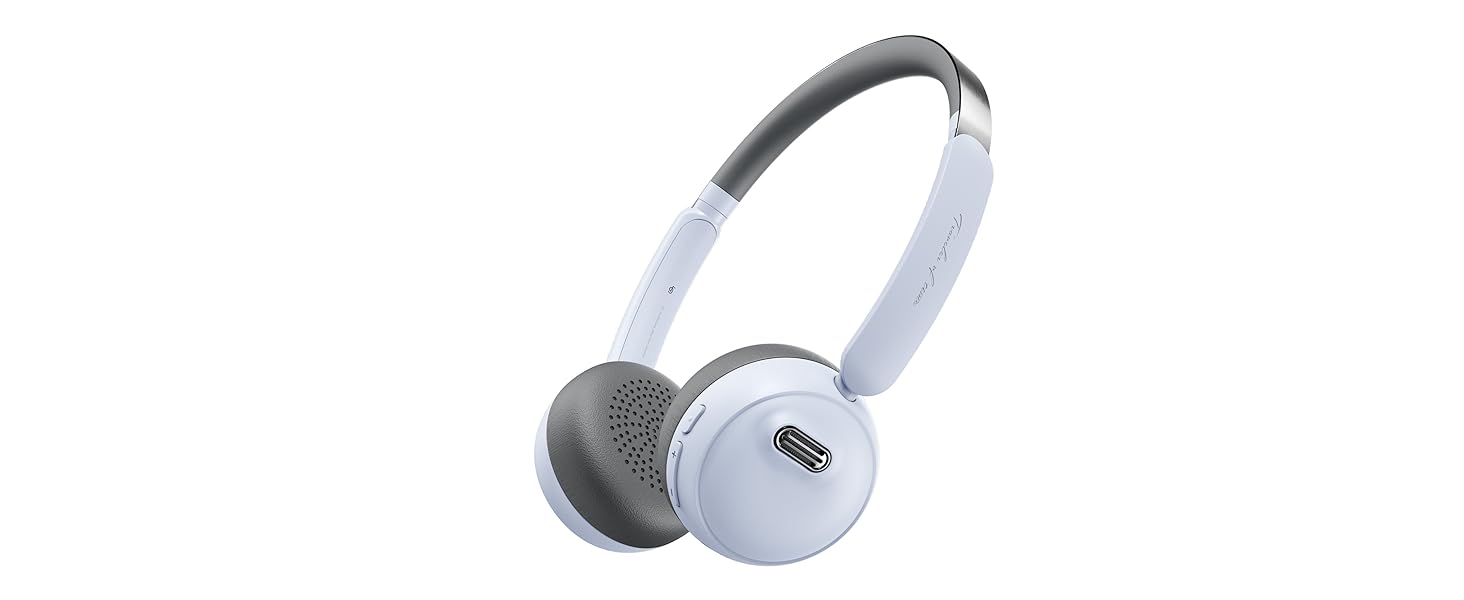
Image: An illustration detailing the functions of the power, volume, and noise reduction buttons on the headphones.
Настройка
Зарадка навушнікаў
Before first use, fully charge your headphones. Connect the provided charging cable to the charging port on the headphones and the other end to a USB power source. The indicator light will show charging status and turn off when fully charged. A full charge provides up to 60 hours of playtime.
Спалучэнне Bluetooth
- Пераканайцеся, што навушнікі адключаны.
- Націсніце і ўтрымлівайце кнопку харчавання на працягу 3 секунд, пакуль індыкатар не пачне міргаць, паказваючы рэжым спалучэння.
- На вашай прыладзе (смартфоне, планшэце, камп'ютары) уключыце Bluetooth і знайдзіце даступныя прылады.
- Select "FINGERTIME Roam" from the list of devices.
- Пасля падключэння індыкатар перастане міргаць.
The headphones utilize Bluetooth V5.4 technology for a stable and efficient connection.
Шматкропкавае злучэнне
Your FINGERTIME Retro Headphones can connect to two devices simultaneously. After pairing with the first device, disable Bluetooth on that device. Then, pair with the second device. Once the second device is paired, re-enable Bluetooth on the first device. The headphones will automatically connect to both, allowing seamless switching between audio sources.
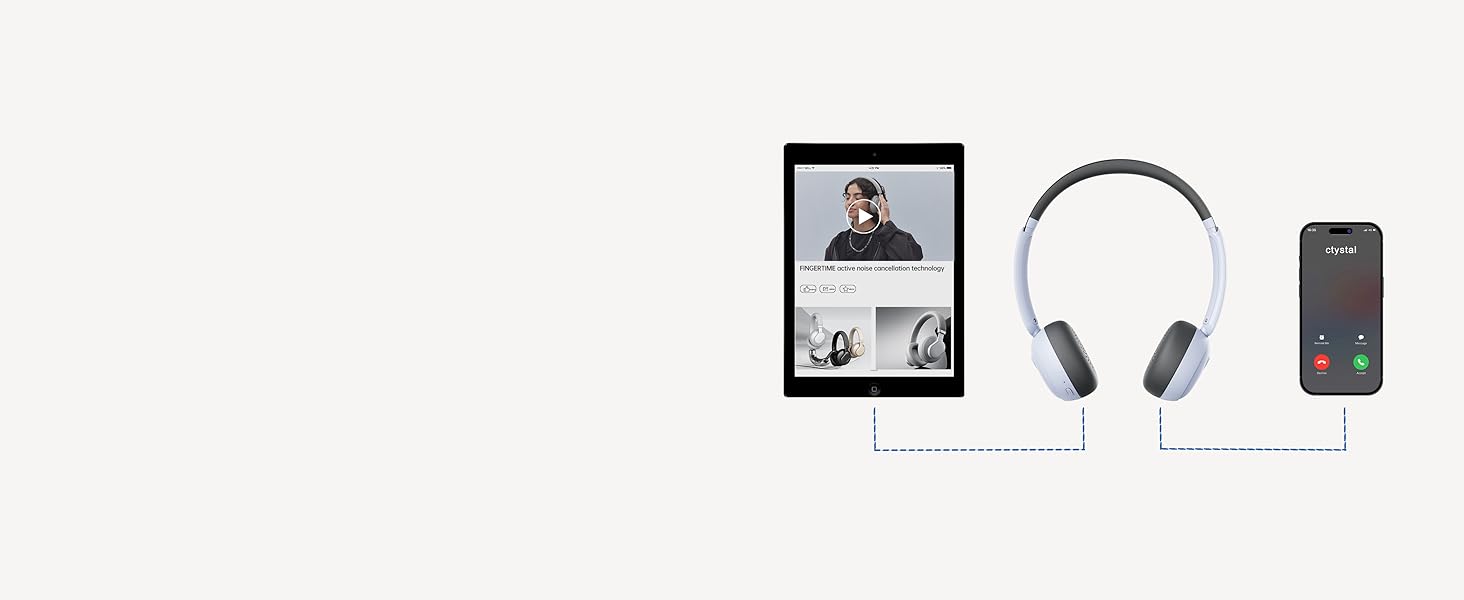
Image: A visual guide demonstrating how the headphones can maintain a connection with two devices, such as a tablet and a smartphone, simultaneously.
Аперацыйная
Асноўныя элементы кіравання
- Кнопка харчавання:
- Click: Pause/Play audio
- Double click: Answer/Hang up calls
- Triple click: Wake up voice assistant
- Long press for 3s: Switch on and off
- Кнопкі рэгулявання гучнасці (+/-):
- Click: Adjust volume up/down
- Long press "+": Next track
- Long press "-": Previous track
- Noise Reduction Button:
- Click: Turn on/off ANC mode
Актыўны шумапрыглушэння (ANC)
The Hybrid Active Noise Cancelling feature reduces ambient noise, providing a purer listening experience. Press the Noise Reduction button to toggle ANC on or off. This allows you to immerse yourself in your music or calls without distractions.

Image: A user demonstrating the comfortable fit and noise-cancelling capability of the headphones.
Fingertime App Integration
Enhance your audio experience by connecting your headphones to the Fingertime App. The app allows you to:
- Select different noise cancellation modes.
- Choose from 7 EQ presets or customize your own sound profile.
- Relax with various white noise sounds.
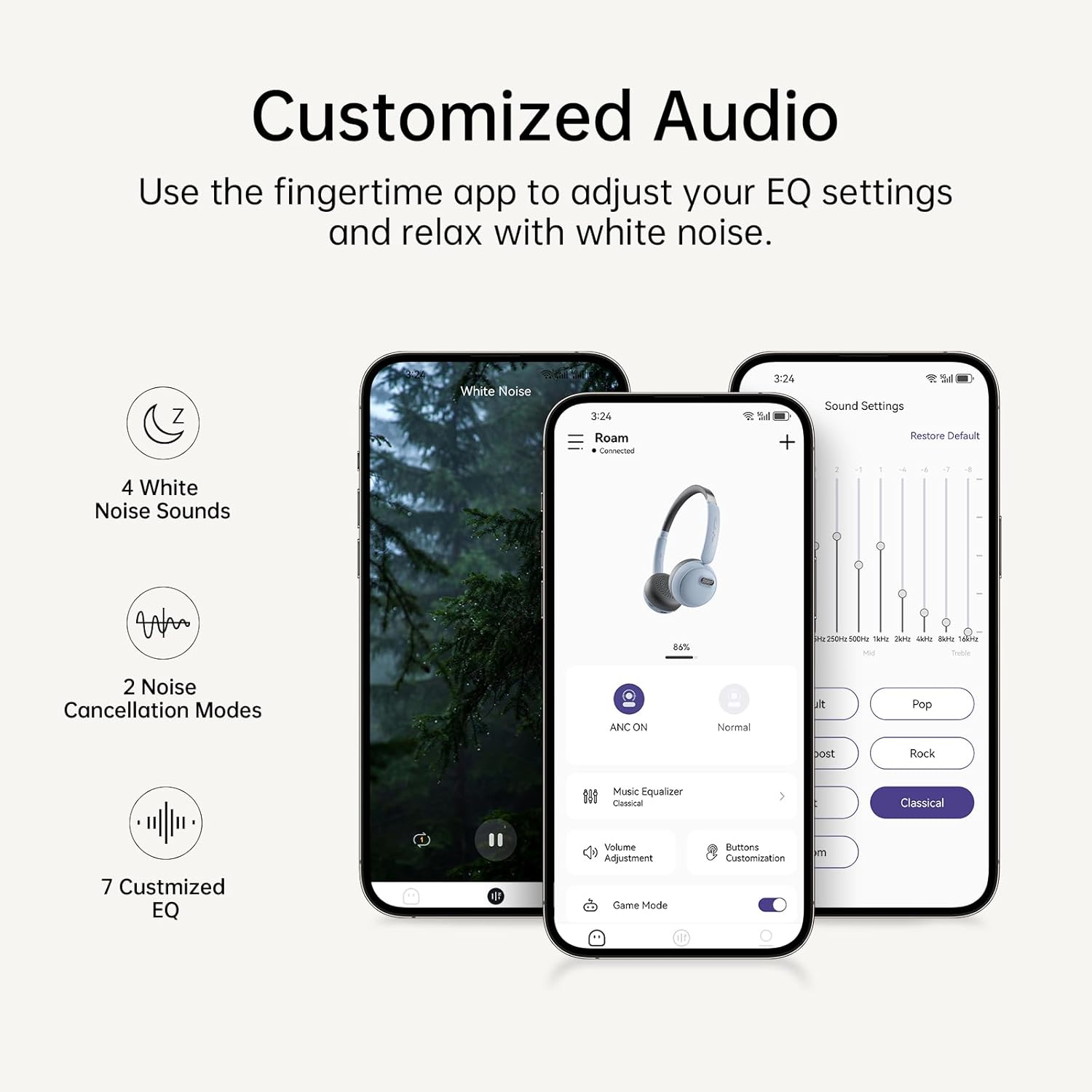
Image: The Fingertime app interface, displaying options for white noise, noise cancellation modes, and customizable EQ settings.
Тэхнічнае абслугоўванне
To ensure the longevity and optimal performance of your FINGERTIME Retro Headphones, follow these maintenance guidelines:
- Уборка: Use a soft, dry cloth to wipe the headphones. For the earcups, a slightly damp cloth can be used, but ensure no moisture enters the speaker grilles or charging port. Avoid harsh chemicals or abrasive materials.
- захоўванне: Store the headphones in a cool, dry place away from direct sunlight and extreme temperatures. When not in use for extended periods, ensure they are fully charged to preserve battery health.
- Апрацоўка: Handle the headphones gently. Avoid dropping them or exposing them to excessive force, which can damage internal components or the retro design elements.
Ліквідацыю непаладак
Калі ў вас узніклі праблемы з навушнікамі, звярніцеся да наступных распаўсюджаных праблем і іх рашэнняў:
| праблема | Магчымая прычына | Рашэнне |
|---|---|---|
| Навушнікі не ўключаюцься | Нізкі акумулятар | Поўнасцю зарадзіце навушнікі. |
| Немагчыма спалучыць прыладу | Headphones not in pairing mode; Device Bluetooth off; Interference | Ensure headphones are in pairing mode (flashing light). Turn Bluetooth off/on on your device. Move closer to the device. Forget previous pairings on your device and try again. |
| Няма гуку альбо малая гучнасць | Volume too low; Not connected; Incorrect audio output | Increase volume on both headphones and device. Ensure headphones are properly connected. Check device's audio output settings. |
| АНК працуе неэфектыўна | ANC is off; Improper fit | Press the Noise Reduction button to activate ANC. Adjust headphones for a snug fit over your ears. |
| Headphones slide off head | Няправільная рэгуляванне | Adjust the headband for a tighter fit. Ensure earcups are rotated correctly for your ear shape. |
Тэхнічныя характарыстыкі
| Асаблівасць | Дэталь |
|---|---|
| Назва мадэлі | Блукаць |
| Марка | FINGERTIME |
| Колер | Сіні |
| Тэхналогія падлучэння | Бесправадная сувязь (Bluetooth версіі 5.4) |
| Кантроль шуму | Актыўнае падаўленне шуму |
| Размяшчэнне вушэй | На вуха |
| Формаў-фактар | На вуха |
| Час гульні | Да 60 гадзін |
| Мікрафон | Убудаваны |
| Тып кіравання | Volume Control, Play/Pause, Call Management, ANC Toggle |
| Вага прадмета | 0.27 кілаграма (9.6 унцыі) |
| Батарэі | 1 літый-іённы акумулятар (у камплекце) |
| Матэрыял | Plastic (Carrying Case Material) |
| Узровень воданепранікальнасці | Не воданепранікальны |
Гарантыя і падтрымка
FINGERTIME products are designed for reliability and performance. For any warranty claims, technical support, or further assistance, please refer to the contact information provided with your purchase or visit the official FINGERTIME webсайт. Захоўвайце пацвярджэнне пакупкі для гарантыйных мэт.
Ask a question about this manual
Ask about setup, troubleshooting, compatibility, parts, safety, or missing instructions. Manuals+ will review the question and use this page’s manual context to help answer it.