
1. Уводзіны
Welcome to the user manual for your new SVITOO P10 Android 16 Tablet. This guide provides detailed instructions on how to set up, operate, and maintain your device, ensuring you get the most out of its advanced features. Please read this manual carefully before using your tablet.
2. Прадукт скончыўсяview
The SVITOO P10 is a high-performance Android 16 tablet designed for both entertainment and productivity. It features a vibrant 10.1-inch IPS display, a powerful 8-core processor, and extensive storage options.
Асноўныя характарыстыкі:
- Аперацыйная сістэма: Latest Android 16 with enhanced customization, privacy protection, and user assistance.
- Працэсар: UNISOC T615 8-core CPU (1.8GHz) for fast and smooth multitasking.
- Памяць і захоўванне: Up to 20GB RAM (4GB + 16GB expansion) and 128GB internal storage, expandable up to 1TB via microSD card.
- Дысплей: 10.1-inch IPS in-cell display with 1280x800 resolution, 6mm narrow bezels, and a 16:10 aspect ratio for vivid visuals and wide viewныя вуглы.
- Паток: Widevine L1 support for 1080P HD streaming on platforms like YouTube, Netflix, Amazon Prime Video, Disney+, and Hulu.
- Навігацыя: Built-in GPS positioning system, ideal for maps and in-car navigation.
- Камеры: 8MP main camera with autofocus and AI sub-camera, 2MP front camera for video calls and online classes.
- Падключэнне: 2.4G/5G Wi-Fi (IEEE 802.11b/g/n/ac) and Bluetooth 5.0 for stable and high-speed connections.
- акумулятар: Large-capacity 6600mAh battery for extended usage.
- Дадатковыя магчымасці: Multi-screen connection, split-screen, floating window, wireless projection, face recognition unlock, and parental control functions.
Выявы прадукту:
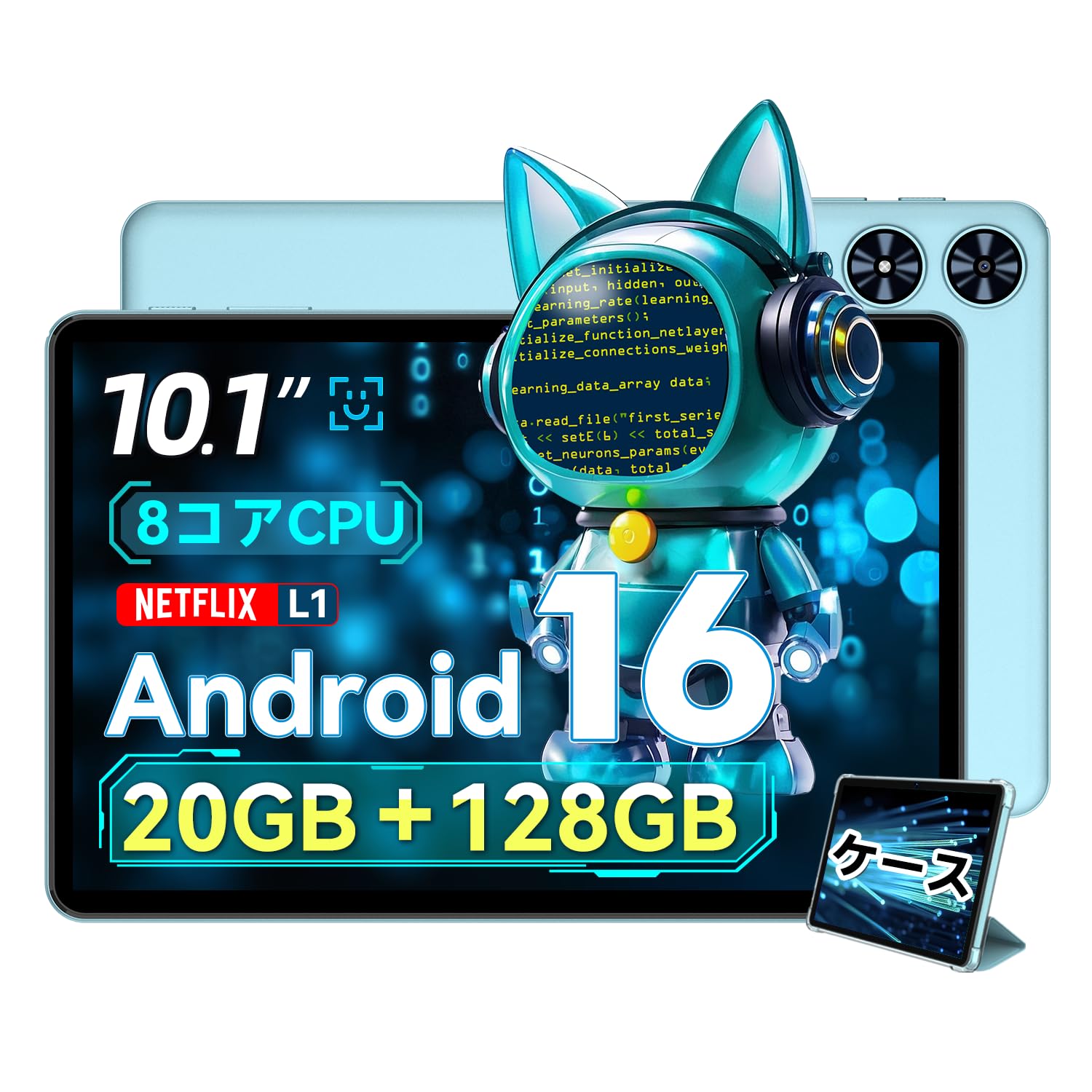
Малюнак 2.1: Спераду view of the SVITOO P10 tablet, showcasinяго 10.1-цалевы дысплей.

Figure 2.2: The SVITOO P10 tablet with on-screen graphics highlighting its 10.1-inch display, Android 16 OS, Bluetooth 5.0, 128GB storage, 20GB RAM expansion, 2.4G/5G Wi-Fi, 6600mAh battery, and Widevine L1 support.
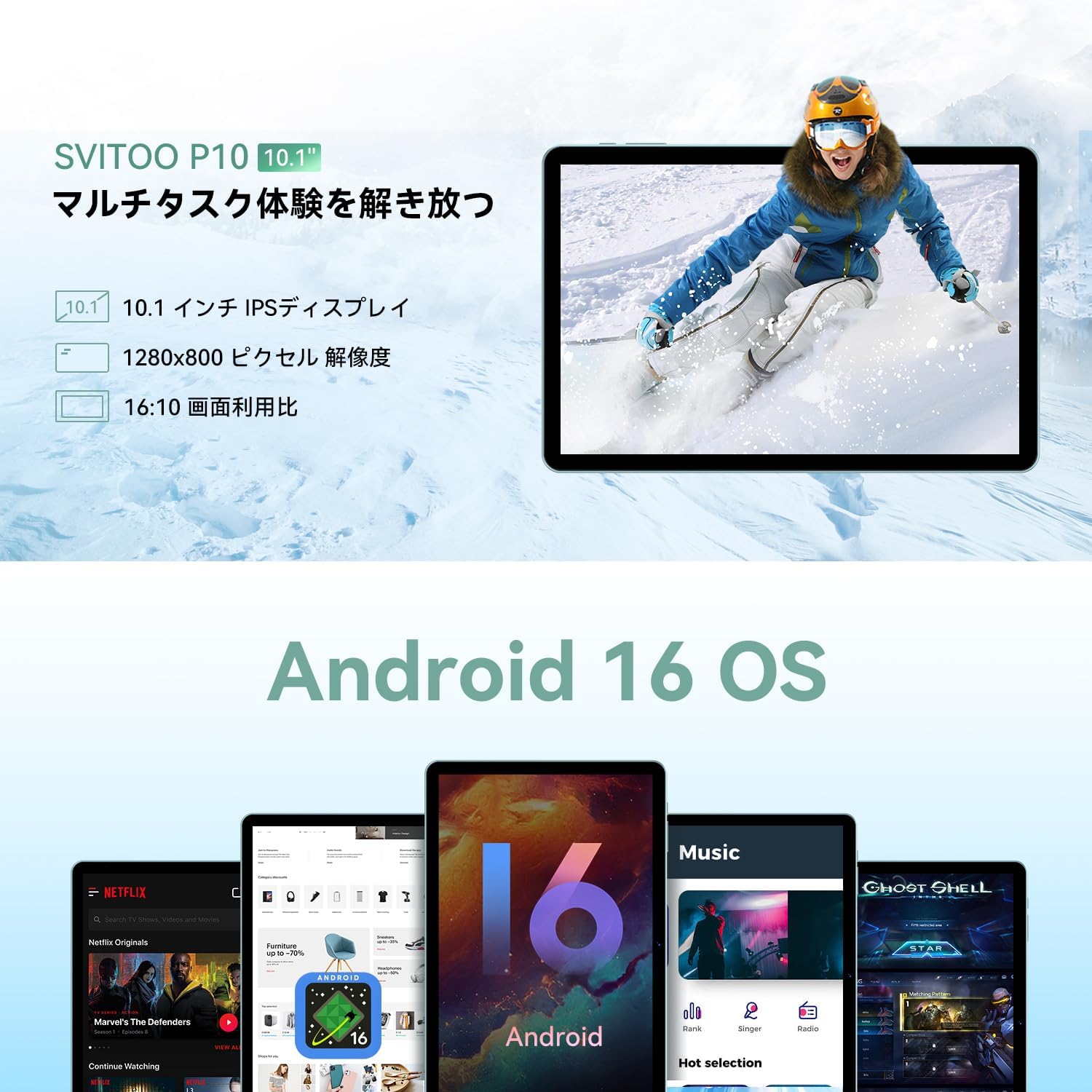
Figure 2.3: The SVITOO P10 tablet displaying a vibrant image, emphasizing its 10.1-inch IPS display, 1280x800 pixel resolution, and 16:10 aspect ratio.

Figure 2.4: Internal components of the SVITOO P10, illustrating the 20GB RAM (4GB + 16GB expandable), 128GB ROM, 1TB microSD card support, and the efficient 8-core CPU (UNISOC T7250 shown in diagram, actual is T615).
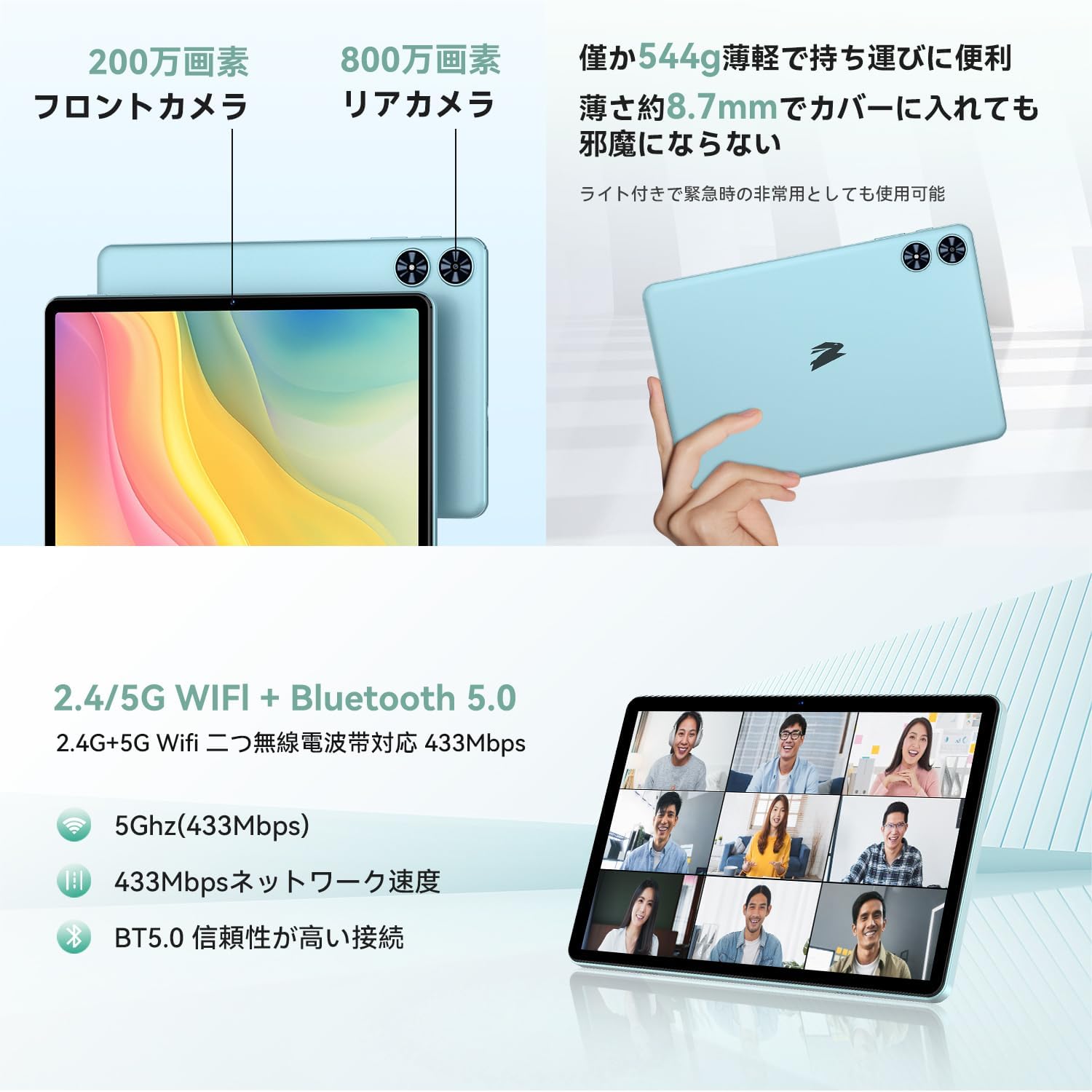
Малюнак 2.5: Задняя і пярэдняя часткі views of the SVITOO P10 tablet, highlighting the 2MP front camera, 8MP rear camera, 2.4G/5G WiFi, and Bluetooth 5.0. An example of a video conference is shown on the screen.

Figure 2.6: Demonstrates the SVITOO P10's software capabilities, including convenient multi-window, wireless projection, face recognition unlock, and eye protection screen modes (reading mode, blue light reduction).
Відэа аб прадуктах:
Video 2.1: This video demonstrates how the Android 16 OS on the SVITOO P10 tablet enhances both entertainment and work tasks, showcasing its smooth performance and user-friendly interface.
3. Настройка
3.1. Распакаванне і першапачатковы агляд
Upon receiving your SVITOO P10 tablet, carefully open the package and ensure all components are present:
- SVITOO P10 Tablet
- Зарадны кабель USB-C
- Адаптар сілкавання
- Аўдыяадаптар USB-C да 3.5 мм
- Кіраўніцтва карыстальніка
- SIM Ejector Pin (for microSD card slot)
Inspect the tablet for any physical damage. The screen comes with a pre-applied protective film.
3.2. Уключэнне / выключэнне харчавання
- Каб уключыць: Press and hold the Power button (located on the side) until the SVITOO logo appears on the screen.
- Каб выключыць: Press and hold the Power button, then select 'Power off' from the options that appear.
- Каб перазапусціць: Націсніце і ўтрымлівайце кнопку харчавання, затым абярыце «Перазагрузка» з прапанаваных варыянтаў.
3.3. Майстар пачатковай налады
The first time you power on your tablet, you will be guided through an initial setup process:
- Выберыце жаданую мову.
- Падключыцеся да сеткі Wi-Fi.
- Увайдзіце ў свой уліковы запіс Google або стварыце новы.
- Выконвайце падказкі на экране, каб завяршыць наладку.
3.4. Устаўка карты MicroSD
To expand your tablet's storage:
- Знайдзіце латок для SIM-карты/microSD на бакавой панэлі планшэта.
- Устаўце штыфт для выкіду SIM-карты з камплекта ў невялікую адтуліну побач з латком, каб адкрыць яго.
- Place your microSD card (up to 1TB, sold separately) into the designated slot on the tray.
- Акуратна ўстаўце латок назад у планшэт, пакуль ён не зашчоўкнецца.
4. Інструкцыя па эксплуатацыі
4.1. Базавая навігацыя
The SVITOO P10 uses standard Android touch gestures:
- Націсніце: Выберыце элемент або адкрыйце праграму.
- Правядзіце пальцам: Пракручваць экраны або спісы.
- Дробка: Павялічваць або памяншаць маштаб фатаграфій і web старонкі.
- Доўгі націск: Доступ да кантэкстных меню або перамяшчэнне значкоў.
4.2. Налады дысплея
Адрэгулюйце свой viewвопыт:
- Яркасць: Swipe down from the top of the screen to access Quick Settings, then adjust the brightness slider.
- Цёмны рэжым: Перайсці да Налады > Дысплей > Цёмная тэма to enable or disable dark mode for a more comfortable viewвопыт здымкі пры слабым асвятленні.
- Рэжым чытання: Activate reading mode (often found in Quick Settings or Display settings) to reduce eye strain during prolonged reading.
4.3. Сувязь
- Wi-Fi: Перайсці да Налады > Сетка і інтэрнэт > Wi-Fi to connect to available networks. The tablet supports 2.4G and 5G bands.
- Bluetooth: Перайсці да Налады > Падлучаныя прылады > Bluetooth to pair with Bluetooth 5.0 devices like headphones, speakers, or keyboards.
- GPS: The built-in GPS allows for accurate location tracking and navigation using map applications.
4.4. Мультымедыя
- Паток відэа: With Widevine L1 support, enjoy high-definition content from popular streaming services.
- Аўдыё: The tablet features quad speakers for immersive sound. A 3.5mm headphone jack is also available via the included adapter.
4.5. Выкарыстанне камеры
The SVITOO P10 is equipped with an 8MP rear camera and a 2MP front camera.
- Адкрыйце Камера праграму з галоўнага экрана або з меню праграм.
- Пераключайцеся паміж пярэдняй і задняй камерамі з дапамогай значка камеры.
- Tap the shutter button to take a photo or record a video.
4.6. Функцыі прадукцыйнасці
- Раздзелены экран: Use the split-screen function to run two apps side-by-side for enhanced multitasking.
- Бесправадная праекцыя: Easily connect your tablet to a larger TV or display wirelessly for a broader visual experience.
4.7. Security and Parental Controls
- Распазнаванне асобы: Set up face recognition in Налады > Бяспека і прыватнасць > Распазнаванне па твары to quickly and conveniently unlock your device.
- Бацькоўскі кантроль: Utilize the parental control features to manage screen time, app access, and prevent unauthorized purchases when children use the tablet.
5. Тэхнічнае абслугоўванне
5.1. Зарадка акумулятара
Charge your SVITOO P10 tablet using the provided USB-C cable and power adapter. The durable Type-C port ensures reliable charging. Avoid using damaged cables or chargers.
5.2. Кіраванне сховішчам
Рэгулярна кіруйце памяццю планшэта, каб падтрымліваць аптымальную прадукцыйнасць. Выдаляйце непатрэбнае files and apps, or offload large media files to your microSD card (up to 1TB) or cloud storage.
5.3. Ачыстка прылады
Use a soft, lint-free cloth to clean the screen and body of your tablet. Avoid using harsh chemicals or abrasive materials that could damage the device.
6. Выпраўленне непаладак
If you encounter issues with your SVITOO P10 tablet, refer to the following common solutions:
6.1. Прылада не ўключаецца
- Пераканайцеся, што акумулятар зараджаны. Падключыце планшэт да зараднай прылады як мінімум на 30 хвілін.
- Націсніце і ўтрымлівайце кнопку харчавання на працягу 10-15 секунд, каб прымусова перазагрузіць кампутар.
6.2. Праблемы з падключэннем да Wi-Fi
- Check if Wi-Fi is enabled in Налады > Сетка і інтэрнэт > Wi-Fi.
- Перазапусціце свой Wi-Fi маршрутызатар.
- Забудзьцеся пра сетку і падключыцеся зноў, паўторна ўвёўшы пароль.
6.3. Збоі праграм або павольная праца
- Зачыніце фонавыя праграмы.
- Ачысціце кэш праблемных праграм (Налады > Праграмы > [Назва праграмы] > Памяць і кэш > Ачысціць кэш).
- Ensure your tablet's software is up to date (Налады > Сістэма > Абнаўленне сістэмы).
- Калі праблемы не знікнуць, падумайце пра скід да заводскіх налад (Налады > Сістэма > Параметры скіду > Сцерці ўсе даныя (скід да заводскіх налад)). Warning: This will delete all data on your tablet. Back up important information first.
7. Тэхнічныя характарыстыкі
| Асаблівасць | Спецыфікацыя |
|---|---|
| Марка | СВІТОО |
| Назва мадэлі | P10 |
| Аперацыйная сістэма | Android 16 (GMS certified) |
| Марка працэсара | Унісоц |
| Хуткасць працэсара | 1.8 ГГц |
| Графічны паскаральнік | Малі-G57 |
| Памер дысплея | 10.1 цалі |
| Дазвол дысплея | 1280x800 пікселяў |
| Ёмістасць памяці | 128 ГБ |
| Сховішча з магчымасцю пашырэння | Да 1 ТБ праз карту microSD |
| Пярэдняя камера | 2 МП |
| Задняя камера | 8 МП |
| Бесправадны тып | 802.11a/g/n/ac (2.4G/5G Wi-Fi) |
| Тып падключэння | Bluetooth 5.0, GPS |
| Ёмістасць батарэі | 6600 мАг |
| Порт для зарадкі | USB-C |
| Аўдыё порт | 3.5mm Headphone Jack (via adapter) |
| Вага прадмета | 1.05 кілаграма |
| Памеры ўпакоўкі | 32.4 х 20.3 х 2.9 см |
8. Гарантыя і падтрымка
8.1. Гарантыя вытворцы
The SVITOO P10 tablet comes with a 1-гадовая гарантыя вытворцы. Гэтая гарантыя распаўсюджваецца на дэфекты матэрыялаў і вырабу пры звычайным выкарыстанні.
Returns or exchanges are accepted for defects found before use (after unboxing) or for initial defects discovered after use.
8.2. Падтрымка кліентаў
For any inquiries, technical support, or warranty claims, please contact SVITOO customer service through your Amazon account:
- Увайдзіце ў свой уліковы запіс Amazon.
- Go to 'Order History'.
- Locate your SVITOO P10 tablet order.
- Click 'Contact Seller' to reach our support team.