
1. Уводзіны
This manual provides comprehensive instructions for the setup, operation, and maintenance of your LongPlus 2K Battery Powered Wireless Outdoor Security Camera (Model X84). This camera is designed to provide reliable home security with features such as 2K QHD resolution, AI motion detection, two-way talk, and versatile storage options. Please read this manual carefully before using the product to ensure proper functionality and safety.

Image: The LongPlus security camera shown alongside a smartphone displaying its live video feed.
2. Што ў скрынцы
Праверце наяўнасць усіх кампанентаў у вашай упакоўцы:
- Security Camera with Bracket
- Pack of Screws (for mounting)
- Скінуць іголку
- USB-кабель (для зарадкі)
- Кароткае кіраўніцтва
3. Тэхнічныя характарыстыкі
| Асаблівасць | Дэталь |
|---|---|
| Назва мадэлі | Battery Security Camera (X84) |
| дазвол | 2K QHD (1440p Video Capture, 3 MP Effective Still Resolution) |
| Сувязь | Бесправадная сувязь (толькі Wi-Fi 2.4 ГГц) |
| Крыніца харчавання | Працуе ад акумулятара (1 літый-іённы акумулятар уключаны) |
| Начное бачанне | Color Night Vision, Infrared Night Vision (up to 33ft) |
| Дэтэктар руху | PIR Motion Detection with AI Analysis Recognition (People, Vehicles, Pets, Packages) |
| Аўдыё | Two-Way Talk (Built-in microphone and speaker) |
| Параметры захоўвання | Micro SD Card (up to 128GB, not included), Cloud Storage (3-day rolling free trial) |
| Ўстойлівасць да надвор'я | Воданепранікальны IP65 |
| Viewing кут | 130 градусаў |
| Сумяшчальныя прылады | Smartphone, Amazon Alexa |
| Памеры | 4 х 2 х 5 цалі |
| Вага | 12.6 унцыі |
4. Кіраўніцтва па наладцы
4.1 Першапачатковая зарадка
Before first use, fully charge the camera using the provided USB cable. Connect the USB cable to the camera's charging port and a standard 5V USB power adapter (not included). The charging indicator light will show the charging status.
4.2 Загрузка праграмы і стварэнне ўліковага запісу
- Спампаваць Vicohome app from your smartphone's app store (iOS App Store or Google Play Store).
- Адкрыйце праграму і выконвайце інструкцыі на экране, каб стварыць новы ўліковы запіс, або ўвайдзіце ў сістэму, калі ў вас ужо ёсць уліковы запіс.
4.3 Camera Pairing and Wi-Fi Connection
- Power on the camera. The indicator light will begin to flash, indicating it's ready for pairing.
- In the Vicohome app, tap the "Add Device" or "+" icon.
- Выберыце мадэль вашай камеры са спісу.
- Follow the app's instructions to connect the camera to your 2.4GHz Wi-Fi. Ensure your smartphone is also connected to the same 2.4GHz network during setup. Note: This camera exclusively supports 2.4GHz Wi-Fi.
- Адсканіруйце QR-код, які адлюстроўваецца на экране тэлефона, з дапамогай камеры. Пасля падключэння вы пачуеце гук пацверджання.
4.4 Мантаж камеры
The camera can be mounted on a wall, ceiling, or placed freestanding on a flat surface. Choose a location that provides the desired viewing angle and is within range of your Wi-Fi signal.
- Насценнае/потолочное мацаванне: Use the provided bracket and screws to securely attach the camera to a suitable surface. Adjust the camera angle as needed.
- Асобна стаяць: Размясціце камеру на ўстойлівай, роўнай паверхні.

Image: Camera mounted on a wall, illustrating installation flexibility.

Image: Camera on a table, showing its compact design for versatile placement.
5. Інструкцыя па эксплуатацыі
5.1 У прамым эфіры View і якасць відэа
Open the Vicohome app to access the live feed from your camera. The camera provides 2K QHD resolution for clear and detailed video monitoring.

Image: Illustrates the 2K+ Full HD image quality captured by the camera.
5.2 Выяўленне руху і абвесткі
The camera features advanced PIR motion detection with AI analysis to recognize people, vehicles, pets, and packages. When motion is detected, you will receive real-time notifications on your smartphone via the Vicohome app.

Image: Demonstrates PIR motion detection and real-time alerts.
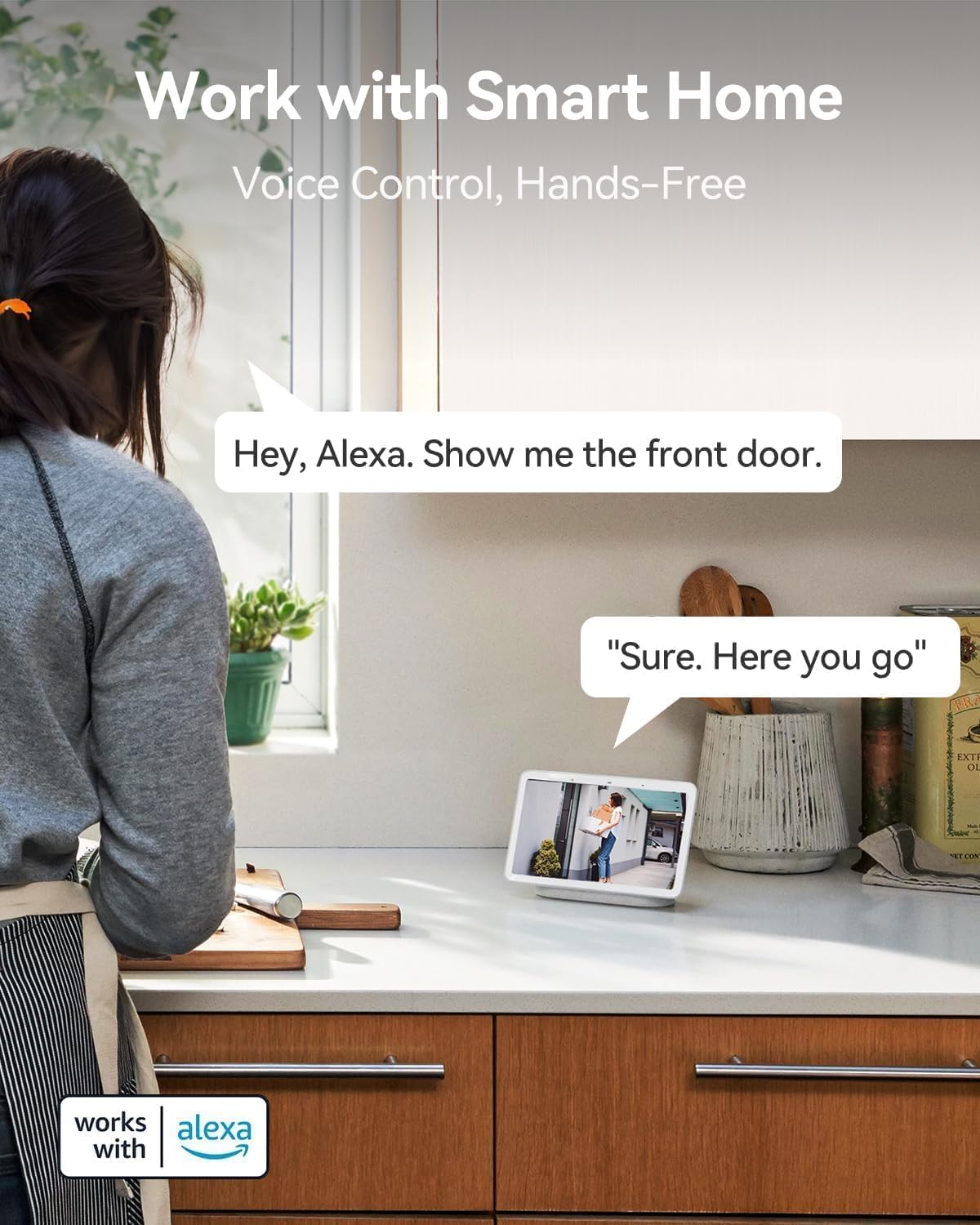
Image: Visual representation of AI detection analysis and intelligent push alerts.
5.3 Двухбаковая размова
Utilize the built-in microphone and speaker for real-time two-way communication. This allows you to warn off intruders, speak with visitors, or communicate with family members through the camera.

Image: Demonstrates the two-way talk feature for interacting with visitors.
5.4 Начное бачанне
The camera offers both full-color night vision and infrared night vision options, providing clear visibility up to 33 feet in low-light conditions or complete darkness.

Image: Shows the camera's color night vision capability for enhanced visibility.
5.5 Варыянты захоўвання
Recordings can be stored locally on a Micro SD card (up to 128GB, not included) or via cloud storage. A complimentary 3-day rolling cloud storage is included without subscription. Advanced cloud features are available with a subscription after a 30-day free trial.

Image: Illustrates both SD card and cloud storage options for video recordings.
5.6 Smart Home Integration (Works with Alexa)
The LongPlus camera is compatible with Amazon Alexa, allowing for voice control and hands-free monitoring. You can ask Alexa to show you the camera's live feed on compatible smart displays.

Image: Demonstrates voice control with Amazon Alexa for viewвідэаздымка з камеры.
6. Пашыраныя магчымасці
6.1 Extended Battery Life
The rechargeable battery provides 1 to 5 months of use on a single charge, depending on usage and settings, minimizing the need for frequent recharging.

Image: Highlights the camera's extended battery life for prolonged usage.
6.2 Канструкцыя IP65, абароненая ад уздзеяння навакольнага асяроддзя
With an IP65 rating, the camera is designed to withstand various weather conditions, making it suitable for outdoor installation.

Image: Shows the camera's IP65 weatherproof rating, suitable for outdoor use.
6.3 Customizable Alert Zones
Вызначце канкрэтныя зоны ў межах камеры view to focus motion detection and reduce false alerts, ensuring you only receive notifications for relevant activity.

Image: Illustrates the ability to set custom alert zones for targeted monitoring.
7. Тэхнічнае абслугоўванне
- Зарадка акумулятара: Recharge the camera battery when the app indicates low power. The battery can last 1-5 months depending on usage.
- Ачыстка аб'ектыва: Gently wipe the camera lens with a soft, dry cloth to ensure clear image quality. Avoid abrasive cleaners.
- Абнаўленні прашыўкі: Periodically check the Vicohome app for available firmware updates. Keeping your camera's firmware updated ensures optimal performance and security.
- Экалагічныя меркаванні: While IP65 rated, avoid prolonged exposure to extreme conditions beyond the specified operating temperature range (-20°C to +60°C) to maximize product lifespan.
8. Выпраўленне непаладак
| праблема | Магчымая прычына / рашэнне |
|---|---|
| Camera won't power on. | Battery may be depleted. Charge the camera fully. Ensure the USB cable and power adapter are working correctly. |
| Немагчыма падключыцца да Wi-Fi. |
|
| Motion alerts are too frequent/infrequent. |
|
| Дрэнная якасць відэа. |
|
| Two-way talk audio is unclear. |
|
For more detailed troubleshooting, refer to the help section within the Vicohome app or contact customer support.
9. Гарантыя і падтрымка
LongPlus provides a Гарантыя 2 год for this product. Additionally, lifetime technical support is available to assist you with any inquiries or issues you may encounter.
For technical assistance or warranty claims, please contact LongPlus customer support through the contact information provided in the Vicohome app or on the official LongPlus webсайт.