
Уводзіны
This manual provides instructions for the AWEI H25 Smart Watch. Please read this manual carefully before using the device to ensure proper operation and maintenance.

Figure 1: AWEI H25 Smart Watch in use.
1. Настройка
1.1 Змест пакета
Пераканайцеся, што ў вашай упакоўцы ёсць наступныя рэчы:
- AWEI H25 Smart Watch
- Зарадны кабель
- Кіраўніцтва карыстальніка (гэты дакумент)
1.2 Зарадка прылады
Before first use, fully charge the smart watch. Connect the charging cable to the charging port on the back of the watch and to a standard USB power adapter (not included).
- Поўная зарадка звычайна займае 2-3 гадзіны.
- The watch has a 230mAh battery capacity.
- Battery life is approximately 5-7 days with daily use, and up to 30 days in standby mode.

Figure 2: Battery life and performance overview.
1.3 Загрузка праграмы і спалучэнне
To utilize all features, download the companion app to your smartphone. Scan the QR code provided in the watch's interface or search for the app name (usually mentioned in the watch's initial setup screen or packaging) in your phone's app store.
- Уключыце Bluetooth на вашым смартфоне.
- Адкрыйце суправаджальнае прыкладанне і выконвайце інструкцыі на экране, каб стварыць уліковы запіс або ўвайсці ў сістэму.
- Select "Add Device" or "Pair Device" within the app.
- The app will search for available devices. Select "AWEI H25" from the list.
- Пацвердзіце запыт на спалучэнне як на гадзінніку, так і на смартфоне.
1.4 Налада цыферблата гадзінніка
The AWEI H25 features a 1.83-inch screen. You can customize the watch face through the companion app.
- Choose from multiple cloud-based watch faces.
- Upload your own photos to create a personalized watch face.
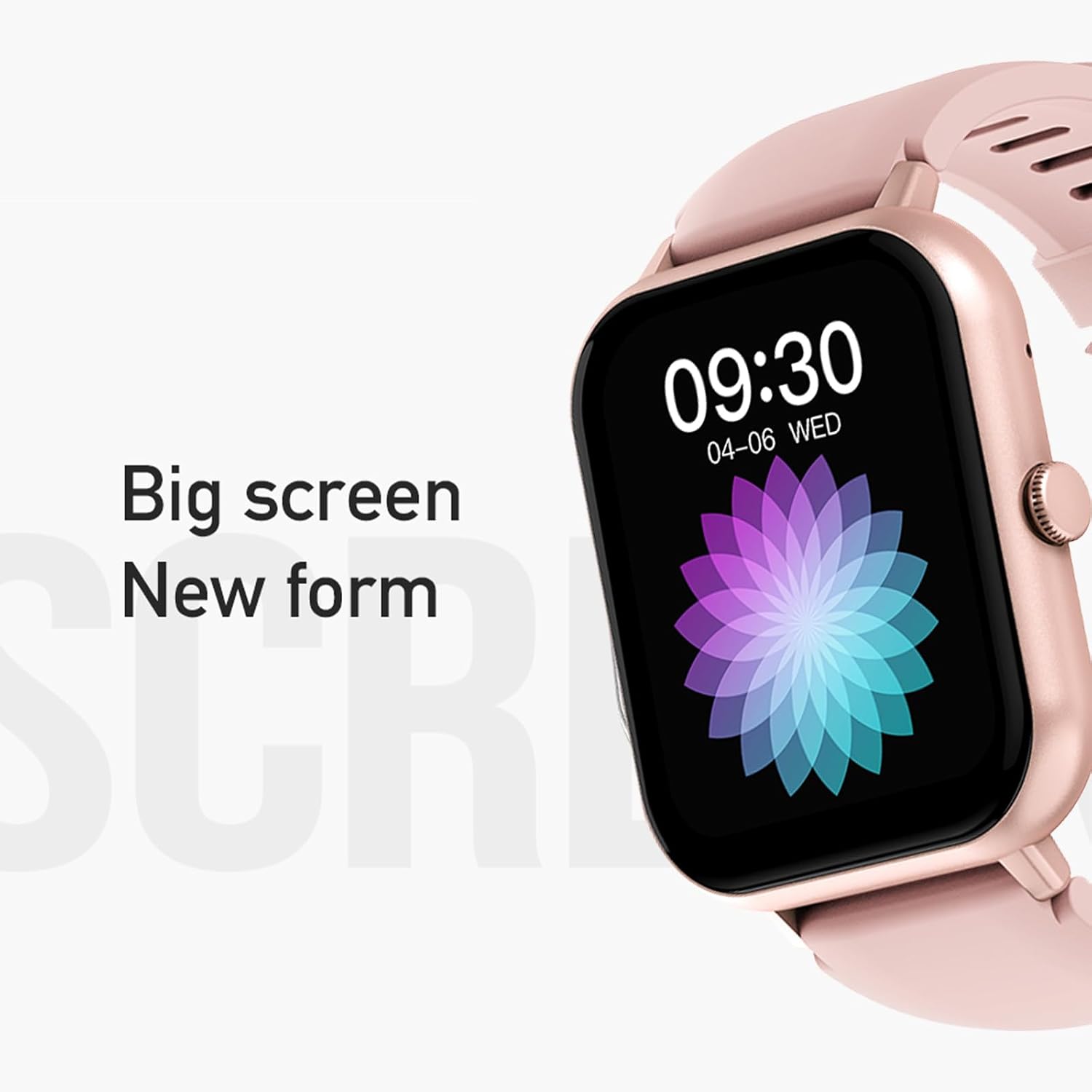
Figure 3: The 1.83-inch screen of the AWEI H25 Smart Watch.
2. Інструкцыя па эксплуатацыі
2.1 Асноўная навігацыя
- Правядзіце пальцам уверх/уніз: Навігацыя па меню і апавяшчэннях.
- Правядзіце пальцам улева/управа: Доступ да хуткіх функцый або віджэтаў.
- Націсніце бакавую кнопку: Return to the home screen or access the app list.
- Long Press Side Button: Power on/off or access system settings.
2.2 Функцыя выкліку праз Bluetooth
After successful pairing with your smartphone, the watch supports Bluetooth calls.
- Адказ на званкі: When a call comes in, tap the green icon on the watch screen.
- Здзяйсненне званкоў: Каб пачаць званок, адкрыйце для сябе панэль набору нумара або спіс кантактаў на гадзінніку.
2.3 спартыўных рэжымаў
The AWEI H25 offers over 100 sport modes to track your physical activity.
- Access the "Sports" menu on the watch.
- Select your desired activity (e.g., Running, Walking, Hiking, Basketball, Cycling, Yoga).
- The watch will track exercise time, calories burned, and other relevant metrics.

Малюнак 4: Закончанаview of available sport modes.
2.4 Маніторынг здароўя
The watch provides monitoring for various health metrics:
- Маніторынг сардэчнага рытму: Continuous or on-demand heart rate measurement.
- Маніторынг артэрыяльнага ціску: Забяспечвае прыблізныя паказчыкі артэрыяльнага ціску.
- Маніторынг кіслароду ў крыві: Measures blood oxygen saturation (SpO2).
- Жаночы фізіялагічны цыкл: Track and predict menstrual cycles (requires setup in the app).
- Напаміны пра сядзячы рэжым: Папярэджвае вас аб неабходнасці рухацца пасля перыядаў бяздзейнасці.
Заўвага: The health monitoring features are for reference only and should not be used for medical diagnosis or treatment. Consult a medical professional for health concerns.
2.5 Разумны галасавы памочнік
After binding the watch to the companion app, you can use the smart voice assistant function.
- Click the voice function icon on the watch's menu screen.
- Speak your command (e.g., "What's the weather today?", "Call [Contact Name]").

Figure 5: Smart Voice Assistant interface.
2.6 Дадатковыя магчымасці
- Кіраванне музыкай: Кіруйце прайграваннем музыкі на вашым смартфоне.
- Аддаленая фатаграфія: Выкарыстоўвайце гадзіннік як пульт дыстанцыйнага кіравання затворам для камеры тэлефона.
- Будзільнік: Усталёўвайце будзільнікі непасрэдна з гадзінніка.
- Дысплей часу: Standard time and date display.
- Wrist-Flip Display: Экран актывуецца, калі вы падымаеце запясце.
3. Тэхнічнае абслугоўванне
3.1 Воданепранікальнасць (IP67)
The AWEI H25 Smart Watch has an IP67 waterproof rating. This means it is protected against dust ingress and can withstand immersion in water up to 1 meter for up to 30 minutes.
- Suitable for daily use such as washing hands, face, or light rain.
- Не падыходзіць для: Swimming, diving, hot showers, saunas, or high-pressure water activities.
- Пазбягайце кантакту з гарачай вадой, парай або агрэсіўнымі вадкасцямі.
3.2 Чыстка і догляд
- Рэгулярна працірайце гадзіннік і раменьчык мяккай сухой тканінай.
- Пры неабходнасці выкарыстоўвайце злёгку damp тканінай з мяккім мылам, затым вытрыце насуха.
- Не выкарыстоўвайце агрэсіўныя хімікаты, абразіўныя ачышчальнікі або растваральнікі.
- Для забеспячэння належнай зарадкі падтрымлівайце зарадныя кантакты чыстымі і сухімі.
3.3 Сыход за акумулятарам
- Пазбягайце частай поўнай разрадкі акумулятара.
- Do not expose the watch to extreme temperatures (very hot or very cold).
- Калі вы збіраецеся захоўваць гадзіннік працяглы час, зарадзіце яго прыкладна да 50% і захоўвайце ў прахалодным, сухім месцы.
4. Выпраўленне непаладак
4.1 Прылада не ўключаецца
- Пераканайцеся, што гадзіннік цалкам зараджаны. Падключыце яго да зараднай прылады як мінімум на 30 хвілін.
- Try a long press (approx. 10-15 seconds) of the side button to force a power-on.
4.2 Не ўдаецца падключыцца да смартфона
- Пераканайцеся, што Bluetooth уключаны на вашым смартфоне.
- Пераканайцеся, што гадзіннік знаходзіцца ў зоне дзеяння Bluetooth (звычайна 10 метраў).
- Перазагрузіце гадзіннік і смартфон.
- Ачысціце кэш Bluetooth на тэлефоне (калі ёсць) і паспрабуйце зноў падключыць прыладу.
- Пераканайцеся, што суправаджальнае прыкладанне абноўлена да апошняй версіі.
4.3 Недакладныя паказанні стану здароўя
- Пераканайцеся, што гадзіннік шчыльна прылягае да запясця, не занадта туга і не занадта свабодна.
- Keep the sensor on the back of the watch clean and free from debris.
- Пазбягайце празмерных рухаў падчас вымярэнняў.
- Remember that these readings are for reference and not medical grade.
4.4 Watch Not Receiving Notifications
- Check notification permissions for the companion app on your smartphone.
- Пераканайцеся, што гадзіннік падключаны да тэлефона праз Bluetooth.
- Verify that "Do Not Disturb" mode is not active on either the watch or phone.
5. Тэхнічныя характарыстыкі
| Нумар мадэлі | H25 |
| Марка | AWEI |
| Памер экрана | 1.83 цалі |
| Ёмістасць батарэі | 230 мАг |
| Сувязь | Bluetooth |
| Рэйтынг воданепранікальнасці | IP67 |
| Асаблівасці | 100+ sport modes, Multiple customizable dials, Smart voice assistant, Heart rate, Blood pressure, Blood oxygen monitoring, Bluetooth call function. |
| GPS | Няма GPS |
6. Гарантыя і падтрымка
6.1 Гарантыя на выраб
The AWEI H25 Smart Watch comes with a one-year warranty from the date of purchase. This warranty covers manufacturing defects under normal use. It does not cover damage caused by misuse, accidents, unauthorized modifications, or failure to follow instructions in this manual.
Калі ласка, захавайце доказы пакупкі для прэтэнзій па гарантыі.
6.2 Падтрымка кліентаў
If you encounter any issues not covered in the troubleshooting section or require further assistance, please contact AWEI customer support. Refer to the product packaging or the official AWEI webсайт для атрымання самай актуальнай кантактнай інфармацыі.