
Thomson 32QG4S14
Thomson 32-inch QLED Google Smart TV User Manual
Model: 32QG4S14
Гандлёвая марка: Thomson
Уводзіны
This manual provides essential information for setting up, operating, and maintaining your Thomson 32-inch QLED Google Smart TV. Please read this manual thoroughly before using the television to ensure proper functionality and safety.
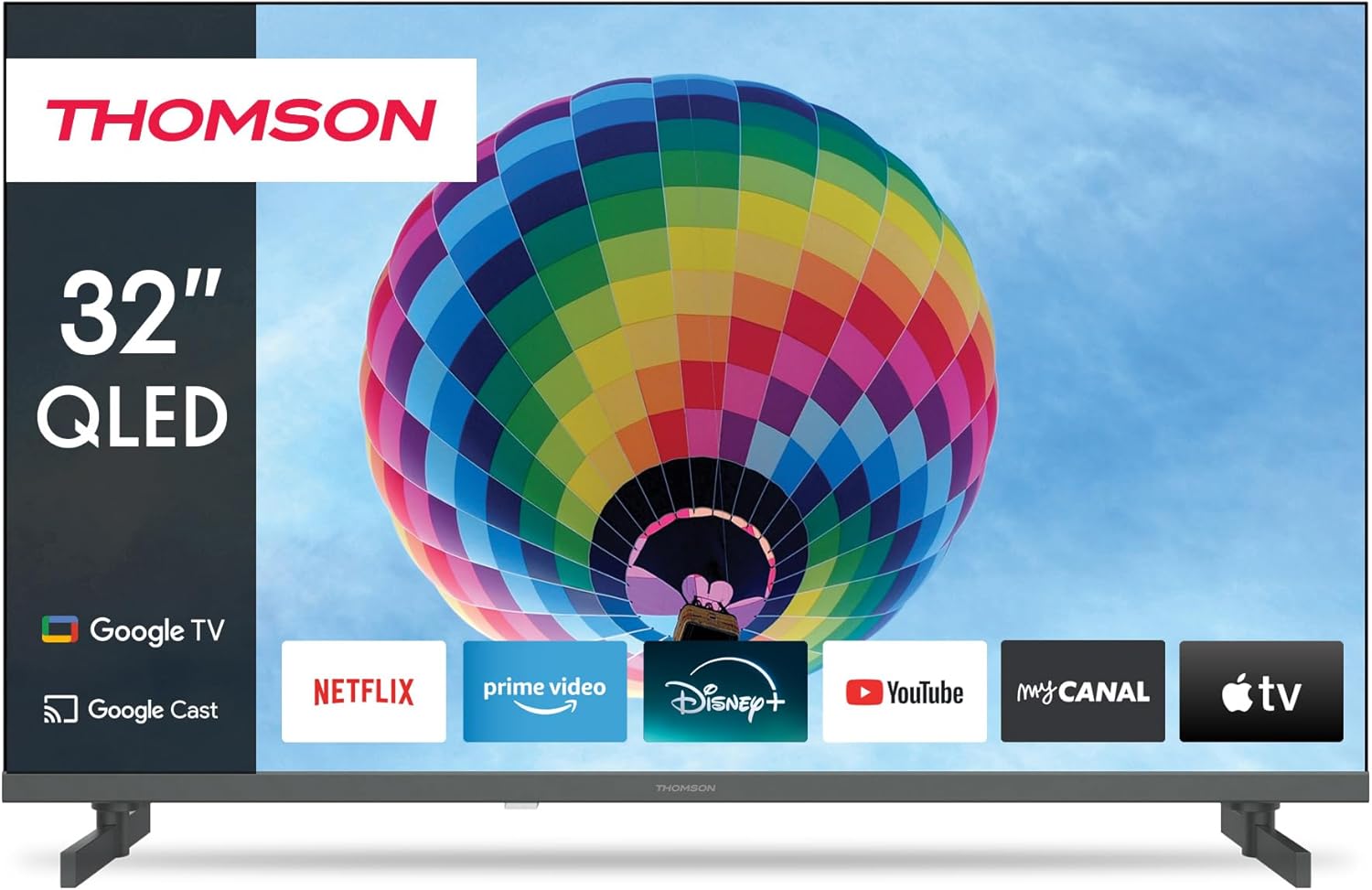
Выява: спераду view of the Thomson 32-inch QLED Google Smart TV, showcasing its sleek design and integrated Google TV interface with popular streaming applications like Netflix, Prime Video, Disney+, YouTube, My Canal, and Apple TV.
1. Настройка
1.1 Распакоўка і змесціва ўпакоўкі
Асцярожна выміце ўсе кампаненты з упакоўкі. Пераканайцеся, што ўсе пералічаныя ніжэй элементы наяўныя:
- Thomson 32-inch QLED Google Smart TV
- Пульт дыстанцыйнага кіравання
- Сілавы кабель
- Настольная падстаўка (2 штукі)
- Шрубы для мацавання падстаўкі
- Кіраўніцтва карыстальніка (гэты дакумент)
Захавайце ўпакоўку для будучай транспарціроўкі або патрэбы ў абслугоўванні.
1.2 Мацаванне настольнай падстаўкі
To attach the table stands:
- Пакладзеце тэлевізар экранам уніз на мяккую, роўную паверхню, каб пазбегнуць драпін.
- Сумясціце кожную падстаўку з адпаведнымі пазы ў ніжняй частцы тэлевізара.
- Замацуйце падстаўкі з дапамогай прадугледжаных шруб. Пераканайцеся, што яны надзейна зацягнуты.

Выява: Збоку view of the Thomson 32-inch QLED Google Smart TV, illustrating its compact dimensions of 8 cm depth, 72 cm width, and 46 cm height (with stand), making it suitable for various living spaces.
1.3 Падключэнне знешніх прылад
Your Thomson TV offers various connection ports for external devices. Refer to the diagram below for port locations and types:

Выява: Задняя частка view of the Thomson 32-inch QLED Google Smart TV, detailing the available connection ports: 2x USB 2.0, DVB-T2/C/S2 (Antenna/Satellite), HDMI 1.4 + ARC, 2x HDMI 1.4, AV IN, Digital Optical Audio Out, and LAN (Ethernet).
- HDMI: Connect Blu-ray players, game consoles, or set-top boxes. The HDMI 1.4 + ARC port supports Audio Return Channel for simplified audio connections to soundbars or AV receivers.
- USB: Для падключэння USB-назапашвальнікаў для прайгравання медыяфайлаў files.
- Antenna/Satellite (DVB-T2/C/S2): Connect your terrestrial antenna, cable, or satellite dish for broadcast TV.
- LAN: For a wired internet connection. Alternatively, use Wi-Fi.
- Digital Optical Audio Out: For connecting to external audio systems with optical input.
- AV IN: For older devices using composite video and stereo audio connections.
- CI+: Common Interface Plus slot for conditional access modules (CAM) to decrypt pay TV channels.
1.4 Пачатковае ўключэнне і першая налада
Пасля падключэння ўсіх неабходных кабеляў:
- Уключыце кабель харчавання ў разетку.
- Каб уключыць тэлевізар, націсніце кнопку харчавання на тэлевізары або на пульце дыстанцыйнага кіравання.
- Выконвайце інструкцыі на экране, каб завяршыць пачатковую наладу, якая ўключае ў сябе:
- Выбар мовы
- Сеткавае падключэнне (Wi-Fi або правадная лакальная сетка)
- Google Account sign-in (for Google TV features)
- Channel scanning (Antenna, Cable, or Satellite)
- Прыняцце ўмоў і палажэнняў
The Google TV interface will guide you through personalizing your viewing experience, including setting up streaming services and Google Assistant.
2. Аперацыйная
2.1 Функцыі дыстанцыйнага кіравання
The remote control is your primary interface for navigating the TV. Key features include:

Image: The Thomson Smart TV remote control, illustrating its intuitive layout. Features include number keys for direct channel access, a dedicated Google Assistant button for voice control, backlit keys for visibility in low light, and quick access buttons for popular streaming apps like YouTube, Netflix, Prime Video, and Disney+.
- Кнопка харчавання: Уключае або выключае тэлевізар.
- Лічбавыя клавішы: Прамы выбар канала.
- Навігацыйная панэль (Уверх/Уніз/Улева/Управа/ОК): Для навігацыі па меню і выбару.
- Кнопкі «Назад»/«Дадому»: Return to previous screen or home screen.
- Павялічыць/паменшыць гучнасць: Рэгулюе гучнасць гуку.
- Канал уверх/уніз: Змяняе тэлеканалы.
- Кнопка Памочніка Google: Актывуе галасавое кіраванне для пошуку кантэнту, кіравання прыладамі разумнага дома і іншага.
- Кнопкі хуткага доступу: Dedicated buttons for popular streaming services (e.g., Netflix, Prime Video, YouTube, Disney+).
2.2 Функцыі Google TV
Your Thomson Smart TV runs on Google TV, providing a personalized and integrated entertainment experience.

Image: The Google TV home screen, displaying personalized content recommendations and easy access to a wide array of streaming applications, allowing users to manage multiple profiles.
- Агрэгацыя кантэнту: Access over 400,000 movies and series from various streaming services like Netflix, Prime Video, YouTube, Disney+, and Canal+ all in one place.
- Памочнік Google: Use voice commands to find content, control playback, get answers, and manage smart home devices.
- Убудаваны Chromecast: Cast photos, videos, and music directly from your smartphone, tablet, or computer to the TV.
- Персаналізаваны прафесіяналfiles: Стварэнне некалькіх карыстальнікаў Profiles for tailored recommendations and watchlists.
2.3 Input Selection and Channel Tuning
To switch between different input sources (HDMI, AV, TV tuner) or manage channels:
- Выбар уводу: Press the "Input" or "Source" button on your remote control to bring up the input menu. Select the desired source (e.g., HDMI 1, AV, TV).
- Налада каналаў: If you need to rescan for channels or adjust settings for your antenna, cable, or satellite connection, navigate to the "Settings" menu, then "Channels & Inputs" or "Channel Setup".
3. Тэхнічнае абслугоўванне
3.1 Чыстка тэлевізара
Regular cleaning helps maintain the TV's appearance and performance:
- экран: Gently wipe the screen with a soft, lint-free cloth (e.g., microfiber cloth). For stubborn marks, lightly dampпрацярыце тканіну вадой або спецыяльным растворам для чысткі экранаў. Не распыляйце вадкасць непасрэдна на экран.
- Цела: Выкарыстоўвайце мяккую сухую тканіну, каб праціраць рамку і падстаўку тэлевізара.
- Вентыляцыя: Каб пазбегнуць перагрэву, пераканайцеся, што вентыляцыйныя адтуліны на задняй панэлі тэлевізара не заблакаваныя.
Заўсёды адключайце тэлевізар ад электрычнай разеткі перад чысткай.
3.2 Абнаўленне праграмнага забеспячэння
Your Google Smart TV may receive software updates to improve performance, add new features, or fix bugs. It is recommended to keep your TV's software up to date.
- Аўтаматычныя абнаўленні: By default, the TV is set to receive automatic updates when connected to the internet.
- Ручная праверка: You can manually check for updates by navigating to "Settings" > "System" > "About" > "System update".
4. Выпраўленне непаладак
Калі ў вас узніклі праблемы з тэлевізарам, звярніцеся да наступных распаўсюджаных праблем і іх рашэнняў:
4.1 Агульныя праблемы і рашэнні
| праблема | Магчымая прычына / рашэнне |
|---|---|
| Няма сілы |
|
| Няма выявы / чорны экран |
|
| Без гуку |
|
| Пульт дыстанцыйнага кіравання не працуе |
|
| Праблемы з падключэннем да сеткі |
|
4.2 Дадатковая дапамога
If the problem persists after trying the above solutions, please refer to the official Thomson support webсайт або звярніцеся ў службу падтрымкі кліентаў для атрымання дадатковай дапамогі.
5. Тэхнічныя характарыстыкі
Detailed technical specifications for your Thomson 32-inch QLED Google Smart TV (Model 32QG4S14):
| Асаблівасць | Дэталь |
|---|---|
| Марка | Томсан |
| Нумар мадэлі | 32QG4S14 |
| Памер экрана (па дыяганалі) | 80 см (32 цалі) |
| Тэхналогія адлюстравання | QLED |
| дазвол | 1920 x 1080 (Full HD) - Note: While the product title mentions 4K UHD, the detailed specifications and energy label indicate a resolution of 1920 x 1080. |
| Частата абнаўлення | 60 Гц |
| Аперацыйная сістэма | Google TV |
| Тэхналогія падлучэння | Bluetooth, USB, HDMI, Wi-Fi (WLAN) |
| Парты HDMI | 3 (1x HDMI 1.4 with ARC, 2x HDMI 1.4) |
| Парты USB | 2x USB 2.0 |
| Тып цюнэра | Triple-Tuner (DVB-T2/C/S2 for Cable/Satellite/Antenna) |
| Падтрымліваюцца інтэрнэт-сэрвісы | Netflix, Prime Video, YouTube, Disney+, Canal+ |
| Памеры прадукту (Ш х В х Г) | 72 x 46 x 8 cm (approx. with stand) |
| Вага | 4.86 кілаграма |
| Тып мацавання | Table Mount (Side Feet) |
| Клас энергаэфектыўнасці | E |

Image: The energy efficiency label for the Thomson 32QG4S14 TV, indicating an 'E' rating and 26 kWh/1000h energy consumption.
6. Гарантыя і падтрымка
Thomson is committed to providing high-quality products and reliable support.
- Гарантыя: Your Thomson TV comes with a 3-year warranty, ensuring peace of mind and coverage against manufacturing defects. This commitment reflects the brand's dedication to quality and customer satisfaction.
- A+ Panel: The TV features an A+ Panel, guaranteeing precise images without dead pixels.
- European Assembly: Highest quality standards are maintained through assembly in Europe.
For detailed warranty terms, technical support, or service requests, please visit the official Thomson support website or contact their customer service. You can find more information on the Thomson brand store: Thomson Store on Amazon.
Ask a question about this manual
Ask about setup, troubleshooting, compatibility, parts, safety, or missing instructions. Manuals+ will review the question and use this page’s manual context to help answer it.