
ScopeAround SA200S
Лічбавы отаскоп ScopeAround SA200S з 1.85-цалевым IPS-экранам. Інструкцыя карыстальніка
Model: SA200S | Brand: ScopeAround
1. Уводзіны
This manual provides detailed instructions for the safe and effective use of your ScopeAround SA200S Digital Otoscope. This device is designed for visual inspection of the ear canal and eardrum, featuring an integrated 1.85-inch IPS screen, a 720p HD camera, and adjustable LED lighting. It also supports photo and video capture for documentation.
Калі ласка, уважліва прачытайце гэта кіраўніцтва перад выкарыстаннем прылады і захавайце яго для далейшага выкарыстання.
2. Інфармацыя па бяспецы
- Do not insert the otoscope too deeply into the ear canal to avoid injury.
- Always use the provided specula to prevent direct contact with the ear canal.
- Clean the lens and accessories thoroughly before and after each use to prevent cross-contamination. Refer to the "Maintenance and Cleaning" section.
- Keep the device out of reach of children. Adult supervision is required if used on children.
- Do not use the device if you experience pain or discomfort. Consult a medical professional.
- Пазбягайце ўздзеяння на прыладу экстрэмальных тэмператур, прамых сонечных прамянёў або вільгаці.
- Не спрабуйце самастойна разабраць або адрамантаваць прыладу. Звярніцеся ў службу падтрымкі па дапамогу.
- The built-in battery pack is non-removable.

Figure 2.1: Safe and Dangerous Ear Canal Insertion
3. Змесціва ўпакоўкі
Праверце наяўнасць усіх прадметаў у камплекце:
- SA200S Digital Otoscope with Screen
- Ear Picks (x4)
- Specula (x5)
- Спіртавыя накладкі
- Q-парады
- Карта памяці 8 ГБ
- Кабель USB (тып C)
- Кіраўніцтва карыстальніка

Малюнак 3.1: Змест пакета
4. Прадукт скончыўсяview
The ScopeAround SA200S Digital Otoscope is an all-in-one device designed for convenient ear examination. It features a high-resolution camera and an integrated display for direct viewінж.

Figure 4.1: ScopeAround SA200S Digital Otoscope
4.1 Кампаненты прылады

Figure 4.2: Labeled Components of the Otoscope
- Navigation Buttons UP: Used to navigate menus or adjust settings.
- Navigation Buttons Down: Used to navigate menus or adjust settings.
- Слот для карты памяці: For inserting the 8GB memory card (included).
- Photo / Video Button: Press to capture photos or start/stop video recording.
- Power Button / LED Light Adjustment: Long press to power on/off. Short press to cycle through LED brightness levels.
- 1.85-цалевы IPS-ВК-экран: Integrated display for real-time viewінж.
- Кнопка налад: Доступ да налад прылады.
- Кнопка ОК: Пацвярджайце выбар у меню.
- Otoscope Camera: The camera probe for ear canal inspection.
- Порт тыпу C: Для зарадкі і перадачы дадзеных.
5. Настройка
5.1 Зарадка прылады
Before first use, fully charge the otoscope. Connect the provided USB Type-C cable to the device's Type-C port and a compatible USB power adapter (not included). The charging indicator will show the charging status. A full charge provides approximately 3 hours of working time.
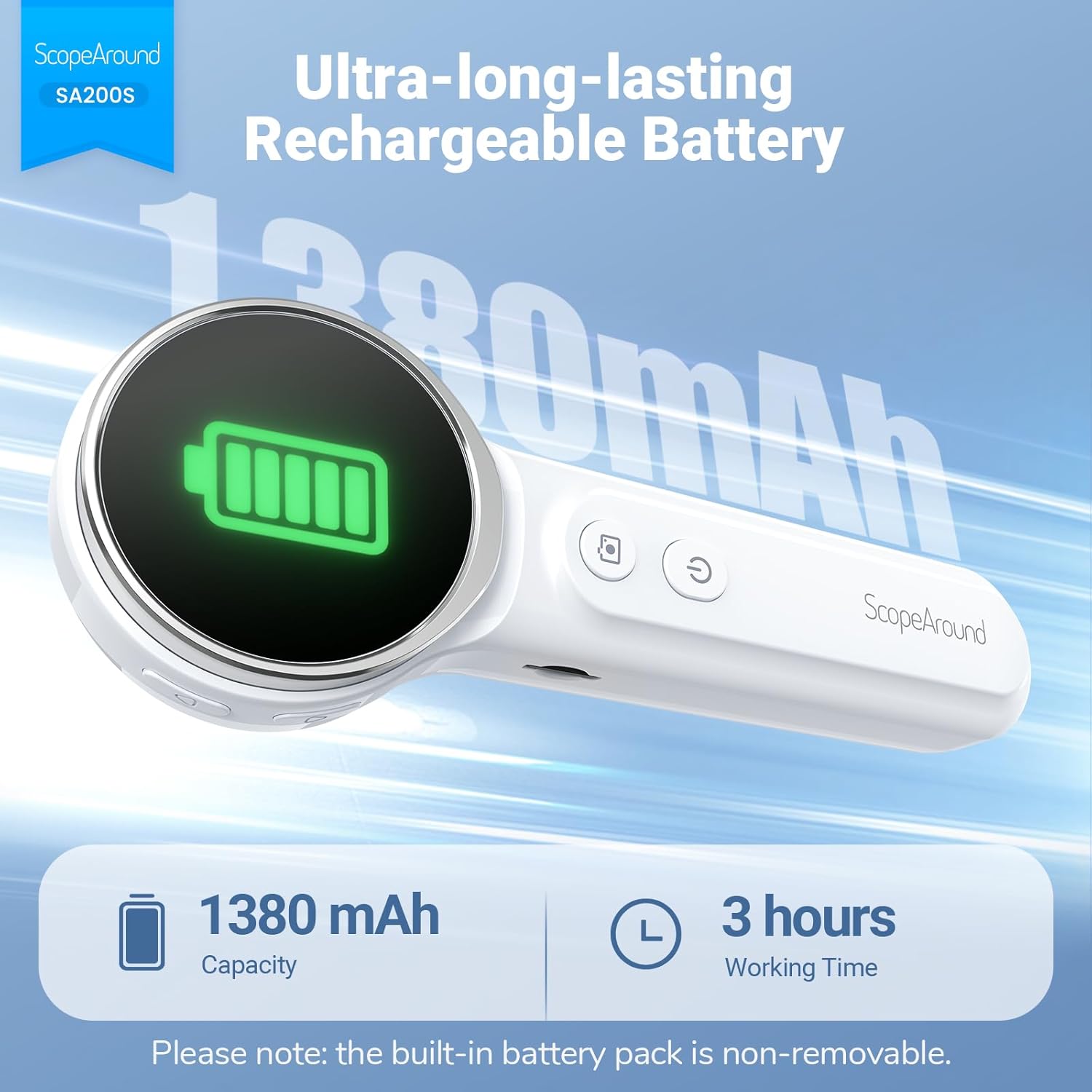
Малюнак 5.1: Зарадка і тэрмін службы батарэі
5.2 Прымацаванне аксесуараў
Select an appropriate speculum and ear pick. Gently attach the chosen speculum to the tip of the otoscope camera. If using an ear pick, ensure it is securely fitted over the camera tip, inside the speculum, before insertion into the ear.
5.3 Уключэнне/выключэнне
- To power on: Long press the Кнопка харчавання (5) until the screen illuminates.
- To power off: Long press the Кнопка харчавання (5) again until the screen turns off.
5.4 Connecting to the App (Optional)
For additional features and a larger viewing experience, you can connect the otoscope to your smartphone or tablet via Wi-Fi.
- Спампаваць прыкладанне: Scan the QR code provided in the manual or on the device packaging, or search for "Smart Otoscope" in the Apple App Store or Google Play Store. You can also visit gto.so/smart-otoscope.
- Power On Otoscope: Доўга націсніце кнопку харчавання на отоскопе, каб уключыць яго.
- Падключыць Wi-Fi: On your smartphone or tablet, go to Wi-Fi settings and connect to the network named "Smart Otoscope_XXX". The default password is 55556666.
- Запусціць праграму: Open the "Smart Otoscope" app. The live view from the otoscope camera should appear.

Figure 5.2: Wi-Fi Connection Steps
Note: Once connected to the app, you can operate the device and view the feed on your phone.
6. Інструкцыя па эксплуатацыі
6.1 Basic Ear Examination
- Ensure a clean speculum is attached to the otoscope camera.
- Gently pull the outer ear up and back to straighten the ear canal.
- Carefully insert the speculum tip into the ear canal while observing the integrated 1.85-inch IPS screen. Do not force the device.
- Adjust the angle and depth slowly to get a clear view of the ear canal and eardrum.

Figure 6.1: Self-Examination with Integrated Screen
6.2 Adjusting LED Lights and Brightness
The otoscope features 6 adjustable LED lights with 3 brightness settings for optimal visibility.
- Кароткае націсканне Кнопка харчавання (5) to cycle through the 3 brightness levels.

Figure 6.2: Camera Specifications and Brightness Settings
6.3 Magnification Levels
The device supports 3 levels of magnification (1.0x, 1.3x, 1.5x) for detailed viewing. Use the Navigation Buttons UP/DOWN (1, 2) to adjust magnification.

Figure 6.3: Adjustable Magnification and Image Rotation
6.4 Фота- і відэаздымка
The otoscope allows you to capture images and record videos directly to the included 8GB memory card.
- To take a photo: Press the Кнопка Фота / Відэа (4) адзін раз.
- To record a video: Long press the Кнопка Фота / Відэа (4) to start recording. Long press again to stop recording.
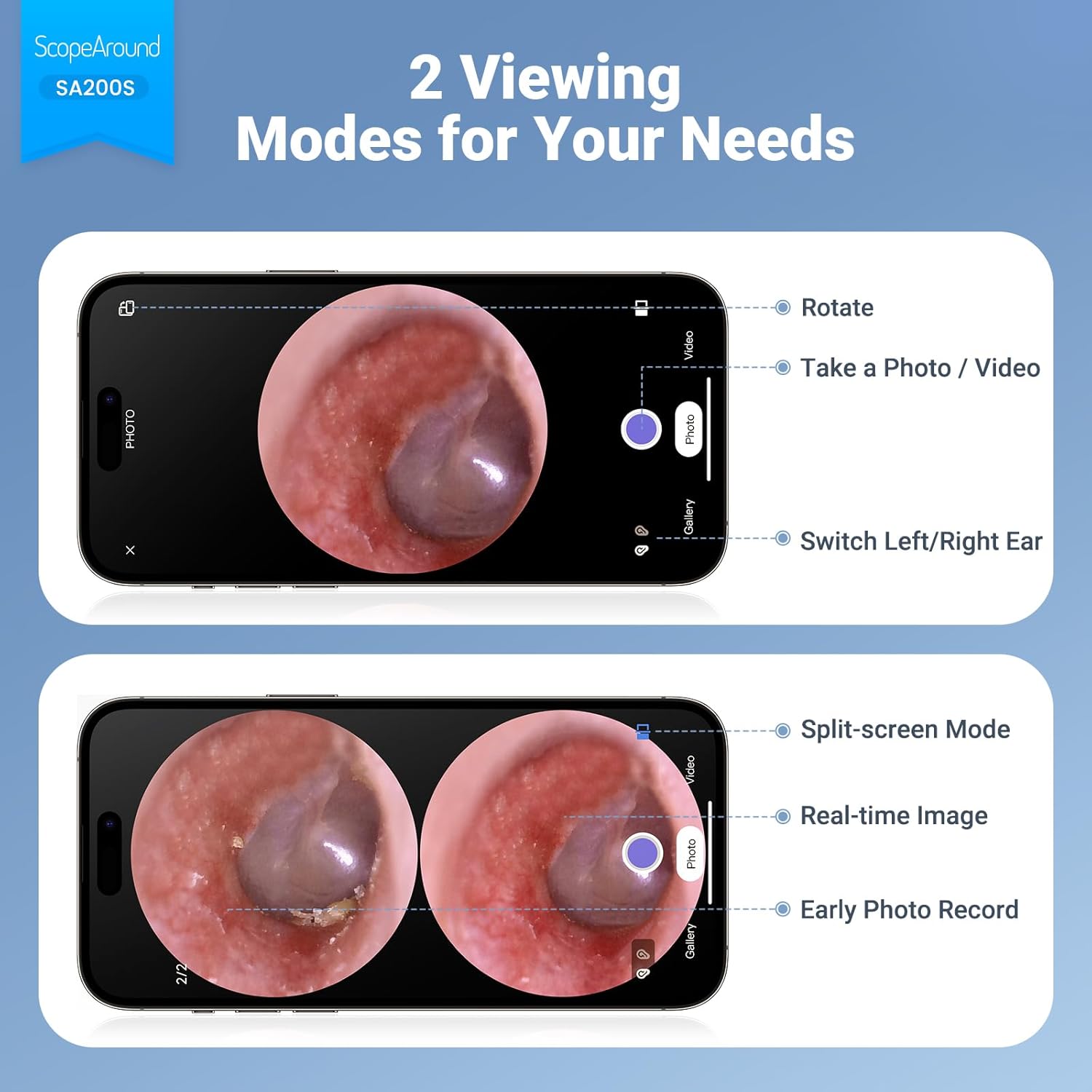
Figure 6.4: Photo and Video Capture Interface (App View)
6.5 Перадача Files
To transfer captured photos and videos to a computer:
- Connect the otoscope to your computer using the provided USB Type-C cable.
- The device should appear as a removable storage device. You can then access the files on the 8GB memory card.
- Alternatively, remove the 8GB memory card from the slot (3) and insert it into a compatible card reader connected to your computer.

Малюнак 6.5: File Transfer for Sharing Insights
7. Тэхнічнае абслугоўванне і ачыстка
Proper maintenance ensures the longevity and hygiene of your otoscope.
- Ачыстка аб'ектыва: Use the provided Q-tips and alcohol pads to gently clean the camera lens before and after each use. Ensure no residue remains.
- Ачышчальныя прыналежнасці: Wash the reusable ear picks and specula with soap and water, then sterilize them with alcohol pads. Allow them to dry completely before storage or reuse.
- Корпус прылады: Wipe the main body of the otoscope with a soft, dry cloth. Do not immerse the device in water.
- захоўванне: Захоўвайце прыладу ў прахалодным, сухім месцы, удалечыні ад прамых сонечных прамянёў і экстрэмальных тэмператур.

Figure 7.1: Cleaning the Otoscope Lens
8. Выпраўленне непаладак
| праблема | Магчымая прычына | Рашэнне |
|---|---|---|
| Прылада не ўключаецца. | Нізкі акумулятар. | Поўнасцю зарадзіце прыладу з дапамогай USB-кабеля, які ўваходзіць у камплект. |
| Няма выявы на экране. | Device not powered on; Camera lens obstructed. | Ensure device is powered on. Check and clean the camera lens. |
| Выява размытая або невыразная. | Dirty lens; Incorrect focal distance; Magnification setting. | Clean the camera lens. Adjust the distance from the ear canal. Adjust magnification using navigation buttons. |
| Немагчыма падключыцца да Wi-Fi. | Incorrect Wi-Fi password; Device not in pairing mode; App issue. | Ensure the otoscope is powered on. Verify the Wi-Fi password (55556666). Restart the otoscope and your phone/tablet. Reinstall the app if necessary. |
| Немагчыма захаваць фота/відэа. | Memory card full or faulty; Memory card not inserted. | Check if the 8GB memory card is correctly inserted. Ensure there is sufficient space. Try formatting the card (if data is backed up) or using a different card. |
9. Тэхнічныя характарыстыкі
| Асаблівасць | Дэталь |
|---|---|
| Назва мадэлі | SA200S |
| Памер экрана | 1.85-цалевы IPS LCD |
| Дазвол камеры | 720p HD |
| Дыяметр лінзы | 3.9mm Ultra-thin Lens |
| Крыніца святла | 6 LED Lights (3 brightness settings) |
| Фокусная адлегласць | 0.39 - 1.18 цалі |
| Сапраўдны кут View | 78 градусаў |
| Павелічэнне | Up to 1.5x (1.0x, 1.3x, 1.5x) |
| Ёмістасць батарэі | 1380mAh літый-палімер |
| Час працы | Прыкладна 3 гадзіны |
| Сувязь | Wi-Fi (для падключэння да праграмы) |
| Захоўванне | 8GB Memory Card (included) |
| Порт для зарадкі | Тып-C |
| Сумяшчальныя прылады | Android/iPhone smartphones and tablets (Not compatible with Macbook & Windows PC) |
| Вага прадмета | 12 унцыі |
| Памеры | 7.52 х 4.61 х 2.68 цалі (упакоўка) |
| Матэрыял | Пластыкавыя |
| Колер | Белы |
10. Гарантыя і падтрымка
ScopeAround is committed to providing high-quality products and customer satisfaction. For any questions, technical support, or warranty inquiries, please contact our US-based after-sales support team.
Contact information can typically be found on the product packaging, the official ScopeAround webсайт або праз вашу платформу для пакупак.