
cellularline BTIONWATCHPRORK
Інструкцыя па эксплуатацыі разумнага гадзінніка Cellularline ION PRO ROUND
Model: BTIONWATCHPRORK
1. Уводзіны
The Cellularline ION PRO ROUND Smartwatch is designed to integrate seamlessly into your daily routine, offering advanced features for communication, health monitoring, and fitness tracking. This manual provides detailed instructions to help you set up, operate, and maintain your smartwatch effectively.

Image 1.1: Cellularline ION PRO ROUND Smartwatch
2. Што ў скрынцы
Upon unpacking your Cellularline ION PRO ROUND Smartwatch, please ensure all the following components are present:
- Cellularline ION PRO ROUND Smartwatch
- Зарадны кабель
- Кіраўніцтва па эксплуатацыі
3. Настройка
3.1. Пачатковая зарадка
Before first use, fully charge your smartwatch. Connect the provided charging cable to the charging port on the back of the smartwatch and plug the USB end into a compatible power adapter (not included) or a computer's USB port. A full charge typically takes approximately 3 hours.

Image 3.1: Smartwatch displaying charging status, indicating long-lasting battery life.
3.2. Усталёўка прыкладання
To unlock the full functionality of your smartwatch, download and install the Cellularline ION app on your smartphone. The app is compatible with both iOS and Android devices. You can find the app by scanning the QR code provided on the product packaging or by searching for "Cellularline ION" in your device's app store.
3.3. Спалучэнне прылады
- Пераканайцеся, што ваш разумны гадзіннік зараджаны і ўключаны.
- Уключыце Bluetooth на вашым смартфоне.
- Open the Cellularline ION app and follow the on-screen instructions to add a new device.
- Select your ION PRO ROUND Smartwatch from the list of available Bluetooth devices.
- Confirm the pairing request on both your smartphone and smartwatch if prompted.
4. Інструкцыя па эксплуатацыі
4.1. Базавая навігацыя
The smartwatch features a 1.38-inch TFT Full Touch display. Swipe left, right, up, or down to navigate through menus, notifications, and widgets. Tap to select items or confirm actions. The side button typically serves as a home button or to wake/sleep the screen.

Image 4.1: High-definition 1.38-inch display of the smartwatch.
4.2. Кіраванне выклікамі
With Bluetooth connectivity, you can answer calls directly from your smartwatch. When a call comes in, the smartwatch will display the caller ID. Tap the green icon to answer or the red icon to reject the call. You can also initiate calls through the app.
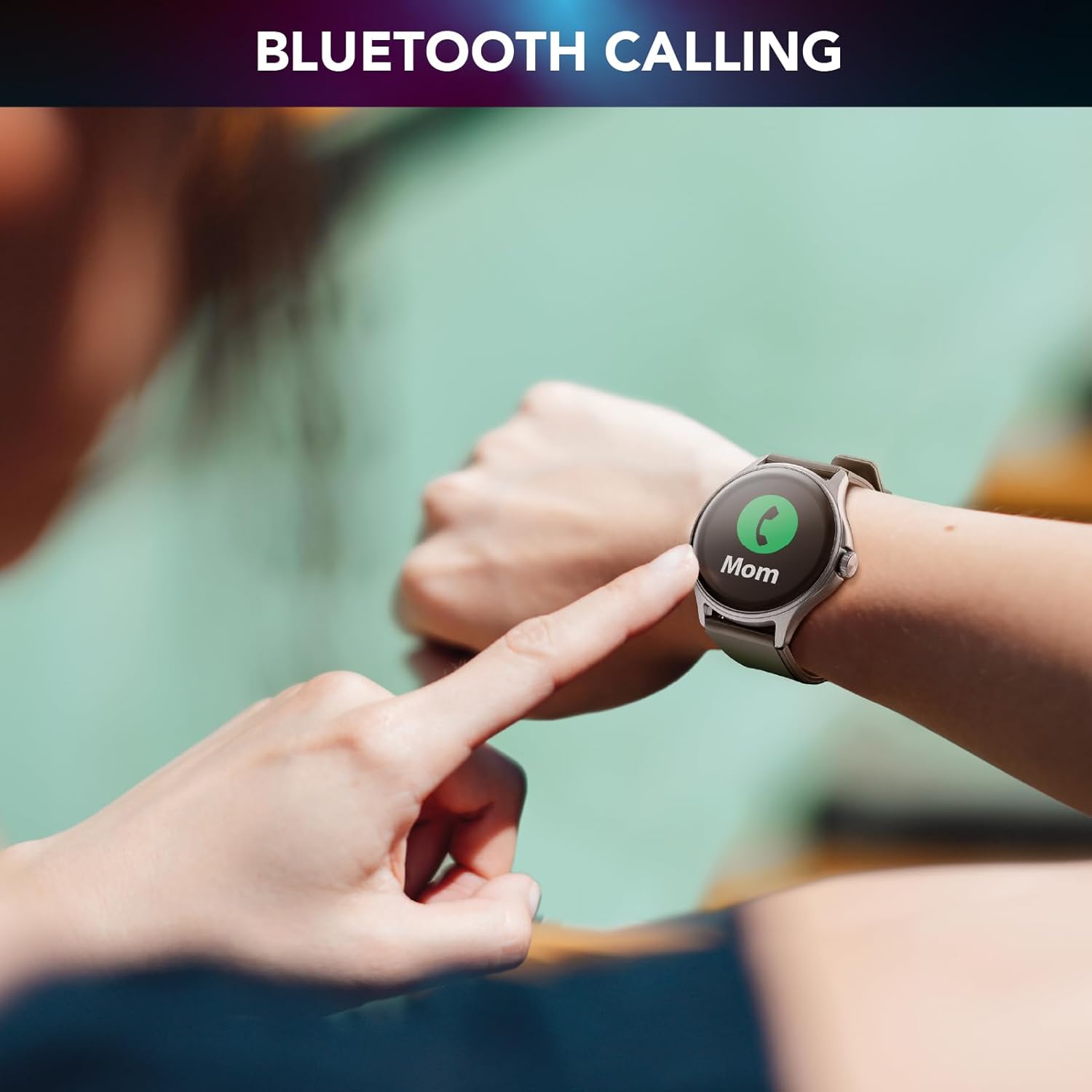
Image 4.2: Bluetooth calling feature in use.
4.3. Activity and Wellness Monitoring
The smartwatch continuously monitors various health and fitness metrics:
- Шагомер: Tracks your daily steps.
- Частата сардэчных скарачэнняў: Кантралюе ваш пульс на працягу дня.
- Артэрыяльны ціск: Забяспечвае ацэнкі вашага артэрыяльнага ціску.
- Кісларод крыві (SpO2): Вымярае ўзровень кіслароду ў крыві.
- Адсочванне сну: Аналізуе вашы рэжымы сну і яго якасць.
- Маніторынг стрэсу: Дапамагае адсочваць узровень стрэсу.
- Калорыі: Ацэньвае колькасць спаленых калорый у залежнасці ад актыўнасці.

Image 4.3: Heart rate and sleep monitoring features.
4.4. Fitness Modes
The smartwatch supports various fitness modes to track specific activities, including walking, running, climbing, and general fitness exercises. Select the appropriate mode before starting your workout for accurate data collection.

Image 4.4: Smartwatch displaying various fitness modes.
4.5. Апавяшчэнні
Once paired with your smartphone, the smartwatch will display real-time notifications for calls, messages, and app alerts. Swipe down from the top of the screen to view гісторыя вашых апавяшчэнняў.
4.6. Знайсці мой тэлефон
If your paired smartphone is misplaced, use the "Find My Phone" feature on your smartwatch to make your phone ring, helping you locate it quickly.
5. Тэхнічнае абслугоўванне
5.1. Уборка
To clean your smartwatch, gently wipe the screen and body with a soft, dry, lint-free cloth. For stubborn smudges, slightly dampпрацярыце тканіну вадой. Пазбягайце выкарыстання агрэсіўных хімічных рэчываў або абразіўных матэрыялаў, бо яны могуць пашкодзіць прыладу.
5.2. Воданепранікальнасць і пыланепранікальнасць
The Cellularline ION PRO ROUND Smartwatch is certified IP67, meaning it is resistant to dust and can withstand immersion in water up to 1 meter for 30 minutes. While it is suitable for daily wear and light water exposure (e.g., hand washing, rain), it is not recommended for swimming, showering, or diving.

Image 5.1: Smartwatch demonstrating IP67 waterproof and dustproof capabilities.
6. Выпраўленне непаладак
Калі ў вас узніклі праблемы са разумным гадзіннікам, звярніцеся да наступных распаўсюджаных праблем і рашэнняў:
- Прылада не ўключаецца: Ensure the smartwatch is fully charged. Connect it to the charger and wait a few minutes before attempting to power it on again.
- Немагчыма спалучыць прыладу са смартфонам: Make sure Bluetooth is enabled on your phone and the smartwatch is within range. Restart both devices and try pairing again through the Cellularline ION app.
- Недакладныя дадзеныя пра здароўе: Ensure the smartwatch is worn snugly on your wrist, not too tight or too loose. Clean the sensor on the back of the device. Note that health monitoring features are for reference only and not for medical diagnosis.
- Апавяшчэнні не з'яўляюцца: Check app permissions on your smartphone to ensure the Cellularline ION app has access to notifications. Verify that notifications are enabled within the smartwatch settings and the app.
- Кароткі тэрмін службы батарэі: Зменшце яркасць экрана, адключыце непатрэбныя функцыі і аптымізуйце выкарыстанне фонавых праграм на вашым тэлефоне.
If problems persist, consult the Cellularline support webсайт або звярніцеся ў службу падтрымкі кліентаў для атрымання дадатковай дапамогі.
7. Тэхнічныя характарыстыкі
| Асаблівасць | Дэталь |
|---|---|
| Назва мадэлі | BTIONWATCHPRORK |
| Дысплей | 1.38-inch TFT Full Touch |
| Сувязь | Bluetooth |
| Аперацыйная сістэма | Wear OS (compatible with iOS and Android app) |
| Ёмістасць батарэі | Літый-палімерны 300 мАг |
| Тэрмін службы батарэі | Да 7 дзён |
| Час зарадкі | Прыкладна 3 гадзіны |
| Устойлівасць да вады і пылу | IP67 |
| Датчыкі | Пульс, крывяны ціск, кісларод у крыві |
| Вага | 100 г |
| Памеры | 16.3 х 9 х 3.2 см (упакоўка) |
8. Гарантыя і падтрымка
For information regarding the product warranty, please refer to the warranty card included in your product packaging or visit the official Cellularline website. For technical support, frequently asked questions, or to contact customer service, please visit the Cellularline support page: