
1. Уводзіны
Thank you for choosing the Montech Titan PLA 850W ATX Gaming Power Supply. This manual provides essential information for the proper installation, operation, and maintenance of your power supply unit (PSU). Please read this manual thoroughly before installation and retain it for future reference.
2. Інфармацыя па бяспецы
WARNING: Improper installation or use can lead to equipment damage, electric shock, or serious injury. Always follow these safety guidelines:
- Ensure the power supply is disconnected from the AC power outlet before installation, removal, or any maintenance.
- This product is designed for indoor use only. Do not expose it to moisture, high temperatures, or dusty environments.
- Не адкрывайце блок харчаванняasinг. Высокі аб'ёмtagУнутры ёсць пашкоджанні, і адкрыццё прылады прывядзе да анулявання гарантыі.
- Use only the modular cables provided with this power supply. Using third-party cables may cause damage to the PSU or connected components.
- Ensure proper grounding for your computer system.
- Калі вы не ўпэўненыя ў якіх-небудзь этапах усталёўкі, звярніцеся да кваліфікаванага спецыяліста.
3. Змесціва ўпакоўкі
Праверце, ці ёсць усе прадметы ў вашай упакоўцы:
- Montech Titan PLA 850W Power Supply Unit
- Modular Cable Set (including ATX 24-pin, CPU 8-pin, PCIe 6+2-pin, SATA, Peripheral 4-pin)
- Шнур сілкавання
- Крапежныя шрубы
- Кабельныя сцяжкі
- Кіраўніцтва карыстальніка
4. Прадукт скончыўсяview
The Montech Titan PLA 850W is a high-performance, fully modular power supply designed for gaming and high-end PC systems. It features 80 Plus Platinum and Cybenetics Platinum certifications for exceptional efficiency, ATX 3.1 and PCIe 5.1 readiness for next-generation components, and a silent 135mm Fluid Dynamic Bearing (FDB) fan with a Zero RPM mode.
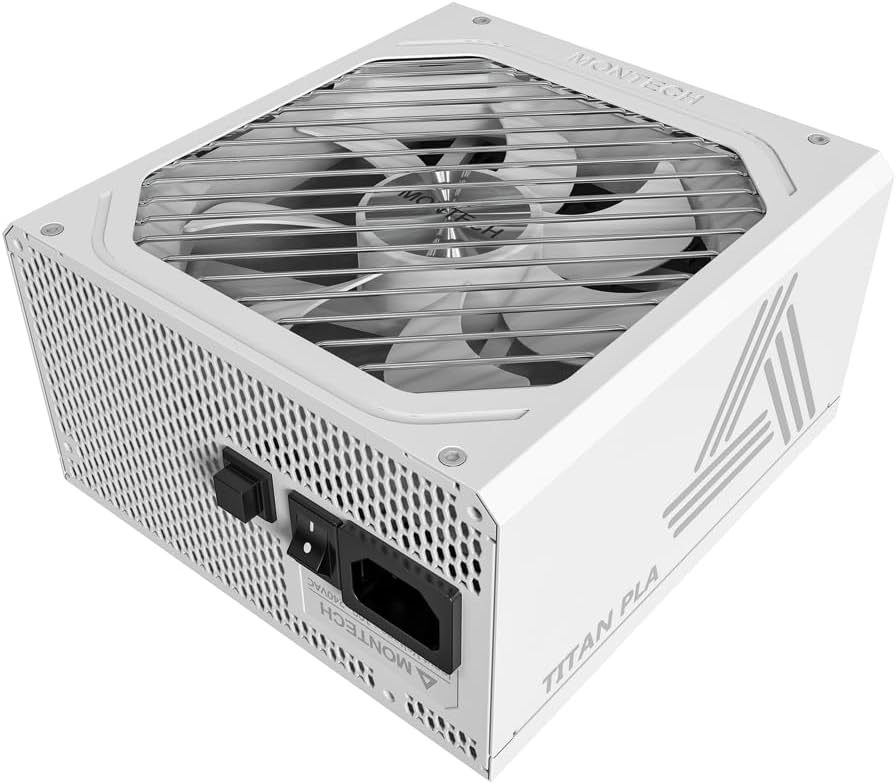
Выява: Пад вуглом view of the Montech Titan PLA 850W Power Supply, showcasing its white chassis and top fan grill.

Выява: Зверхуview of key features including 80 PLUS Platinum, Cybenetics A+ certification, ATX 3.1 & PCIe 5.1 readiness, silent performance, premium build, and ultimate protection.
4.1 Асноўныя магчымасці
- 80 PLUS Platinum & Cybenetics Platinum Certified: Achieves up to 90% efficiency, reducing heat and operating costs.
- Падтрымка ATX 3.1 і PCIe 5.1: Fully compliant with the latest power standards for modern GPUs, supporting 2x total power excursion and 3x GPU power excursion.
- Цалкам модульная канструкцыя: Allows for clean cable management and improved airflow within your PC case.
- 135mm FDB Silent Fan with Zero RPM Mode: Ensures quiet operation under low to moderate loads by stopping the fan.
- 100% Japanese 105°C Capacitors: Provides enhanced durability, stability, and reliability.
- Комплексная абарона: Includes OVP, OPP, SCP, OCP, UVP, OTP for system safety.

Image: Diagram illustrating ATX 3.1 and PCIe 5.1 readiness, showing support for power and GPU excursions and hold time above 21ms.

Image: Logos for 80 PLUS Platinum and Cybenetics Platinum certifications, indicating high power efficiency.

Выява: Крупны план view of internal Japanese 105°C capacitors, highlighting premium component quality.

Image: Cybenetics A+ certification logo alongside a view of the 135mm FDB fan, emphasizing silent operation.
5. Інструкцыі па ўсталёўцы
5.1 Кантрольны спіс перад устаноўкай
- Ensure your computer case is compatible with ATX power supplies.
- Gather all necessary tools: screwdriver, cable ties (included).
- Unpack the PSU and all modular cables.
5.2 Фізічная ўстаноўка
- Выключыце камп'ютар і адключыце шнур харчавання ад разеткі.
- Адкрыйце корпус кампутара.
- Carefully place the Montech Titan PLA 850W PSU into the designated PSU bay in your computer case. Ensure the fan is facing the correct direction (typically facing down if your case has a bottom vent, or up if it draws air from inside the case).
- Замацуйце блок харчавання да корпуса з дапамогай прыкладаемых мацавальных шруб.
5.3 Кабельныя злучэнні
The Montech Titan PLA 850W is a fully modular power supply, allowing you to connect only the cables you need. Refer to the diagram below for connector types and locations.

Выява: Задняя частка view of the Montech Titan PLA power supply showing the fully modular cable connection ports, labeled for M/B, CPU/PCI-E, Peripheral-IDE/SATA/Molex, and 12V-2x6.
- Motherboard (M/B) Power: Connect the 24-pin ATX cable to the PSU and then to your motherboard's 24-pin connector.
- Магутнасць працэсара: Connect the 8-pin (4+4-pin) CPU cable(s) to the PSU and then to your motherboard's CPU power connector(s).
- Харчаванне PCIe: Connect the 6+2-pin PCIe cable(s) to the PSU and then to your graphics card(s). Use separate cables for each high-power GPU connector if possible.
- Магутнасць SATA: Connect SATA power cables to the PSU and then to your SSDs, HDDs, or optical drives.
- Peripheral (Molex) Power: Connect peripheral cables to the PSU and then to any components requiring Molex connectors.
- Once all necessary cables are connected, use cable ties to manage them neatly for better airflow and aesthetics.
5.4 Першапачатковае ўключэнне
- Пераканайцеся, што ўсе злучэнні надзейныя.
- Зачыніце корпус кампутара.
- Connect the AC power cord to the PSU's input socket and then to a wall outlet.
- Пераключыце выключальнік харчавання на задняй панэлі блока харчавання ў становішча «УКЛ.» (I).
- Уключыце кампутар.

Image: Rear panel of the Montech Titan PLA 850W Power Supply, showing the AC input, power switch, and input voltage label (100~240VAC).
6. Інструкцыя па эксплуатацыі
6.1 Уключэнне/выключэнне
To power on your system, ensure the PSU switch is in the 'ON' position and press your computer's power button. To power off, shut down your operating system normally. For complete power disconnection, flip the PSU switch to the 'OFF' (O) position and unplug the AC cord.
6.2 Рэжым нулявых абаротаў
The Montech Titan PLA 850W features a Zero RPM mode. In this mode, the PSU fan will remain off under low to moderate loads to provide silent operation. The fan will automatically activate when the load increases to maintain optimal temperatures. This is normal operation and not an indication of a fault.
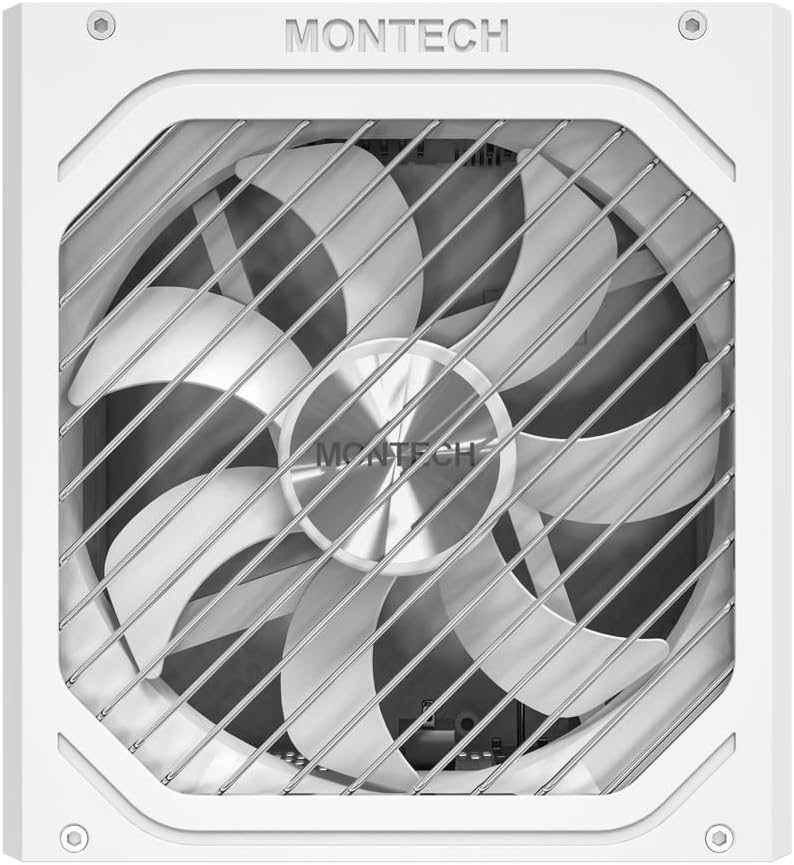
Выява: зверху ўніз view of the Montech Titan PLA 850W Power Supply fan, visible through the protective grill.
7. Тэхнічнае абслугоўванне
To ensure the longevity and optimal performance of your Montech Titan PLA 850W PSU, follow these maintenance guidelines:
- Выдаленне пылу: Periodically clean the exterior of the PSU and the fan grill to prevent dust buildup. Use compressed air to gently clear dust from the fan blades and internal components. Always disconnect the AC power before cleaning.
- Умовы навакольнага асяроддзя: Operate the PSU in a well-ventilated area, away from direct sunlight, heat sources, and excessive humidity.
- Праверка кабеля: Occasionally check all modular cable connections to ensure they are secure and free from damage.
8. Выпраўленне непаладак
If you encounter issues with your Montech Titan PLA 850W PSU, refer to the following common problems and solutions:
| праблема | Магчымая прычына | Рашэнне |
|---|---|---|
| Сістэма не ўключаецца. | AC power cord disconnected. PSU switch is OFF. Няшчыльныя кабельныя злучэнні. Няспраўны кампанент. | Ensure AC cord is securely plugged in. Flip PSU switch to 'ON' (I). Check all modular cable connections. Test PSU with a PSU tester (if available) or try minimal components. |
| System powers on but is unstable/shuts down. | Перагрузка. Перагрэў. Няспраўны кампанент. | Забяспечце агульную магутнасць сістэмыtage не перавышае 850 Вт. Check for proper case ventilation and dust buildup. Праверце, ці правільна ўсталяваны ўсе кампаненты. |
| Вентылятар блока харчавання не круціцца. | Zero RPM mode active. Перашкода вентылятара. Няспраўны вентылятар. | This is normal under low loads. The fan will spin up when needed. Check for any obstructions. Clean dust if necessary. If fan never spins under load, contact support. |
If the problem persists after attempting these solutions, please contact Montech customer support for further assistance.
9. Тэхнічныя характарыстыкі
Detailed specifications for the Montech Titan PLA 850W Power Supply:
| Асаблівасць | Спецыфікацыя |
|---|---|
| Назва мадэлі | TITAN PLA 850W |
| Ватtage | 850 ват |
| Сертыфікацыя эфектыўнасці | 80 PLUS Platinum, Cybenetics Platinum |
| Формаў-фактар | ATX |
| Памеры (Д х Ш х У) | 6.3 х 5.91 х 3.39 цалі (160 х 150 х 86 мм) |
| Тып вентылятара | 135mm Fluid Dynamic Bearing (FDB) |
| Кандэнсатары | 100% Japanese 105°C |
| Модульны | Цалкам модульны |
| Стандарт ATX | ATX 3.1 |
| Стандарт PCIe | PCIe 5.1 |
| Абарона | OVP, OPP, SCP, OCP, UVP, OTP |
| Уваходны кнtage | 100-240 В пераменнага току |
Image: Rating label of a Montech Titan PLA power supply (750W variant shown), detailing AC input and DC output specifications.
10. Гарантыя і падтрымка
The Montech Titan PLA 850W Power Supply is backed by a 10-гадовая гарантыя вытворцы, covering defects in materials and workmanship under normal use. For warranty claims or technical support, please visit the official Montech webсайт або звярніцеся ў службу падтрымкі кліентаў. Захоўвайце пацвярджэнне пакупкі для пацверджання гарантыі.
For the most up-to-date support information, please refer to the official Montech support channels.