
AT&T EL51403
AT&T EL51403 DECT 6.0 Cordless Home Phone System - 4 Handsets User Manual
Мадэль: EL51403
Брэнд: AT&T
1. Уводзіны
This manual provides instructions for the installation, operation, and maintenance of your AT&T EL51403 DECT 6.0 Cordless Home Phone System. This system includes a base unit and four cordless handsets, designed for clear communication and ease of use in your home or office environment.
Key features include DECT 6.0 technology for interference-free communication, a simulated full-duplex handset speakerphone, a backlit LCD display, a lighted keypad, and Caller ID/Call Waiting functionality.
2. Што ў скрынцы
Пераканайцеся, што ваш пакет змяшчае наступныя элементы:
- Базавая адзінка
- 4 Трубкі
- 3 Adaptors (for charging cradles)
- 4 акумулятара
- Тэлефонны шнур
- Кароткае кіраўніцтва

Выява: Зверхуview of the AT&T EL51403 4-handset cordless phone system, showing the main base unit with one handset and three additional charging cradles with their respective handsets.
3. Настройка
3.1. Устаноўка батарэі
- Адкрыйце вечка батарэйнага адсека на задняй панэлі кожнага тэлефона.
- Шчыльна падключыце штэкер акумулятарнай батарэі да раздыма ўнутры адсека.
- Place the battery pack with the label UP into the compartment.
- Slide the battery compartment cover back into place until it clicks.
3.2. Connecting the Base Unit and Charging Cradles
- Plug the large end of the base unit power adapter into an electrical outlet.
- Plug the small end of the base unit power adapter into the power jack on the back of the base unit.
- Plug one end of the telephone line cord into the telephone jack on the back of the base unit.
- Падключыце другі канец тэлефоннага шнура да тэлефоннай разеткі.
- For each additional handset, plug the power adapter into an electrical outlet and the charging cradle.
3.3. Пачатковая зарадка
Place each handset in its respective base unit or charging cradle. The CHARGE light on the handset will illuminate. Allow the handsets to charge for at least 16 hours before initial use to ensure optimal battery performance.
4. Інструкцыя па эксплуатацыі
4.1. Здзяйсненне і адказ на званкі
- Каб зрабіць званок: Прэса ТЕЛЕФОН / ФЛЕШ, а затым набярыце нумар.
- Каб адказаць на званок: Калі тэлефон зазвоніць, націсніце ТЕЛЕФОН / ФЛЕШ or any dialing key (0-9, *, #).
- Каб завяршыць выклік: Прэса ВЫКЛ/АДМЕНА or place the handset back in the base/charger.
4.2. Выкарыстанне гучнагаварыцеля
Падчас размовы націсніце СПІКЕР button to activate the speakerphone. Press it again to return to normal handset mode.
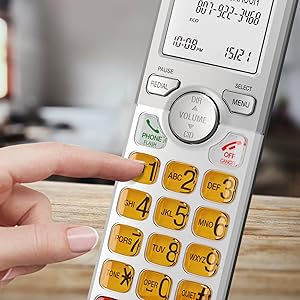
Image: A cordless handset on its base, with the speakerphone function active, illustrating a simulated full-duplex conversation between two individuals.
4.3. Рэгуляванне гучнасці
Падчас размовы націсніце АБ'ЁМ (DIR/CID) up or down to adjust the listening volume.
4.4. Phonebook Directory
The phonebook can store up to 50 names and numbers. To access, add, or edit entries:
- Прэса МЕНЮ/ВЫБАР калі слухаўка не працуе.
- Scroll to "Phonebook" and press МЕНЮ/ВЫБАР.
- Follow the on-screen prompts to add, review, or edit entries.
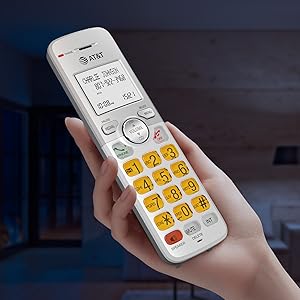
Image: A cordless handset on its base, with the screen showing a phonebook directory interface, indicating the ability to store up to 50 names and numbers.
4.5. Caller ID/Call Waiting
The handset displays the caller's name and number if you subscribe to Caller ID service. The phone stores up to 50 Caller ID records.
- Reviewing Caller ID History: Прэса CID when the handset is idle. Scroll through the list using the DIR / VOLUM кнопкі.
- To Call Back: Пакуль viewing a Caller ID entry, press ТЕЛЕФОН / ФЛЕШ.

Image: A close-up of the cordless handset's screen showing an incoming call with caller ID information, including name and number.
5. Асаблівасці
- Тэхналогія DECT 6.0: Provides superior sound quality, security, and range. This digital technology ensures calls are clear and interference-free, with an operating range of up to 1000 feet outdoors.
- Simulated Full-Duplex Handset Speakerphone: Allows both parties to speak and be heard simultaneously, enhancing natural conversation flow.
- Рэжым ECO: An energy-saving feature that intelligently manages power consumption, extending battery life and reducing energy usage.
- Backlit Screen and Lighted Keypad: The high-contrast white backlit LCD screen and illuminated keypad ensure easy readability and dialing in various lighting conditions, including low light.
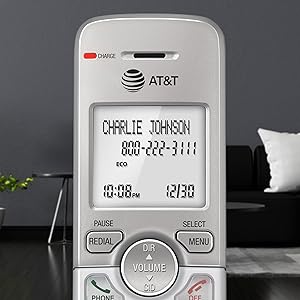
Image: A hand holding the cordless handset, clearly showing the illuminated keypad and the bright, backlit LCD screen in a dimly lit room.
- Extra-Large Display: The large text on the screen makes it easy to read caller ID information and navigate menus.
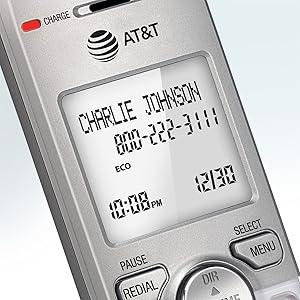
Выява: буйны план view of the cordless handset's screen, highlighting the large, easy-to-read text for caller ID and time display.
- Вялікія кнопкі: Features large font and extra-large backlit keys, which are particularly helpful for users with visual impairments.
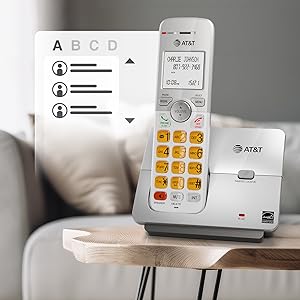
Image: A cordless handset on its base, showing the large, clearly visible, and backlit numeric keys. An inset image shows an elderly man comfortably using the phone.
- Wall-Mount Bracket Included: The base unit can be easily installed on a table or mounted on a wall for flexible placement options.
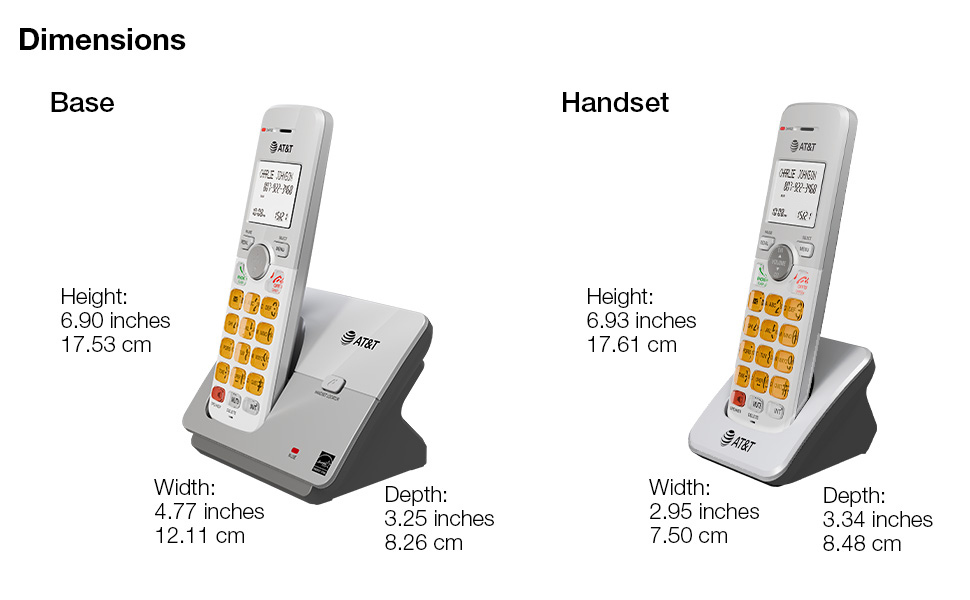
Image: The cordless phone base unit with a handset, shown mounted on a wall using the included bracket, demonstrating its versatile installation options.
6. Тэхнічнае абслугоўванне
- Уборка: Clean the phone and base unit with a soft, slightly damp тканінай. Не выкарыстоўвайце ачышчальныя спрэі або агрэсіўныя хімікаты.
- Сыход за батарэяй: To maintain optimal battery life, fully charge the handsets for 16 hours before first use. If the phone will not be used for an extended period, remove the batteries.
- Умовы навакольнага асяроддзя: Avoid placing the phone in direct sunlight, near heat sources, or in areas with excessive moisture or dust.
7. Выпраўленне непаладак
7.1. No Dial Tone
- Ensure the base unit's power adapter is securely plugged into an electrical outlet and the telephone line cord is connected to a working wall jack.
- Check if other phones on the same line are working. If not, contact your telephone service provider.
7.2. Handset Does Not Charge
- Verify the handset is correctly placed in the charging cradle and the CHARGE light is on.
- Ensure the battery pack is properly installed and connected inside the handset.
- Ачысціце зарадныя кантакты на тэлефоне і падстаўцы сухой тканінай.
7.3. Poor Sound Quality or Interference
- Перамясціце слухаўку бліжэй да базавага блока.
- Avoid placing the base unit near other electronic devices (e.g., microwaves, computers, Wi-Fi routers) that may cause interference.
- If using a DSL service, ensure a DSL filter is installed on the telephone line.
7.4. Display is Blank or Handset Does Not Power On
- Ensure the battery pack is fully charged. Place the handset in the charger for at least 16 hours.
- Check that the battery pack is correctly installed.
8. Тэхнічныя характарыстыкі
| Памеры прадукту | 4.76 х 3.29 х 6.81 цалі |
|---|---|
| Вага прадмета | 2.59 фунта |
| Нумар мадэлі | EL51403 |
| Батарэі | Патрабуецца 4 батарэя для канкрэтнага прадукту (у камплекце) |
| Тып тэлефона | Бесправадная |
| Матэрыял | Пластыкавыя |
| Крыніца харчавання | Правадная электрычная |
| Тып дазвону | Адзіная клавіятура |
| Тып аўтаадказчыка | няма |
| Сумяшчальныя прылады | PSTN Landline Services |
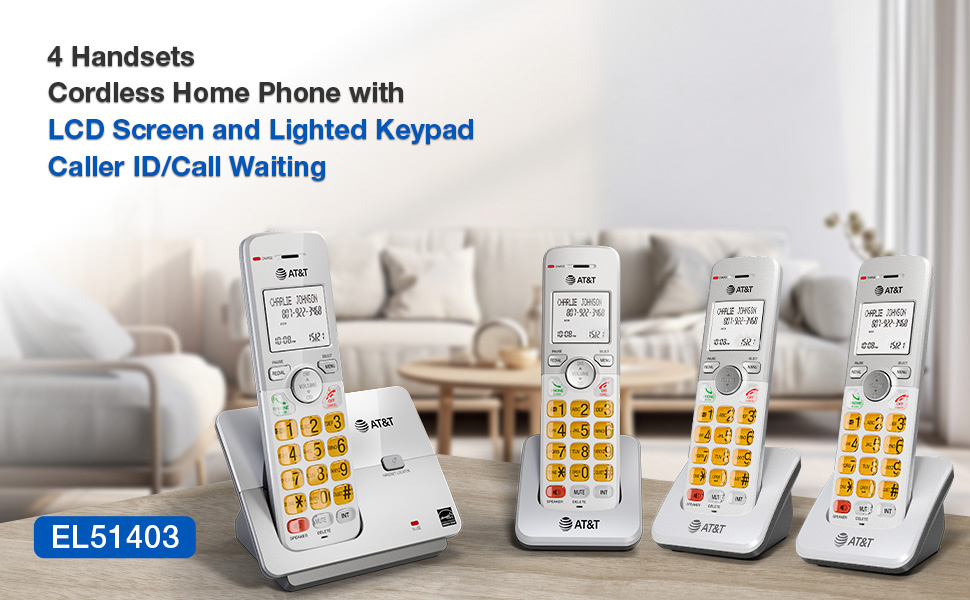
Image: A visual representation of the AT&T EL51403 base unit and a handset, detailing their respective height, width, and depth measurements.
9. Гарантыя і падтрымка
AT&T products are manufactured by VTech Communications, Inc. A standard limited warranty typically covers defects in materials and workmanship under normal use for a specified period from the date of purchase. Please refer to the warranty card included in your product packaging or visit the official AT&T product support website for detailed warranty information and customer service contact options.
For technical support or warranty claims, please contact AT&T customer service. Keep your purchase receipt as proof of purchase.
Ask a question about this manual
Ask about setup, troubleshooting, compatibility, parts, safety, or missing instructions. Manuals+ will review the question and use this page’s manual context to help answer it.