
ETOE A1222
ETOE Starfish 720P Projector User Manual (Model A1222)
Ваш даведнік па ўсталёўцы, эксплуатацыі і тэхнічным абслугоўванні
1. Уводзіны
Welcome to the ETOE Starfish 720P Projector user manual. This guide provides essential information for setting up, operating, and maintaining your projector. The ETOE Starfish projector offers a native 720P resolution with 300 ANSI lumens, a built-in Google Android system for streaming, and features like 140-degree rotation, auto keystone correction, and dual-band Wi-Fi connectivity. Please read this manual thoroughly before using your device to ensure optimal performance and longevity.
2. Што ў скрынцы
Carefully unpack your ETOE Starfish projector and ensure all items are present:
- Праектар
- Перахаднік
- Кіраўніцтва карыстальніка
- Пульт дыстанцыйнага кіравання
- Шнур харчавання
3. Прадукт скончыўсяview
Familiarize yourself with the main components and features of your ETOE Starfish projector.

Выява: спераду view of the ETOE Starfish Projector, showcasinг яго кампактны і сучасны дызайн.
3.1. Парты і падключэнні
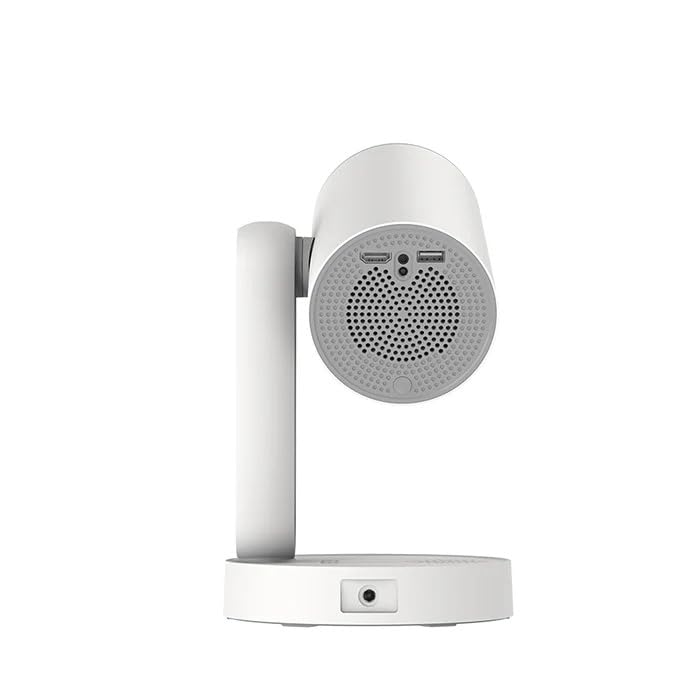
Выява: Збоку view of the ETOE Starfish Projector, highlighting its connectivity ports including USB and HDMI.
The projector includes various ports for connectivity:
- Порт HDMI: For connecting external devices like gaming consoles, Blu-ray players, or laptops.
- Порт USB: Для падключэння USB-назапашвальнікаў для прайгравання медыяфайлаў files.
- Спажываная магутнасць: Для падлучэння адаптара сілкавання.
3.2. Асноўныя магчымасці
- Паварот на 140°: The projector head can be rotated up to 140 degrees for flexible projection angles, including ceiling projection.
- Touch-controlled Ambient Light: A customizable seven-color night light feature with adjustable brightness and color temperature.
- Built-in Google Android System: Access popular streaming services like Netflix, YouTube, and Prime Video directly.
- Аўтаматычная карэкцыя трапецеідальных скажэнняў: Automatically adjusts the image for a perfectly rectangular display.
- Двухдыяпазонны Wi-Fi: Supports 2.4G and 5G Wi-Fi for stable wireless connectivity.
- Праца з нізкім узроўнем шуму: Designed for quiet performance, operating at approximately 24.5 dB.
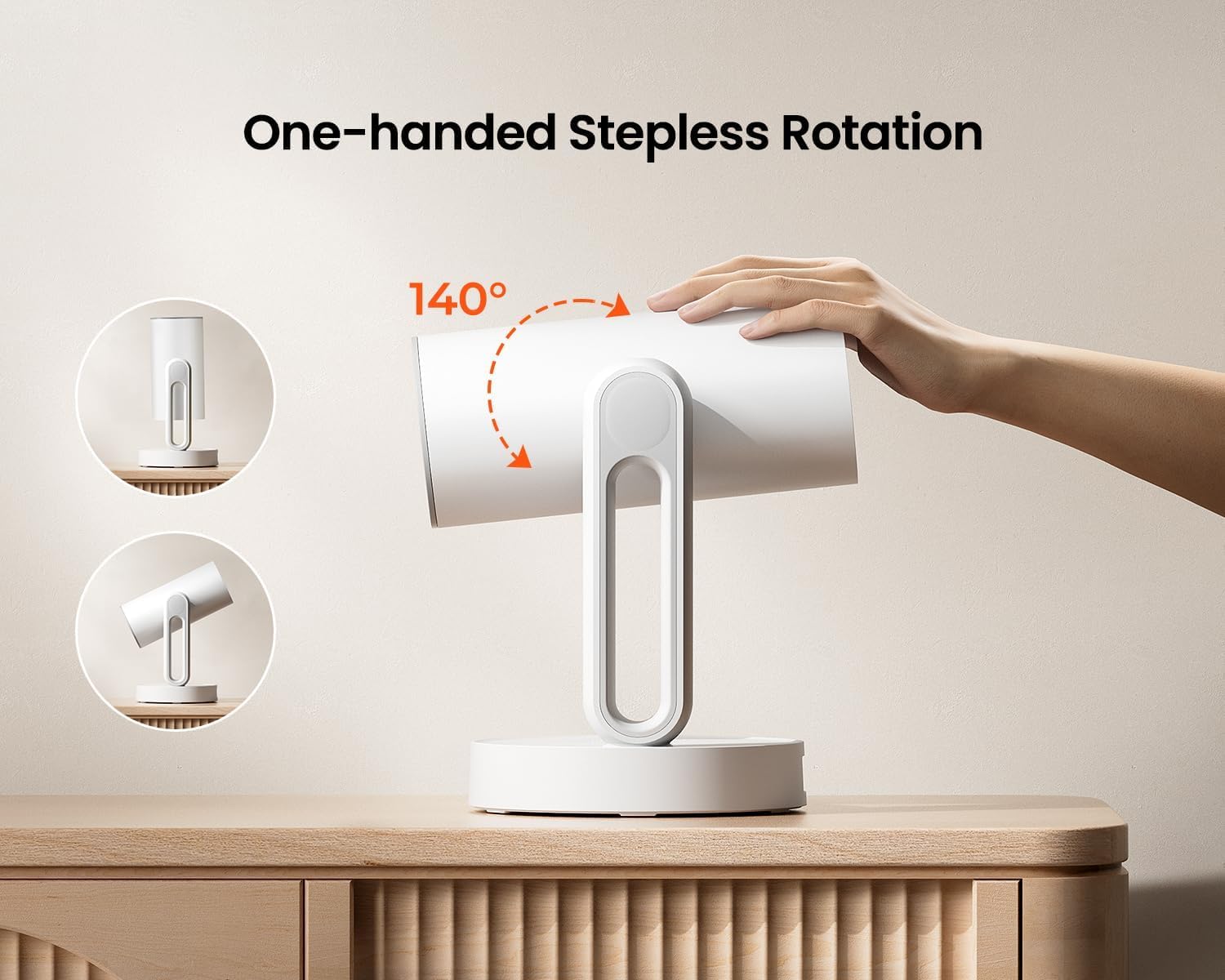
Image: The ETOE Starfish Projector shown rotating 140 degrees, illustrating its flexible projection capabilities.

Image: The ETOE Starfish Projector displaying its touch-controlled ambient light feature with various color options.
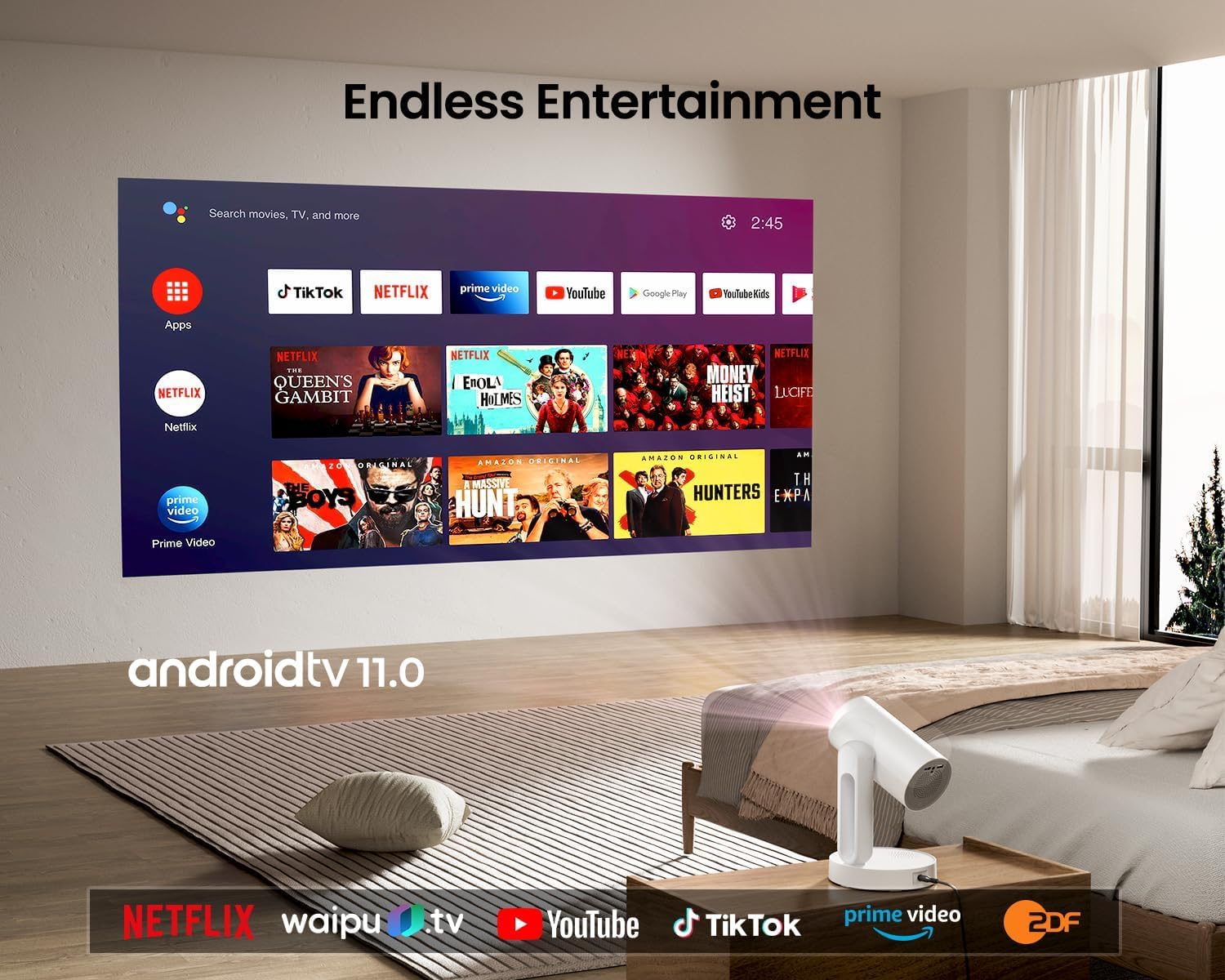
Image: The ETOE Starfish Projector displaying the Android TV interface, showing various streaming applications like Netflix, YouTube, and Prime Video.

Image: The ETOE Starfish Projector automatically correcting a distorted image to a perfect rectangle.

Image: Illustration comparing the low noise level of the ETOE Starfish Projector (24.5 dB) to common sounds.
4. Настройка
4.1. Падключэнне сілкавання
- Connect the power cord to the adaptor.
- Plug the adaptor into the projector's power input port.
- Падключыце другі канец шнура сілкавання да насценнай разеткі.
4.2. Пачатковае размяшчэнне
Размясціце праектар на ўстойлівай, роўнай паверхні. Для аптымальнага viewing, ensure the projection surface (wall or screen) is clean and smooth. The 140° rotation feature allows for flexible positioning, including ceiling projection.
4.3. Налада дыстанцыйнага кіравання
Insert two AAA batteries (not included) into the remote control, observing the correct polarity.
4.4. First Boot and Network Connection
- Націсніце кнопку харчавання на праектары або пульце дыстанцыйнага кіравання, каб уключыць яго.
- Follow the on-screen instructions for the initial Google Android system setup. This will include language selection and connecting to a Wi-Fi network.
- Select your preferred 2.4G or 5G Wi-Fi network and enter the password.
5. Інструкцыя па эксплуатацыі
5.1. Асноўная аперацыя
- Уключэнне/выключэнне харчавання: Націсніце кнопку харчавання на пульце дыстанцыйнага кіравання або праектары.
- Навігацыя: Use the directional buttons on the remote to navigate the Android interface.
- Рэгулятар гучнасці: Выкарыстоўвайце кнопкі гучнасці на пульце дыстанцыйнага кіравання.
5.2. Карэкціроўка выявы
- Лічбавы фокус: Adjust the image clarity using the focus controls on the remote or through the settings menu.
- Аўтаматычная карэкцыя трапецеідальных скажэнняў: The projector automatically corrects trapezoidal distortion. If manual adjustment is needed, access it via the settings.
- Лічбавае павелічэнне: Adjust the image size from 50% to 100% without moving the projector, accessible in the settings menu.
- Паварот на 140°: Physically rotate the projector head to project onto different surfaces, including ceilings. The auto keystone will adjust the image accordingly.

Image: The ETOE Starfish Projector projecting content onto a ceiling, demonstrating its versatility for different viewing angles, with a smartphone mirroring content.
5.3. Smart System Features
- Прыкладанні для струменевай перадачы: Access pre-installed apps like Netflix, YouTube, and Prime Video. Ensure you are logged into your respective accounts.
- Памочнік Google: Use voice commands via the remote control for navigation, content search, and system control.
- Убудаваны Chromecast: Cast content directly from compatible Android, iOS, and PC devices to the projector. Ensure both devices are on the same Wi-Fi network.
5.4. Ambient Light Function
The projector features a touch-controlled ambient light. Touch the designated area on the projector to cycle through seven colors, adjust brightness, and change color temperature to create your desired atmosphere.
6. Тэхнічнае абслугоўванне
Правільнае абслугоўванне забяспечвае даўгавечнасць і аптымальную прадукцыйнасць вашага праектара.
- Ачыстка аб'ектыва: Выкарыстоўвайце мяккую тканіну без ворса, спецыяльна распрацаваную для аптычных лінзаў, каб акуратна праціраць аб'ектыў праектара. Пазбягайце абразіўных матэрыялаў або агрэсіўных хімічных рэчываў.
- Абарона ад пылу: The ETOE Starfish features a fully sealed optical engine designed to protect against dust ingress, minimizing the need for internal cleaning.
- Генеральная ўборка: Працірайце знешнія паверхні праектара мяккай сухой тканінай. Не выкарыстоўвайце вадкія ачышчальнікі непасрэдна на прыладзе.
- захоўванне: Калі праектар не выкарыстоўваецца працяглы час, захоўвайце яго ў прахалодным, сухім месцы, удалечыні ад прамых сонечных прамянёў і экстрэмальных тэмператур.
7. Выпраўленне непаладак
Калі ў вас узніклі праблемы з праектарам, звярніцеся да наступных распаўсюджаных праблем і рашэнняў:
| праблема | Магчымая прычына | Рашэнне |
|---|---|---|
| Праектар не ўключаецца. | Power cord not connected properly; power outlet issue. | Ensure power cord is securely connected to both projector and outlet. Test outlet with another device. |
| Відарыс не адлюстроўваецца. | Input source incorrect; external device not connected; projector in standby. | Check input source settings. Ensure HDMI/USB devices are connected and powered on. Wake projector from standby. |
| Выява размытая. | Фокус не адрэгуляваны; праектар занадта блізка/далёка ад экрана. | Adjust digital focus using the remote. Ensure optimal projection distance. |
| Image is distorted (not rectangular). | Keystone correction needed. | The projector has auto keystone. If manual adjustment is required, access it in the settings menu. |
| Няма гуку. | Volume too low; external audio device issue; mute enabled. | Increase volume. Check external audio connections. Disable mute. |
| Праблемы з падключэннем да Wi-Fi. | Няправільны пароль; маршрутызатар занадта далёка; перашкоды ў сетцы. | Re-enter Wi-Fi password. Move projector closer to router. Restart router. |
| Не працуе пульт дыстанцыйнага кіравання. | Batteries low/dead; line of sight blocked. | Replace batteries. Ensure no obstructions between remote and projector. |
8. Тэхнічныя характарыстыкі
Detailed technical specifications for the ETOE Starfish 720P Projector (Model A1222).
| Марка | ETOE |
| мадэль | A1222 |
| Вытворца | JVDN International |
| Памеры прадукту | 61 х 48 х 43 см |
| Вага прадмета | 3 кг |
| Тып дысплея | ВК |
| Яркасць выявы | 300 прасветаў ANSI |
| Каэфіцыент кантраснасці выявы | 3000:1 |
| Суадносіны бакоў | 16:9 |
| Роднае дазвол | 1280 х 720 |
| тtage | 240 вольт |
| Ватtage | 5 ват |
| Частата абнаўлення | 60 Гц |
| Тэхналогія падлучэння | Wi-Fi (2.4G & 5G) |
| Абсталяванне інтэрфейсу | HDMI, USB |
| Сумяшчальныя прылады | Smartphones (Android & iOS), Gaming Consoles, Blu-ray Players, Media Players |
| Асаблівасці | Digital Focus, Portable, Wireless, Auto Keystone, 140° Rotation, Built-in Android System, Ambient Light |
| Тып мацавання | Настольнае мацаванне |
9. Гарантыя і падтрымка
9.1. Інфармацыя аб гарантыі
The ETOE Starfish Projector is manufactured by JVDN International. For specific warranty terms and conditions, please refer to the warranty card included with your product or contact the manufacturer directly. Keep your purchase receipt as proof of purchase for warranty claims.
9.2. Падтрымка кліентаў
For technical assistance, troubleshooting not covered in this manual, or warranty inquiries, please contact JVDN International customer support:
- Кантактная асоба: JAYESH KUMAR JAGETIYA
- тэлефон: +91 91361 87951
- электронная пошта: jayesh@jvdninternational.com
- Адрас: B-1122 Sun Westbank, Ashram Road, Ahmedabad, Gujarat, India, 380009