
Уводзіны
This manual provides instructions for the setup, operation, and maintenance of your ZWP replacement remote control. This remote is designed to be compatible with various GYMAX Walking Pad 2.25HP Dual Display Foldable Treadmills and GOPLUS 2-in-1 Treadmills, including models SH37590-RE, SH37590-SL, YQ-T4002, SH37592-NY, and SH37592-RE.
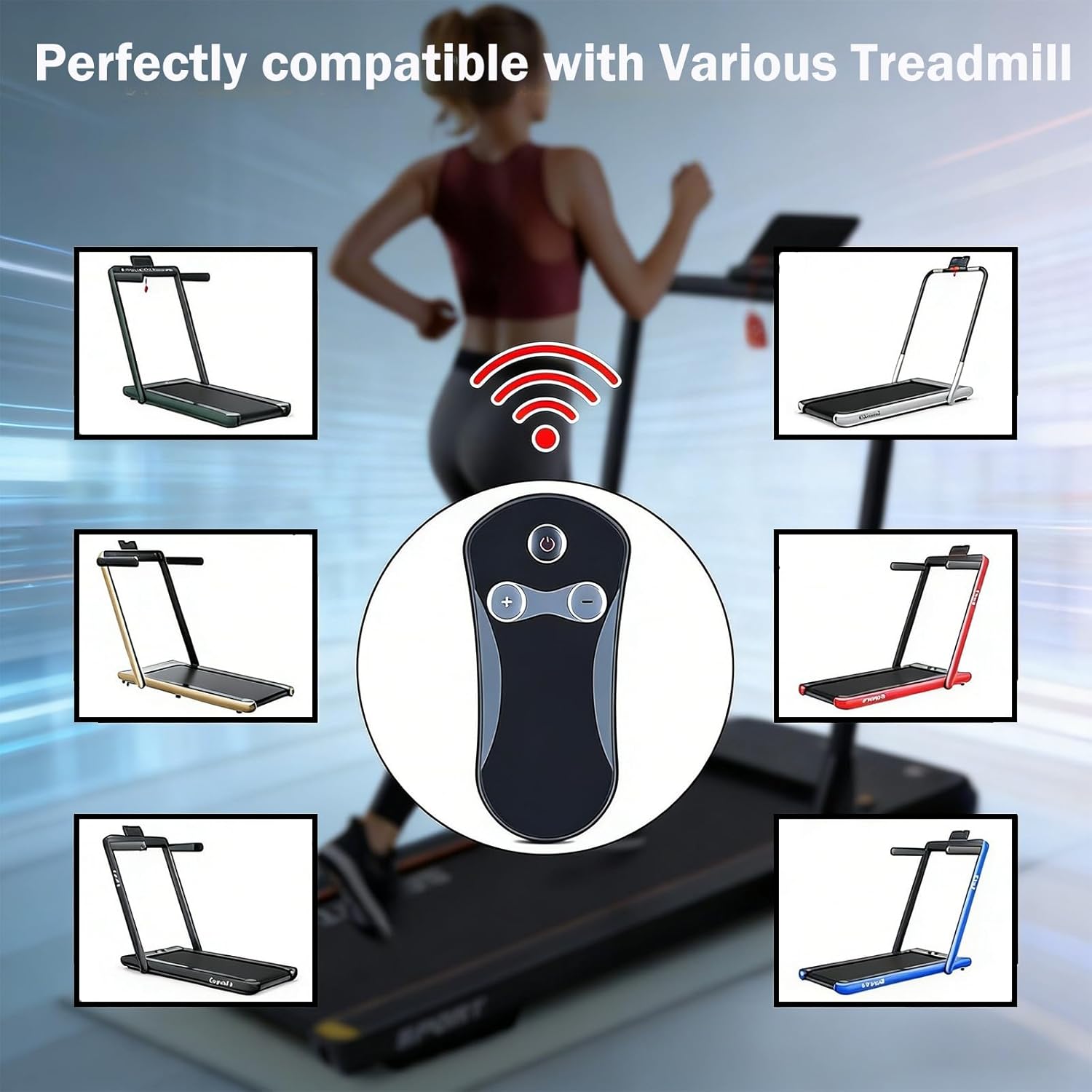
Image: The ZWP replacement remote control, featuring power, speed increase (+), and speed decrease (-) buttons.
Настройка
1. Устаноўка батарэі
The remote control requires one CR2032 button battery (not included). To install the battery:
- Знайдзіце батарэйны адсек на задняй частцы пульта дыстанцыйнага кіравання.
- Адкрыйце крышку батарэйнага адсека.
- Устаўце батарэйку CR2032 станоўчым (+) полюсам уверх.
- Надзейна зачыніце крышку батарэйнага адсека.
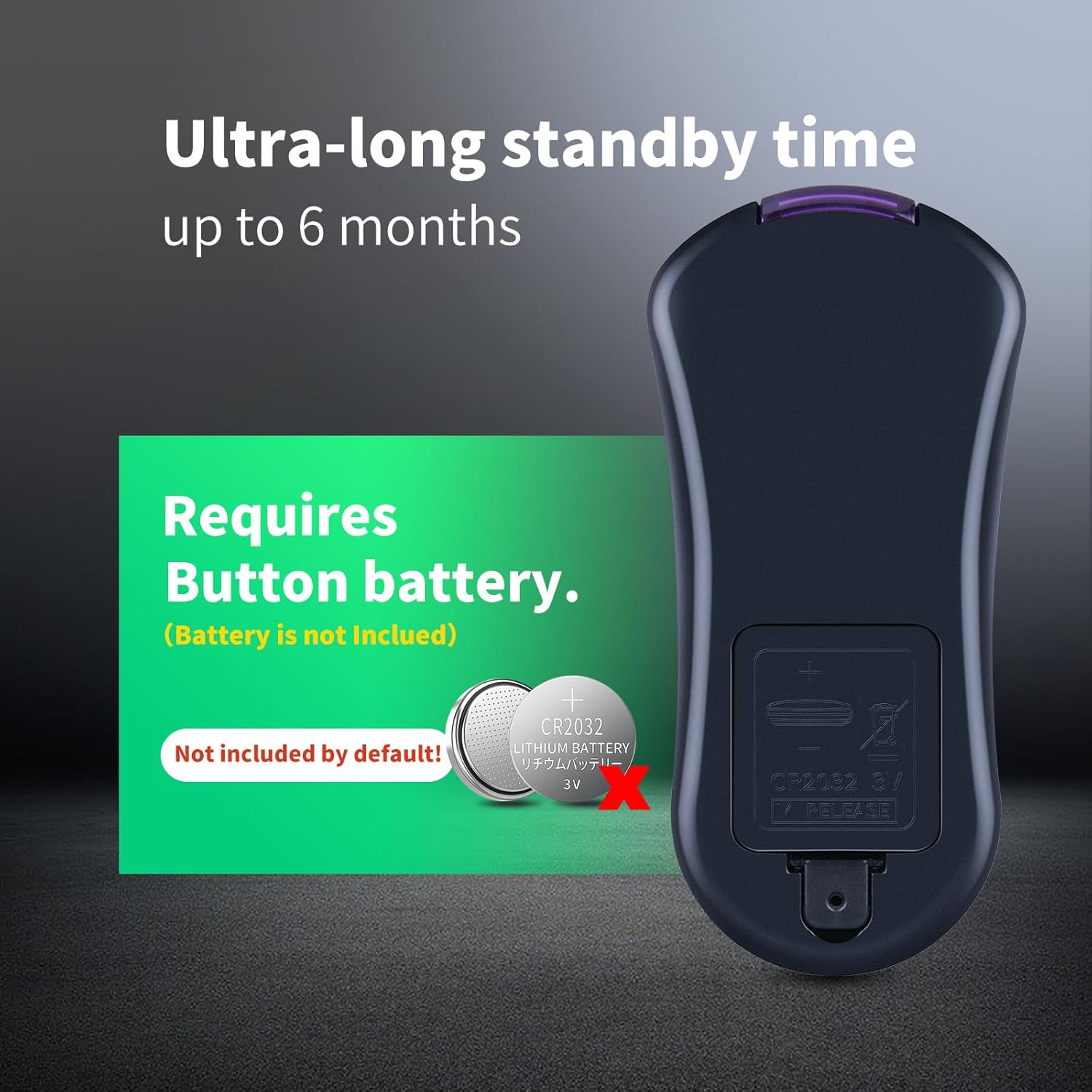
Выява: Задняя частка view of the remote control indicating the CR2032 battery compartment and battery type.
2. Pairing the Remote Control with Your Treadmill
Follow these steps to pair your new remote control with your treadmill. This process must be completed within 10 seconds of the treadmill being powered on.
- Ensure the treadmill is powered off.
- Disconnect the safety clip (the one with the magnet) from the treadmill. This will typically cause the treadmill to beep continuously.
- Уключыце бегавую дарожку.
- Within 10 seconds of powering on, press and hold the power button on the remote control. While holding the button, position the remote control close to the digital display of the treadmill.
- You should hear an interruption in the continuous beeping, followed by the beeping resuming. This indicates the remote is attempting to pair.
- After approximately 3 seconds, the system will emit a "di di" sound, confirming that the remote control and the treadmill have been successfully paired.
- Place the safety clip magnet back onto the treadmill. You should now be able to start and operate the treadmill as usual with the remote control.

Image: Visual guide for pairing the remote control, illustrating the safety lock and remote positioning near the treadmill display.
Інструкцыя па эксплуатацыі
Once paired, the remote control allows you to manage your treadmill's basic functions:
- Кнопка харчавання (⏻): Націсніце, каб запусціць або спыніць бегавую дарожку.
- Speed Increase Button (+): Press to increase the treadmill's speed.
- Speed Decrease Button (-): Press to decrease the treadmill's speed.
The remote features a multi-angle induction design, providing a stable transmission distance of up to 33 feet (approximately 10 meters).

Image: Illustration of the remote control's 360-degree multi-angle induction and effective range of up to 33 feet.
Тэхнічнае абслугоўванне
Замена батарэі
When the remote control's response becomes sluggish or stops working, it may be time to replace the CR2032 button battery. Refer to the "Battery Installation" section under Setup for instructions.
The remote is designed for ultra-long standby time, up to 6 months, depending on usage.
Уборка
To clean the remote control, gently wipe it with a soft, dry cloth. Avoid using abrasive cleaners or solvents, as these can damage the surface.
Ліквідацыю непаладак
- Пульт не адказвае:
- Check if the battery is correctly installed and has sufficient charge. Replace the CR2032 battery if necessary.
- Ensure there are no obstructions between the remote control and the treadmill's display.
- Re-attempt the pairing process as described in the "Pairing the Remote Control with Your Treadmill" section.
- Treadmill not starting after pairing:
- Verify that the safety clip is correctly placed on the treadmill. The treadmill will not operate without the safety clip engaged.
- Ensure the treadmill itself is powered on and functioning correctly.
Тэхнічныя характарыстыкі
| Марка | ЗВП |
| Сумяшчальныя бегавыя дарожкі | GYMAX Walking Pad 2.25HP Dual Display Foldable Treadmill, GOPLUS 2-in-1 Treadmills (Models: SH37590-RE, SH37590-SL, 998470910144, YQ-T4002, SH37592-NY, SH37592-RE) |
| Model Number (Remote) | Replacement for original treadmill remotes |
| Крыніца харчавання | 1 x CR2032 Button Battery (not included) |
| Матэрыял | Высокая якасць ABS |
| Колер | Чорны |
| Памеры | 3.7 х 1.65 х 0.35 цалі (прыблізна 9.4 х 4.2 х 0.9 см) |
| Вага прадмета | 1.13 унцыі (прыблізна 32 грамаў) |
| Асаблівасць | Ergonomic Design, Multi-angle Induction |

Image: Dimensions of the ergonomic remote control, showing its compact size.
Гарантыя і падтрымка
ZWP provides a 1-year warranty return service for this product. If you encounter any issues or have questions regarding your order, please do not hesitate to contact us directly. Our customer support team aims to respond within 12 hours to assist you.
For support, please refer to the contact information provided with your purchase or on the ZWP official store page.