
1. Уводзіны
This manual provides essential information for the safe and efficient use of your BESTHERM ILLO CONNECT 1000W Ceramic Dry Inertia Electric Radiator. This appliance combines thermal comfort with advanced technology, featuring a ceramic heating core for homogeneous heat distribution and Wi-Fi connectivity for remote management. Please read these instructions carefully before installation and operation, and retain them for future reference.

Малюнак 1: Закончанаview of the ILLO CONNECT 1000W Radiator's key features.
2. Інструкцыі па тэхніцы бяспекі
Заўсёды выконвайце наступныя меры бяспекі, каб знізіць рызыку пажару, паражэння электрычным токам або траўмаў:
- Пераканайцеся, што аб'ём блока харчаванняtage matches the rating label on the radiator.
- Do not cover the radiator or obstruct its air vents. This can cause overheating.
- Keep flammable materials (curtains, furniture, etc.) at a safe distance from the appliance.
- Do not operate the radiator with a damaged cord or plug. Contact qualified service personnel for repairs.
- This appliance is for indoor use only. Do not use in bathrooms or other areas where it may come into contact with water, unless specifically rated for such environments (IP24 rating indicates protection against splashing water).
- Не ўстаўляйце прадметы ў якія-небудзь адтуліны.
- Unplug the radiator before cleaning or performing any maintenance.
- Прылада мае Абарона ад перагрэву system, which automatically shuts off the unit if it becomes too hot. If this occurs, unplug the unit, allow it to cool, and check for obstructions before restarting.
- The Блакіроўка ад дзяцей feature prevents accidental changes to settings.
3. Змесціва ўпакоўкі
Праверце наяўнасць усіх кампанентаў ва ўпакоўцы:
- BESTHERM ILLO CONNECT 1000W Electric Radiator
- Кранштэйны і мацаванні для мацавання на сцяне
- Кіраўніцтва карыстальніка (гэты дакумент)
4. Ўстаноўка
The ILLO CONNECT radiator is designed for wall mounting. Ensure the installation location is suitable and provides adequate clearance around the unit for proper heat circulation.
4.1 Мантаж радыятара
- Choose a suitable wall location, away from direct drafts and flammable materials.
- Use the provided mounting brackets as a template to mark drilling points on the wall.
- Drill holes and insert wall plugs (if necessary, depending on wall type).
- Securely attach the mounting brackets to the wall using the provided screws.
- Carefully hang the radiator onto the mounted brackets, ensuring it is level and securely seated.

Малюнак 2: Задняя частка view with mounting brackets.
4.2 Электрычнае падключэнне
Connect the radiator to a suitable electrical outlet. Ensure the outlet is properly grounded and can handle the 1000W power consumption of the unit. If using a pilot wire system, consult a qualified electrician for proper connection.
4.3 Памеры і вага
Consider the following dimensions and weight for installation planning:
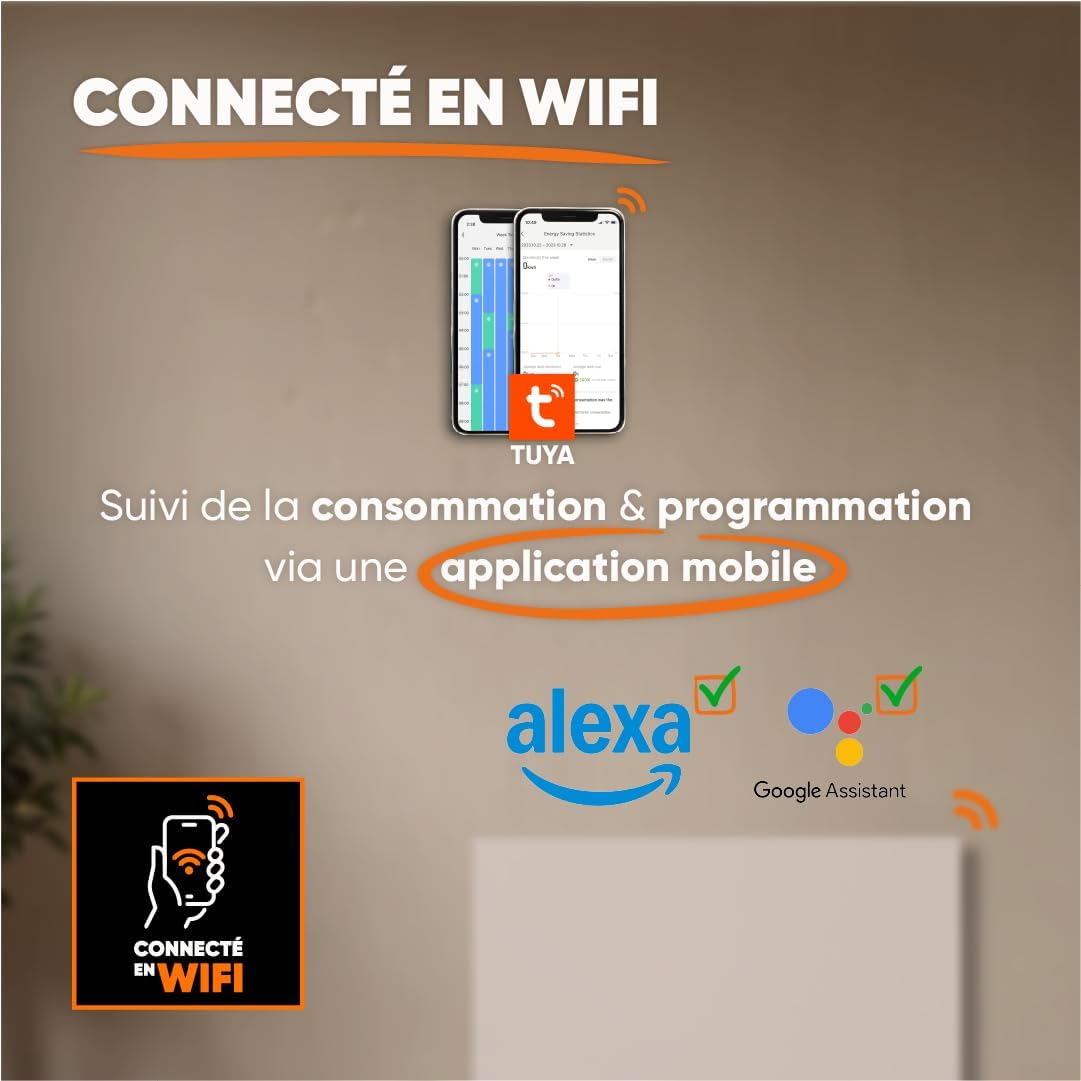
Figure 3: Radiator dimensions and weight.
For detailed visual instructions on installation, scan the QR code below or visit the official YouTube channel:

Figure 4: Scan for installation and programming videos.
Official YouTube Channel: youtube.com/channel/UC-sOfckFt_UyYxoDYUZ95Ew
5. Інструкцыя па эксплуатацыі
The ILLO CONNECT radiator features an electronic control panel with touch buttons and an intuitive LCD display for easy management.
5.1 Першапачатковае ўключэнне
After connecting the radiator to the power supply, the LCD display will illuminate. You may need to set the current time and date before proceeding with other settings.
5.2 Панэль кіравання скончанаview
The control panel typically includes buttons for mode selection, temperature adjustment, programming, and Wi-Fi pairing. Refer to the on-screen prompts for specific button functions.
Рэжымы працы 5.3
The radiator offers four primary operating modes:
- Камфортны рэжым: Maintains the desired set temperature.
- Эканамічны рэжым: Operates at a slightly reduced temperature compared to Comfort mode, saving energy.
- Рэжым супраць замярзання: Maintains a minimum temperature (e.g., 7°C) to prevent freezing.
- Standby Mode (Off): The radiator is off but remains connected to power.
5.4 Праграмаванне
Customize your heating schedule for optimal comfort and energy efficiency:
- Pre-recorded Weekly Programs (P1/P2/P3): Select from three factory-set weekly programs designed for common usage patterns.
- Custom Weekly Program: Create and save your own personalized heating schedule for each day of the week.
5.5 Pilot Wire Modes (if applicable)
If your electrical installation includes a 6-order pilot wire, the radiator can be controlled via these modes:
- Камфорт
- Камфорт -1°C
- Камфорт -2°C
- Эка
- Антызамярзанне
- Выкл
5.6 Падключэнне да Wi-Fi і кіраванне праз праграмы
The ILLO CONNECT radiator can be controlled remotely via Wi-Fi using the Tuya or Smart Life mobile application.
- Запампуйце праграму Tuya Smart або Smart Life з крамы праграм вашага смартфона.
- Зарэгіструйцеся альбо ўвайдзіце ў свой рахунак.
- Follow the in-app instructions to add your radiator. This typically involves putting the radiator into pairing mode (refer to the radiator's display or specific app instructions).
- Once connected, you can monitor energy consumption, adjust settings, change modes, and set schedules from anywhere.
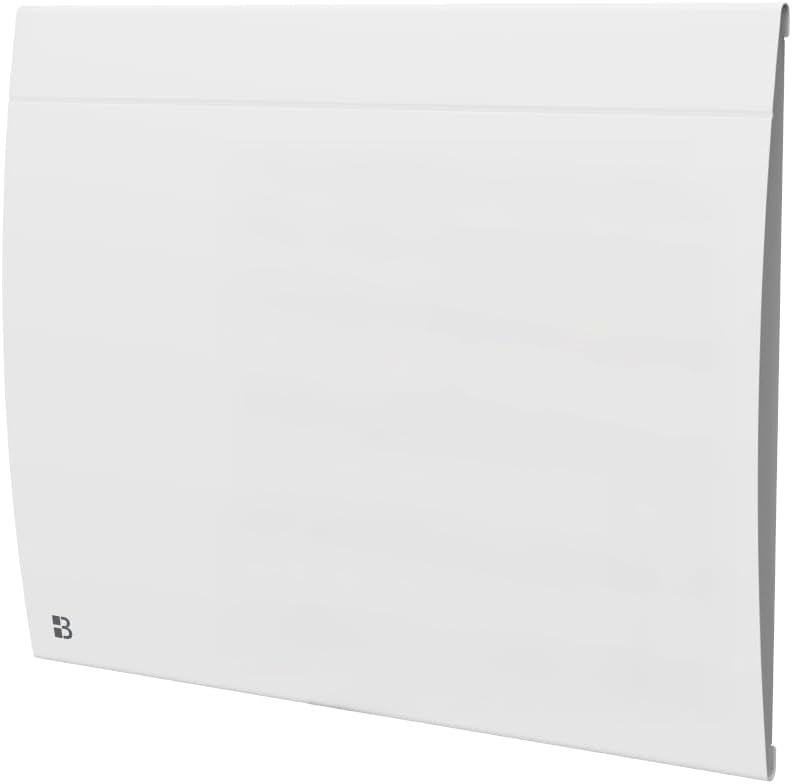
Figure 5: Wi-Fi connectivity and app control.
6. Smart Features & Safety
The ILLO CONNECT radiator incorporates several intelligent features for enhanced safety and energy efficiency:
- Open Window Detector: The radiator automatically detects an open window and adjusts its operation to prevent energy waste.
- Блакіроўка ад дзяцей: This function prevents children from accidentally changing the radiator settings. Activate/deactivate via the control panel or mobile app.
- Абарона ад перагрэву: The radiator automatically shuts down if it detects an internal temperature exceeding safe limits, ensuring user safety.
7. Тэхнічнае абслугоўванне
Рэгулярнае абслугоўванне забяспечвае аптымальную прадукцыйнасць і даўгавечнасць вашага радыятара.
7.1 Ачыстка
- Always unplug the radiator from the power supply before cleaning.
- Allow the radiator to cool completely.
- Працярыце вонкавыя паверхні мяккай, damp тканіна. Не выкарыстоўвайце абразіўныя ачышчальнікі, растваральнікі або агрэсіўныя хімікаты, бо яны могуць пашкодзіць пакрыццё.
- Сачыце за тым, каб вада не трапляла ва ўнутраныя кампаненты.
- Periodically clean the air vents to prevent dust accumulation, which can affect efficiency.
7.2 Захоўванне
If storing the radiator for an extended period, ensure it is clean, dry, and stored in a cool, dry place, protected from dust and moisture.
8. Выпраўленне непаладак
Калі ў вас узніклі праблемы з радыятарам, звярніцеся да наступных распаўсюджаных праблем і іх рашэнняў:
| праблема | Магчымая прычына | Рашэнне |
|---|---|---|
| Радыятар не ўключаецца. | No power supply; Power switch off; Overheat protection activated. | Check power outlet and plug; Ensure power switch is on; Unplug, allow to cool, and check for obstructions. |
| Radiator not heating effectively. | Incorrect mode selected; Temperature setting too low; Open window detected. | Select Comfort mode or increase temperature; Close windows/doors. |
| Памылка падключэння да Wi-Fi. | Incorrect Wi-Fi password; Radiator too far from router; Router issues. | Verify Wi-Fi password; Move radiator closer to router or use a Wi-Fi extender; Restart router. |
| Панэль кіравання не рэагуе. | Child lock activated; Temporary software glitch. | Deactivate child lock; Unplug the radiator for a few minutes, then plug it back in. |
Калі праблема не знікне пасля спробы гэтых рашэнняў, звярніцеся ў службу падтрымкі кліентаў.
9. Тэхнічныя характарыстыкі
| Асаблівасць | Спецыфікацыя |
|---|---|
| мадэль | ILLO CONNECT 1000W |
| Выхадная магутнасць | 1000 ват |
| Спосаб нагрэву | Dry Inertia Ceramic |
| Пакрыццё ацяплення | Up to 10 m² (recommended for 5-10 m²) |
| Памеры (В х Ш х Г) | 45 см х 55 см х 11 см |
| Вага | 7.3 кг |
| Матэрыял | сталь |
| Кантроль | Electronic with touch buttons, LCD display |
| Сувязь | Wi-Fi (Tuya/Smart Life app compatible) |
| Функцыі бяспекі | Open Window Detector, Child Lock, Overheat Protection |
| Тып мацавання | Wall Mount (fixings included) |
| Рэйтынг IP | IP24 |
| Сертыфікаты | CE |
10. Гарантыя
The BESTHERM ILLO CONNECT 1000W Electric Radiator comes with a Гарантыя 2 год from the date of purchase. This warranty covers manufacturing defects under normal use. Please retain your proof of purchase for warranty claims. The warranty does not cover damage resulting from improper installation, misuse, neglect, or unauthorized repairs.
11. Падтрымка
Па любых пытаннях, тэхнічнай дапамозе або гарантыйных прэтэнзіях звяртайцеся ў нашу службу падтрымкі кліентаў:
- FAQ онлайн: Наведайце www.bestherm.fr/pages/faq
- Telephone Assistance: 03 20 47 05 37
- Падтрымка па электроннай пошце: sav@hom-y.fr
Our responsive after-sales service is based in France to ensure efficient support.