
1. Уводзіны
This manual provides detailed instructions for the safe and effective use of your VTSYIQI Digital Concrete Moisture Meter, model CMW-785P. This device is designed for non-destructive measurement of moisture content in various materials, including concrete, wood, and glass, utilizing a search-type sensor. Please read this manual thoroughly before operation and retain it for future reference.
2. Прадукт скончыўсяview
The VTSYIQI CMW-785P moisture meter features both digital display and color-coded LED indicators for clear moisture readings. It operates on a non-destructive search principle, making it suitable for finished surfaces.
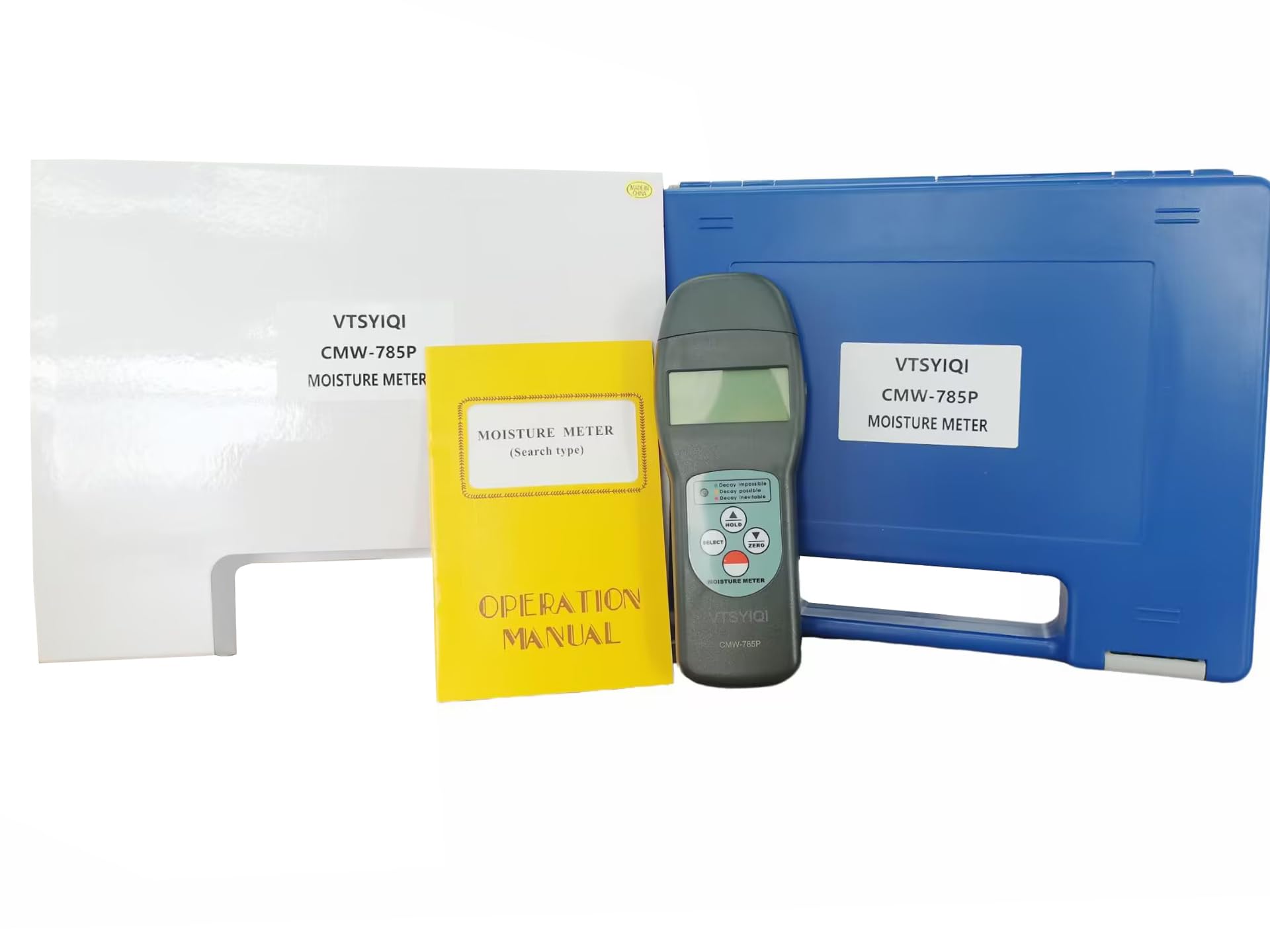
Малюнак 2.1: Спераду view of the VTSYIQI CMW-785P Digital Concrete Moisture Meter with the sensor cap removed, showing the display and control buttons.

Малюнак 2.2: Назад view of the VTSYIQI CMW-785P Digital Concrete Moisture Meter, illustrating the battery compartment cover and product label.
Відэа 2.1: Оверview of the VTSYIQI CMW-785P Digital Concrete Moisture Meter, demonstrating its physical appearance and components, including unboxing and handling.
3. Настройка
3.1 Устаноўка батарэі
- Знайдзіце батарэйны адсек на задняй панэлі глюкометра (гл. малюнак 2.2).
- Зрушыце вечка батарэйнага адсека ўніз, каб адкрыць яго.
- Insert four (4) 1.5V AAA (UM-4) batteries, ensuring correct polarity (+/-).
- Зачыніце вечка батарэйнага адсека, зрушыўшы яго ўверх, пакуль ён надзейна не зафіксуецца з пстрычкай.
3.2 Sensor Preparation
Before taking measurements, carefully remove the protective cap from the sensor area at the bottom of the meter. Ensure the sensor surface is clean and free from debris.
4. Інструкцыя па эксплуатацыі
4.1 Уключэнне/выключэнне
- Каб уключыць прыладу, націсніце УЛАДА button (usually the red button).
- Каб выключыць прыладу, націсніце і ўтрымлівайце УЛАДА кнопку, пакуль дысплей не выключыцца.
4.2 Selecting Measurement Code
The meter supports 20 different measurement codes for various materials. To select the appropriate code:
- Націсніце ВЫБРАЦЬ button to cycle through the available material codes.
- Refer to the material code chart (typically found in the included operation manual) to match the code with the material you are testing (e.g., concrete, wood type).
4.3 Каліброўка нуля
For optimal accuracy, perform a zero calibration before each use or when changing measurement conditions:
- Hold the meter in the air, away from any materials.
- Націсніце НУЛЬ button. The display should show '0.0' or a value very close to zero.
4.4 Вымярэнне
- Ensure the correct material code is selected and zero calibration has been performed.
- Place the sensor area of the meter flat against the surface of the material to be measured.
- The moisture content will be displayed on the LCD screen.
- The LED indicators will also provide a quick visual assessment of the moisture level:
- Зялёны святлодыёд: Represents a safe, air-dry state.
- Жоўты святлодыёд: Represents a borderline state, indicating caution.
- Чырвоны святлодыёд: Represents a damp state, indicating high moisture.
4.5 Функцыя ўтрымання дадзеных
Каб зафіксаваць бягучае паказанне на дысплеі:
- Націсніце ТРЫМАЦЬ button during a measurement.
- Націсніце ТРЫМАЦЬ button again to release the reading and resume live measurement.
5. Тэхнічнае абслугоўванне
5.1 Ачыстка
- Працярыце вонкавую паверхню глюкометра мяккай сухой тканінай.
- Не выкарыстоўвайце абразіўныя ачышчальнікі або растваральнікі, бо яны могуць пашкодзіць casing або дысплей.
- Keep the sensor area clean and free from dust or debris to ensure accurate readings.
5.2 Захоўванне
- When not in use, replace the protective cap over the sensor.
- Store the meter in its carrying case in a cool, dry place, away from direct sunlight and extreme temperatures.
- Пры працяглым захоўванні выміце батарэйкі, каб прадухіліць уцечку.
6. Выпраўленне непаладак
- Няма дысплея / лічыльнік не ўключаецца:
Check battery installation and ensure batteries are not depleted. Replace with fresh batteries if necessary. - Няправільныя паказанні:
Perform a zero calibration as described in Section 4.3. Ensure the sensor surface is clean. Verify that the correct material code is selected for the material being tested. Avoid measuring near strong electromagnetic fields. - Святлодыёдныя індыкатары не працуюць:
If the digital display is working but LEDs are not, ensure the meter is not in a hold mode. If the issue persists, contact customer support.
7. Тэхнічныя характарыстыкі
| Асаблівасць | Спецыфікацыя |
|---|---|
| Тып датчыка | пошук |
| Measurement Codes | 20 |
| Дыяпазон вільготнасці | 0~70% |
| Дакладнасць вільгаці | ±(0.5%n+0.5) |
| дазвол | 0.1 |
| Дысплей | ВК |
| Святлодыёдны індыкатар | Green (safe/air-dry), Yellow (borderline), Red (damp) |
| Умовы эксплуатацыі | Temperature: 0~50°C, Humidity: <90%RH |
| Электразабеспячэнне | 4x1.5V AAA (UM-4) Battery |
| Памеры (асноўны блок) | 165x62x26 мм |
| Вага | 119 г |
8. Гарантыя і падтрымка
Warranty information for this product is typically provided with the purchase documentation or on the product packaging. For specific warranty details, technical support, or service inquiries, please contact the seller, VETUS INDUSTRIAL CO.,LTD, or refer to the official VTSYIQI webсайт. Захоўвайце чэк аб куплі як пацвярджэнне пакупкі ў выпадку любых гарантыйных прэтэнзій.