
Уводзіны
Thank you for choosing the Haomuren K1 Mini Portable Bluetooth Karaoke Machine. This manual provides essential information for the safe and efficient operation of your new device. Please read it thoroughly before use and retain it for future reference.
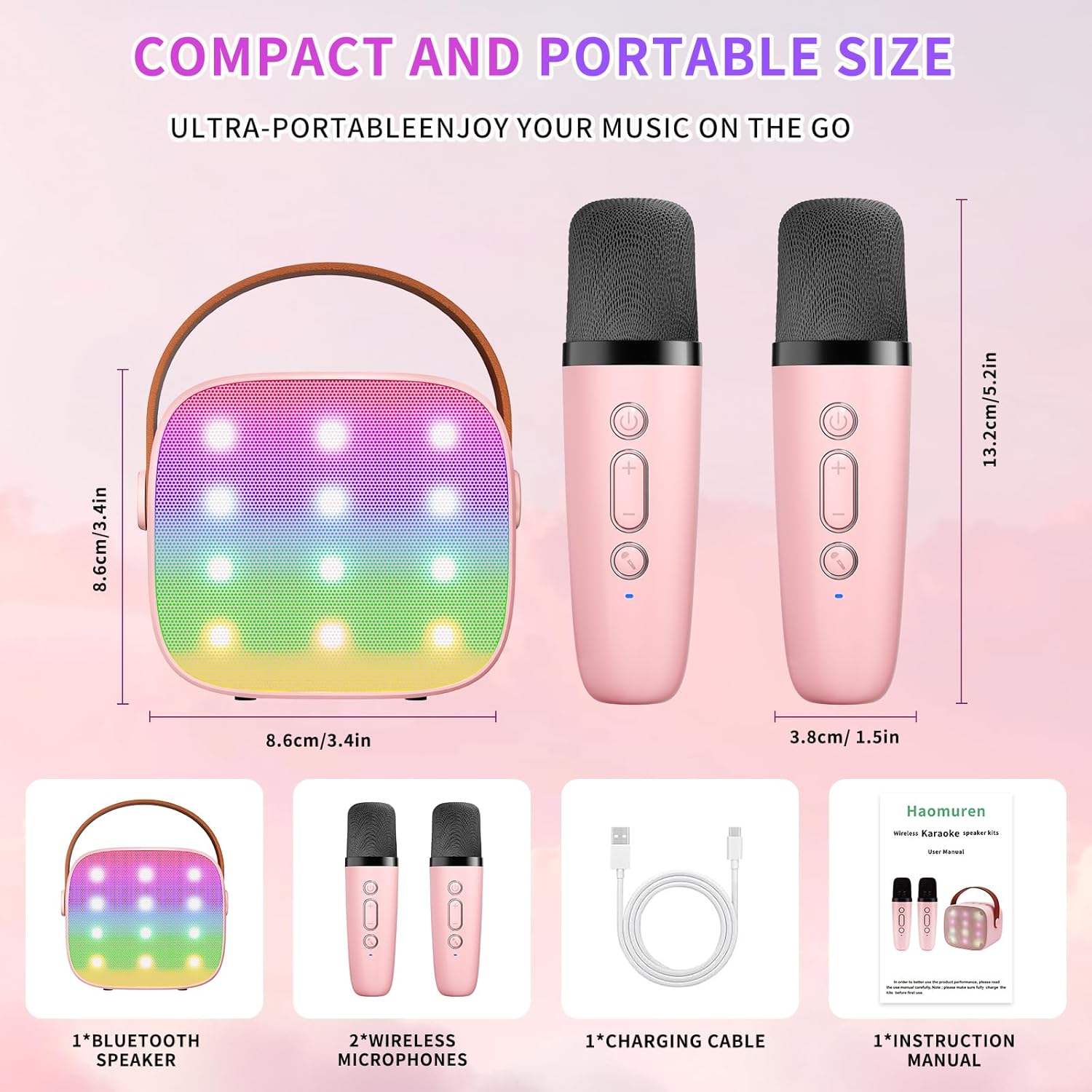
Што ў скрынцы
- Karaoke Machine (Speaker) x 1
- Бесправадны мікрафон x 2
- Зарадны кабель Type-C x 1
- Кіраўніцтва карыстальніка x 1
Настройка
1. Зарадка прылады
Before initial use, fully charge the karaoke machine and both microphones. Use the provided Type-C charging cable.
- Дакладчык: Connect the Type-C cable to the speaker's charging port. The speaker has an 1800mAh battery and typically charges in 1-2 hours.
- Мікрафоны: Connect the Type-C cable to the charging port at the bottom of each microphone. Each microphone has a 600mAh battery.

2. Уключэнне/выключэнне харчавання
- Дакладчык: Press and hold the power button on the top panel of the speaker until the LED lights illuminate.
- Мікрафоны: Press and hold the power button on each microphone until the blue indicator light turns on.
3. Спарванне Bluetooth
The speaker and microphones are designed for instant pairing. Once both are powered on, they should automatically connect. To connect the speaker to an external device (smartphone, tablet, PC):
- Ensure the karaoke machine speaker is powered on and in Bluetooth mode (indicated by a voice prompt).
- On your external device, enable Bluetooth and search for available devices.
- Select "K1" (or similar model name) from the list to pair. A confirmation sound will indicate successful pairing.

Інструкцыя па эксплуатацыі
1. Элементы кіравання дынамікам
The speaker features intuitive buttons on its top panel:
- Памяншэнне гучнасці (-): Decreases the speaker volume.
- Уключэнне/Прайграванне/Паўза: Short press to play/pause music. Long press to power on/off the speaker.
- Павялічыць гучнасць (+): Increases the speaker volume.
- Рэжым (M): Switches between different input modes (Bluetooth, TF Card).
- Кіраванне святлодыёдным святлом: Short press to cycle through 6 different LED lighting modes.
- Original Vocal/Accompaniment: Press this button to remove or restore original vocals from a song, allowing you to sing along to the instrumental track.

2. Кіраванне мікрафонам
Each wireless microphone has the following controls:
- Кнопка харчавання: Націсніце і ўтрымлівайце, каб уключыць/выключыць мікрафон.
- Павялічыць гучнасць (+): Павялічвае гучнасць мікрафона.
- Памяншэнне гучнасці (-): Змяншае гучнасць мікрафона.
- Кнопка змены голасу: Short press to cycle through 5 different voice effects.

3. Voice Changing Modes
The microphones offer 5 unique voice effects to enhance your karaoke experience:
- Арыгінальны голас
- Жаночы голас
- Мужчынскі голас
- Дзіцячы голас
- Голас монстра
4. Святлодыёдныя лямпы
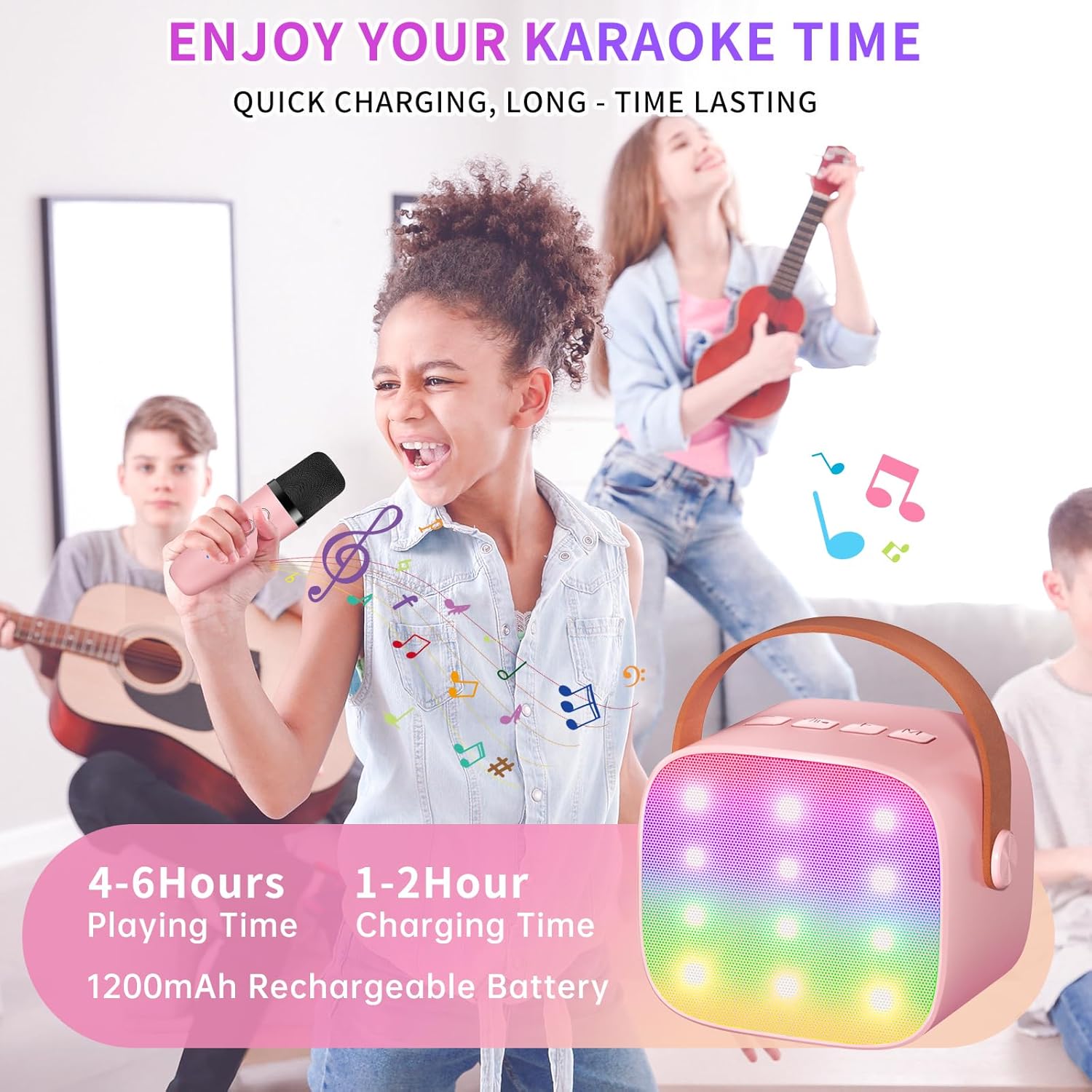
The speaker features built-in LED lights with 6 dynamic modes that synchronize with the music, creating an immersive atmosphere. Use the dedicated LED Light Control button on the speaker to cycle through these modes.

5. Music Playback Options
The Haomuren K1 supports various music playback methods:
- Bluetooth: Connect wirelessly to your smartphone, tablet, or PC.
- TF карта: Insert a TF (MicroSD) card into the designated slot on the back of the speaker to play stored music files.
- Выхад для навушнікаў: Use the 3.5mm headphone jack for private listening.
Тэхнічнае абслугоўванне
- Уборка: Use a soft, dry cloth to clean the exterior of the speaker and microphones. Do not use liquid cleaners or abrasive materials.
- захоўванне: Захоўвайце прыладу ў прахалодным, сухім месцы, удалечыні ад прамых сонечных прамянёў і экстрэмальных тэмператур.
- Сыход за батарэяй: Каб падоўжыць тэрмін службы батарэі, пазбягайце частай поўнай разрадкі прылады. Рэгулярна зараджайце прыладу, нават калі яна не выкарыстоўваецца працяглы час.
Ліквідацыю непаладак
- Няма гуку з дынаміка:
- Пераканайцеся, што дынамік уключаны і зараджаны.
- Check the speaker's volume level.
- Verify that the speaker is correctly paired via Bluetooth to your device.
- If using a TF card, ensure it is inserted correctly and contains compatible audio files.
- Мікрафон не працуе:
- Пераканайцеся, што мікрафон уключаны і зараджаны.
- Check the microphone's volume level.
- Confirm the microphone is automatically paired with the speaker.
- Адключэнне Bluetooth:
- Ensure the speaker and your device are within the effective Bluetooth range (typically 10 meters).
- Turn off and restart both the speaker and your device, then attempt to re-pair.
- Праверце на наяўнасць перашкод ад іншых бесправадных прылад.
- Скажоны гук:
- Зменшце гучнасць як на дынаміку, так і на падлучанай прыладзе.
- Ensure the microphones are not too close to the speaker to avoid feedback.
- Праверце крыніцу гуку на наяўнасць праблем з якасцю.
Тэхнічныя характарыстыкі
| Асаблівасць | Спецыфікацыя |
|---|---|
| Марка | Хаомурэн |
| Нумар мадэлі | K1 |
| Тып мацавання | Стальніца |
| Крыніца харчавання | Харчаванне ад батарэі |
| Тып раздыма | 3.5mm headphone, Type-C Charging |
| Матэрыял | Акрыланітрылбутадыенстырол (АБС) |
| Вага прадмета | 14.9 унцыі |
| Колькасць каналаў | 2 |
| Аўдыё ўваход | Бесправадныя мікрафоны |
| АЧХ | 10 кГц |
| Памеры прадукту | 3.7 х 4.1 х 4.3 цалі |
| Батарэі | Патрабуецца 1 батарэйка ААА (у камплекце) |
| Тэхналогія падлучэння | Bluetooth, USB, бесправадная сувязь |
Гарантыя і падтрымка
Haomuren is committed to providing high-quality audio products. Your K1 Mini Portable Bluetooth Karaoke Machine comes with the following:
- Бясплатная замена: In case of product defects.
- Гарантыя 365 дзён: Covering manufacturing defects and malfunctions.
- Тэхнічная падтрымка: Dedicated support is available for any operational questions or issues.
For further assistance, please contact Haomuren customer service through your purchase platform or visit the official Haomuren webсайт.


