
1. Уводзіны
The MiBOXER K3S Rotating Wheel Remote provides intuitive control over LED lighting systems, allowing for precise adjustment of both color temperature and brightness. Utilizing 2.4GHz wireless technology, this remote ensures stable and responsive operation. Its ergonomic design facilitates easy handling and accurate adjustments, making it suitable for various lighting applications.
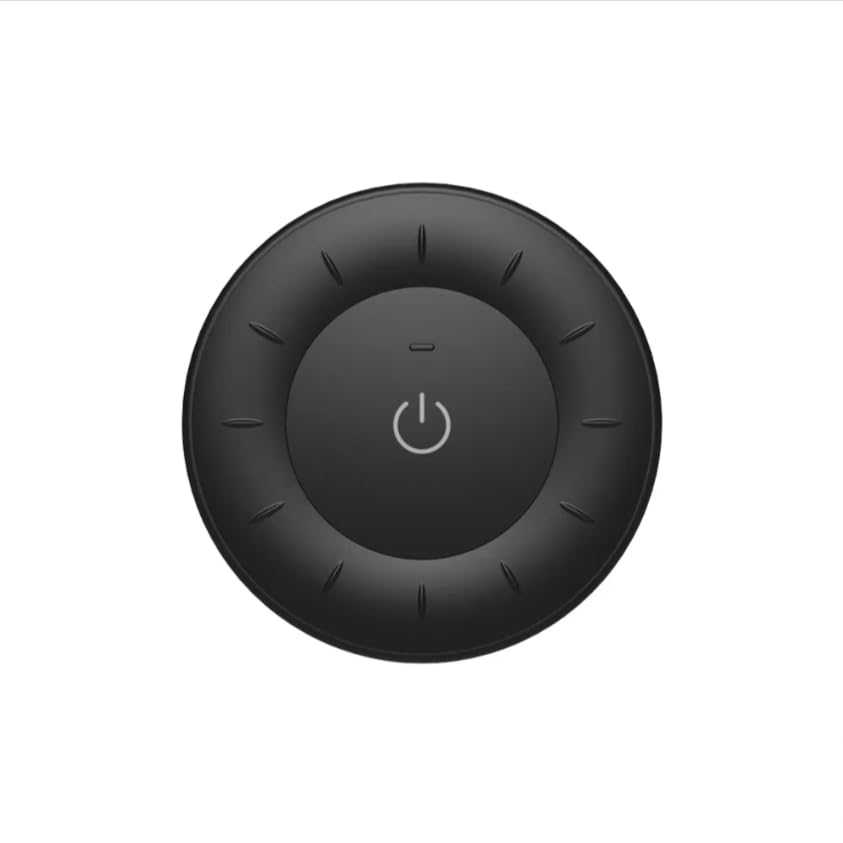
Image 1.1: MiBOXER K3S Rotating Wheel Remote (Black)
This image displays the MiBOXER K3S remote control in black, highlighting its circular design and central power button.
2. Асаблівасці прадукту
- Adjustable Brightness & Color Temperature: Allows fine-tuning of lighting intensity and warmth.
- Rotating Wheel Design: Provides smooth and intuitive control for easy adjustments.
- Бесправадная тэхналогія 2.4 ГГц: Ensures stable, interference-free connectivity with compatible devices.
- Эрганамічны дызайн: Зручна трымаць у руках і працаваць.
- Multi-Environment Compatibility: Suitable for various settings including homes, offices, and commercial spaces.
3. Змесціва ўпакоўкі
Пасля адкрыцця ўпакоўкі пераканайцеся ў наяўнасці ўсіх кампанентаў:
- Пульт дыстанцыйнага кіравання з паваротным колам MiBOXER K3S
- Кіраўніцтва карыстальніка
Note: CR2032 battery is purchased separately and is not included in the package.
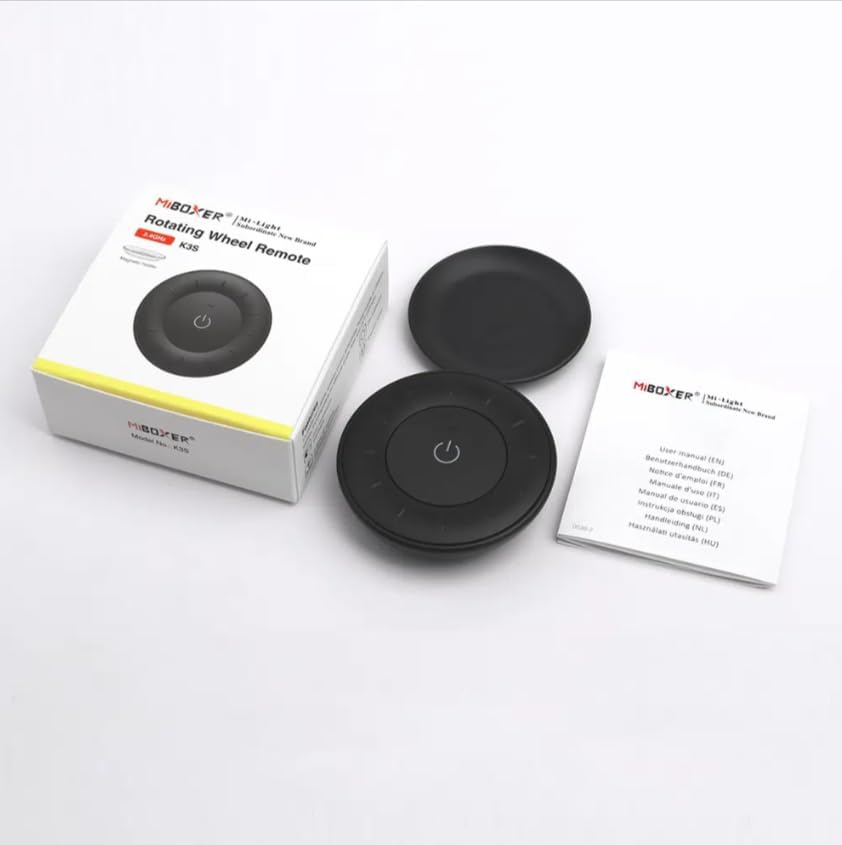
Image 3.1: Package Contents Overview
This image shows the MiBOXER K3S remote, its packaging box, and the included user manual, laid out on a surface.
4. Схема прадукту

Image 4.1: Remote Control Components
This diagram illustrates the main components of the MiBOXER K3S remote, including the ON/OFF button, brightness/color temperature rotating wheel, and the battery compartment with Link/Unlink button.
- Кнопка ON/OFF: Central button to power the connected light on or off.
- Brightness / Color Temperature Rotating Wheel: The outer ring used to adjust brightness by default. Long press the ON/OFF button for 3 seconds to switch to color temperature adjustment mode.
- Link / Unlink Button: Located inside the battery compartment, used for pairing the remote with compatible lighting devices.
5. Настройка
5.1 Устаноўка батарэі
- Знайдзіце батарэйны адсек на задняй частцы пульта дыстанцыйнага кіравання.
- Адкрыйце крышку батарэйнага адсека.
- Устаўце адну батарэйку CR2032, сочачы за правільнай палярнасцю (+/-).
- Надзейна зачыніце крышку батарэйнага адсека.
Image 5.1: Battery Installation Area
This image shows the underside of the remote, indicating the location for the CR2032 battery and the Link/Unlink button.
5.2 Linking / Unlinking the Remote
The K3S remote uses 2.4GHz RF wireless technology to communicate with compatible MiBOXER lighting devices.
Linking Procedure:
- Ensure the light fixture you wish to control is powered off.
- Power on the light fixture.
- Within 3 seconds of powering on the light, press the "Link/Unlink" button (located inside the battery compartment) on the K3S remote тры разы.
- Святлодыёд павінен павольна міргнуць тры разы, што сведчыць аб паспяховым падключэнні.
Unlinking Procedure:
- Ensure the light fixture you wish to unlink is powered off.
- Power on the light fixture.
- Within 3 seconds of powering on the light, press the "Link/Unlink" button (located inside the battery compartment) on the K3S remote пяць разоў.
- Святлодыёд павінен хутка міргнуць дзесяць разоў, што сведчыць аб паспяховым адключэнні.
6. Інструкцыя па эксплуатацыі
6.1 УКЛ./ВЫКЛ
- Націсніце цэнтральную ⏻ (ON/OFF) button once to turn the connected light on or off.
6.2 Рэгуляванне яркасці
- By default, rotating the outer wheel adjusts the brightness of the light.
- Павярніце па гадзіннікавай стрэлцы, каб павялічыць яркасць.
- Павярніце супраць гадзіннікавай стрэлкі, каб паменшыць яркасць.
6.3 Рэгуляванне каляровай тэмпературы
- To switch to color temperature adjustment mode, доўгі націск the central ⏻ (ON/OFF) button for 3 seconds.
- Once in color temperature mode, rotate the outer wheel to adjust the color temperature.
- Rotate clockwise for cooler (bluer) light.
- Rotate counter-clockwise for warmer (yellower) light.
- To switch back to brightness adjustment, long press the ⏻ (ON/OFF) button for another 3 seconds.
7. Тэхнічныя характарыстыкі
| Назва мадэлі | К3С |
| Марка | MIBOXER |
| Тэхналогія падлучэння | Бесправадная сувязь 2.4G |
| Тып кіравання | Яркасць, каляровая тэмпература |
| Максімальны дыяпазон | 30 метраў |
| Тып батарэі | CR2032 (purchased separately) |
| Памеры (дыяметр х вышыня) | Ø60mm x 15mm (approx.) |
| Weight (Gross Weight per box) | 0.05 KGS (approx.) |

Image 7.1: Remote Control Dimensions
This diagram provides the physical dimensions of the MiBOXER K3S remote, showing a diameter of 60mm and a thickness of 15mm (or 19.5mm with the base).
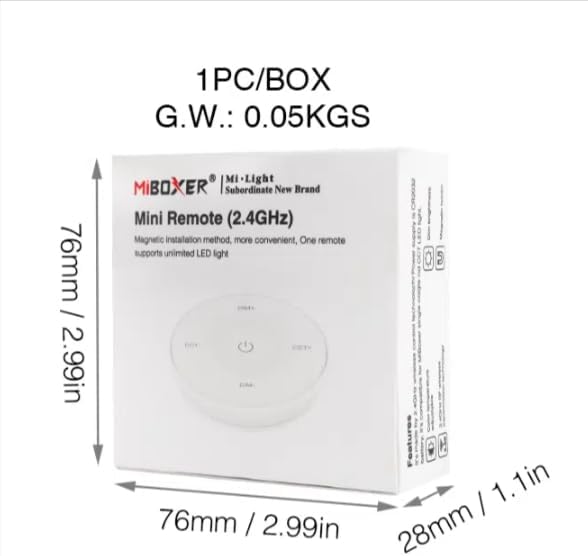
Image 7.2: Packaging Dimensions
This image displays the dimensions of the product packaging, indicating it is 76mm x 76mm x 28mm with a gross weight of 0.05 KGS.
8. Тэхнічнае абслугоўванне
- Падтрымлівайце пульт дыстанцыйнага кіравання ў чысціні, праціраючы яго мяккай сухой тканінай.
- Avoid exposing the remote to moisture, extreme temperatures, or direct sunlight.
- If the remote is not used for an extended period, remove the battery to prevent leakage.
- Replace the battery when the remote's performance degrades or it stops responding.
9. Выпраўленне непаладак
| праблема | Магчымая прычына | Рашэнне |
|---|---|---|
| Пульт дыстанцыйнага кіравання не адказвае | Нізкі або разраджаны акумулятар | Заменіце батарэю CR2032. |
| Light not linking | Incorrect linking procedure or light not compatible | Ensure the light is powered on within 3 seconds of pressing the link button. Verify light compatibility with MiBOXER 2.4G RF remotes. |
| Абмежаваны дыяпазон | Перашкоды або перашкоды | Reduce distance between remote and light. Remove obstructions. Avoid areas with strong 2.4GHz interference. |
| Brightness/Color Temp adjustment not working | Пульт у няправільным рэжыме | Long press the ON/OFF button for 3 seconds to switch between brightness and color temperature adjustment modes. |
10. Гарантыя і падтрымка
The product comes with a manufacturer's warranty. For specific warranty details and duration, please refer to the documentation included with your purchase or contact MiBOXER customer support.
For technical support or inquiries, please visit the official MiBOXER webсайт або звярніцеся ў іх аддзел абслугоўвання кліентаў.
вытворца: Мібаксёр