
Уводзіны
Дзякуй за пакупкуasing the Kenko Pieni 8 Digital Toy Camera. This miniature camera is designed to capture photos and videos with a unique retro aesthetic, reminiscent of 8mm film cameras. Its compact size and simple operation make it an enjoyable device for capturing everyday moments with a nostalgic feel. This manual provides detailed instructions for proper setup, operation, and maintenance of your camera.

Image: The Kenko Pieni 8 camera, demonstrating its small, handheld form factor.
Інфармацыя па бяспецы
- Do not expose the camera to water or excessive moisture. The camera is not water-resistant.
- Пазбягайце падзення камеры або моцных удараў.
- Трымайце камеру далей ад экстрэмальных тэмператур і прамых сонечных прамянёў.
- Не спрабуйце разбіраць або мадыфікаваць камеру. Гэта прывядзе да анулявання гарантыі.
- Выкарыстоўвайце толькі USB-кабель, які ўваходзіць у камплект, для зарадкі і перадачы дадзеных.
- Store the camera and accessories out of reach of small children.
Змест пакета
Калі ласка, праверце, ці ёсць у вашай упакоўцы ўсе наступныя прадметы:
- Kenko Pieni 8 Digital Toy Camera (Main Unit)
- Папружка для рукі
- бірулька
- Кабель USB (тып A - тып C)
- Кіраўніцтва па эксплуатацыі

Image: The Kenko Pieni 8 camera shown with the hand strap and keychain accessories.
Прадукт скончаныview
The Kenko Pieni 8 features a simple design with minimal controls, focusing on ease of use and its unique retro output.

Выява: спераду view of the Kenko Pieni 8 camera, resembling a classic 8mm film camera.
Асноўныя характарыстыкі:
- Retro Image Capture: Records photos and videos with a nostalgic, film-like appearance.
- Аўдыёзапіс: Videos include audio.
- Кампактны дызайн: Miniature size, ideal for portability.
- MicroSDHC Support: Stores media on external microSDHC cards (up to 32GB, not included).
- USB Type-C: Для зарадкі і перадачы дадзеных.
- No LCD Monitor: Encourages a surprise element when viewing captured media on a computer or smartphone.
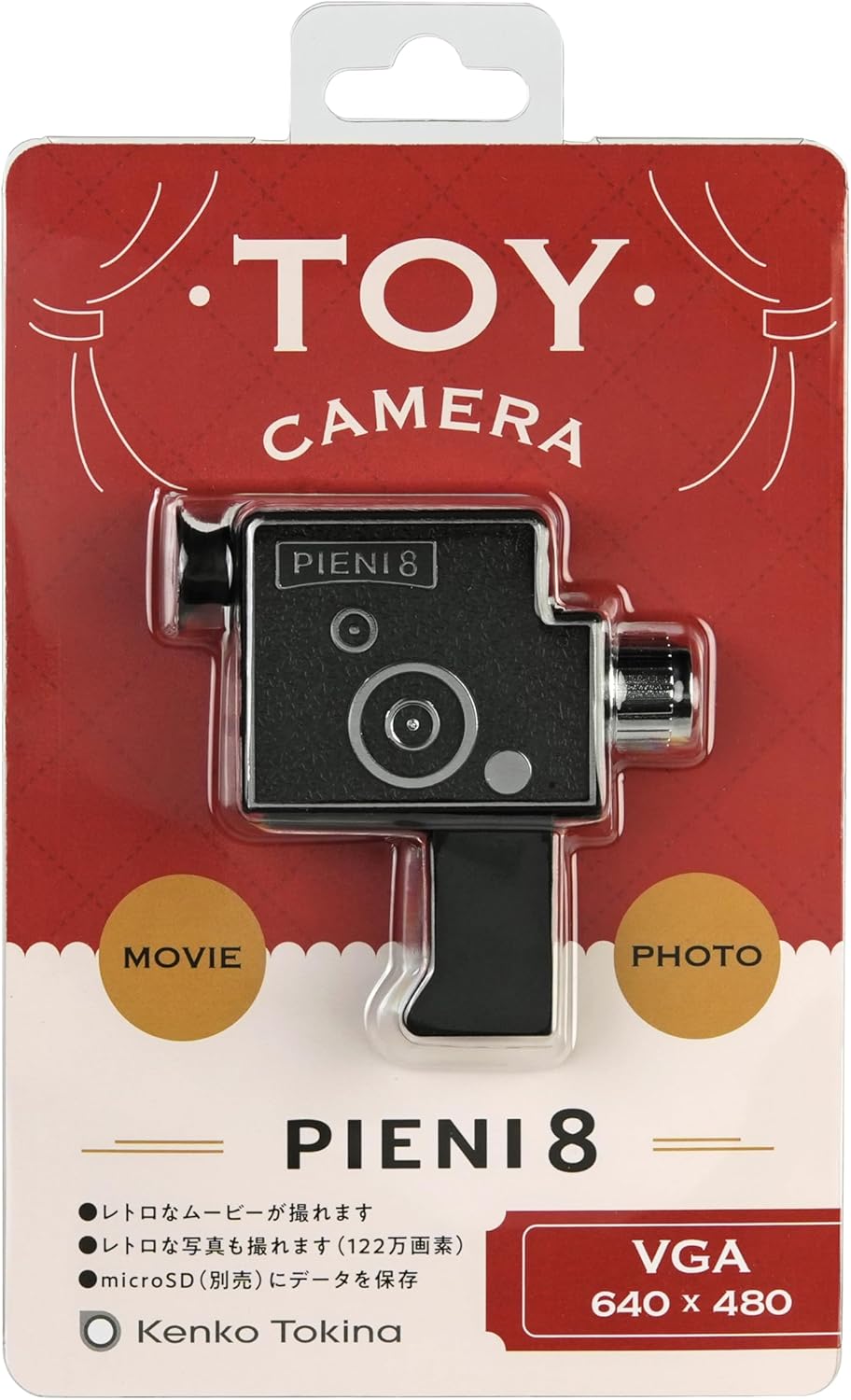
Image: A user looking through the camera's viewfinder, which serves as a guide for framing shots.
Настройка
1. Устаўка карты MicroSD
The Kenko Pieni 8 requires a microSDHC card (sold separately, up to 32GB) to store photos and videos. There is no internal memory.
- Locate the microSD card slot on the camera body.
- Gently insert the microSDHC card into the slot with the gold contacts facing down, until it clicks into place.
- To remove the card, push it in gently until it springs out.

Image: The microSD card slot on the camera, indicating where to insert the memory card.
2. Зарадка акумулятара
The camera has a built-in lithium-ion battery. Charge it before first use and whenever the battery is low.
- Connect the small end of the included USB Type-C cable to the USB port on the camera.
- Connect the larger end of the USB Type-A cable to a USB power adapter (not included) or a computer's USB port.
- Індыкатар зарадкі будзе гарэць падчас зарадкі і выключацца пасля поўнай зарадкі.

Image: The camera connected via USB-C cable to a computer for charging.
Інструкцыя па эксплуатацыі
Уключэнне/выключэнне харчавання
- Каб уключыць прыладу, націсніце і ўтрымлівайце кнопку харчавання, пакуль не загарыцца індыкатар.
- Каб выключыць прыладу, націсніце і ўтрымлівайце кнопку харчавання, пакуль індыкатар не пагасне.
Фатаграфаванне
- Ensure the camera is powered on and a microSD card is inserted.
- Point the camera at your subject. Use the viewfinder for general framing.
- Press the shutter button once to take a photo. The indicator light may flash briefly.
Запіс відэа
- Ensure the camera is powered on and a microSD card is inserted.
- Навядзіце камеру на аб'ект здымкі.
- Press and hold the shutter button to start recording video. The indicator light will typically remain on or flash slowly.
- Release the shutter button to stop recording.

Image: A sample image demonstrating the retro video and photo style produced by the camera.
Перадача дадзеных
Since the Pieni 8 does not have an LCD screen, you will need to transfer files to a computer or smartphone to view іх.
- Connect the camera to your computer using the provided USB Type-C cable.
- The camera will appear as a removable storage device (like a USB drive).
- Open the camera's folder and copy the desired photo (JPEG) and video (MJPEG/AVI) files на ваш кампутар.
- Alternatively, you can remove the microSD card and insert it into a card reader connected to your computer or smartphone.
Тэхнічнае абслугоўванне
- Уборка: Use a soft, dry cloth to wipe the camera body. For the lens, use a lens cleaning cloth. Do not use liquid cleaners or abrasive materials.
- захоўванне: When not in use for extended periods, store the camera in a cool, dry place, away from direct sunlight and dust. Ensure the battery is partially charged (around 50%) before long-term storage to prolong battery life.
- Сыход за батарэяй: Avoid fully discharging the battery frequently. Recharge it regularly to maintain optimal performance.
Ліквідацыю непаладак
- Камера не ўключаецца:
- Ensure the battery is charged. Connect the camera to a power source using the USB cable and allow it to charge for at least 30 minutes.
- Націсніце і ўтрымлівайце кнопку харчавання моцна некалькі секунд.
- Нельга рабіць фота/відэа:
- Check if a microSDHC card is properly inserted.
- Ensure the microSDHC card has sufficient free space.
- The battery might be too low. Charge the camera.
- Files are not appearing on the computer:
- Пераканайцеся, што USB-кабель надзейна падключаны як да камеры, так і да кампутара.
- Паспрабуйце іншы порт USB на вашым кампутары.
- Try removing the microSD card and using a separate card reader.
- Ensure the camera is powered on when connected to the computer for data transfer.
- Дрэнная якасць выявы/відэа:
- The Pieni 8 is designed for a retro, lo-fi aesthetic. Image quality will not be comparable to modern digital cameras.
- Пераканайцеся, што лінза чыстая і без плям.
- Shoot in well-lit environments, as the camera has fixed ISO sensitivity.
Тэхнічныя характарыстыкі
| Асаблівасць | Дэталь |
|---|---|
| Датчык выявы | 1/9 type 1.2 megapixel CMOS sensor |
| Аб'ектыў | f=1.8mm F2.8 |
| Адлегласць здымкі | Approx. 0.3 m ~ (fixed focus) |
| Унутраная памяць | Няма |
| Знешняя памяць | microSDHC card (~32GB) |
| Фармат нерухомай выявы | JPEG |
| Фармат відэа | MJPEG (AVI) |
| Памер фотаздымка | 1280 х 960 |
| Памер відэа | 640 x 480 30 fps (12 fps for retro effect) |
| Вытрымка | 1/100 seconds (fixed) |
| Адчувальнасць ISO | 100 XNUMX (фіксавана) |
| Электразабеспячэнне | Lithium-ion battery (built-in) |
| Порт уводу/вываду | USB Type-C port (for charging and data transfer) |
| Памеры (Д х Ш х У) | Прыблізна 76 x 77 x 23 мм (0.91 x 2.99 x 3.03 цалі) |
| Вага | Прыбл. 32 г (толькі асноўны блок) |
| Колер | Чорны |
Заўвага: Спецыфікацыі могуць быць зменены без папярэдняга паведамлення ў мэтах удасканалення прадукту.
Гарантыя і падтрымка
Інфармацыя аб гарантыі
Kenko products are manufactured under strict quality control standards. This product is covered by a limited warranty against defects in materials and workmanship from the date of purchase. Please refer to the warranty card included in your package for specific terms and conditions, including the warranty period and claim procedures. Keep your proof of purchase for warranty service.
Падтрымка кліентаў
If you encounter any issues or have questions regarding your Kenko Pieni 8 Digital Toy Camera that are not addressed in this manual, please contact Kenko customer support. Contact information can typically be found on the Kenko official webсайце або ў гарантыйным талоне.
For the latest information and support resources, please visit the official Kenko webсайт: www.kenko-tokina.co.jp/english/