
groov e Cuties Sleep Trainer Alarm Clock
groov e Cuties Sleep Trainer Будзільнік са святлодыёдным начным святлом - Вясёлкавы аднарог Інструкцыя карыстальніка
Уводзіны
This manual provides comprehensive instructions for the setup, operation, and maintenance of your groov e Cuties Sleep Trainer Alarm Clock with LED Night Light. Please read this manual thoroughly before using the product to ensure proper function and longevity.

Выява 1: Спераду view of the groov e Cuties Sleep Trainer Alarm Clock, illuminated, displaying the time and sleep/wake indicators.
Асаблівасці прадукту
The groov e Cuties Sleep Trainer Alarm Clock is designed to assist children with sleep routines and provide a comforting night light. Key features include:
- Святлодыёдны начнік: Offers 9 vibrant color options and 5 light modes. Tap the device to change colors.
- Будзільнік: Features 6 preset alarm sounds for wake-up.
- White Noise & Soothing Sounds: Includes 6 soothing sounds, such as white noise, to aid sleep.
- Трэнер сну: Visual cues (sun/moon icons) help children understand when it's time to sleep and wake up.
- Бяспечны матэрыял: Constructed from safe silicone material.
- Функцыя затрымкі: Дазваляе часова затрымаць сігналізацыю.
- Дысплей часу: 12/24 hour clock format.
- Налады таймера: Includes 30 and 60-minute timer options.
- Рэгуляваная яркасць: 5 levels of display brightness.
- Рэгуляваная гучнасць: 5 levels of sound volume.
- Акумулятарная батарэя: Built-in 1800mAH rechargeable battery with USB-C charging.
Настройка
1. Пачатковая зарадка
Before first use, fully charge the device. Connect the included USB-C charging cable to the charging port on the back of the unit and plug the other end into a compatible USB power adapter (not included).
- Індыкатар зарадкі звычайна паказвае стан зарадкі.
- The device can also be operated while connected to a USB power source.

Малюнак 2: ззаду view of the alarm clock, highlighting control buttons and the USB-C charging port.
2. Уключэнне / выключэнне харчавання
Press and hold the Power button (usually located on the back) to turn the device on or off.
Інструкцыя па эксплуатацыі
1. Усталёўка часу
- Націсніце ЧАС button (refer to Image 2 for button location).
- Выкарыстоўвайце Up і Уніз arrow buttons to adjust the hour. Press ЧАС яшчэ раз для пацверджання.
- Выкарыстоўвайце Up і Уніз arrow buttons to adjust the minute. Press ЧАС яшчэ раз для пацверджання.
- To switch between 12-hour and 24-hour format, typically this is done during the time setting process or via a dedicated button/menu option. Consult the quick start guide if available for specific button combinations.
2. Налада сігналізацыі
- Націсніце ТРЫВОГА button (refer to Image 2).
- Выкарыстоўвайце Up і Уніз arrow buttons to set the desired alarm hour. Press ТРЫВОГА зноў.
- Выкарыстоўвайце Up і Уніз arrow buttons to set the desired alarm minute. Press ТРЫВОГА зноў.
- To select an alarm sound (from 6 preset options), use the Музычная нота button or arrow buttons during the alarm setting process. Press ТРЫВОГА каб пацвердзіць.
- To activate/deactivate the alarm, there is usually a dedicated switch or a long press on the ТРЫВОГА кнопка.
3. Sleep Trainer Function
The sleep trainer uses visual cues to indicate sleep and wake times. The display will show a moon icon during sleep time and a sun icon during wake time.
- Access the sleep trainer settings (specific button combination may vary, often involves holding the ЧАС or ТРЫВОГА кнопка).
- Set the desired "sleep time" (when the moon icon appears).
- Set the desired "wake time" (when the sun icon appears).
- Confirm settings. The device will then visually guide your child.
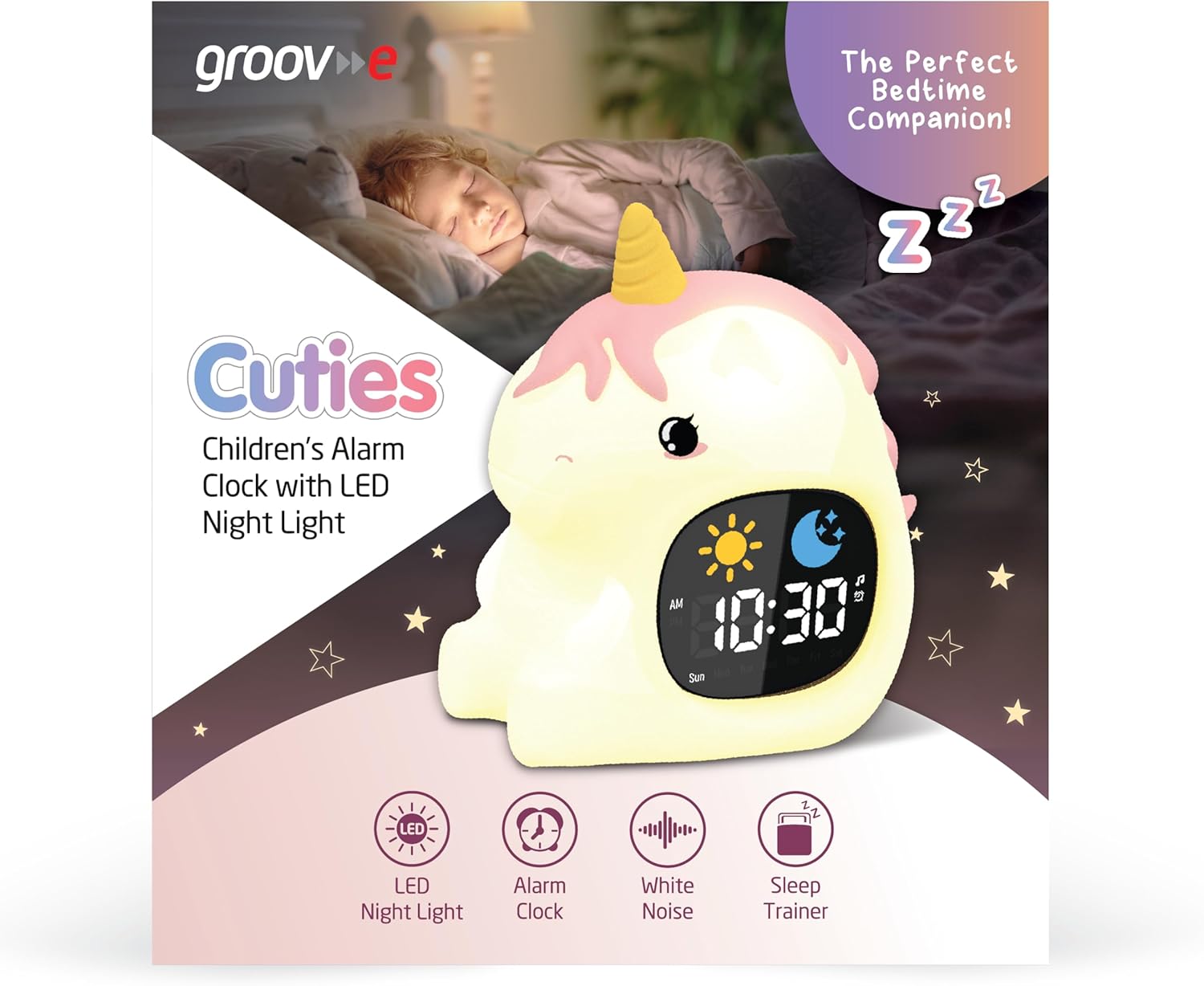
Image 3: The alarm clock functioning as a sleep trainer, displaying the sun icon for wake-up.
4. Святлодыёдны начны свяцільня
The device features an integrated LED night light with multiple color and brightness options.
- Змена колераў: Tap the silicone body of the device to cycle through 9 vibrant colors and 5 light modes.
- Рэгуляванне яркасці: Use dedicated brightness buttons (if available) or a combination with the ЧАС button to adjust between 5 brightness levels.
5. White Noise and Soothing Sounds
To activate soothing sounds:
- Націсніце Музычная нота button (refer to Image 2) to cycle through the 6 available soothing sounds, including white noise.
- Адрэгулюйце гучнасць, выкарыстоўваючы Up і Уніз arrow buttons (5 volume levels available).
6. Функцыя паўтору будзільніка
When the alarm sounds, press any button (other than the power button) or tap the device to activate the snooze function. The alarm will temporarily pause and sound again after a set interval (e.g., 9 minutes).
7. Налады таймера
The device includes 30 and 60-minute timer settings, useful for short sleep cycles or quiet time.
- Consult the quick start guide for specific button presses to activate and select timer durations.
Тэхнічнае абслугоўванне
- Уборка: Працярыце прыладу мяккай, damp тканіна. Не выкарыстоўвайце абразіўныя ачышчальнікі і не апускайце прыладу ў ваду.
- захоўванне: Захоўвайце прыладу ў прахалодным, сухім месцы, калі яна не выкарыстоўваецца працяглы час.
- Сыход за батарэяй: Каб падоўжыць тэрмін службы батарэі, пазбягайце частай поўнай разрадкі. Зараджайце яе, калі з'явіцца індыкатар нізкага зараду батарэі.
Ліквідацыю непаладак
| праблема | Магчымая прычына | Рашэнне |
|---|---|---|
| Прылада не ўключаецца. | Акумулятар разраджаны. | Connect the device to a USB power source using the provided USB-C cable and allow it to charge for at least 30 minutes before attempting to power on. |
| Сігналізацыя не гучыць. | Сігналізацыя не ўключана або гучнасць занадта нізкая. | Ensure the alarm is set and activated. Check the volume level and adjust if necessary. |
| Начное святло не змяняе колеры. | Incorrect tapping or mode selection. | Ensure you are tapping the silicone body firmly. Check if the device is in a specific light mode that prevents color changes. |
| Device is not charging properly. | Няспраўны кабель, адаптар або порт зарадкі. | Try using a different USB-C cable and/or a different USB power adapter. Ensure the cable is securely connected to both the device and the power source. If the issue persists, contact customer support. |
Тэхнічныя характарыстыкі
| Марка | паз |
| мадэль | Cuties Sleep Trainer Alarm Clock |
| Вага прадмета | 0.34 кілаграма |
| акумулятар | 1800mAH Rechargeable Battery (USB-C charging) |
| Тып дысплея | Лічбавы |
| Асаблівасць | Sleep Trainer, LED Night Light, White Noise |
Гарантыя і падтрымка
For warranty information or technical support, please refer to the documentation included with your purchase or visit the official groov e webсайт. Захоўвайце пацвярджэнне пакупкі для прэтэнзій па гарантыі.
Manufacturer: Rashmian Ltd.
Ask a question about this manual
Ask about setup, troubleshooting, compatibility, parts, safety, or missing instructions. Manuals+ will review the question and use this page’s manual context to help answer it.