
Beatfoxx CDB-1016U
Beatfoxx CDB-1016U BK Boombox User Manual
Model: CDB-1016U
Уводзіны
The Beatfoxx CDB-1016U Boombox is a versatile audio system designed for both home and portable use. It combines classic audio formats with modern connectivity options, offering a comprehensive listening experience. This manual provides detailed instructions for setting up, operating, and maintaining your device.

Малюнак 1: Спераду view of the Beatfoxx CDB-1016U BK Boombox, showing the speakers, control panel, and carrying handle.
Настройка
Харчаванне прылады
The Beatfoxx CDB-1016U Boombox can be powered using the included AC power cable or by batteries for portable use.
- Магутнасць пераменнага току: Insert the AC power cable into the AC IN jack on the back of the unit and plug the other end into a standard wall outlet (AC 230V ~ 50Hz).
- Магутнасць батарэі: For portable operation, open the battery compartment on the bottom of the unit. Insert six (6) Type C (UM-2) batteries, ensuring correct polarity (+/-). Close the battery compartment securely.

Figure 2: The boombox operating on AC power, with an illustration of the required Type C batteries for portable use.
Інструкцыя па эксплуатацыі
Кантроль надview
Familiarize yourself with the main controls located on the top and front of the boombox.

Малюнак 3: падрабязна view of the boombox's control panel, cassette compartment, carrying handle, and CD compartment.
- Кнопка харчавання: Уключае/выключае прыладу.
- Кнопка MODE: Switches between CD, USB, Bluetooth, Radio (FM/AM), and AUX modes.
- Ручка гучнасці: Рэгулюе ўзровень выхаднога гуку.
- Ручка TUNING: Used for manual tuning in Radio mode.
- Кнопка PLAY/PAUSE: Пачынае альбо прыпыняе прайграванне.
- STOP/EJECT Button: Stops playback and opens the CD compartment or ejects cassette.
- Кнопкі ПРАПУСЦІЦЬ/ПОШУК (<< / >>): Прапускае трэкі або перамотвае наперад/назад.
- Кнопка ПАЎТОР/ПРАГРАМА: Repeats current track/all tracks or programs CD/USB playback order.
- FOLDER Button: Navigates through folders on USB.
- Кнопка REC: Initiates recording to cassette.
Selecting Playback Sources
The boombox supports multiple audio sources. Use the РЭЖЫМ кнопку для пераключэння паміж імі.

Figure 4: Visual representation of the seven available playback sources on the boombox.
Прайграванне кампакт-дыскаў
- Націсніце РЭЖЫМ , каб выбраць рэжым кампакт-дыска.
- Націсніце СТОП/ВЫХОД кнопку, каб адкрыць адсек для кампакт-дыскаў.
- Place a CD (CD, CD-R, CD-RW, MP3 CD) onto the spindle with the label side facing up.
- Close the CD compartment. The display will show "READING" and then the total number of tracks.
- Націсніце ПРАЙГРАЦЬ/Паўза кнопку, каб пачаць прайграванне.
- Выкарыстоўвайце ПРАПУСЦІЦЬ/ПОШУК кнопкі для перамяшчэння паміж трэкамі.
- Прэса Паўтор каб паўтарыць бягучую кампазіцыю або ўсе кампазіцыі.
Прайграванне і запіс касет
The boombox features a built-in cassette player and recorder.

Figure 5: The cassette compartment of the boombox shown open, ready for tape insertion.
Прайграванне:
- Адкрыйце адсек для касеты.
- Устаўце касету.
- Зачыніце адсек.
- Націсніце ГУЛЬНЯ button on the cassette controls to start playback.
- Выкарыстоўвайце FWD or REW for fast forward or rewind.
- Прэса СТОП/ВЫХОД каб спыніць прайграванне і выняць касету.
Запіс:
You can record from CD, USB, Radio, or AUX input to a cassette tape.
- Устаўце ў адсек чыстую або запісвальную касету.
- Select the desired source (CD, USB, Radio, or AUX) using the РЭЖЫМ кнопка.
- Пачніце прайграванне на крыніцы (напрыклад, прайграйце кампакт-дыск, наладзьцеся на радыёстанцыю).
- Націсніце ЗАПІС button on the cassette controls. The unit will automatically start recording the audio from the selected source onto the cassette.
- Прэса СТОП on the cassette controls to end recording.
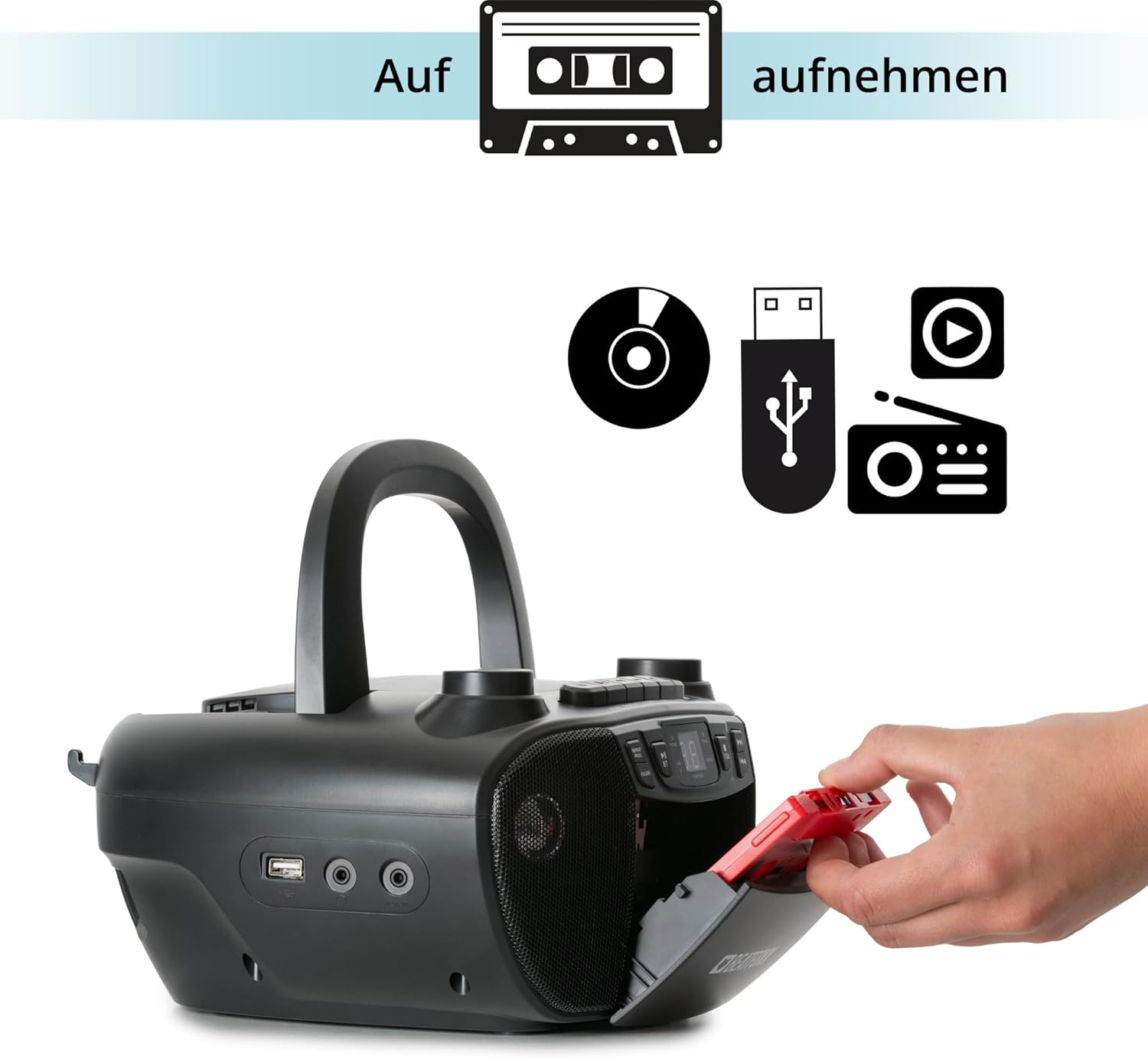
Figure 6: Illustration of the boombox's recording capability, showing a cassette tape being inserted for recording from CD, USB, or radio.
Radio (FM/AM)
- Для лепшага прыёму FM-дыяпазону выцягніце тэлескапічную антэну.
- Націсніце РЭЖЫМ button to select Radio mode (FM or AM).
- Выкарыстоўвайце ЦЮНІНГ knob to manually tune to your desired radio station.
Злучэнне Bluetooth
- Націсніце РЭЖЫМ button to select Bluetooth mode. The display will show "BT" and flash, indicating it's in pairing mode.
- На прыладзе з падтрымкай Bluetooth (смартфоне, планшэце) уключыце Bluetooth і знайдзіце даступныя прылады.
- Select "Beatfoxx CDB-1016U" from the list of devices.
- Once paired, the "BT" indicator on the boombox will stop flashing and remain solid.
- Цяпер вы можаце перадаваць аўдыё без правадоў са сваёй прылады на бумбокс.
Прайграванне з USB
- Устаўце флэш-назапашвальнік USB з аўдыёфайлам у фармаце MP3 files у порт USB.
- Націсніце РЭЖЫМ button to select USB mode. The unit will automatically start playing the first track.
- Выкарыстоўвайце ПРАПУСЦІЦЬ/ПОШУК кнопкі для перамяшчэння паміж трэкамі.
- Выкарыстоўвайце тэчку button to navigate through folders on the USB drive.

Малюнак 7: падрабязна view of the boombox's connectivity options, including the USB port, headphone output, and AUX input.
AUX ўваход
Connect external audio devices (e.g., MP3 players, smartphones without Bluetooth) to the boombox using a 3.5mm audio cable (not included).
- Connect one end of the 3.5mm audio cable to the AUX IN jack on the boombox.
- Падключыце другі канец да раздыма для навушнікаў або аўдыёвыхаду вашай знешняй прылады.
- Націсніце РЭЖЫМ кнопку, каб выбраць рэжым AUX.
- Play audio from your external device. The sound will be output through the boombox speakers.
Выхад для навушнікаў
For private listening, connect standard 3.5mm headphones to the HEADPHONE jack. Audio will automatically mute from the speakers when headphones are connected.
Тэхнічнае абслугоўванне
Уборка
- Перад чысткай заўсёды адключайце прыладу ад крыніцы сілкавання.
- Для ачысткі вонкавых паверхняў выкарыстоўвайце мяккую сухую тканіну.
- Не выкарыстоўвайце абразіўныя ачышчальнікі, воск або растваральнікі, бо яны могуць пашкодзіць пакрыццё.
- Для лінзаў кампакт-дыскаў выкарыстоўвайце спецыяльны сродак для чысткі лінзаў кампакт-дыскаў.
- For the cassette head, use a cassette head cleaning kit.
Сыход за батарэяй
- Выміце батарэйкі, калі прылада не будзе выкарыстоўвацца працяглы час, каб прадухіліць іх уцечку.
- Не змешвайце старыя і новыя батарэі або розныя тыпы батарэй.
- Утылізуйце выкарыстаныя батарэі адказна ў адпаведнасці з мясцовымі правіламі.
Ліквідацыю непаладак
| праблема | Магчымая прычына | Рашэнне |
|---|---|---|
| Няма ўлады | Сеткавы кабель не падключаны; батарэйкі разраджаныя або няправільна ўстаўленыя. | Ensure AC cable is securely plugged in. Check battery polarity and replace if necessary. |
| Няма гуку | Volume too low; Wrong mode selected; Headphones connected. | Increase volume. Press MODE button to select correct source. Disconnect headphones. |
| Прапусканне або адсутнасць прайгравання кампакт-дыска | Кампакт-дыск брудны або падрапаны; кампакт-дыск устаўлены няправільна. | Clean CD with a soft cloth. Re-insert CD correctly. Try another CD. |
| Bluetooth не спалучаецца | Бумбокс не ў рэжыме спалучэння; прылада занадта далёка; Bluetooth адключаны на прыладзе. | Ensure boombox is in BT mode and "BT" is flashing. Move device closer. Enable Bluetooth on your device. |
| Дрэнны прыём радыё | Антэна не выцягнута; слабы сігнал. | Fully extend the telescopic antenna. Adjust antenna position. Try tuning to a stronger station. |
Тэхнічныя характарыстыкі
| Асаблівасць | Дэталь |
|---|---|
| Марка | Beatfoxx |
| Нумар мадэлі | CDB-1016U (Manufacturer Ref: 00104749) |
| Колер | Чорны |
| Тэхналогія падлучэння | Auxiliary, USB, Bluetooth |
| Сумяшчальныя прылады | Portable audio devices, MP3 players, Smartphones, Tablets |
| Тып дынаміка | Стэрэа |
| Крыніца харчавання | AC Power Cable, 6 x Type C Batteries |
| Выхадная магутнасць гуку | 2 х 1.2 Вт |
| Падтрымліваюцца фарматы | CD, MP3, CD-R, CD-RW, Cassette, FM/AM Radio, Bluetooth, USB |
| Вага прадмета | 1.6 кілаграма |
| Памеры (Ш х У х Г) | 24 х 13 х 22.5 см (прыблізна) |
Гарантыя і падтрымка
This Beatfoxx product comes with a standard manufacturer's warranty. Please refer to the warranty card included in your product packaging for specific terms and conditions.
For technical support, troubleshooting assistance, or warranty claims, please contact Beatfoxx customer service through their official webсайт або прадаўца, дзе быў набыты прадукт. Захоўвайце пацвярджэнне пакупкі для пацверджання гарантыі.
Ask a question about this manual
Ask about setup, troubleshooting, compatibility, parts, safety, or missing instructions. Manuals+ will review the question and use this page’s manual context to help answer it.