
1. Прадукт скончыўсяview
The seenda MOU-302 Ergonomic Wireless Mouse is designed to provide enhanced comfort and efficiency for users. Its vertical design promotes a natural handshake grip, reducing wrist strain during prolonged computer use. This mouse offers versatile connectivity options, including 2.4G USB and dual Bluetooth, allowing seamless switching between up to three devices. Key features include a built-in volume control knob, adjustable DPI settings for precise tracking, and silent click buttons for a quiet working environment.
2. Змесціва ўпакоўкі
- seenda Ergonomic Wireless Mouse (MOU-302)
- Зарадны кабель USB-C
- 2.4G USB Receiver (stored in the mouse)
- Кіраўніцтва карыстальніка
3. Асаблівасці прадукту
3.1 Ergonomic Vertical Design
The mouse is shaped to fit the natural contour of your hand, promoting a neutral wrist and forearm posture. This design helps alleviate discomfort and prevent repetitive strain injuries.

Figure 3.1: Ergonomic design promoting a natural hand position to reduce wrist stress.
3.2 Падключэнне некалькіх прылад
Connect to up to three devices simultaneously using the 2.4G USB receiver or two Bluetooth channels (BT1, BT2). Easily switch between connected devices with a dedicated mode button.
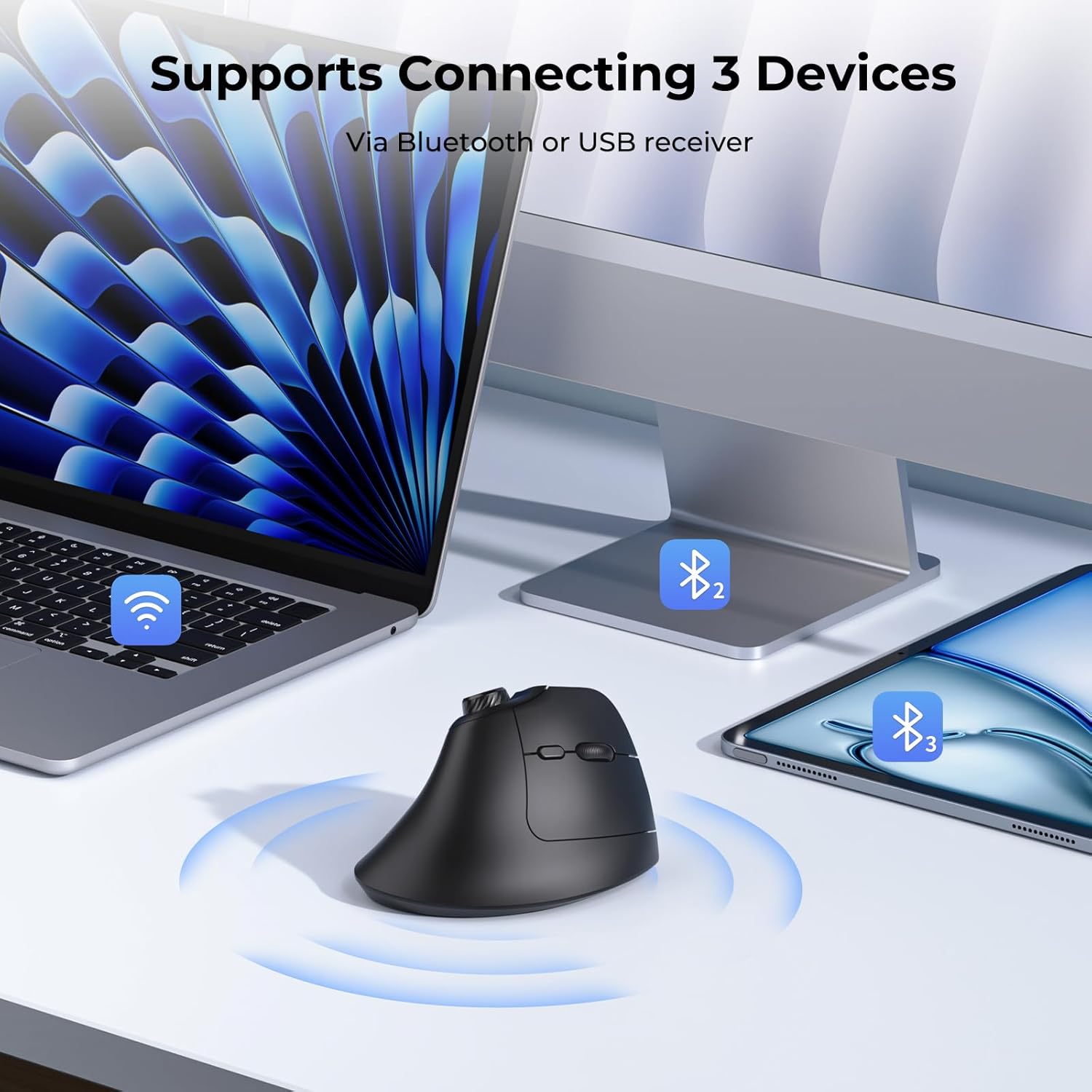
Figure 3.2: Multi-device connectivity with 2.4G USB and two Bluetooth channels.
3.3 Built-in Volume Control Knob
Adjust audio volume, play, and pause media directly from the mouse using the integrated volume knob. This feature enhances convenience for multimedia control.
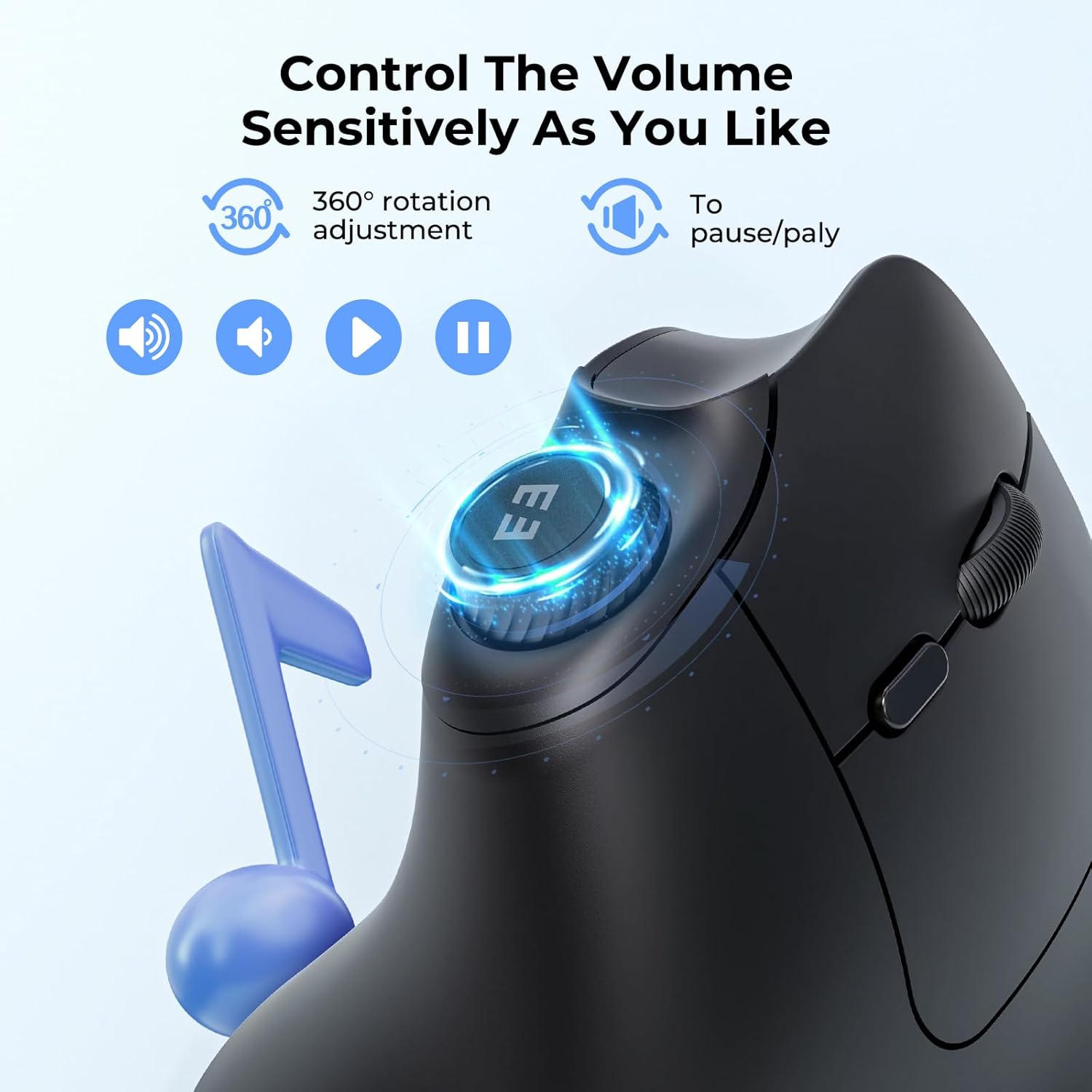
Малюнак 3.3: падрабязна view of the volume control knob and its functions.
Video 3.3.1: Demonstration of the MOU-302 Vertical Wireless Mouse with Volume Knob and Quiet Clicks.
3.4 Рэгуляваныя налады DPI
Customize cursor sensitivity with adjustable DPI levels (1000/1600/2400) to match your preference and task requirements, ensuring precise and smooth movement.

Figure 3.4: DPI settings and the location of the DPI switch.
3.5 Silent Click Buttons
Enjoy a quiet working environment with noiseless left and right click buttons, minimizing distractions for yourself and others.

Figure 3.5: Silent click feature for a quiet user experience.
3.6 Акумулятар
Equipped with a built-in 500mAh rechargeable battery, providing up to 2 months of usage on a single 2-3 hour charge via USB-C.

Figure 3.6: USB-C charging port and battery specifications.
3.7 Functional Buttons Overview
The mouse features 7 functional buttons: Left Click, Right Click, Scroll Wheel, DPI Switch, Forward Button, Back Button, and Volume Knob. The 2.4G USB receiver is conveniently stored in a slot on the underside of the mouse.

Figure 3.7: Layout of all functional buttons and receiver storage.
4. Настройка
4.1 Уключэнне/выключэнне
Locate the ON/OFF switch on the bottom of the mouse. Slide the switch to 'ON' to power on the mouse. Slide to 'OFF' when not in use to conserve battery.
4.2 Падключэнне праз USB-прыёмнік 2.4G
- Remove the 2.4G USB receiver from its storage slot on the bottom of the mouse.
- Падключыце USB-прыёмнік да даступнага USB-порта на вашым кампутары або прыладзе.
- Slide the mode switch button on the bottom of the mouse to the 'USB' position. The indicator light will show red.
- Мышка павінна аўтаматычна падключыцца да вашай прылады.
4.3 Падключэнне праз Bluetooth (BT1/BT2)
- Пераканайцеся, што мыш уключана.
- Slide the mode switch button on the bottom of the mouse to either 'BT1' or 'BT2' position. The corresponding indicator light will blink blue.
- На вашай прыладзе (камп'ютары, планшэце, смартфоне) перайдзіце ў налады Bluetooth.
- Пошук new devices and select 'MOU-302' from the list.
- Once paired, the indicator light on the mouse will stop blinking and remain solid blue.
- Repeat steps 2-5 to connect to a second Bluetooth device using the other BT channel.
Video 4.3.1: Demonstration of USB and Dual Bluetooth connectivity for the MOU-302 Vertical Wireless Mouse.
5. Інструкцыя па эксплуатацыі
5.1 Рэгуляванне DPI
Press the DPI switch button (located near the scroll wheel) to cycle through the three DPI settings: 1000, 1600, and 2400. Choose the sensitivity that best suits your task.
5.2 Рэгулятар гучнасці
- Павярніце ручку па гадзіннікавай стрэлцы, каб павялічыць гучнасць.
- Павярніце ручку супраць гадзіннікавай стрэлкі, каб паменшыць гучнасць.
- Press the knob to play or pause media.
5.3 Кнопкі «Наперад»/«Назад»
Use the dedicated Forward and Back buttons (located on the thumb rest area) for quick navigation in web браўзэры або file даследчыкі.
5.4 Пераключэнне паміж прыладамі
Press the 'MODE' button on the bottom of the mouse to cycle through connected devices (USB, BT1, BT2). The corresponding indicator light will illuminate to show the active connection.
Відэа 5.4.1: Скончанаview of the MOU-302 Vertical Wireless Mouse features and usage.
6. Зарадка і акумулятар
6.1 Зарадка мышы
Connect the provided USB-C charging cable to the charging port on the front of the mouse and to a USB power source (e.g., computer USB port, USB wall adapter). The charging indicator light will show the charging status.
6.2 Тэрмін службы батарэі
A full charge typically takes 2-3 hours and provides up to 2 months of usage, depending on usage frequency. The mouse can be used while charging.
7. Сумяшчальнасць
The seenda MOU-302 mouse is compatible with a wide range of operating systems, including:
- вокны
- macOS
- iOS
- Android
- Chrome OS
8. Тэхнічнае абслугоўванне
Каб забяспечыць аптымальную прадукцыйнасць і даўгавечнасць вашай мышы:
- Рэгулярна чысціце мыш мяккай сухой тканінай.
- Пазбягайце выкарыстання агрэсіўных хімікатаў або абразіўных матэрыялаў.
- Keep the mouse away from liquids and extreme temperatures.
- Захоўвайце USB-прыёмнік у прызначаным для яго слоце, калі ён не выкарыстоўваецца, каб прадухіліць яго страту.
9. Выпраўленне непаладак
9.1 Мыш не рэагуе
- Пераканайцеся, што мыш уключана.
- Праверце ўзровень зарада батарэі і пры неабходнасці зарадзіце яе.
- For 2.4G USB connection: Ensure the USB receiver is securely plugged into the device and the mouse is in 'USB' mode. Try a different USB port.
- For Bluetooth connection: Ensure Bluetooth is enabled on your device and the mouse is in the correct 'BT1' or 'BT2' mode. Re-pair the mouse if necessary.
- Паспрабуйце перазагрузіць камп'ютар/прыладу.
9.2 Перарывістае падключэнне
- Каб паменшыць перашкоды, перамясціце мыш бліжэй да прылады.
- Avoid using the mouse on metallic surfaces.
- Пераканайцеся, што іншыя бесправадныя прылады не ствараюць перашкод.
10. Тэхнічныя характарыстыкі
| Асаблівасць | Дэталь |
|---|---|
| Нумар мадэлі | МУП-302 |
| Тэхналогія падлучэння | Bluetooth, USB 2.4G |
| Тэхналогія выяўлення руху | Аптычны |
| Налады DPI | 1000г |
| Асаблівасці | Ergonomic Design, Volume Control Knob, Silent Click |
| акумулятар | 1 літый-іённы акумулятар (у камплекце), 500 мАг |
| Час зарадкі | 2-3 гадзін для поўнай зарадкі |
| Час выкарыстання | Да 2 месяцаў за адну зарадку |
| Вага прадмета | 6.4 унцыі |
| Памеры ўпакоўкі | 5.12 х 3.27 х 3.19 цалі |
11. Гарантыя і падтрымка
The seenda MOU-302 Ergonomic Wireless Mouse comes with a 2-year warranty.
For technical support or warranty claims, please contact seenda customer service at: support@seenda.com