
1. Уводзіны
Thank you for choosing the Tatybo WT5 Wireless Gaming Headset. This manual provides essential information for setting up, operating, and maintaining your headset to ensure optimal performance and longevity. Please read this manual thoroughly before use.
2. Змесціва ўпакоўкі
- Tatybo WT5 Wireless Gaming Headset
- Detachable ENC Noise-Canceling Microphone
- 2.4GHz USB-A Wireless Dongle
- USB-C Adapter for Dongle
- Аўдыёкабель 3.5 мм
- Зарадны кабель USB Type-C
- Кіраўніцтва карыстальніка (гэты дакумент)
- Сумка для захоўвання/падарожжа
3. Прадукт скончыўсяview
3.1 Асноўныя магчымасці
- 2.4GHz Low Latency Wireless: Experience ultra-low latency gaming with a stable 2.4GHz connection.
- Аб'ёмны гук 7.1: Enhanced audio for immersive gaming and precise positional awareness.
- ENC Noise-Canceling Microphone: Ensures clear voice communication by reducing environmental noise.
- Зручны дызайн: Thick, noise-isolating ear cushions and an adjustable headband for extended wear.
- Доўгі тэрмін службы батарэі: Up to 40+ hours of use with RGB lighting.
- Мультыплатформенная сумяшчальнасць: Connects to PC, PS4, PS5, Switch, Laptops, Mobile devices, and Mac via various methods.
3.2 Headset Controls and Ports
Familiarize yourself with the headset's controls and ports for easy operation.

выява: Headset controls and ports. This image displays the various buttons and interfaces on the headset, including the ON/OFF button (long press), Volume Control slider, Microphone Mute Button, 7.1 Channel button, and the 3.5mm interface.
- Кнопка ON/OFF: Long press to power the headset on or off.
- Рэгулятар гучнасці: Slider to adjust the audio volume.
- Кнопка адключэння мікрафона: Націсніце, каб выключыць або ўключыць мікрафон.
- 7.1 Channel Button: Press to activate or deactivate 7.1 surround sound.
- Кіраванне святлом RGB: Double-click the 7.1 Channel button to turn RGB lighting on/off.
- Інтэрфейс 3.5 мм: Для праваднога падключэння выкарыстоўвайце аўдыёкабель 3.5 мм, які ўваходзіць у камплект.
- Порт для зарадкі USB-C: Для зарадкі акумулятара гарнітуры.
- Порт мікрафона: For attaching the detachable microphone.
4. Інструкцыі па ўсталёўцы
4.1 Зарадка гарнітуры
Before first use, fully charge the headset. Connect the USB Type-C charging cable to the headset's charging port and the other end to a USB power source (e.g., computer USB port, USB wall adapter). The LED indicator will show charging status and turn off when fully charged.
4.2 Падключэнне мікрафона
Insert the detachable microphone into the microphone port on the headset until it clicks into place. The microphone is flexible and can be adjusted to your preferred position. When not in use, it can be folded away or detached.
4.3 Падключэнне да прылад
The Tatybo WT5 offers multiple connectivity options:

выява: Multi-platform wireless support. This image illustrates how to connect the headset using the USB-A dongle for PS5/PS4 and Laptops, and the Type-C dongle for Nintendo Switch and mobile phones/tablets. It also notes that the headset is not compatible with Xbox.
4.3.1 2.4GHz Wireless Connection (Recommended for Gaming)
This method provides ultra-low latency for an optimal gaming experience.
- Power on your Tatybo WT5 headset by long-pressing the ON/OFF button.
- Insert the 2.4GHz USB-A wireless dongle into an available USB port on your PC, PS4, PS5, or Laptop.
- For devices with a USB-C port (e.g., Nintendo Switch, some Laptops/Mobile devices), attach the USB-C adapter to the USB-A dongle before inserting it.
- The headset and dongle should automatically pair. A solid LED indicator on the headset confirms a successful connection.
- On your device, ensure the Tatybo WT5 headset is selected as the audio input and output device in your sound settings.

выява: Low latency wireless connection. This image highlights the headset's 2.4GHz wireless connection, boasting an ultra-low latency of less than 25ms, ideal for competitive gaming.
4.3.2 Злучэнне Bluetooth
Use Bluetooth for general audio listening with compatible devices.
- Пераканайцеся, што гарнітура ўключана.
- Activate Bluetooth pairing mode on the headset (refer to device-specific instructions if needed, usually a long press on the power button or a dedicated Bluetooth button). The LED indicator will flash rapidly.
- On your mobile device, laptop, or Switch, go to Bluetooth settings and search for available devices.
- Select "Tatybo WT5" from the list to pair. The LED indicator will become solid once connected.
4.3.3 Правадное падключэнне 3.5 мм
For devices without wireless capabilities or when battery is low.
- Connect one end of the 3.5mm audio cable to the headset's 3.5mm interface.
- Падключыце другі канец да 3.5-мм аўдыёпорта на прыладзе.
- Note: Some headset functions (e.g., RGB lighting, 7.1 surround sound button) may not be available in wired mode, depending on the device.
5. Інструкцыя па эксплуатацыі
5.1 Уключэнне/выключэнне сілкавання
Long press the ON/OFF button for approximately 3 seconds to power the headset on or off.
5.2 Рэгуляванне гучнасці
Use the volume control slider on the headset to increase or decrease the audio volume.
5.3 Выкарыстанне мікрафона
To use the microphone, ensure it is attached and positioned correctly near your mouth. Press the Microphone Mute Button to toggle between muted and unmuted states. The LED on the microphone tip may indicate its status (e.g., red for muted).
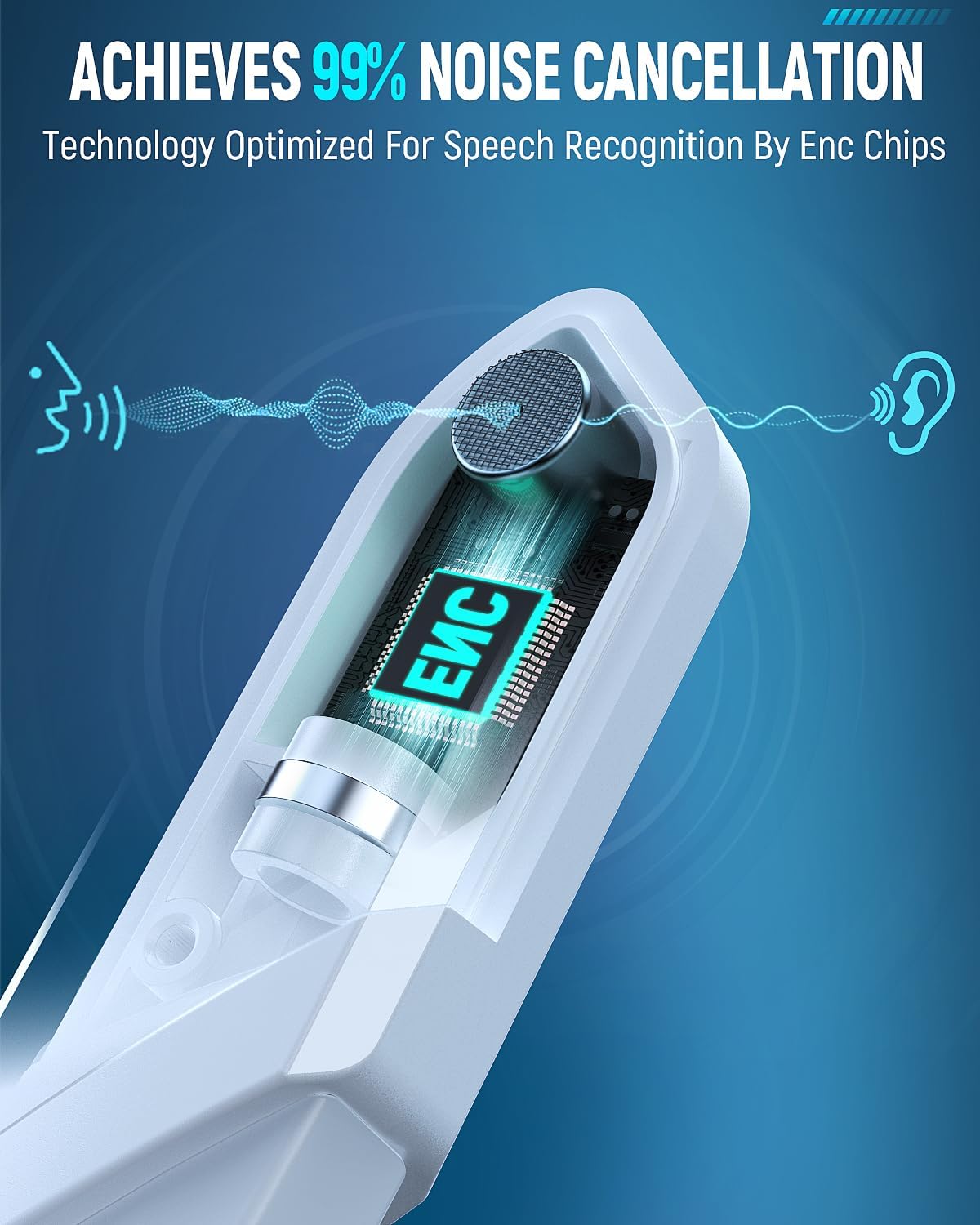
выява: ENC Noise-Canceling Microphone. This image illustrates the Environmental Noise-Canceling (ENC) technology integrated into the microphone, designed for clear voice transmission.
5.4 7.1 Аб'ёмны гук
Press the 7.1 Channel button to activate or deactivate the 7.1 surround sound feature. This enhances spatial audio for a more immersive experience, particularly in gaming.

выява: 7.1 Surround Sound for superior positional audio. This image emphasizes the benefit of 7.1 surround sound for gamers, allowing them to hear and react to in-game sounds with greater accuracy.
5.5 RGB-асвятленне
Double-click the 7.1 Channel button to toggle the RGB lighting on the earcups on or off. This feature adds a visual flair to your gaming setup.
5.6 Comfort Adjustment
The headset features an adjustable headband and thick, comfortable ear cushions. Adjust the headband to fit your head size for optimal comfort during long gaming sessions.

выява: Game all-day in comfort. This image details the comfort-focused design of the headset, featuring weight reduction, optimized ear cup shape, 3D breathable structure, skin-friendly protein leather, and 90% physical noise isolation.
6. Тэхнічнае абслугоўванне
- Уборка: Для чысткі гарнітуры выкарыстоўвайце мяккую сухую тканіну. Не выкарыстоўвайце агрэсіўныя хімічныя рэчывы або абразіўныя матэрыялы.
- захоўванне: Store the headset in a cool, dry place, away from direct sunlight and extreme temperatures. Use the provided storage bag to protect it from dust and scratches.
- Сыход за батарэяй: Каб падоўжыць тэрмін службы батарэі, пазбягайце частай поўнай разрадкі гарнітуры. Рэгулярна зараджайце яе, нават калі яна не выкарыстоўваецца працяглы час.
- Пазбягайце вады: This headset is not waterproof. Keep it away from liquids.
7. Выпраўленне непаладак
- Няма гуку/нізкая гучнасць:
- Пераканайцеся, што гарнітура ўключана і цалкам зараджана.
- Праверце рэгулятар гучнасці на гарнітуры і падлучанай прыладзе.
- Праверце, ці выбрана правільная прылада вываду гуку ў наладах гуку вашай прылады.
- If using 2.4GHz wireless, ensure the dongle is properly inserted and paired. Try re-pairing.
- If using Bluetooth, ensure it's paired and connected. Try re-pairing.
- If using 3.5mm wired, ensure the cable is securely connected at both ends.
- Мікрафон не працуе:
- Пераканайцеся, што мікрафон надзейна падключаны да гарнітуры.
- Праверце, ці не адключаны мікрафон, з дапамогай кнопкі адключэння гуку на гарнітуры.
- Verify the correct audio input device is selected in your device's sound settings.
- Праверце мікрафон з дапамогай іншага прыкладання або прылады.
- Connection Issues (Wireless):
- Ensure the headset is within the specified Bluetooth or 2.4GHz range (30 meters for Bluetooth).
- Пазбягайце моцных электрамагнітных перашкод ад іншых прылад.
- Паспрабуйце перазагрузіць і гарнітуру, і падключаную прыладу.
- If using the 2.4GHz dongle, try a different USB port.
- RGB-ліхтары не працуюць:
- Пераканайцеся, што гарнітура ўключана.
- Double-click the 7.1 Channel button to toggle the RGB lights.
- Ensure the headset has sufficient battery charge.
8. Тэхнічныя характарыстыкі
| Назва мадэлі | WT5 |
| Марка | Татыбо |
| Тэхналогія падлучэння | Wireless (2.4GHz RF, Bluetooth), Wired (3.5mm Jack) |
| Тэхналогія бесправадной сувязі | Bluetooth, РЧ |
| Версія Bluetooth | 4.2 |
| Дыяпазон Bluetooth | 30 метраў |
| Тэрмін службы батарэі | 30 Hours (40+ hours with RGB lighting off) |
| Функцыі кантролю шуму | ENC Noise-Canceling Microphone, Sound Isolation |
| Асаблівасці | Noise Cancellation, Noise Isolation, Surround Sound, RGB Lighting |
| Сумяшчальныя прылады | Gaming Consoles (PS4, PS5, Switch), Computers (PC, Laptop, Mac), Mobile Devices |
| Матэрыял | Штучная скура, пластык |
| Вага прадмета | 1.23 фунта |
| Форма навушніка | Над вухам |
9. Гарантыя і падтрымка
Tatybo products are designed for quality and reliability. For specific warranty information, please refer to the warranty card included in your product packaging or visit the official Tatybo website. If you encounter any issues or require technical assistance, please contact Tatybo customer support through their official channels.