
Уводзіны
Thank you for choosing the AWEI T28 Wireless Earbuds. This manual provides detailed instructions for setting up, operating, and maintaining your earbuds to ensure optimal performance and longevity. Please read this manual thoroughly before using the product.
Змест пакета
Праверце, ці ёсць усе прадметы ў вашай упакоўцы:
- Wireless Bluetooth Headset (Left and Right Earbuds)
- Wireless Bluetooth Headset Charging Case
- Зарадны кабель USB-C
- User Instructions (This Manual)
Прадукт скончаныview
The AWEI T28 Wireless Earbuds are designed for a comfortable in-ear fit, offering high-fidelity audio and clear call performance. They feature Bluetooth 5.3 technology for stable connectivity and touch controls for easy operation.

Малюнак 1: AWEI T28 Wireless Earbuds and Charging Case. This image displays the white earbuds resting inside their open charging case, highlighting their compact and sleek design.

Малюнак 2: Earbuds and Charging Case. The image shows the earbuds removed from the charging case, which is open, illustrating the product's design and indicating its readiness for use or charging.
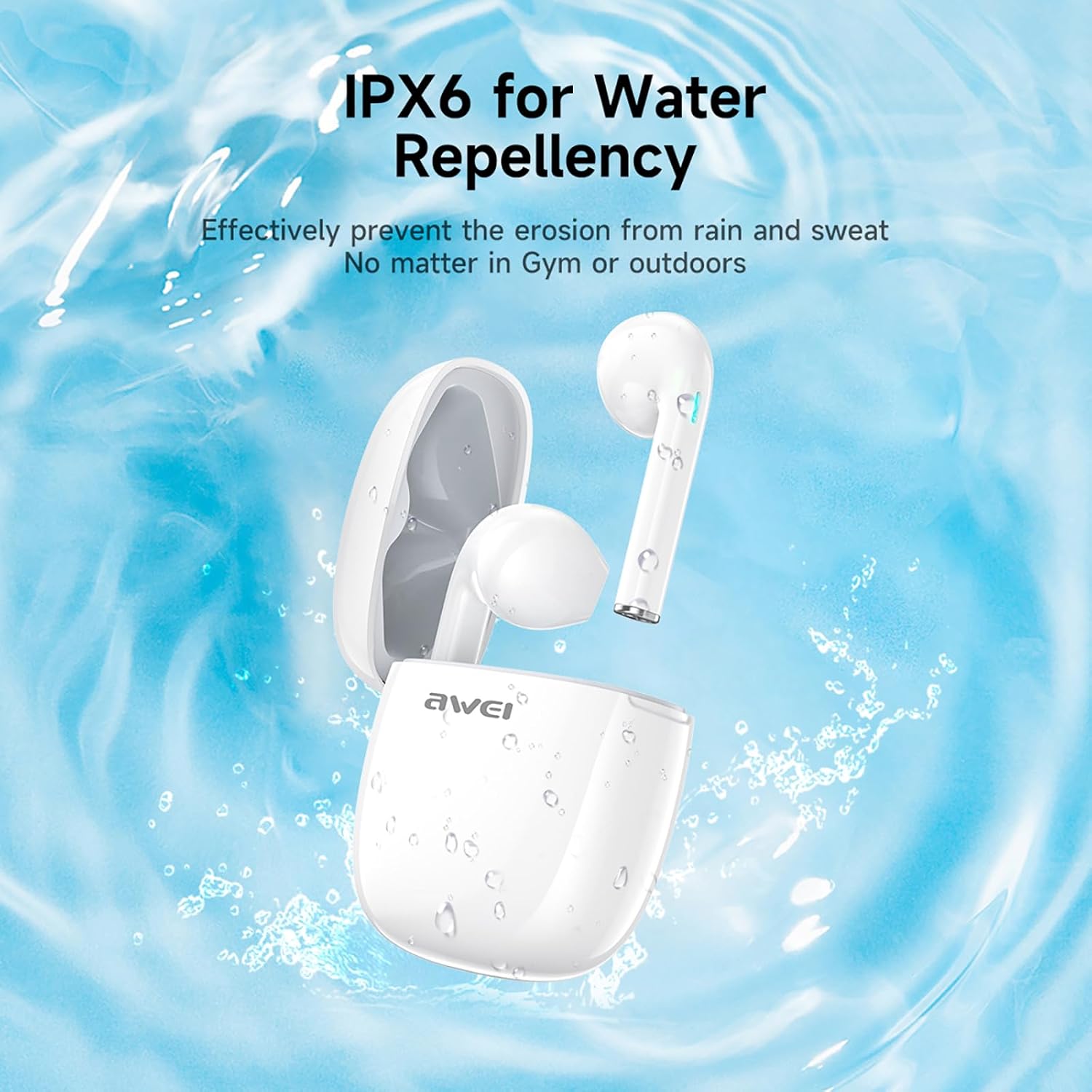
Малюнак 3: IPX6 Water Repellency. This image depicts the earbuds and charging case with water splashes, visually representing their IPX6 waterproof rating, suitable for use during exercise or in light rain.
Настройка
1. Зарадка навушнікаў і чахла
- Першапачатковая плата: Перад першым выкарыстаннем цалкам зарадзіце навушнікі і зарадны футляр.
- Зарадка кейса: Connect the provided USB-C charging cable to the charging port on the case and to a USB power source. The charging time for the case is approximately 1.5 hours.
- Зарадка навушнікаў: Place the earbuds into the charging case. They will automatically begin charging. The earbuds provide approximately 7 hours of continuous use per charge. The charging case extends total playback time to 35 hours in dual-ear mode, or up to 70 hours in single-ear mode by alternating earbuds.
- Індыкатары батарэі: Refer to the LED indicators on the case and earbuds for charging status.
2. Спалучэнне з прыладай
- Уключэнне: Адкрыйце зарадны кейс. Навушнікі аўтаматычна ўключацца і пяройдуць у рэжым спалучэння.
- Актываваць Bluetooth: На смартфоне, планшэце або іншай прыладзе з падтрымкай Bluetooth перайдзіце ў налады Bluetooth і ўключыце Bluetooth.
- Выберыце прыладу: Look for "AWEI T28" in the list of available devices and select it to connect.
- Пацверджанне: Once connected, you will hear an audio prompt from the earbuds, and the device's Bluetooth settings will show "AWEI T28" as connected.
- Аўтаматычнае паўторнае падключэнне: Пасля першапачатковага спалучэння навушнікі аўтаматычна падключацца да апошняй спалучанай прылады, калі іх выняць з зараднага футляра, пры ўмове, што на прыладзе ўключаны Bluetooth.
Інструкцыя па эксплуатацыі
Сэнсарныя элементы кіравання
The AWEI T28 earbuds feature smart touch controls on each earbud for convenient management of audio playback and calls.
- Прайграванне/Паўза: Адзін націск на любы навушнік.
- Наступная песня: Двойчы націсніце на правы навушнік.
- Папярэдняя песня: Двойчы націсніце левы навушнік.
- Павялічыць гучнасць: Тройчы націсніце на правы навушнік.
- Паменшыць гучнасць: Тройчы націсніце левы навушнік.
- Адказ/завяршэнне выкліку: Адно націсканне на любы навушнік падчас уваходнага званка.
- Адхіліць выклік: Падчас уваходнага званка націсніце і ўтрымлівайце любы з навушнікаў на працягу 2 секунд.
- Актываваць галасавы памочнік: Press and hold either earbud for 3 seconds (functionality may vary by device).
Monaural and Binaural Mode
The earbuds support both monaural (single earbud) and binaural (both earbuds) modes. You can seamlessly switch between modes:
- Бінауральны рэжым: Remove both earbuds from the charging case. They will automatically connect to each other and then to your device.
- Монафонічны рэжым: Remove only one earbud from the charging case. It will connect to your device independently. You can place the other earbud back in the case or keep it off.
- Пераключэнне: If using one earbud, simply remove the other from the case to automatically switch to binaural mode. If using both, place one back in the case to switch to monaural mode.
Тэхнічнае абслугоўванне
Proper maintenance ensures the longevity and performance of your AWEI T28 Wireless Earbuds.
- Уборка: Рэгулярна працірайце навушнікі і зарадны футляр мяккай, сухой тканінай без ворса. Не выкарыстоўвайце абразіўныя ачышчальнікі або растваральнікі.
- Парады для вушэй: If applicable, gently remove ear tips and clean them with mild soap and water, then dry thoroughly before reattaching.
- Кантакты для зарадкі: Пераканайцеся, што кантакты зарадкі на навушніках і ўнутры футляра чыстыя і без смецця, каб забяспечыць належную зарадку.
- Воданепранікальнасць: The earbuds are IPX6 waterproof, meaning they are resistant to strong jets of water. However, they are not designed for swimming or submersion. Ensure they are dry before placing them back in the charging case.
- захоўванне: Калі навушнікі не выкарыстоўваюцца, захоўвайце іх у зарадным чахле, каб абараніць ад пылу і пашкоджанняў. Захоўвайце ў прахалодным, сухім месцы, удалечыні ад экстрэмальных тэмператур.
Ліквідацыю непаладак
If you encounter issues with your AWEI T28 Wireless Earbuds, refer to the following common solutions:
- Навушнікі не спалучаюцца з прыладай:
- Пераканайцеся, што абодва навушнікі цалкам зараджаны.
- Выключыце Bluetooth на прыладзе, а затым зноў уключыце яго.
- Forget "AWEI T28" from your device's Bluetooth list and attempt to pair again.
- Ensure the earbuds are in pairing mode (usually indicated by flashing LED lights).
- Паспрабуйце падключыць прыладу да іншай, каб выключыць праблемы, звязаныя з ёй.
- Працуе толькі адзін навушнік:
- Place both earbuds back into the charging case, close the lid, wait a few seconds, then open the lid and remove both earbuds simultaneously.
- Пераканайцеся, што абодва навушнікі зараджаны.
- Check if the earbuds are connected in monaural mode. If so, try re-pairing both earbuds.
- Навушнікі не зараджаюцца:
- Пераканайцеся, што зарадны чахол зараджаны.
- Check that the charging contacts on the earbuds and inside the case are clean and free of obstructions.
- Пераканайцеся, што навушнікі правільна размешчаны ў зарадным чахле.
- Паспрабуйце выкарыстоўваць іншы кабель USB-C або адаптар сілкавання.
- Нізкая гучнасць або дрэнная якасць гуку:
- Адрэгулюйце гучнасць як на прыладзе, так і ў навушніках.
- Пераканайцеся, што навушнікі правільна размешчаны ў вушах для добрага прылягання.
- Ачысціце вушныя ўкладышы ад вушной серы або смецця.
- Try playing different audio sources to determine if the issue is with the earbuds or the audio file.
- Злучэнне часта абрываецца:
- Ensure there are no significant obstacles (walls, large electronic devices) between the earbuds and your connected device.
- Keep the earbuds within the 10-meter Bluetooth range of your device.
- Пазбягайце асяроддзяў з высокім узроўнем перашкод Wi-Fi або іншымі бесправаднымі прыладамі.
Тэхнічныя характарыстыкі
| мадэль | Т28 |
| Марка | Авей |
| Тэхналогія падлучэння | Бесправадная сувязь (Bluetooth 5.3) |
| Размяшчэнне вушэй | У вуха |
| Тып кіравання | Сэнсарнае кіраванне |
| Узровень воданепранікальнасці | IPX6 воданепранікальны |
| Сярэдні тэрмін службы батарэі (навушнікі) | 7 гадзін |
| Агульны час прайгравання з зарадным чахлом | Up to 35 Hours (Dual-ear), 70 Hours (Single-ear) |
| Час зарадкі (чахол) | 1.5 гадзін |
| Матэрыял | Сілікон |
| Вага прадмета | 150 г |
| Сумяшчальныя прылады | Смартфоны, кампутары, тэлевізары |
Гарантыя і падтрымка
For warranty information and customer support, please refer to the documentation provided with your purchase or contact the retailer where you purchased the AWEI T28 Wireless Earbuds. Keep your proof of purchase for any warranty claims.
For further assistance, you may also visit the official Awei webсайт або звярніцеся непасрэдна ў службу падтрымкі кліентаў.