
1. Уводзіны
This document serves as a comprehensive user manual for the Western Digital WD Black 2TB Performance Internal Hard Drive, model WD2003FZEX. It provides essential information regarding the product's features, installation procedures, operational guidelines, maintenance tips, and troubleshooting steps to ensure optimal performance and longevity of your drive.
2. Прадукт скончыўсяview
The WD Black 2TB Performance Internal Hard Drive is engineered for demanding applications such as gaming, video editing, and other intensive computing tasks. It features a 7200 RPM spindle speed, a SATA 6 Gb/s interface, and a 64 MB cache to deliver robust performance.
Асноўныя характарыстыкі:
- Desktop Performance: Designed for high-performance desktop computing.
- Ёмістасць: 2TB storage capacity for extensive data storage.
- хуткасць: 7200 RPM rotational speed for fast data access.
- інтэрфейс: SATA 6 Gb/s for high-speed data transfer.
- Кэш: 64 MB DRAM cache for optimized performance.
- Тэхналогія: Incorporates Western Digital’s StableTrac and Dynamic Cache Technology for enhanced reliability and performance.
- Гарантыя: Backed by an industry-leading 5-year limited warranty.
Візуальныя выявы прадукту:
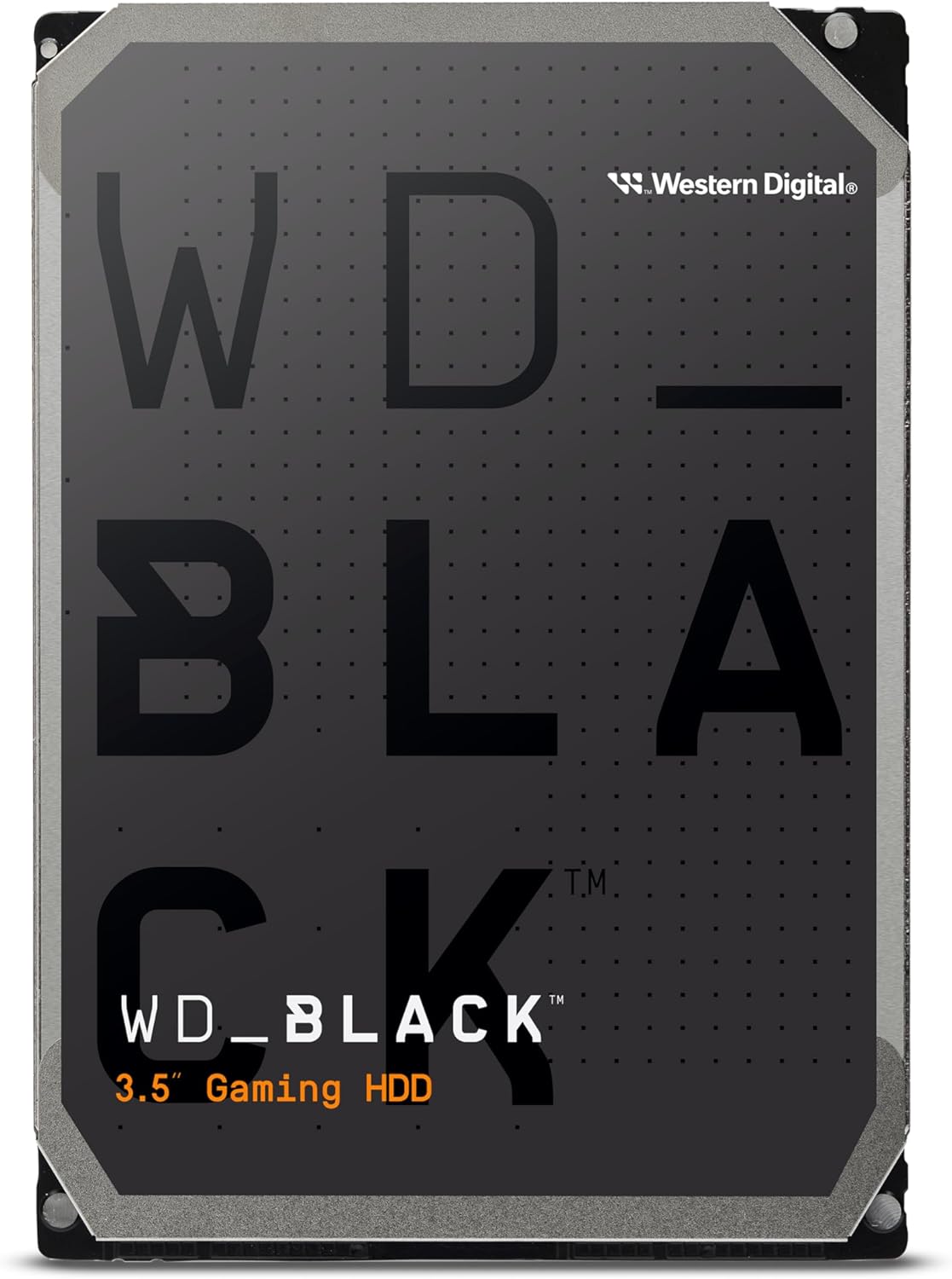
Малюнак 2.1: Спераду view of the Western Digital WD Black 2TB Performance Internal Hard Drive.

Figure 2.2: Dimensions of the 3.5-inch form factor hard drive, showing approximate measurements of 5.79 inches (length), 4 inches (width), and 1.03 inches (height).

Figure 2.3: Illustration highlighting the increased reliability provided by StableTrac™ Technology in WD Black drives (2TB and larger models).

Малюнак 2.4: Адкрыты view of a hard disk drive, showing the platters, read/write heads, and internal components.

Figure 2.5: Visual representation of the drive's commanding performance, featuring impressive cache sizes of up to 512 MB DRAM on high-capacity models.

Figure 2.6: Depiction of the WD Black Gaming Hard Drive's dual-core processor, offering enhanced processing capability.

Figure 2.7: Graphic illustrating the 7200 RPM disk speed of the WD Black hard drive.
3. Настройка і ўстаноўка
Proper installation is crucial for the functionality and longevity of your hard drive. Follow these steps carefully.
3.1 Фізічная ўстаноўка
- Падрыхтоўка: Ensure your computer is powered off and unplugged from the wall outlet. Open your computer case according to its manufacturer's instructions.
- Знайдзіце адсек для дыскаў: Знайдзіце ў корпусе кампутара даступны адсек для 3.5-цалевага дыскавода.
- Усталюйце дыск: Slide the WD Black hard drive into the drive bay. Secure it with screws on both sides of the drive, ensuring it is firmly in place.
- Падключыце кабелі:
- Connect a SATA data cable from the hard drive to an available SATA port on your motherboard.
- Connect a SATA power cable from your power supply unit (PSU) to the hard drive.
- Закрыць справу: Once all connections are secure, close your computer case and reconnect the power cable.
3.2 Initializing and Formatting the Drive
After physical installation, the drive needs to be initialized and formatted by your operating system.
- Уключэнне: Запусціце камп'ютар.
- Доступ да кіравання дыскамі (Windows): Right-click on the Start button, then select 'Disk Management'.
- Ініцыялізаваць дыск: Locate the newly installed WD Black drive (it will likely appear as 'Unallocated' or 'Not Initialized'). Right-click on the disk and select 'Initialize Disk'. Choose GPT (GUID Partition Table) for drives larger than 2TB, or MBR (Master Boot Record) for smaller drives or older systems.
- Стварыць новы просты том: Right-click on the 'Unallocated' space on the drive and select 'New Simple Volume'. Follow the wizard to assign a drive letter and format the drive (NTFS is recommended for Windows).
- Праверце: The drive should now appear in 'This PC' or 'My Computer' and be ready for use.
3.3 Acronis True Image WD Edition Software
Acronis True Image WD Edition software is available as a free download from the Western Digital website. This software allows you to clone drives, back up your operating system, applications, settings, and all your data. Refer to the Western Digital support webсайт для запампоўкі і інструкцый па ўсталёўцы.
4. Кіраванне прывадам
The WD Black drive is designed for high-performance data storage and retrieval. Once installed and formatted, it operates like any other internal hard drive.
4.1 Захоўванне дадзеных і доступ да іх
- File Кіраванне: Выкарыстоўвайце сваю аперацыйную сістэму file explorer to store, organize, and access files на дыску.
- Сховішча прыкладанняў: Install demanding applications, games, or creative software directly onto the WD Black drive for improved loading times and responsiveness.
- Dual Drive Configuration: For enhanced system performance, consider combining the WD Black drive with a Solid State Drive (SSD). Install your operating system and frequently used applications on the SSD, and use the WD Black drive for mass storage of large files, games, and media.
4.2 Меркаванні аб прадукцыйнасці
The 7200 RPM spindle speed and 64 MB cache contribute to the drive's performance. Factors such as system configuration, file size, and concurrent operations can influence actual data transfer rates.
5. Тэхнічнае абслугоўванне
Regular maintenance helps preserve data integrity and extend the lifespan of your hard drive.
- Рэзервовае капіраванне даных: Regularly back up important data to another storage device or cloud service. The Acronis True Image WD Edition software can assist with this.
- Disk Defragmentation (HDD Specific): For optimal performance on traditional hard drives, periodically run disk defragmentation tools provided by your operating system.
- Маніторынг сістэмы: Utilize S.M.A.R.T. (Self-Monitoring, Analysis and Reporting Technology) tools to monitor the health status of your drive.
- Умовы навакольнага асяроддзя: Ensure your computer case has adequate airflow to prevent overheating. Operate the drive within recommended temperature ranges. Avoid physical shocks or excessive vibrations.
6. Выпраўленне непаладак
If you encounter issues with your WD Black hard drive, consider the following troubleshooting steps:
- Дыск не выяўлены:
- Праверце ўсе падключэнні кабеляў перадачы дадзеных і харчавання SATA, каб пераканацца ў іх надзейнасці.
- Verify that the SATA port on the motherboard is enabled in the BIOS/UEFI settings.
- Ensure the drive has been properly initialized and formatted in Disk Management (Windows) or Disk Utility (macOS).
- Test the drive with different SATA cables and ports, or in another computer if possible, to rule out cable or motherboard issues.
- Нізкая прадукцыйнасць:
- Check for excessive fragmentation (Windows).
- Ensure your system drivers, especially chipset and SATA controller drivers, are up to date.
- Monitor system resources to identify any background processes consuming significant disk I/O.
- Run a diagnostic tool (e.g., Western Digital Data Lifeguard Diagnostic) to check for drive health.
- Незвычайныя шумы:
- Clicking, grinding, or repetitive noises can indicate a potential hardware failure. Immediately back up any accessible data and contact Western Digital support.
For further assistance, refer to the Western Digital support webсайт або звярніцеся ў службу падтрымкі кліентаў.
7. Тэхнічныя характарыстыкі
Detailed technical specifications for the WD Black 2TB Performance Internal Hard Drive (WD2003FZEX).
| Асаблівасць | Спецыфікацыя |
|---|---|
| Ёмістасць лічбавай памяці | 2 ТБ |
| Інтэрфейс жорсткага дыска | Паслядоўны ATA-600 |
| Тэхналогія падлучэння | SATA |
| Марка | WD |
| Форм-фактар жорсткага дыска | 3.5 цалі |
| Апісанне жорсткага дыска | Паслядоўны ATA-600 |
| Сумяшчальныя прылады | Працоўны стол |
| Тып ўстаноўкі | Унутраны жорсткі дыск |
| Колер | Чорны |
| Нумар мадэлі тавару | WD2003FZEX-SPSRLA0 |
| Апаратная платформа | ПК; Mac |
| Вага прадмета | 1.32 фунта |
| Памеры прадукту (ДxШxВ) | 5.8 х 4 х 1 цалі |
| Хуткасць кручэння жорсткага дыска | 7200 XNUMX абаротаў у хвіліну |
| Памер кэша | 64 Мб |
8. Інфармацыя аб гарантыі
The Western Digital WD Black 2TB Performance Internal Hard Drive (WD2003FZEX) comes with an industry-leading 5-гадовая абмежаваная гарантыя.
For complete details regarding warranty terms, conditions, and how to make a claim, please visit the official Western Digital webсайт. Захоўвайце пацвярджэнне пакупкі для пацверджання гарантыі.
9. Падтрымка
For technical support, product registration, driver downloads, and additional resources, please visit the Western Digital support webсайт:
You can also find information about the Acronis True Image WD Edition software and other utilities on their support pages.