
1. Уводзіны
This manual provides detailed instructions for the safe and proper installation, operation, and maintenance of your MOUNTUP MU0057-L Full Motion TV Wall Mount. Please read all instructions carefully before installation to ensure correct setup and to prevent damage or injury. Keep this manual for future reference.
The MOUNTUP MU0057-L is designed to securely mount most 42-75 inch flat or curved screen televisions weighing up to 99 lbs (45 kg). It features a 30-inch extension arm, +/-90° swivel, +5°/-10° tilt, and +/-3° leveling for optimal viewгібкасць.
2. Інфармацыя па бяспецы
WARNING: Failure to read and follow these instructions may result in serious personal injury, property damage, or voiding of warranty.
- Ёмістасць вагі: Не перавышайце максімальную грузападымальнасць 45 кг (99 фунтаў). Гэта мацаванне прызначана для выкарыстання толькі з максімальна пазначанай вагой. Выкарыстанне з вырабамі, цяжэйшымі за пазначаную максімальную вагу, можа прывесці да нестабільнасці і траўмаў.
- Памер тэлевізара: This mount is compatible with TVs from 42 to 75 inches.
- Сумяшчальнасць VESA: Ensure your TV's VESA pattern (mounting hole spacing) is within the range of 150x100mm to 600x400mm.
- Тып сцяны: This mount is designed for installation on solid concrete/brick walls or single wood studs. НЕ ўстанаўлівайце толькі ў гіпсакардон.
- Прафесійная ўстаноўка: If you have any doubts about your ability to safely install this mount, consult a qualified professional.
- Праверка кампанента: Before installation, verify that all components are present and undamaged. Do not use damaged or defective parts.
- інструменты: Для ўстаноўкі выкарыстоўвайце адпаведныя інструменты.
3. Змесціва ўпакоўкі
Please check the package to ensure all parts are included and undamaged. If any parts are missing or damaged, contact MOUNTUP customer service.
- Зборка насценнай пласціны
- Кранштэйны для тэлевізара (2)
- Камплект мантажных прыстасаванняў (розныя шрубы, шайбы, распоркі, анкеры)
- Пузырьковый ўзровень
- Шаблон свідравання
- Кіраўніцтва па эксплуатацыі
4. Тэхнічныя характарыстыкі
| Спецыфікацыя | Каштоўнасць |
|---|---|
| мадэль | MU0057-L |
| Сумяшчальнасць па памеры тэлевізара | 42 - 75 цалі |
| Ёмістасць вагі | Да 99 фунтаў (45 кг) |
| Сумяшчальнасць VESA | 150x100 мм да 600x400 мм |
| Пашырэнне ад сцяны | ад 3 цаляў (у складзеным выглядзе) да 30 цаляў (у высунутым) |
| Дыяпазон павароту | +/-90° |
| Дыяпазон нахілу | +5° / -10° |
| Рэгуляванне ўзроўню | +/-3° |
| Матэрыял | Метал |
| Колер | Чорны |
| Вага прадмета | 13.77 фунта |
Заўвага: The TV plate is offset approximately 8.5 inches (215mm) from the wall plate center. Consider this when positioning your TV on the wall.

Image: TV Plate Offset Diagram
5. Інструкцыя па ўстаноўцы
5.1 Праверкі перад устаноўкай
- Праверце сумяшчальнасць тэлевізара: Check your TV's size, weight, and VESA mounting pattern. The VESA pattern refers to the four mounting holes on the back of your TV.
- Вызначце тып сцяны: Determine if your wall is solid concrete/brick or a single wood stud.
- Check TV Ports: Ensure the mount will not block any necessary ports on your TV.

Image: Available VESA Patterns and TV Mounting Holes

Image: Diverse Wall Compatibility

Image: Ensure Mount Won't Block Ports
5.2 Пакрокавая ўстаноўка
The installation process involves three main steps:
- Mount Brackets to TV: Attach the TV brackets to the back of your television using the appropriate screws, washers, and spacers from the hardware kit. Ensure they are securely fastened.
- Усталяваць насценную пліту: Using the provided drilling template and bubble level, mark and drill pilot holes in your wall. Secure the wall plate assembly to the wall with the appropriate anchors and lag bolts.
- Павесьце тэлевізар на насценную кранштэйну: Carefully lift your TV with the attached brackets and hook them onto the wall plate. Secure the TV to the wall plate using the safety screws or locking mechanisms.


Image: Easy & Quick 3-Step Installation Overview
6. Эксплуатацыя і рэгуляванне
6.1 Выцягванне і ўцягванне
The mount allows your TV to extend up to 30 inches from the wall and retract to approximately 3 inches, providing flexibility for various viewing positions and saving space when not in use.
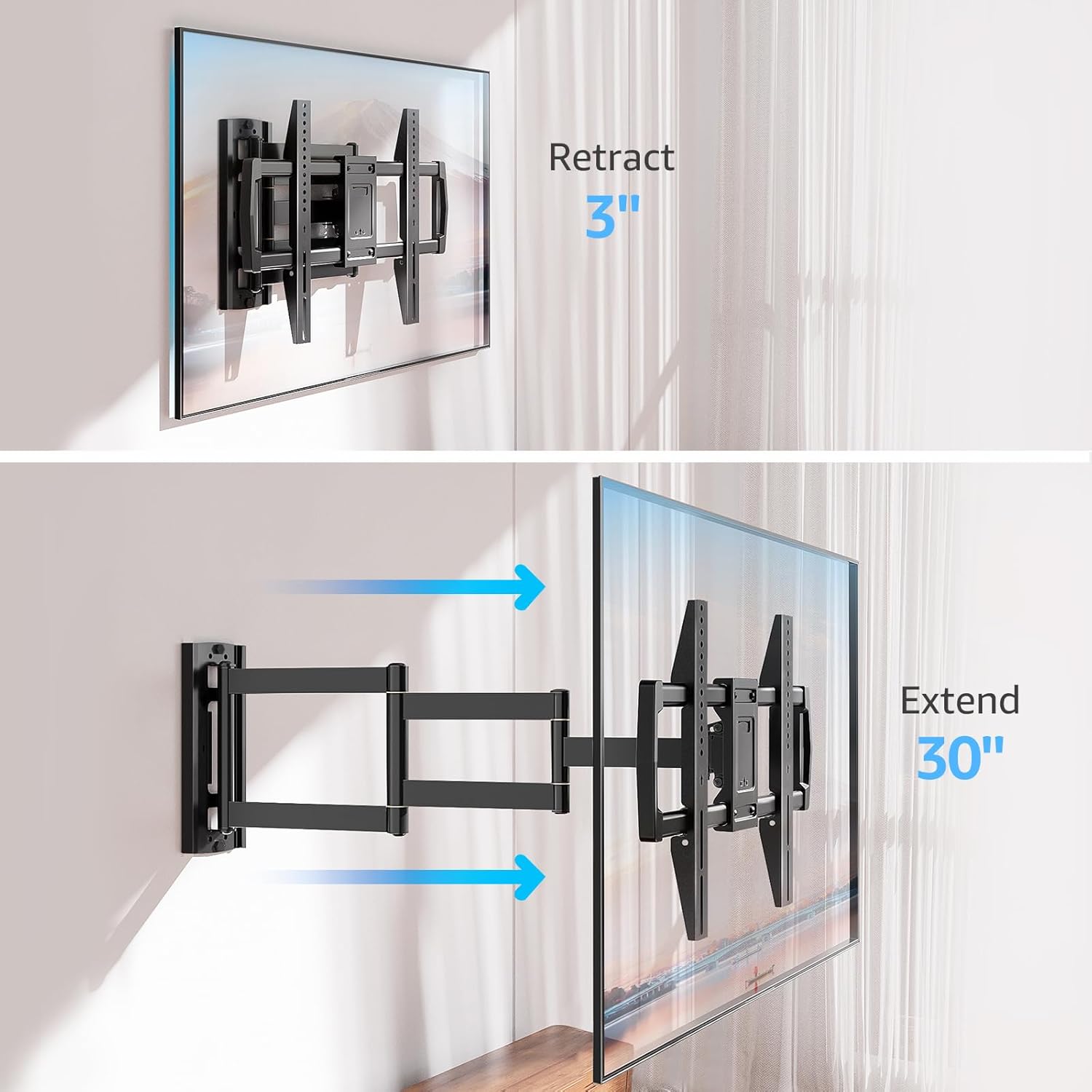
Image: Mount Extension and Retraction
6.2 Рэгуляванне павароту
The articulating arm allows for a smooth +/-90° swivel, enabling you to adjust the TV's angle to suit different viewing areas within a room, including corner mounting scenarios.
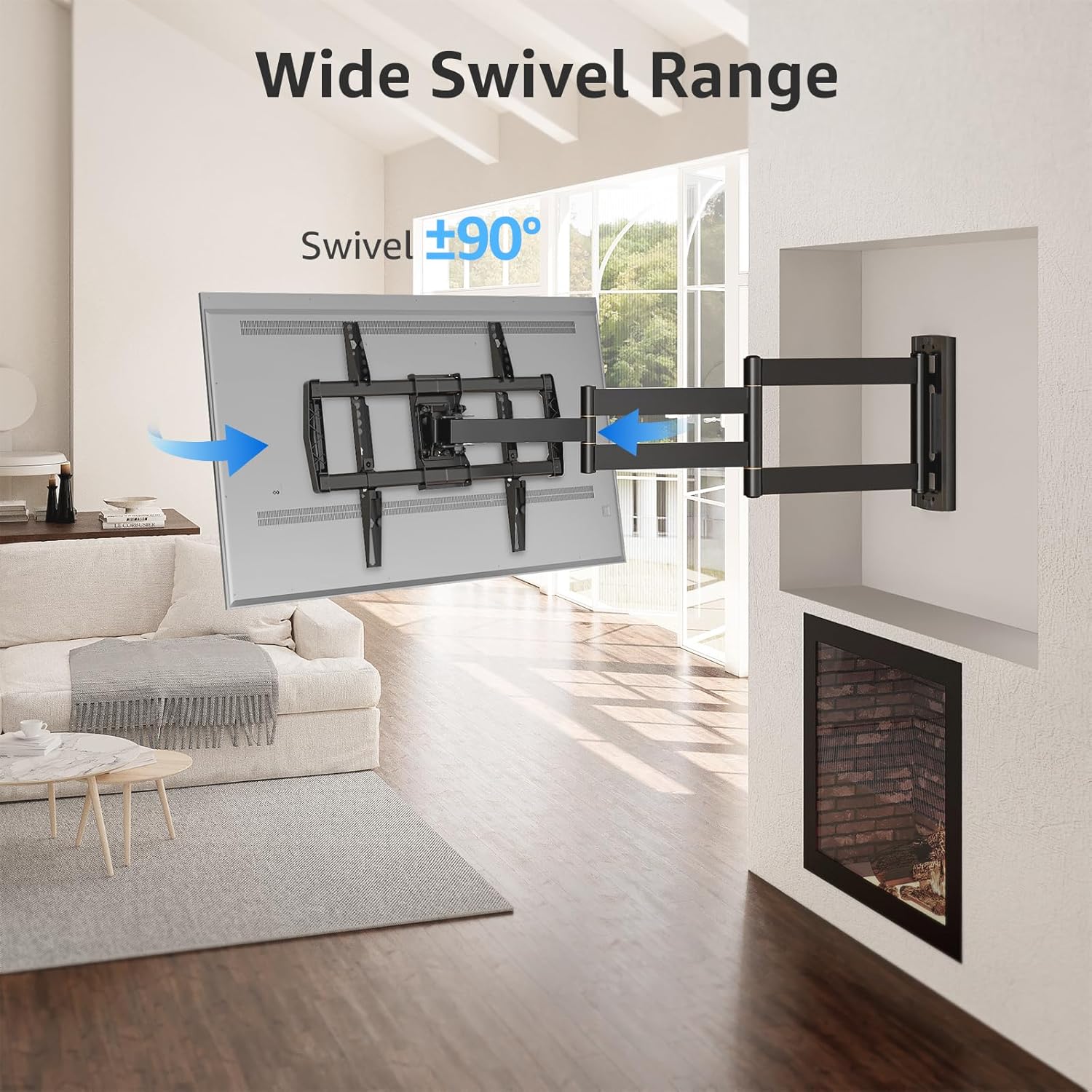
Image: Wide Swivel Range for Corner Mounting
6.3 Рэгуляванне нахілу
Adjust the TV's vertical angle with a +5°/-10° tilt range. This feature helps reduce glare from lights or windows and provides a comfortable viewкут нахілу.
6.4 Рэгуляванне выраўноўвання
After installation, you can make minor horizontal adjustments of +/-3° to ensure the TV is perfectly level.

Image: Level and Tilt Adjustments
7. Тэхнічнае абслугоўванне
Рэгулярнае абслугоўванне забяспечвае даўгавечнасць і бяспечную працу вашага насценнага мацавання для тэлевізара.
- Уборка: Працірайце мацаванне мяккай сухой тканінай. Пазбягайце выкарыстання абразіўных ачышчальнікаў або растваральнікаў, якія могуць пашкодзіць пакрыццё.
- Праверка крапяжу: Перыядычна правярайце ўсе шрубы і балты, каб пераканацца, што яны надзейна закручаныя. Пры неабходнасці падцягвайце.
- Праверка руху: Test the mount's full range of motion (extension, retraction, swivel, tilt) occasionally to ensure smooth operation.
8. Выпраўленне непаладак
Калі ў вас узнікнуць праблемы падчас або пасля ўстаноўкі, звярніцеся да наступных распаўсюджаных праблем і рашэнняў:
- Тэлевізар не стаіць роўна: Use the +/-3° post-installation leveling feature to adjust the TV's horizontal position.
- Мацаванне адчуваецца свабодным: Re-check all wall and TV fasteners to ensure they are securely tightened. Do not overtighten.
- Difficulty moving the arm: The mount's joints may be stiff initially. Apply gentle force. If persistent, ensure no cables are snagged.
- TV not fitting VESA pattern: Double-check your TV's VESA pattern against the mount's specifications (150x100mm to 600x400mm). If incompatible, the mount cannot be used.
9. Гарантыя і падтрымка
MOUNTUP is dedicated to providing quality products and customer satisfaction. While specific warranty details are not provided in this document, MOUNTUP offers comprehensive support.
If you have any questions, require assistance with installation, or need to report a missing/damaged part, please contact MOUNTUP customer service. Experts are available 7 days a week to provide support and advanced technology solutions.
For more information or to contact support, please visit the official MOUNTUP store or webсайт.