
1. Уводзіны
This manual provides detailed instructions for the installation, operation, and maintenance of your Ctronics 4K 30x Optical Zoom Security Camera. Please read this manual thoroughly before using the product to ensure proper functionality and safety.

Figure 1.1: Ctronics 4K 30x Optical Zoom Security Camera (Model CTIPC-870C)
2. Асаблівасці прадукту
- Real 4K UHD & 30X Optical 3D Zoom: Equipped with a Sony IMX415 sensor and SSC335Q chipset, delivering 3840×2160 resolution. Features 30X optical 3D zoom for clear distant details and smooth 355° pan and 90° tilt for 360° coverage.
- 180m Infrared & 80m Full-Color Night Vision: Utilizes 4 convex lenses, 2 laser spotlights, and 4 infrared lasers for night vision up to 180 meters in black & white IR mode and 80 meters in full-color.
- Smart Detection & Auto Tracking with Zoom: AI detection for humans, vehicles, and pets. Automatically tracks detected targets with intelligent zoom. Triggers custom voice alerts, spotlights, and app notifications. Returns to original guard position after tracking.
- Dual-Band Wi-Fi & Quick Bluetooth Setup: Supports both 2.4GHz and 5GHz Wi-Fi for stable connections. Bluetooth pairing via the "Ctronics Pro" app enables quick setup.
- Privacy Masking & Flexible Storage Options: Customizable video mask for sensitive areas. Supports local storage via microSD card (up to 256GB, not included) and secure cloud storage (7-day free trial).
3. Што ў скрынцы
The package for your Ctronics 4K 30x Optical Zoom Security Camera includes:
- 1 x 4K Security Camera
Note: Additional accessories such as power adapter, mounting screws, and user manual may also be included. Please check your specific product packaging.
4. Кіраўніцтва па наладцы
4.1 Фізічная ўстаноўка
The camera is designed for outdoor usage and wall mounting. Ensure the mounting surface is stable and can support the camera's weight.
- Choose a suitable location for installation, ensuring clear line of sight for surveillance.
- Use the provided mounting template (if applicable) to mark drill holes on the wall.
- Прасвідруйце адтуліны і пры неабходнасці ўстаўце дзюбелі ў сцяну.
- Замацуйце кранштэйн камеры на сцяне з дапамогай прадугледжаных шруб.
- Прымацуеце камеру да ўсталяванага кранштэйна.
- Connect the power adapter to the camera and a power outlet.
4.2 Network Configuration (Wi-Fi & Bluetooth)
The camera supports dual-band Wi-Fi (2.4GHz and 5GHz) and features quick Bluetooth setup.
- Download the "Ctronics Pro" app from your mobile device's app store.
- Адкрыйце праграму і стварыце ўліковы запіс або ўвайдзіце ў сістэму.
- Follow the in-app instructions to add a new device. The app will guide you through Bluetooth pairing for quick setup.
- Select your Wi-Fi network (2.4GHz or 5GHz) and enter the password when prompted.
- Once connected, the camera will be accessible via the app.

Figure 4.1: Connectivity and Storage Options
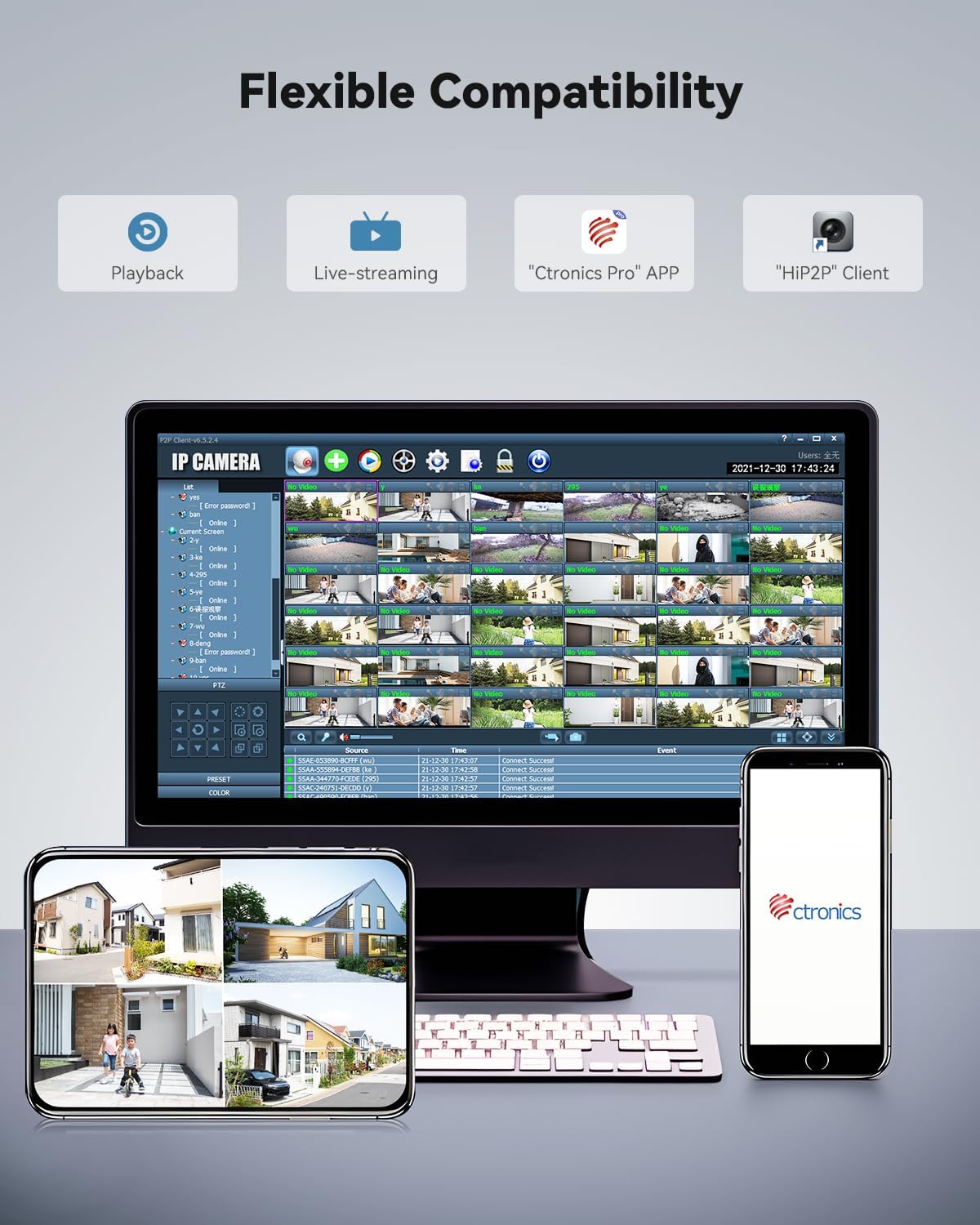
Figure 4.2: Flexible Compatibility with Ctronics Pro App and HIP2P Client
5. Інструкцыя па эксплуатацыі
5.1 У прамым эфіры View і прайграванне
Access the "Ctronics Pro" app or "HIP2P" client on your desktop to view жывы footagе або паўторнаview запісаныя падзеі.
- Live-streaming: Выберыце камеру са спісу прылад, каб view відэа ў рэальным часе.
- Прайграванне: Navigate to the playback section to access recordings stored on the microSD card or cloud.
5.2 Кіраванне панарамаваннем, нахілам і маштабаваннем (PTZ)
The camera offers 355° pan, 90° tilt, and 30x optical zoom capabilities.
- Use the directional controls within the app to pan (horizontal movement) and tilt (vertical movement) the camera.
- Use the zoom controls to optically zoom in or out.

Figure 5.1: 30X Optical Zoom Capability
5.3 Рэжымы начнога бачання
The camera automatically switches between day and night vision modes. You can also manually adjust settings if available in the app.
- Інфрачырвонае (ІЧ) начное бачанне: Забяспечвае выразную чорна-белую выявуtage up to 180 meters in low light or total darkness.
- Поўнакаляровы начны бачанне: Provides vivid color footage up to 80 meters in low light conditions.
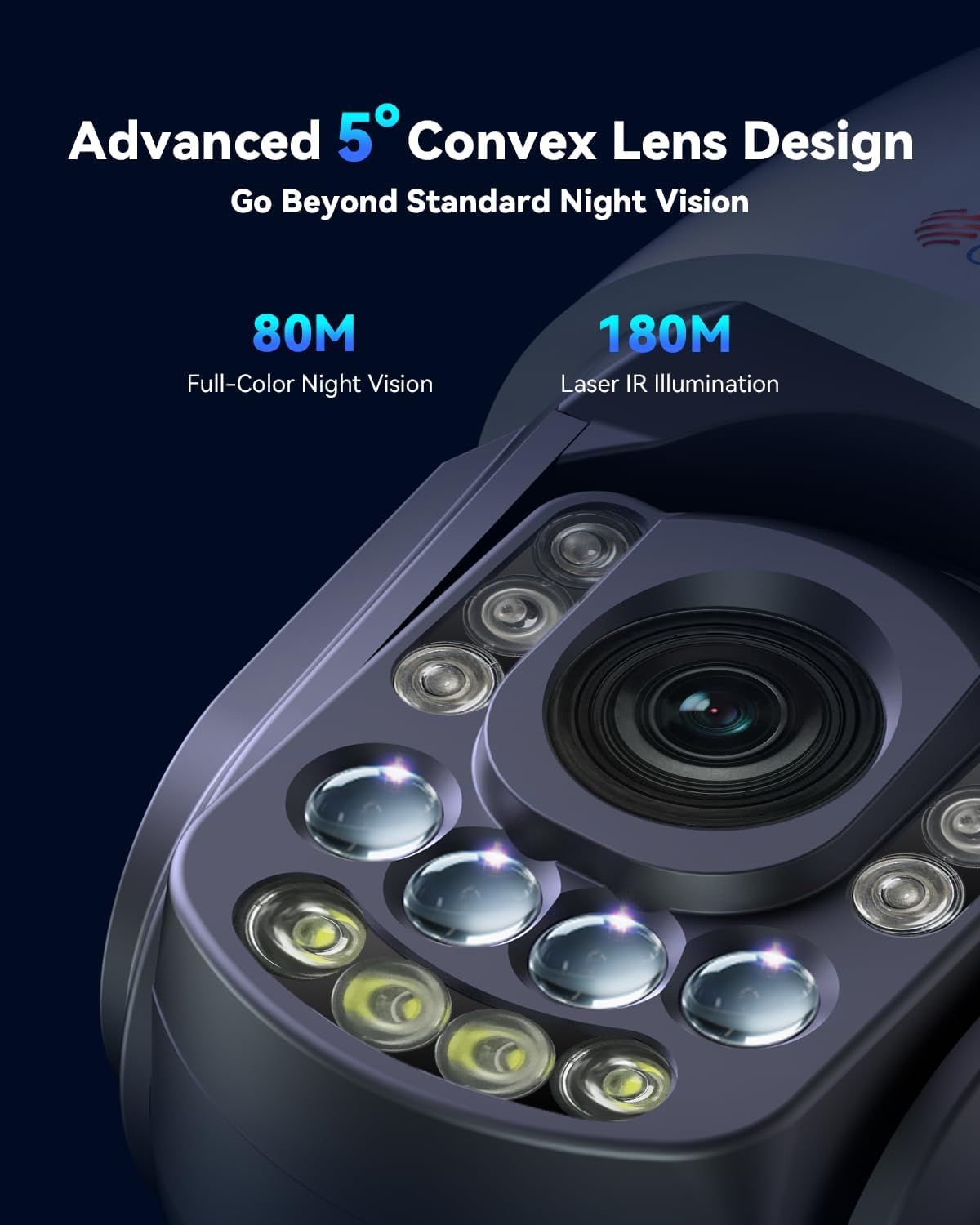
Figure 5.2: Advanced Night Vision Technology

Figure 5.3: Night Vision Range and Clarity
5.4 Smart Detection and Auto Tracking
Configure AI detection settings to receive alerts for specific events.
- In the app settings, enable AI detection for humans, vehicles, or pets.
- Activate auto-tracking. When a detected object enters the camera's view, it will automatically track the object and zoom in.
- Set up custom voice alerts and spotlight activation for detected events.
- Configure the camera to return to its original guard position after tracking is complete.
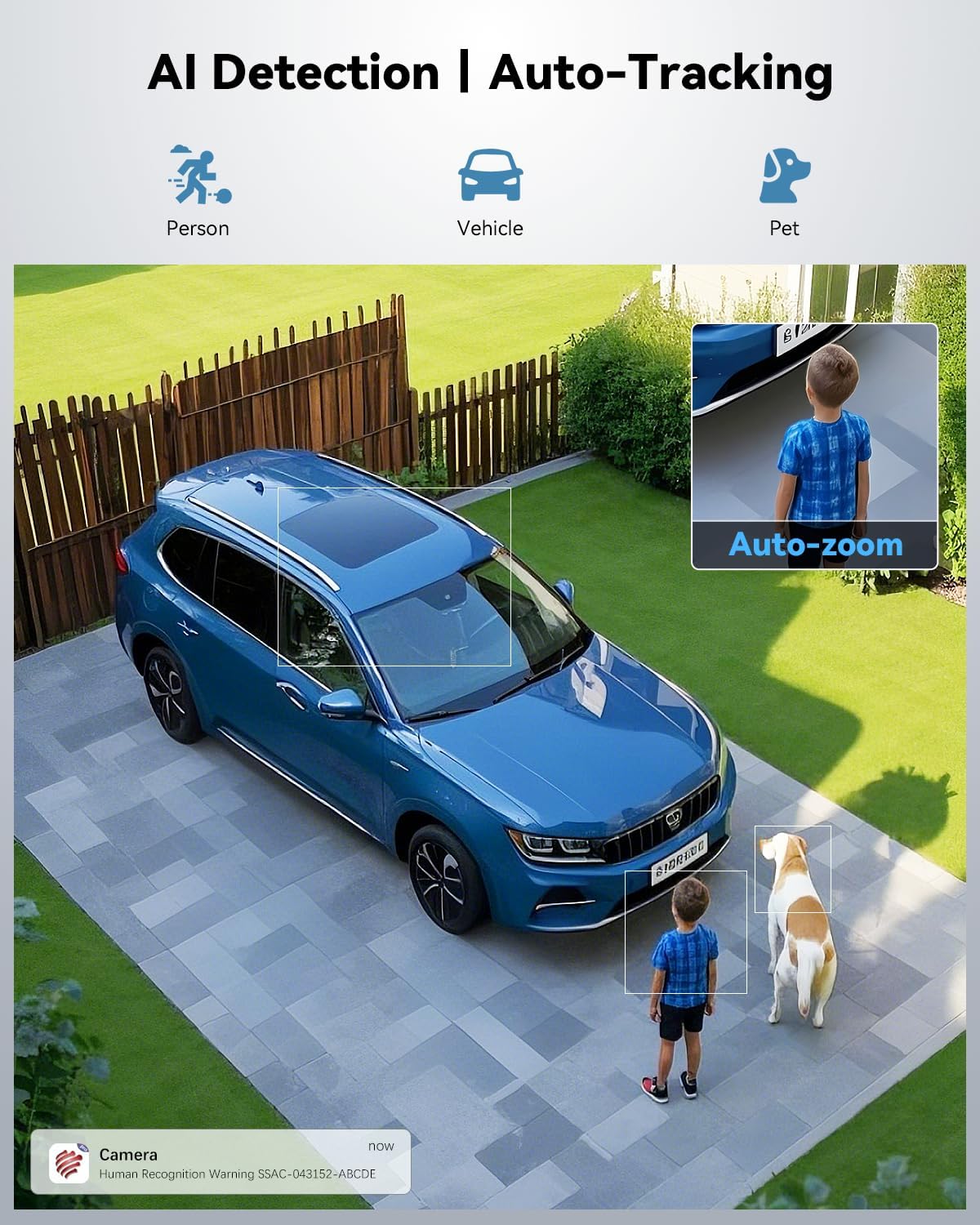
Figure 5.4: AI Detection and Auto-Tracking in Action

Figure 5.5: Powerful Sound and Light Alerts
5.5 Preset and Cruise Features
Set up specific points and patrol routes for automated surveillance.
- Preset Points: Define up to 60 specific viewing angles that the camera can quickly move to.
- Patrol Lines: Create up to 2 automated patrol routes for the camera to follow, cycling through defined preset points.

Figure 5.6: Preset and Cruise Features for 360° Coverage
5.6 Варыянты захоўвання
The camera supports both local and cloud storage.
- Карта MicroSD: Insert a microSD card (up to 256GB, not included) into the designated slot for local recording.
- Воблачнае сховішча: Utilize the secure cloud storage option, which includes a 7-day free trial.
- FTP/NVR: The camera also supports FTP and NVR (Network Video Recorder) for continuous 24/7 recording.
5.7 Маскіроўка прыватнасці
To protect sensitive areas from being recorded:
- Access the privacy masking settings in the app.
- Define custom video mask zones to block out specific areas from recording.
6. Тэхнічнае абслугоўванне
Рэгулярнае тэхнічнае абслугоўванне забяспечвае аптымальную прадукцыйнасць і даўгавечнасць вашай камеры.
- Уборка: Акуратна працярыце аб'ектыў і корпус камеры мяккай губкайamp тканінай. Пазбягайце абразіўных ачышчальнікаў або растваральнікаў.
- Абнаўленні прашыўкі: Check the "Ctronics Pro" app regularly for firmware updates. Keeping the firmware updated ensures the latest features and security patches.
- Праверка кабеля: Periodically inspect power and network cables for any signs of wear or damage.
- Ахова навакольнага асяроддзя: Ensure the camera's waterproof rating (IP66) is maintained by ensuring all covers and seals are properly secured.
7. Выпраўленне непаладак
У гэтым раздзеле разглядаюцца распаўсюджаныя праблемы, з якімі вы можаце сутыкнуцца.
| праблема | Магчымая прычына | Рашэнне |
|---|---|---|
| Camera offline/No connection | Poor Wi-Fi signal, incorrect Wi-Fi password, power issue. | Check Wi-Fi signal strength, re-enter Wi-Fi password in app, ensure power adapter is securely connected. Try restarting the camera and router. |
| Дрэнная якасць выявы | Брудны аб'ектыў, слабае асвятленне, прапускная здольнасць сеткі. | Clean the camera lens. Ensure adequate lighting for full-color night vision. Check network speed. |
| Auto-tracking not working | Feature not enabled, object too far/small, environmental interference. | Ensure auto-tracking and AI detection are enabled in app settings. Verify the object is within detection range and size. |
| Няма запісу на SD-карту | SD card full, corrupted, or not inserted correctly. Recording schedule not set. | Check SD card status in app, format or replace if necessary. Ensure recording schedule or motion detection recording is enabled. |
8. Тэхнічныя характарыстыкі
| Асаблівасць | Дэталь |
|---|---|
| Назва мадэлі | CTIPC-870C |
| Выкарыстанне ў памяшканні/на вуліцы | На адкрытым паветры |
| Дазвол відэазахопу | 3840 (4K UHD) |
| Эфектыўнае рашэнне | 8 МП |
| Аптычны зум | 30x |
| Дыяпазон начнога бачання | 150 Meters (IR), 80 Meters (Full-Color) |
| Тэхналогія падлучэння | Wireless (Wi-Fi 2.4/5GHz, Bluetooth) |
| Параметры захоўвання | Micro SD (up to 256GB), Cloud, FTP, NVR |
| Крыніца харчавання | Электрычны шнур (12 вольт, 12 ват) |
| Матэрыял | Метал |
| Узровень воданепранікальнасці | Воданепранікальны (IP66) |
| Памеры прадмета (Д х Ш х У) | 7.48 х 5.51 х 11.02 цалі |
| Вага прадмета | 5.52 фунта |
| Метад кантролю | App (Ctronics APP) |
9. Афіцыйнае відэа прадукту
Video 9.1: Real 4K Clarity. True 30X Precision. This video demonstrates the camera's 4K resolution and 30x optical zoom capabilities, showcasing its clarity and precision in various scenarios.
10. Гарантыя і падтрымка
Ctronics products typically come with a manufacturer's warranty. For specific warranty details, please refer to the warranty card included with your product or visit the official Ctronics webсайт.
For technical support, troubleshooting assistance, or any inquiries regarding your camera, please contact Ctronics customer service. Contact information can usually be found on the product packaging, the official Ctronics website, or within the "Ctronics Pro" app.
Як адзначалася ў адказе кліентаviews, Ctronics provides responsive customer support, often assisting with setup and feature activation.