
1. Прадукт скончыўсяview
The ATUVOS AT2403 Rechargeable Wallet Tracker Card is a thin, card-shaped device designed to help you locate your personal items using the Apple Find My network. It is compatible exclusively with iOS devices and integrates seamlessly with the Apple Find My app.
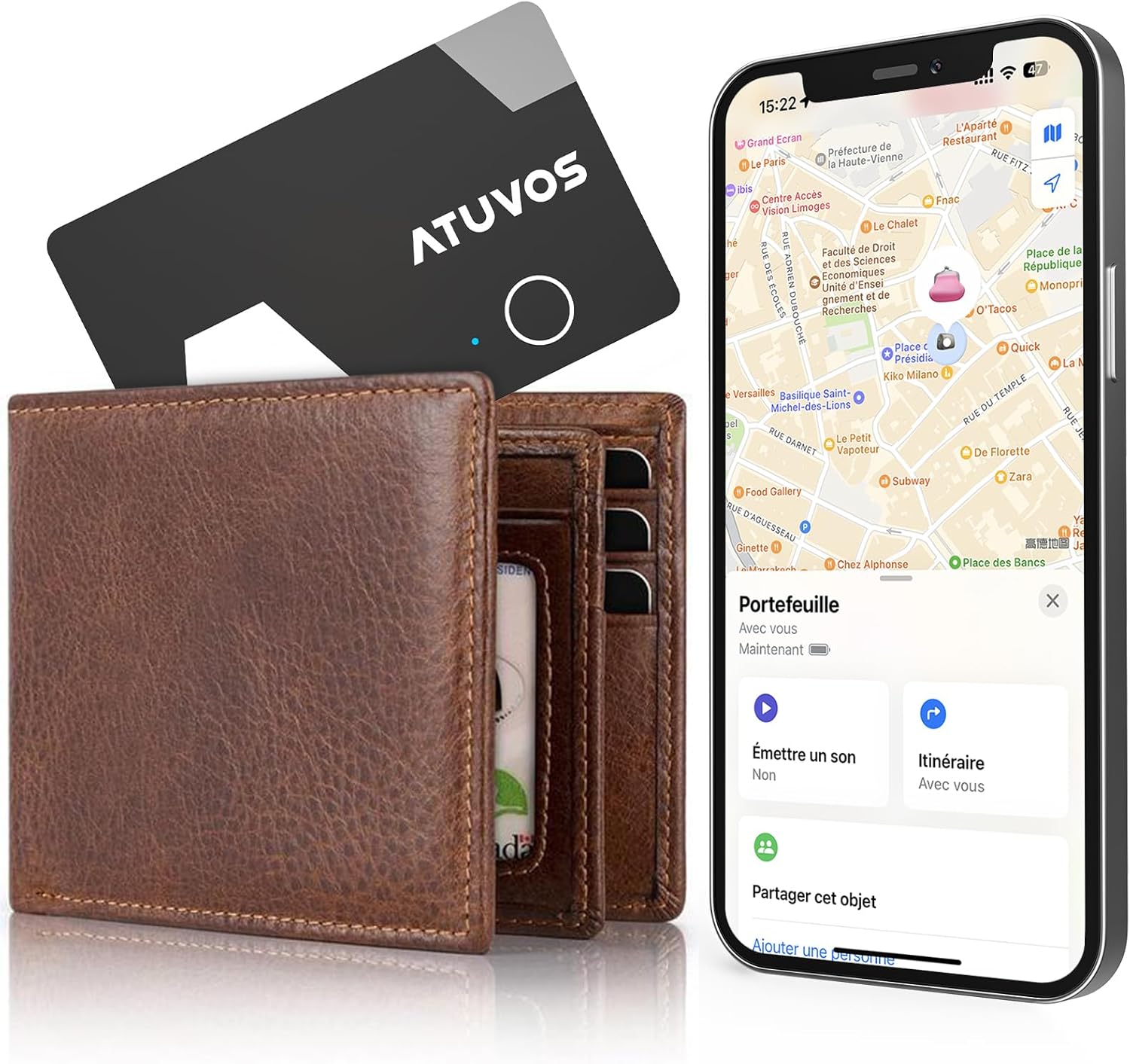
Image 1.1: The ATUVOS Wallet Tracker Card, shown alongside a wallet and an iPhone displaying its location on the Apple Find My app.
This tracker card is ideal for keeping track of items such as wallets, passports, bags, and other valuables that can easily be misplaced.
2. Інструкцыі па ўсталёўцы
To begin using your ATUVOS Wallet Tracker Card, you must pair it with your iOS device using the Apple Find My app. Please ensure your iOS device is updated to the latest version.
- Enable Find My and Bluetooth: On your iOS device, navigate to Settings and ensure both 'Find My' and 'Bluetooth' are enabled.
- Адкрыйце праграму «Знайсці маю»: Launch the Apple Find My app on your iPhone or iPad.
- Дадаць новы элемент: In the Find My app, tap on the 'Items' tab, then tap the '+' icon to 'Add New Item'. Select 'Other Supported Item'.
- Pair the Tracker: Press and hold the button on your ATUVOS Tracker Card for approximately 10 seconds until you hear a confirmation sound or see an indicator light. Follow the on-screen prompts in the Find My app to complete the pairing process.
- Rename Item (Optional): Once paired, you can rename your ATUVOS Tracker Card (e.g., "Wallet," "Passport") for easier identification.

Image 2.1: Visual guide demonstrating the pairing process with the Apple Find My app.
3. Інструкцыя па эксплуатацыі
3.1 Finding Items Nearby
If your item is within Bluetooth range (up to 200 feet or 60 meters), you can use the Find My app to make your ATUVOS Tracker Card emit a loud sound (80-100 dB) to help you locate it quickly. You can also ask Siri for assistance.
- Адкрыйце праграму Find My.
- Tap on the 'Items' tab.
- Select your ATUVOS Tracker Card from the list.
- Tap 'Play Sound'. The tracker will emit a sound until you tap 'Stop Sound'.
- Alternatively, say "Hey Siri, find my [item name]" (e.g., "Hey Siri, find my wallet").

Image 3.1: Using the 'Play Sound' feature in the Find My app to locate a nearby item.
3.2 Finding Items Far Away
When your item is outside of Bluetooth range, the Apple Find My network can help you locate it. This network uses hundreds of millions of Apple devices worldwide to detect your ATUVOS Tracker Card and report its location to you privately and securely.
- Адкрыйце праграму Find My.
- Tap on the 'Items' tab.
- Select your ATUVOS Tracker Card.
- The app will display the last known location on a map. You can tap 'Directions' to get navigation to your item's location.

Image 3.2: Navigating to the last known location of your ATUVOS Tracker Card using the Find My app.
3.3 Сігналізацыя аб пакінутым ззаду транспартным сродку
The ATUVOS Tracker Card can notify you if you leave an item behind. When the Bluetooth connection between your tracker and your iOS device is lost, the Find My app will send an immediate notification to your device.
- To enable this feature, open the Find My app, select your ATUVOS Tracker Card, and enable 'Notify When Left Behind'.
- You can also set 'Notify Me, Except At' locations to prevent alerts in places like your home or office.

Выява 3.3: Былы/былаяample of a 'Left Behind' notification from the Find My app.
4. Зарадка
The ATUVOS AT2403 Wallet Tracker Card features a rechargeable Lithium-ion battery and supports wireless charging. A full charge typically takes approximately 1 hour.
- Індыкатар зарадкі: A blinking green light indicates the device is charging. A solid green light indicates charging is complete.
- Place the ATUVOS Tracker Card on a compatible wireless charging pad.
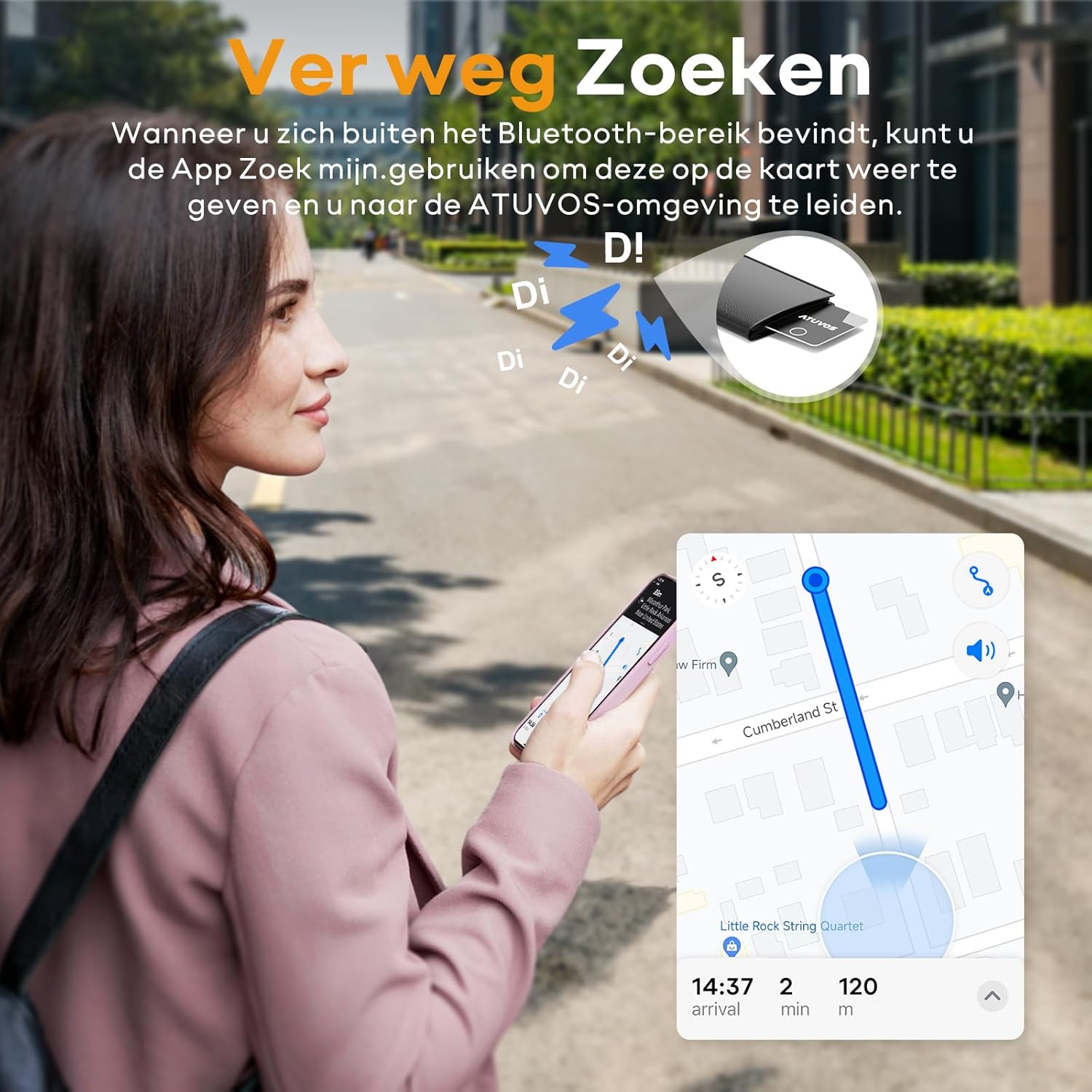
Image 4.1: The ATUVOS Tracker Card being charged wirelessly.
5. Функцыі прыватнасці
The Apple Find My network is designed with privacy in mind. Location data and history are not stored on the ATUVOS Wallet Tracker Card itself. The network is encrypted and anonymous, ensuring your privacy and security.

Image 5.1: Representation of the secure and anonymous Find My network.
6. Тэхнічныя характарыстыкі
| Асаблівасць | Спецыфікацыя |
|---|---|
| Нумар мадэлі | AT2403 |
| Памеры (Д х Ш х У) | 100mm x 70mm x 2mm (10L x 7l x 0.2Ép cm) |
| Вага | 14 грам |
| Тэхналогія падлучэння | Bluetooth |
| Дыяпазон Bluetooth | Да 200 футаў (60 метраў) |
| Тып батарэі | Акумулятарная літыя-іённая |
| Спосаб зарадкі | Бесправадная зарадка |
| Узровень гуку | 80-100 дБ |
| Воданепранікальнасць | IP67 |
| Сумяшчальныя прылады | iOS, iPhone (Android not supported) |

Image 6.1: Key specifications and features of the ATUVOS Tracker Card.
7. Выпраўленне непаладак
- Трэкер не падключаецца:
- Пераканайцеся, што Bluetooth уключаны на вашай прыладзе iOS.
- Make sure the ATUVOS Tracker Card is charged.
- Try restarting your iOS device and the Find My app.
- If the issue persists, try resetting the tracker by holding its button for 10 seconds and re-pairing it.
- Няма гуку ад трэкера:
- Check if the tracker is within Bluetooth range.
- Пераканайцеся, што трэкер зараджаны.
- Verify that the 'Play Sound' command is being sent from the Find My app.
- Няправільнае месцазнаходжанне:
- Location accuracy depends on the density of Apple devices in the Find My network. In areas with fewer devices, location updates may be less frequent or precise.
- Пераканайцеся, што ваша прылада iOS мае стабільнае падключэнне да Інтэрнэту.
- Left-behind notifications not working:
- Verify that 'Notify When Left Behind' is enabled for your tracker in the Find My app.
- Check your iOS device's notification settings to ensure Find My notifications are allowed.
- Ensure you haven't set 'Notify Me, Except At' for your current location.
8. Тэхнічнае абслугоўванне
- Уборка: Wipe the tracker with a soft, dry cloth. Avoid using harsh chemicals or abrasive materials.
- Ўздзеянне вады: While the device is IP67 water-resistant, avoid prolonged submersion in water. Ensure it is dry before charging.
- захоўванне: Store the tracker in a cool, dry place when not in use for extended periods.

Image 8.1: The ATUVOS Tracker Card demonstrating its IP67 water resistance.
9. Гарантыя і падтрымка
The ATUVOS AT2403 Rechargeable Wallet Tracker Card comes with a Гарантыя ад вытворцы 1 год.
For any questions or assistance regarding the use of your ATUVOS Tracker Card, please contact our customer service. We offer 24-hour customer support to address your inquiries.
Кантактная інфармацыя: Please refer to the product packaging or the official ATUVOS webсайт, каб атрымаць найбольш актуальную кантактную інфармацыю службы падтрымкі кліентаў.