
1. Прадукт скончыўсяview
The MOFII Wireless Keyboard and Mouse Combo offers a full-size keyboard with a retro typewriter design and a matching wireless mouse. This 2.4GHz wireless set is designed for comfortable and efficient use across various operating systems and devices.
- Рэтра-дызайн: Features round keycaps inspired by classic typewriters, providing a unique aesthetic.
- Эрганамічны камфорт: Includes an ergonomic foldable stand and anti-slip pads for comfortable typing during extended use.
- Бесправадное злучэнне 2.4 ГГц: Utilizes a single 2-in-1 nano USB receiver for both the keyboard and mouse, offering a working range of up to 35 feet (10 meters).
- Палепшаная прадукцыйнасць: The keyboard includes a spacious numeric keypad, 3 indicator lights, and 12 multimedia shortcut keys for efficient control of media and common functions.
- Энергаэфектыўнасць: Both the keyboard and mouse operate on 1 AA battery each and feature an automatic sleep mode after 5 minutes of inactivity to conserve battery life.
- Шырокая сумяшчальнасць: Compatible with Windows 7/8/10/11/XP/Vista/Server, Chrome OS, and Linux. Suitable for desktops, Chromebooks, PCs, laptops, and other computers.
2. Кіраўніцтва па наладцы
Follow these steps to set up your MOFII Wireless Keyboard and Mouse Combo:
2.1. Устаноўка батарэі
- Для мышкі:
Locate the battery compartment on the underside of the mouse. Open the cover and insert one AA battery, ensuring correct polarity (+/-). Close the battery cover.

Image: The underside of the wireless mouse, illustrating the battery compartment and the slot for the USB receiver.
- Для клавіятуры:
Locate the battery compartment on the underside of the keyboard. Open the cover and insert one AA battery, ensuring correct polarity (+/-). Close the battery cover.

Image: The underside of the wireless keyboard, showing the battery compartment and the adjustable foldable stand.
2.2. Падключэнне USB-прыёмніка
- The 2-in-1 nano USB receiver is typically stored in the battery compartment of the mouse. Carefully remove it.
- Plug the USB receiver into an available USB port on your computer (PC, laptop, desktop, Chromebook, etc.).
- Ваш камп'ютар павінен аўтаматычна выявіць і ўсталяваць неабходныя драйверы. Дадатковая ўсталёўка праграмнага забеспячэння не патрабуецца.
- Once the receiver is connected, the keyboard and mouse should be ready for use.
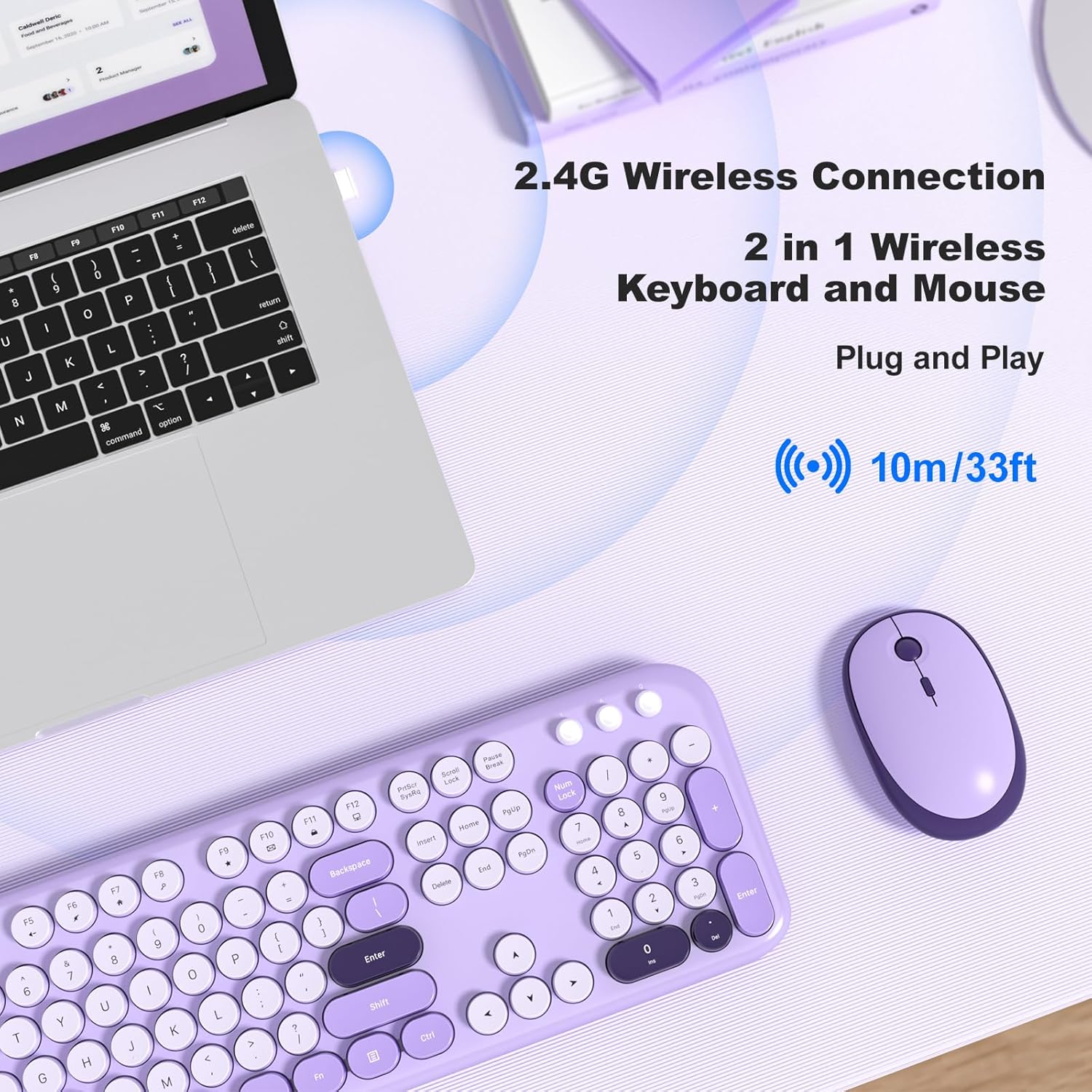
Image: A MOFII wireless keyboard and mouse in violet, shown connected to a laptop via a single 2.4G wireless USB receiver.
3. Інструкцыя па эксплуатацыі
3.1. Асноўныя функцыі клавіятуры
The keyboard features a standard QWERTY layout with a full numeric keypad. Simply type as you would with any standard keyboard.

Выява: буйны план view of the MOFII wireless keyboard, highlighting its round, retro-style keycaps and full-size layout.
3.2. Мультымедыйныя спалучэнні клавіш
The keyboard includes 12 multimedia shortcut keys (F1-F12) that can be accessed by pressing the Fn key simultaneously with the desired function key. These keys allow for quick control of various computer functions:
- Fn+F1: Медыяплэер
- Fn+F2: Памяншэнне гучнасці
- Fn+F3: Павялічыць гучнасць
- Fn+F4: Адключыць гук
- Fn+F5: Папярэдні трэк
- Fn+F6: Наступны трэк
- Fn+F7: Прайграванне/Паўза
- Fn+F8: Стоп
- Fn+F9: Галоўная старонка
- Fn+F10: Электронная пошта
- Fn+F11: Мой кампутар
- Fn+F12: Калькулятар

Image: A visual representation of the keyboard's multimedia hotkeys (F1-F12) and their functions.
3.3. Mouse DPI Adjustment
The wireless mouse features adjustable DPI settings to control cursor sensitivity. You can cycle through different DPI levels (800, 1200, 1600) by pressing the DPI button located on the top of the mouse, usually behind the scroll wheel.
Image: The wireless mouse, highlighting its adjustable DPI settings (800/1200/1600) and silent click feature.
3.4. Аўтаматычны рэжым сну
To conserve battery life, both the keyboard and mouse will automatically enter sleep mode after approximately 5 minutes of inactivity. To wake them up:
- Клавіятура: Націсніце любую клавішу.
- Мыш: Click any button or move the mouse.

Image: A visual guide demonstrating how the keyboard and mouse enter auto-sleep mode and how to wake them up.
4. Тэхнічнае абслугоўванне
Proper maintenance ensures the longevity and optimal performance of your MOFII Wireless Keyboard and Mouse Combo:
- Уборка: Выкарыстоўвайце мяккую сухую тканіну для працірання паверхняў клавіятуры і мышы. Для выдалення ўстойлівага бруду злёгкуamp можна выкарыстоўваць тканіну з мяккім мылам, сачыце за тым, каб вадкасць не патрапіла ўнутр прылады.
- Ачыстка клавіш: The keycaps are removable for easier cleaning. Gently pull them off to clean underneath, then carefully press them back into place.
- Замена батарэі: Replace AA batteries in both the keyboard and mouse when performance degrades or the indicator lights suggest low power. Always use fresh, high-quality batteries.
- захоўванне: When not in use for extended periods, remove the batteries to prevent leakage and store the devices in a cool, dry place.

Image: The MOFII wireless keyboard with several keycaps removed, demonstrating the removable keycap feature for maintenance.
5. Выпраўленне непаладак
Калі ў вас узніклі праблемы з камбінацыяй клавіятуры і мышы, звярніцеся да наступных распаўсюджаных рашэнняў:
| праблема | Магчымая прычына | Рашэнне |
|---|---|---|
| Клавіятура/мыш не рэагуе | Low battery, USB receiver disconnected, incorrect pairing. | Replace batteries. Ensure USB receiver is securely plugged into a working USB port. Re-plug the receiver. |
| Затрымка або перарывістае падключэнне | Перашкоды, адлегласць ад прымача, нізкі зарад батарэі. | Move closer to the receiver (within 35 feet). Ensure no large metal objects are between the devices and receiver. Replace batteries. |
| Курсор мышы рухаецца нераўнамерна або не плаўна | Dirty sensor, unsuitable surface, incorrect DPI setting. | Clean the mouse sensor with a soft cloth. Use the mouse on a clean, non-reflective surface or a mouse pad. Adjust DPI settings using the DPI button. |
| Мультымедыйныя клавішы не працуюць | Incorrect key combination, software conflict. | Пераканайцеся, што вы націскаеце Fn key simultaneously with the desired function key. Check your operating system's settings for media key conflicts. |
6. Тэхнічныя характарыстыкі
| Асаблівасць | Дэталь |
|---|---|
| Марка | МОФІІ |
| Мадэль (ASIN) | B0DN63S2D9 |
| Колер | Фіялка |
| Тэхналогія падлучэння | Бесправадная сувязь 2.4 ГГц (USB-прыёмнік) |
| Асаблівасць | Round Keycaps, Ergonomic Design |
| Сумяшчальныя прылады | Ноўтбук, персанальны кампутар, планшэт |
| Аперацыйная сістэма | Chrome OS, Linux, Windows 7/8/10/11/XP/Vista/Server |
| Патрабуюцца батарэі | Yes (1x AA for keyboard, 1x AA for mouse) |
| Колькасць клавіш (клавіятура) | 104 |
| Раскладка клавіятуры | QWERTY |
| Апісанне клавіятуры | Мембрана |
| Налады DPI мышы | 800/1200/1600 |

Image: A diagram illustrating the precise dimensions of both the MOFII wireless keyboard and mouse.
7. Гарантыя і падтрымка
The MOFII Wireless Keyboard and Mouse Combo comes with a 12-month (1 year) warranty from the date of purchase. This warranty covers manufacturing defects and ensures product quality.
For any questions, technical assistance, or warranty claims, please contact MOFII customer support through the retailer where the product was purchased or refer to the official MOFII webсайт для кантактнай інфармацыі.
Калі ласка, захавайце пацвярджэнне пакупкі для пацверджання гарантыі.