
1. Уводзіны
This manual provides essential instructions for the installation, operation, maintenance, and troubleshooting of your VIMIN 6 Port 2.5G Unmanaged Network Switch. Please read this manual thoroughly before using the device to ensure proper functionality and to prevent damage.
2. Прадукт скончыўсяview
The VIMIN 6 Port 2.5G Unmanaged Network Switch is designed to provide high-speed network connectivity for various devices. It features 4x 2.5Gbase-T RJ45 ports and 2x 10G SFP+ ports, offering a total switching capacity of 60Gbps. Its fanless metal housing ensures silent operation and efficient heat dissipation.

Image: The VIMIN 6 Port 2.5G Unmanaged Network Switch in a typical setup, illustrating its high-speed capabilities and connectivity to a computer. Key performance metrics such as 60Gbps Switching Capacity, 44.64Mpps Forwarding Rate, 10KBytes Jumbo Frame, and 4K MAC Address are highlighted.

Image: The VIMIN network switch demonstrating its self-negotiation function, automatically adjusting transmission method and speed according to IEEE 802.3 standards, achieving 2.5Gbps.
Відэа: Гэта відэа дае візуальнае ўяўленне праview of the VIMIN 6 Port 2.5G Unmanaged Network Switch, showcasing its physical features, port types, and general application in a network environment.
3. Змесціва ўпакоўкі
Праверце наяўнасць усіх прадметаў у камплекце:
- 1x VIMIN 6-Port 2.5G Unmanaged Network Switch
- 1x Кіраўніцтва карыстальніка (гэты дакумент)
- 1x кабель харчавання
4. Інструкцыі па ўсталёўцы
The VIMIN 6 Port 2.5G Unmanaged Network Switch is designed for plug-and-play operation, requiring no complex configuration. Follow these steps for basic setup:
- Падключэнне сілкавання: Connect the provided power cable to the switch's DC input port (12V/1A DC) and then to a power outlet. The Power LED (PWR) on the front panel will illuminate.
- Ethernet Device Connection: Connect your network devices (e.g., NAS, wireless AP, PC, router) to the RJ45 ports (1-4) using standard Ethernet cables. The corresponding Link/Act and 2.5G Link LEDs will light up when a valid connection is established and data is being transmitted.
- SFP+ Module Installation (Optional): For 10G connectivity, insert compatible 1G/2.5G/10G optical fiber modules (not included) into the SFP+ ports (5-6). Then, connect appropriate fiber optic cables to these modules. The 10G SFP+ LED will indicate an active connection.

Image: The VIMIN network switch illustrating its plug-and-play functionality and broad compatibility with various devices, including NAS, Access Points, Routers, Computers, 4K Video devices, and Gaming PCs.
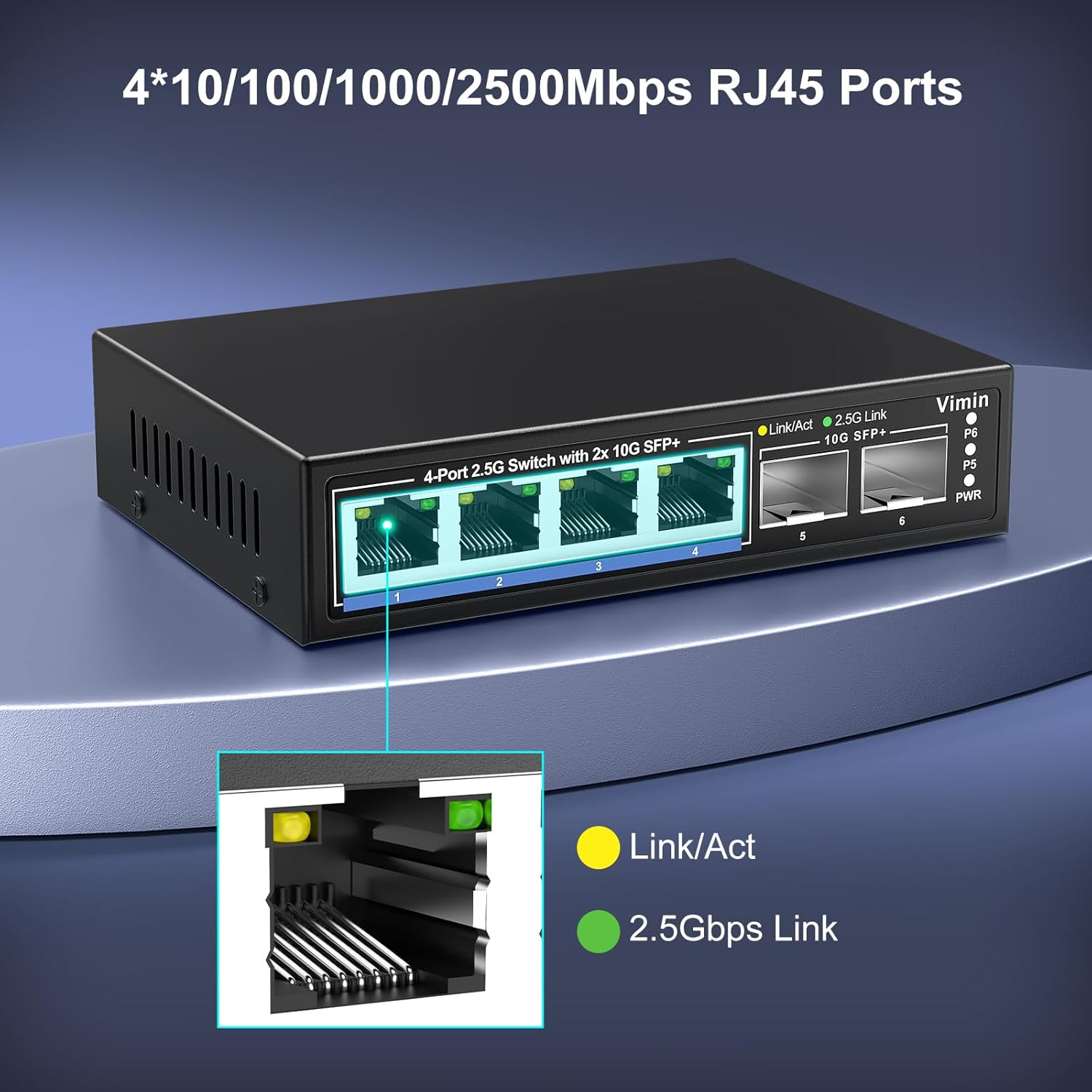
Выява: Падрабязны view of the four 10/100/1000/2500Mbps RJ45 ports on the VIMIN switch, showing the Link/Act (yellow) and 2.5Gbps Link (green) LED indicators for each port.
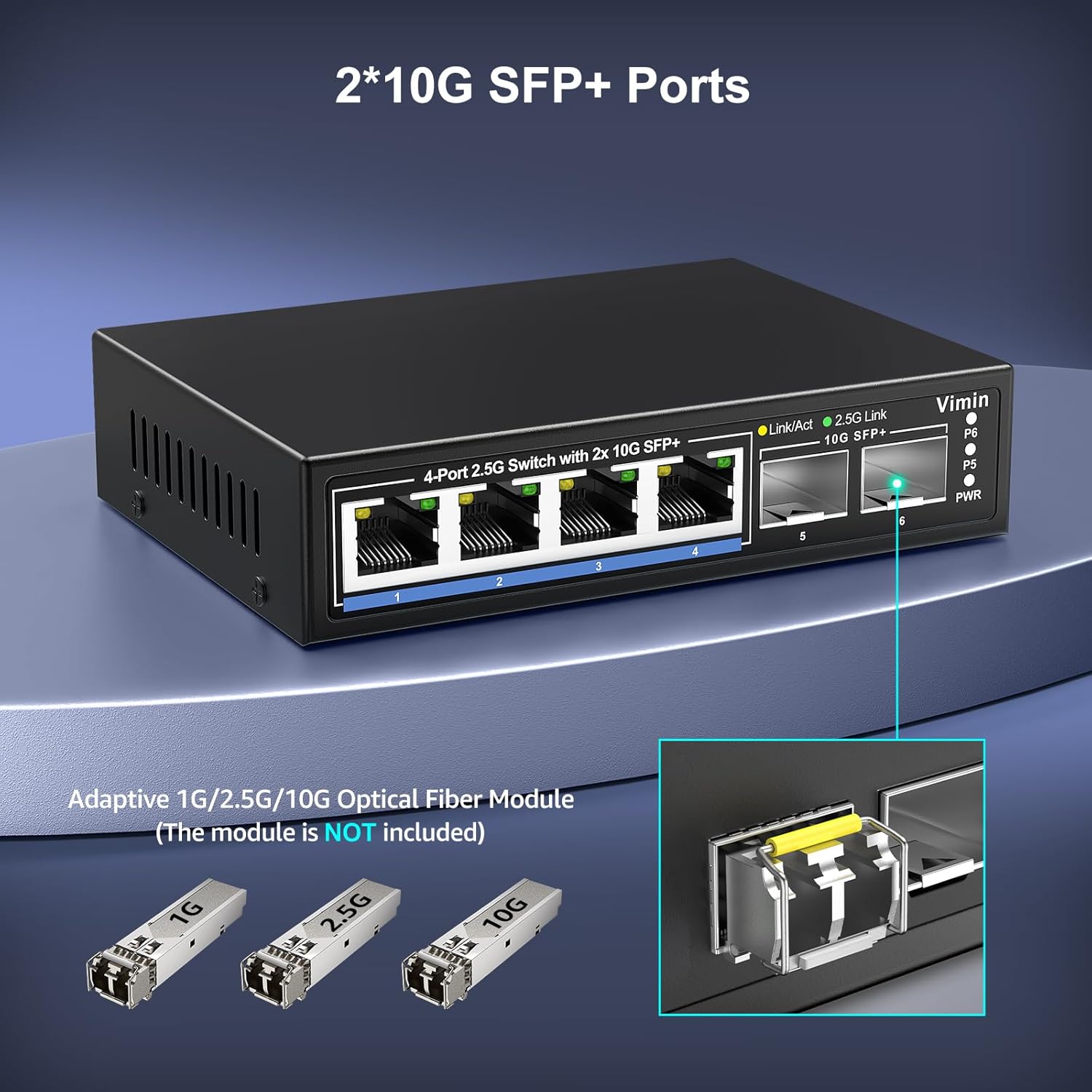
Image: A close-up of the two 10G SFP+ ports on the VIMIN switch. The image also displays adaptive 1G/2.5G/10G optical fiber modules, which are not included with the switch.
5. Інструкцыя па эксплуатацыі
Once connected, the switch operates automatically. It is an unmanaged device, meaning no software configuration is required. Data traffic will be forwarded at wire speed across all ports.
Святлодыёдныя індыкатары:
- PWR (магутнасць): Solid green when the switch is powered on.
- Link/Act (RJ45 Ports): Solid yellow when a link is established; blinking yellow indicates data activity.
- 2.5G Link (RJ45 Ports): Solid green when a 2.5Gbps link is established.
- 10G SFP+ (SFP+ Ports): Solid green when a 10Gbps link is established; blinking green indicates data activity.
Безвентылятарны дызайн:
The switch features a fanless design, ensuring silent operation. This makes it suitable for noise-sensitive environments such as offices or home setups.
6. Тэхнічнае абслугоўванне
To ensure optimal performance and longevity of your VIMIN network switch, consider the following maintenance guidelines:
- Размяшчэнне: Place the switch on a stable, flat surface in a well-ventilated area. Avoid placing it near heat sources or in direct sunlight.
- Уборка: Для чысткі вонкавага боку перамыкача выкарыстоўвайце мяккую сухую тканіну. Не выкарыстоўвайце вадкія або аэразольныя ачышчальнікі.
- Кабельнае кіраванне: Пераканайцеся, што сеткавыя кабелі акуратна пракладзены і не сагнутыя або не нацягнуты празмерна.
- крыніца харчавання: Выкарыстоўвайце толькі адаптар сілкавання, які пастаўляецца ў камплекце з камутатарам.
Выява: буйны план view of the VIMIN network switch's durable metal housing, which is designed for efficient heat dissipation without the need for a fan.

Image: The VIMIN network switch showcasing its compact size (6.3"L x 4.3"W x 1.3"H) and indicating the 12V/1A DC power input port.
7. Выпраўленне непаладак
If you encounter issues with your VIMIN network switch, refer to the following common problems and solutions:
- Няма харчавання:
- Ensure the power cable is securely connected to both the switch and a working power outlet.
- Пераканайцеся, што разетка працуе.
- Святлодыёдны індыкатар адсутнасці сувязі/актыўнасці:
- Check that the Ethernet or fiber optic cable is securely connected to both the switch port and the network device.
- Пераканайцеся, што падключаная прылада ўключана і працуе належным чынам.
- Try a different cable or port to rule out faulty components.
- For SFP+ ports, ensure the optical module is correctly inserted and compatible with the switch and the connected device. Some older SFP+ modules may not be compatible.
- Павольная хуткасць сеткі:
- Verify that your network cables are rated for 2.5G or 10G speeds (e.g., Cat5e or higher for 2.5G, Cat6a or higher for 10G over copper, or appropriate fiber cables for SFP+).
- Ensure your connected devices (NICs, routers, NAS) also support 2.5G or 10G speeds.
- Праверце наяўнасць перагрузкі сеткі або іншых прылад, якія спажываюць значную прапускную здольнасць.
- Перарывістае падключэнне:
- Праверце кабелі на наяўнасць пашкоджанняў.
- Ensure the switch is in a stable environment, free from excessive heat or electromagnetic interference.
- If power cycling is required for devices to connect, ensure all devices are powered on in the correct sequence or consider a power conditioner.
8. Тэхнічныя характарыстыкі
| Асаблівасць | Спецыфікацыя |
|---|---|
| Нумар мадэлі | 4x2.5G Ethernet+2x 10G SFP |
| Колькасць партоў | 6 (4x 2.5G RJ45, 2x 10G SFP+) |
| Тып інтэрфейсу | RJ45, SFP+ |
| Хуткасць перадачы даных | 60 гігабіт у секунду (камутуючая ёмістасць) |
| Рамка Jumbo | 10 Кбайт |
| Памер табліцы MAC-адрасоў | 4K |
| Стандарты | IEEE 802.3, IEEE 802.3u, IEEE 802.3ab, IEEE 802.3bz, IEEE 802.3cb, IEEE 802.3z |
| Матэрыял корпуса | Метал |
| Астуджэнне | Без вентылятара |
| Памеры прадукту | 16 см х 10.9 см х 3.3 см (6.3 цалі Д х 4.3 цалі Ш х 1.3 цалі В) |
| Вага прадмета | 14.1 унцыі (400 г) |
| Верхняя адзнака тэмпературы | 55 градусы па Цэльсіі |
| UPC | 790885826450 |
9. Гарантыя і падтрымка
VIMIN provides a one-year after-sales service and lifetime technical support for this product. For technical assistance or warranty inquiries, please contact our support team.

Image: VIMIN customer support details, including the email address support@vimintech.com, information about the professional technical team, and commitment to 24-hour high-quality service.
Падтрымка па электроннай пошце: support@vimintech.com