
1. Уводзіны
This manual provides instructions for the SENGBIRCH Keyboard Case, designed to enhance the functionality and protection of your iPad mini. Please read this manual carefully before use.
1.1 Сумяшчальнасць
This keyboard case is exclusively compatible with the following iPad mini models:
- iPad mini 7th Generation 2024 (A17 Pro): Мадэлі A2993, A2995, A2996
- iPad mini 6th Generation 2021 8.3-inch: Мадэлі A2567, A2568, A2569
To confirm your iPad model number, check the back of your tablet. This case is not compatible with any other iPad models.
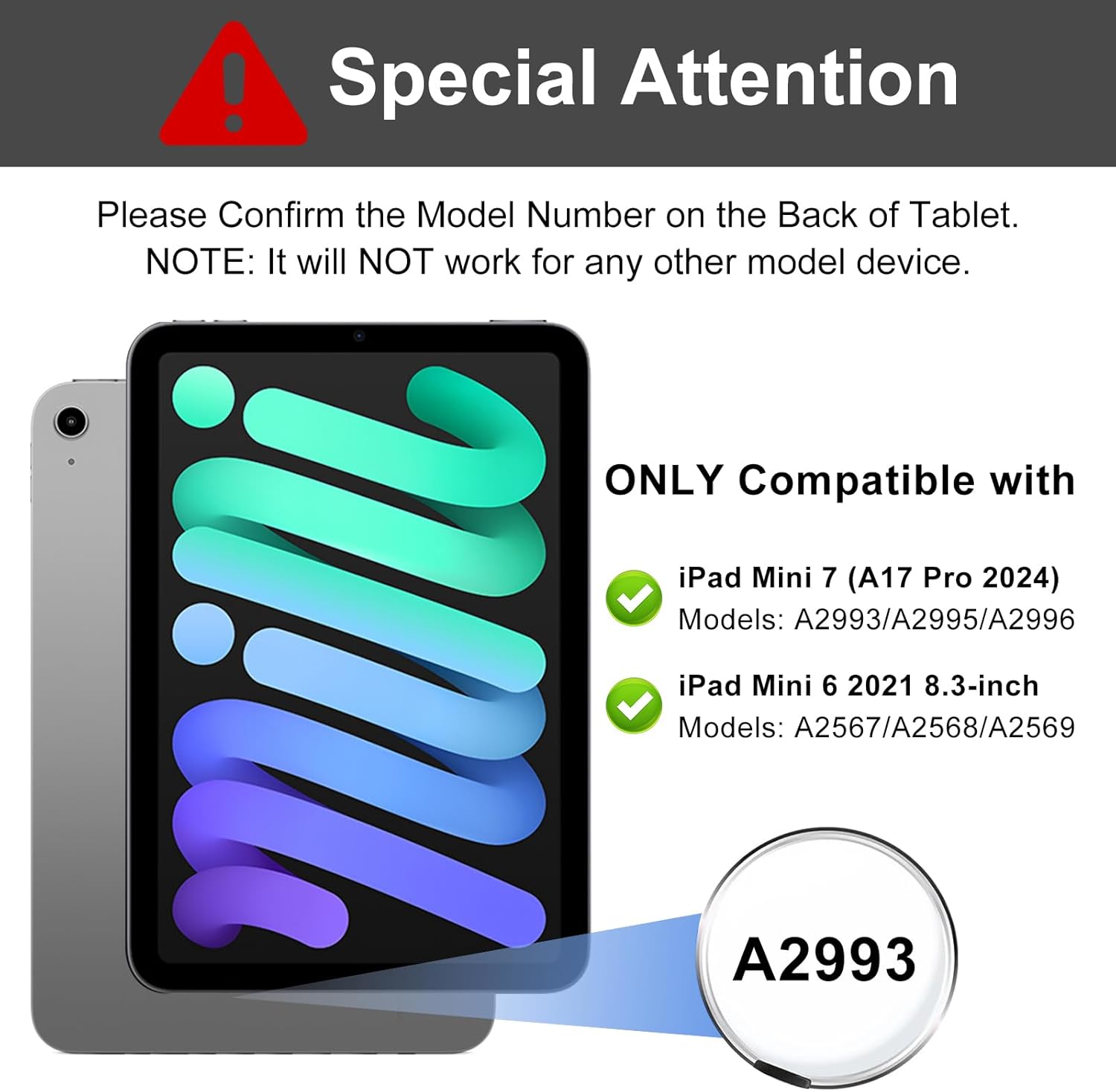
Image: Compatibility details for iPad mini 7th and 6th generation, highlighting model numbers.
1.2 Змест пакета
Пакет уключае:
- 1 x Case for iPad mini 7th/6th Generation
- 1 x Bluetooth Keyboard for iPad mini 7th/6th Generation
- 1 х USB-кабель для зарадкі
- 1 х Кіраўніцтва карыстальніка (гэты дакумент)
Note: iPad mini tablet and Apple Pencil are not included.
2. Настройка
2.1 Зарадка клавіятуры
Before initial use, fully charge the keyboard. Connect the provided USB charging cable to the keyboard's charging port and a USB power adapter (not included). The charging indicator light will illuminate during charging and turn off when fully charged.
- Час зарадкі: прыблізна 2 гадзіны
- Working Time: Up to 90 hours on a full charge

Image: Keyboard charging port and battery life indicators.
2.2 Спалучэнне па Bluetooth
Follow these steps to connect your keyboard to your iPad mini:
- Пераканайцеся, што клавіятура зараджана.
- Уключыце клавіятуру, перамясціўшы выключальнік харчавання ў становішча «ON». Індыкатар будзе міргаць.
- Націсніце "Злучыцца" кнопка на клавіятуры. Індыкатар Bluetooth пачне міргаць, паказваючы, што прылада знаходзіцца ў рэжыме спалучэння.
- On your iPad mini, go to Налады > Bluetooth.
- Уключыце Bluetooth. Ваш iPad пачне пошук даступных прылад.
- Знайдзіце "Bluetooth Keyboard" (or similar name) in the "Other Devices" list and tap it to connect.
- Once paired, the Bluetooth indicator light on the keyboard will stop blinking and remain solid for a moment, then turn off. The iPad will show "Connected" next to the keyboard name.
The keyboard will automatically connect to your iPad mini when turned on, provided Bluetooth is enabled on your iPad and the keyboard was previously paired.

Image: Keyboard layout highlighting power and connect buttons, demonstrating multi-device compatibility.
3. Інструкцыя па эксплуатацыі
3.1 Функцыянальнасць здымнай клавіятуры
The keyboard is magnetically attached to the case, allowing it to be easily detached for separate use or when you only need the protective case. The strong magnetic adsorption ensures stability when the keyboard is in place.
3.2 Built-in Pen Holder
The case features a dedicated slot for your Apple Pencil. This slot supports wireless charging for compatible Apple Pencils, ensuring your pencil is always ready for use and securely stored.

Image: Apple Pencil stored and wirelessly charging in the case's pen holder.
3.3 Рэгуляваны Viewвуглавыя куты
The case is designed with three anti-slip grooves, allowing you to adjust your iPad mini to optimal viewing angles for various activities such as typing, watching videos, or reading. The available angles are approximately 130°, 120°, and 110°.

Image: Different viewing angles provided by the case's anti-slip grooves.

Image: User enjoying media with the iPad mini in the case, set at a comfortable viewкут нахілу.
3.4 спалучэнняў клавіш
The keyboard includes various shortcut keys for quick access to common functions. Refer to the keyboard layout for specific key functions. The keyboard is compatible with Android, Windows, and iOS systems. To switch between systems, press Fn + Q (Андроід), Fn + W (Windows), or Fn + E (iOS).
The case also supports automatic wake-up/sleep functionality when the cover is opened or closed.
4. Тэхнічнае абслугоўванне
To ensure the longevity and optimal performance of your keyboard case, follow these maintenance guidelines:
- Уборка: Выкарыстоўвайце мяккі, damp тканінай для працірання вонкавай паверхні корпуса і клавіятуры. Пазбягайце выкарыстання агрэсіўных хімічных рэчываў або абразіўных ачышчальнікаў.
- захоўванне: Калі клавіятура не выкарыстоўваецца працяглы час, захоўвайце яе ў прахалодным сухім месцы. Каб падоўжыць тэрмін службы батарэі, пераканайцеся, што клавіятура выключана.
- Абарона: Avoid exposing the case and keyboard to extreme temperatures, direct sunlight, or liquids.
5. Выпраўленне непаладак
If you encounter issues with your SENGBIRCH Keyboard Case, refer to the following common solutions:
- Клавіятура не падключаецца праз Bluetooth:
- Пераканайцеся, што клавіятура зараджана і ўключана.
- Make sure Bluetooth is enabled on your iPad mini.
- Забудзьцеся пра прыладу ў наладах Bluetooth вашага iPad і паспрабуйце зноў падключыць яе.
- Restart both your iPad mini and the keyboard.
- Клавішы не рэагуюць:
- Праверце, ці правільна падключана клавіятура праз Bluetooth.
- Ensure the keyboard battery is not low. Charge if necessary.
- Перазагрузіце клавіятуру і iPad.
- iPad not waking/sleeping automatically:
- Ensure the iPad is correctly seated in the case.
- Check iPad settings for "Lock/Unlock" or "Cover Lock" features and ensure they are enabled.
6. Тэхнічныя характарыстыкі
| Асаблівасць | Дэталь |
|---|---|
| Марка | СЕНГБЕРОЗА |
| Сумяшчальныя прылады | iPad mini 7th Gen (A2993/A2995/A2996), iPad mini 6th Gen (A2567/A2568/A2569) |
| Тэхналогія падлучэння | Bluetooth |
| Апісанне клавіятуры | Detachable / Wireless Bluetooth / Magnetic / Shortcut Keys |
| Асаблівасці | Detachable Keyboard, Full Coverage, Hotkeys and Media Keys, Scratch Resistant, Slim and Lightweight, Built-in Pen Holder (supports wireless charging) |
| Матэрыял | Acrylonitrile Butadiene Styrene, Polyurethane (PU), Thermoplastic Polyurethane (TPU) |
| Battery Life (Work Time) | Да 90 гадзін |
| Час зарадкі | Прыкладна 2 гадзіны |
7. Гарантыя і падтрымка
SENGBIRCH is committed to providing quality products and customer satisfaction. If you have any questions, concerns, or require assistance with your keyboard case, please do not hesitate to contact us.
Please refer to your purchase documentation or the seller's contact information for specific warranty details and customer service channels.