
DCOLOR EU014AB
Dcolor TV Remote Control User Manual
Model: EU014AB
Уводзіны
This manual provides comprehensive instructions for the Dcolor Universal TV Remote Control, Model EU014AB. This remote is designed to offer seamless control over various entertainment devices, including TVs and compatible Dcolor ATSC TV Tuners. Its ergonomic design and intuitive layout ensure ease of use for navigating menus, adjusting volume, changing channels, and controlling playback functions.

Image: The Dcolor Universal TV Remote Control, showcasinяго элегантны чорны дызайн і размяшчэнне кнопак.
Настройка
1. Устаноўка батарэі
- Знайдзіце батарэйны адсек на задняй частцы пульта дыстанцыйнага кіравання.
- Адчыніце крышку батарэі.
- Insert 1 AAA battery, ensuring the correct polarity (+ and -) as indicated inside the compartment.
- Надзейна зачыніце крышку батарэі.
2. Compatibility and Initial Use
This remote is designed for universal compatibility with most major TV brands and specifically with Dcolor ATSC TV Tuners. No complex programming is typically required for basic functions with compatible Dcolor devices. For other TV brands, the remote may automatically detect and control the device, or refer to the "Remote Control Code" section for advanced setup if needed.
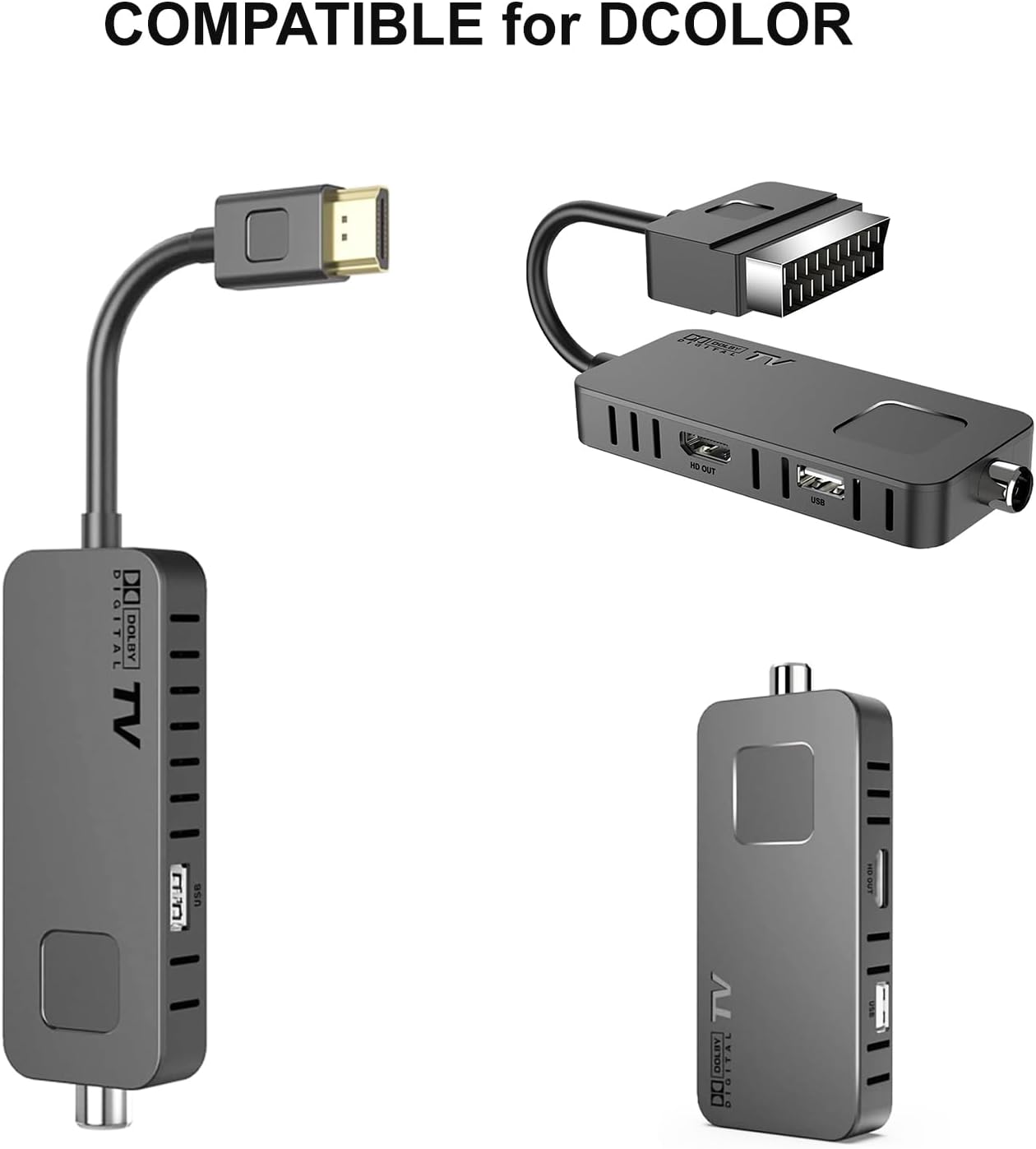
Image: The Dcolor remote control shown alongside compatible Dcolor TV tuner devices, illustrating its intended use.
Інструкцыя па эксплуатацыі
The Dcolor remote control features a comprehensive layout for intuitive operation. Below is a guide to its primary functions:

Выява: Падрабязны view of the Dcolor remote control, highlighting key buttons and their corresponding functions for TV and decoder control.
- Кнопка харчавання (●): Turns the connected device on or off.
- НАБОР: Used for advanced settings or programming.
- ТБ/AV: Switches between TV and AV input modes.
- VOL +/-: Рэгулюе ўзровень гучнасці.
- CH +/-: Змяняе каналы ўверх або ўніз.
- Навігацыйная панэль (Уверх, Уніз, Улева, Управа, ОК): Перамяшчэнне па меню і пацвярджэнне выбару.
- МЕНЮ: Opens the main menu of the device.
- ВЫХАД: Выхад з бягучага меню або экрана.
- PVR: Accesses Personal Video Recorder functions.
- V-ФАРМАТ: Changes video format settings.
- АСПЕКТ: Adjusts screen aspect ratio.
- ТАЙМЕР: Sets sleep timers or recording timers.
- Playback Controls (Play/Pause, Stop, Rewind, Fast Forward, Previous, Next): Кіруе прайграваннем мультымедыя.
- EPG: Адлюстроўвае электронны тэлегід.
- СУБ-Т: Уключае/выключае субтытры.
- АДЗВІННЕ: Recalls the previously viewрэдагаваны канал.
- ІНФА: Паказвае інфармацыю пра бягучую праграму.
- АЎДЫЁ: Выбар аўдыядарожак або рэжымаў.
- АБРАШАНАЕ: Доступ да спісу абраных каналаў.
- ТТХ: Activates Teletext.
- ЗАПІС: Initiates recording.
- PAGE+/-: Navigates through pages in menus or guides.
- Кнопкі з лічбамі (0-9): Непасрэдны ўвод нумароў каналаў.
- ТБ / РАДЫЁ: Пераключэнне паміж рэжымамі тэлебачання і радыё.
Remote Control Code (Advanced Setup)
For specific programming or if the remote does not automatically control your device, refer to the remote control code diagram. This diagram illustrates the internal codes corresponding to various buttons, which may be used for manual programming with certain devices or universal remote setup guides.

Image: A diagram showing the internal code mapping for various buttons on the Dcolor remote control, useful for advanced programming.
Тэхнічнае абслугоўванне
- Уборка: Use a soft, dry cloth to clean the remote control. Do not use liquid cleaners or abrasive materials.
- Замена батарэі: Replace batteries when the remote's responsiveness decreases. Always use new AAA batteries and dispose of old batteries responsibly.
- ЗахоўваннеЗахоўвайце пульт у прахалодным, сухім месцы, удалечыні ад прамых сонечных прамянёў і экстрэмальных тэмператур.
- Даўгавечнасць: While designed for durability, avoid dropping the remote or exposing it to excessive force or moisture.
Ліквідацыю непаладак
| праблема | Магчымая прычына | Рашэнне |
|---|---|---|
| Пульт не адказвае. | Dead or incorrectly inserted batteries. Obstruction between remote and device. Remote out of range. | Check battery polarity and replace if necessary. Ensure clear line of sight to the device's IR receiver. Move closer to the device. |
| Не працуюць пэўныя кнопкі. | Button stuck or damaged. Device not compatible with specific function. | Gently press the button to ensure it's not stuck. Verify if the function is supported by your device. |
| Remote controls wrong device. | Interference from other remotes. Incorrect device selected (if applicable). | Ensure only one remote is being used at a time. If your device has multiple input modes, ensure the correct one is selected. |
Тэхнічныя характарыстыкі
- Нумар мадэлі: EU014AB
- Памеры прадукту: 7.09 х 1.78 х 0.78 цалі
- Вага прадмета: 2.12 унцыі
- Патрабуюцца батарэі: 1 батарэйка ААА
- Сумяшчальныя прылады: Television (specifically Dcolor ATSC TV Tuners and most major TV brands)
- Асаблівасці: Infrared Technology, Multi-device Control, Universal Programming
- Колер: Чорны
Ask a question about this manual
Ask about setup, troubleshooting, compatibility, parts, safety, or missing instructions. Manuals+ will review the question and use this page’s manual context to help answer it.