
Уводзіны
Дзякуй за пакупкуasing the Andoer Digital Camera H12. This manual provides detailed instructions for the proper use and maintenance of your camera. Please read this manual thoroughly before using the camera to ensure optimal performance and longevity.
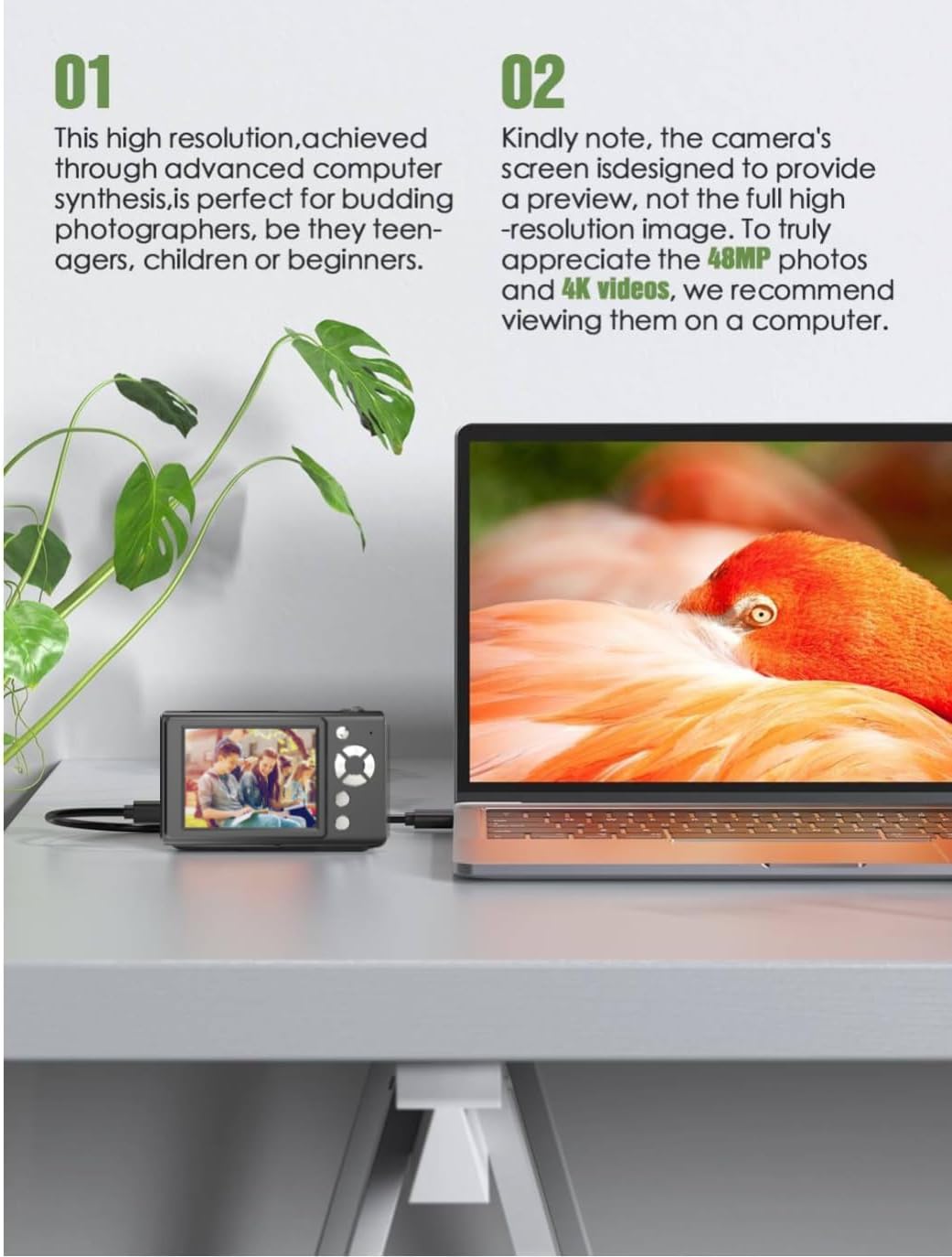
The Andoer H12 is a compact digital point-and-shoot camera featuring 1080P video recording, 48MP photo resolution, 16x digital zoom, autofocus, and an anti-shake function. It is designed for ease of use, making it suitable for various users.
Змест пакета
Калі ласка, праверце змесціва пакета пасля распакавання, каб пераканацца ў наяўнасці ўсіх прадметаў:
- 1 x Andoer Digital Camera H12
- 1 х USB-кабель (тыпу C)
- 1 х Наручны бранзалет
- 1 х 32 Гб карта памяці
- 1 х счытвальнік карт
- 1 х Кіраўніцтва карыстальніка
Настройка
1. Зарадка акумулятара
The camera is equipped with a built-in 3.7V 700mAh lithium battery. Before first use, fully charge the battery.
- Connect the included Type-C USB cable to the camera's USB port.
- Падключыце другі канец USB-кабеля да адаптара харчавання USB (не ўваходзіць у камплект) або да USB-порта кампутара.
- The charging indicator light will illuminate. Once charging is complete, the indicator light will change or turn off.
Заўвага: A full charge typically takes approximately 2-3 hours. Do not use the camera while it is charging.
2. Устаўка карты памяці
The camera supports TF (MicroSD) cards up to 128GB. A 32GB memory card is included in the package.
- Знайдзіце слот для карты памяці збоку камеры.
- Gently insert the TF card into the slot with the metal contacts facing the front of the camera until it clicks into place.
- To remove the card, gently push it in again until it springs out.

3. Прымацаванне раменьчыка на запясце
Attach the included wrist strap to the camera for added security and to prevent accidental drops.
- Thread the thin loop of the wrist strap through the strap eyelet on the camera body.
- Pass the larger end of the strap through the thin loop and pull tight to secure it.
Інструкцыя па эксплуатацыі
1. Уключэнне/выключэнне харчавання
- Каб уключыць прыладу, націсніце і ўтрымлівайце кнопку харчавання, пакуль не падсвеціцца экран.
- Каб выключыць прыладу, зноў націсніце і ўтрымлівайце кнопку харчавання, пакуль экран не выключыцца.
- The camera features an auto power-off function (off/3 mins/5 mins) which can be configured in the settings.
2. Фатаграфаванне
- Turn on the camera. The camera will typically start in photo mode.
- Frame your shot using the 2.8-inch IPS display.
- Press the shutter button halfway down to activate autofocus. The camera will recognize and track subjects.
- Once focus is achieved (indicated by a green frame), press the shutter button fully to take the picture.

3. Запіс відэа
- Switch to video mode (refer to the camera's on-screen interface for the mode switch button).
- Press the shutter button to start recording. A red indicator or timer will appear on the screen.
- Націсніце кнопку спуску затвора яшчэ раз, каб спыніць запіс.
The camera supports 1080P and 720P video resolutions in AVI format. Loop recording can be set for 3, 5, or 10 minutes.
4. Функцыя маштабавання
Use the zoom buttons (usually marked 'W' for Wide and 'T' for Telephoto) to adjust the 16x digital zoom. This allows you to magnify distant subjects.

5. LED Fill Light
The camera features a built-in ring LED fill light with three lighting modes to assist in low-light conditions.
- Белае святло: Bright, even, and soft illumination.
- Цёплы белы святло: Pure natural light, soft and comfortable.
- Жоўтае святло: Warm color adjustment for a warm atmosphere.
Access and cycle through these modes via the camera's menu or a dedicated button (refer to the on-screen interface).

6. Іншыя функцыі
- Таймер сэлфі: Options for off, 2s, 5s, or 10s delay before taking a photo.
- Бесперапынная здымка: Хутка зрабіце серыю фотаздымкаў.
- Анты-трасенне: Helps reduce blur caused by camera movement.
- Эфекты фільтра: Various built-in filters to enhance your photos.
- гульні: Includes 4 simple games for entertainment.
- Прайграванне MP3: Download MP3 music to the memory card and play it through the camera.

Тэхнічнае абслугоўванне
- Чыстка корпуса камеры: Выкарыстоўвайце мяккую сухую тканіну для працірання корпуса камеры. Для ўстойлівага бруду злёгкуampen the cloth with water and then wipe dry. Avoid using chemical cleaners.
- Ачыстка аб'ектыва і экрана: Use a specialized lens cleaning cloth or brush to gently remove dust and smudges. Do not use abrasive materials or excessive force.
- захоўванне: When not in use for extended periods, store the camera in a cool, dry place away from direct sunlight and extreme temperatures. Remove the memory card if not in use.
- Сыход за батарэяй: Avoid fully discharging the battery frequently. Charge the battery regularly, even if the camera is not in use, to maintain battery health.
- Воданепранікальнасць: Гэта камера не воданепранікальны. Avoid exposure to water, rain, or high humidity.
Ліквідацыю непаладак
| праблема | Магчымая прычына | Рашэнне |
|---|---|---|
| Камера не ўключаецца. | Акумулятар разраджаны або не зараджаны. | Charge the camera battery fully using the provided USB cable. |
| Нельга рабіць фота/запісваць відэа. | Memory card is full, not inserted correctly, or corrupted. | Check if the memory card is inserted correctly. Delete unnecessary files or replace the memory card. Format the card if necessary (this will erase all data). |
| Выявы размытыя. | Autofocus failed, camera shake, or dirty lens. | Ensure autofocus is engaged. Hold the camera steady or use the anti-shake function. Clean the lens with a soft cloth. |
| Экран пусты або завіс. | System error or temporary malfunction. | Press and hold the power button for 10 seconds to force a shutdown, then restart the camera. If the issue persists, contact customer support. |
| Немагчыма перадаць fileда кампутара. | Incorrect cable connection or driver issue. | Ensure the USB cable is securely connected. Try a different USB port or computer. Use the included card reader to transfer files непасрэдна з карты памяці. |
Тэхнічныя характарыстыкі
| Асаблівасць | Дэталь |
|---|---|
| Назва мадэлі | H12 |
| Дысплей | 2.8-цалевы IPS LCD |
| Дазвол фота | Up to 48MP (48M, 40M, 24M, 20M, 18M, 16M, 12M, 10M, 8M, 5M, 3M, 2M, 1M) |
| Фармат фота | JPG |
| Дазвол відэа | 1080П, 720П |
| Фармат відэа | AVI |
| Лічбавы зум | 16X |
| Аўтафокус | Yes (Contrast Detection, 9 points) |
| Стабілізацыя выявы | Аптычны |
| Тып датчыка | CMOS (1/4 цалі) |
| Захоўванне | TF card, max. 128GB (32GB included) |
| акумулятар | Built-in Lithium Battery (3.7V 700mAh) |
| Інтэрфейс для зарадкі | USB Type-C |
| Таймер сэлфі | Off/ 2s/ 5s/ 10s |
| Аўтаматычнае выключэнне | Off/ 3 mins/ 5 mins |
| цыклічны запіс | 3 mins/ 5 mins/ 10 mins |
| Убудаваныя функцыі | LED Fill Light (3 modes), Filter Effects, 4 Games, MP3 Playback |
| Памер прадукту | 103 х 31 х 65 мм |
| Вага прадукту | 149g (camera body) / 260g (item weight including packaging/accessories) |
| Узровень воданепранікальнасці | Не воданепранікальны |
Інфармацыя аб гарантыі
The Andoer Digital Camera H12 comes with a Гарантыя 1 год from the date of purchase. This warranty covers manufacturing defects and malfunctions under normal use. It does not cover damage caused by misuse, accidents, unauthorized repairs, or natural disasters.
Калі ласка, захавайце доказы пакупкі для прэтэнзій па гарантыі.
Падтрымка кліентаў
If you encounter any issues or have questions not covered in this manual, please contact Andoer customer support. You can typically find support contact information on the official Andoer webна сайце або праз вашага прадаўца.
Каб атрымаць дадатковую дапамогу, наведайце Andoer Store on Amazon.