
1. Уводзіны
The TRIGKEY Key-N150 Mini PC is a compact and efficient computer designed for various tasks, from office work to media entertainment. It features an Intel Twin Lake N150 processor, 16GB DDR4 RAM, and a 500GB M.2 PCIeX4 SSD, offering reliable performance in a small form factor. This manual provides essential information for setting up, operating, and maintaining your Mini PC.

Выява 1.1: Спераду view of the TRIGKEY Key-N150 Mini PC.
2. Змесціва ўпакоўкі
Калі ласка, праверце ўпакоўку на наяўнасць наступных прадметаў:
- TRIGKEY Key-N150 Mini PC
- Кіраўніцтва карыстальніка
- Кабель HDMI (1 м)
- AC Power Cable (Optional: US/EU/UK/JP/AU)
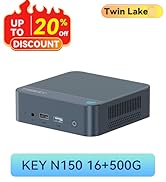
Image 2.1: TRIGKEY Key-N150 Mini PC and included accessories.
3. Прадукт скончыўсяview
The Key-N150 Mini PC is equipped with a variety of ports and internal components to support its functionality.
3.1 Front and Rear Panel Interfaces

Image 3.1: Front panel of the Mini PC, showing USB ports and audio jack.

Image 3.2: Rear panel of the Mini PC, showing AC power, USB, LAN, and HDMI ports.
The Mini PC features:
- Спераду: 3.5mm Audio Jack, USB 2.0, USB 3.2 (10Gbps), Power Button, Power Indicator Light.
- Ззаду: AC Power Input, USB 3.2 (10Gbps) x2, LAN (1000M) x2, HDMI x2.
3.2 Унутраныя кампаненты
Малюнак 3.3: У разабраным выглядзе view showing the internal components of the Mini PC, including the CPU, fan, RAM, and SSD slots.
Key internal features include:
- Працэсар: Intel Twin Lake N150 (4 Cores/4 Threads, up to 3.60GHz).
- Графіка: Intel UHD Graphics (24EUs, 1000MHz).
- Памяць: 16GB DDR4 3200MHz SO-DIMM (single channel, expandable).
- захоўванне: 500GB M.2 PCIeX4 SSD (supports dual M.2 2280 SSDs, up to 2TB expansion).
- Бесправаднае падключэнне: Wi-Fi 5 і Bluetooth 5.0.
- крыніца харчавання: Built-in 45W PSU.

Image 3.4: Details of the Intel Twin Lake N150 processor, highlighting its 3.6 GHz max turbo frequency, 4 cores, and 4 threads.

Image 3.5: Illustration of the 16GB DDR4 SO-DIMM RAM and the dual M.2 2280 SSD slots for storage expansion.
4. Інструкцыі па ўсталёўцы
Follow these steps to set up your TRIGKEY Key-N150 Mini PC:
- Падключэнне да дысплея: Use an HDMI cable to connect the Mini PC to your monitor or TV. The device supports dual HDMI output for multiple displays.
- Падключэнне перыферыйных прылад: Падключыце клавіятуру і мыш USB да даступных USB-портаў.
- Падключэнне да сеткі: For a wired connection, connect an Ethernet cable to one of the two LAN ports. For wireless, ensure your WiFi network is available during initial setup.
- Уключэнне: Connect the AC power cable to the Mini PC and then to a power outlet. Press the power button on the front panel.
- Пачатковая загрузка: The Mini PC will boot up. Follow the on-screen instructions to complete the operating system setup (if not pre-configured).
Відэа 4.1: Оверview of the TRIGKEY Key-N150 Mini PC, demonstrating its features and connectivity options. This video provides a visual guide to the product's design and capabilities.
5. Інструкцыя па эксплуатацыі
5.1 Асноўныя аперацыі
Once set up, your Mini PC functions like a standard desktop computer. You can perform tasks such as web browsing, media playback, and office applications.

Image 5.1: The Mini PC supports various applications including web browsing, media entertainment, office work, and 4K video playback.
5.2 Dual Display Setup
The Mini PC supports connecting two monitors via its dual HDMI ports. To configure dual displays:
- Connect both monitors to the HDMI ports on the rear of the Mini PC.
- Power on the Mini PC and both monitors.
- The operating system should automatically detect both displays. You can adjust display settings (extend, duplicate, primary display) through your OS display settings.
5.3 Intel Unison App
The Intel Unison App allows seamless connection between your Mini PC and mobile devices. This enables features such as:
- Viewing photo galleries from your PC.
- Extending your PC screen with a tablet.
- Making and receiving phone calls from your PC.
- Перадача files between phone/tablet and PC.
- Sending and receiving text messages from your PC.
- Managing device notifications from a single source.

Image 5.2: The Intel Unison App facilitates seamless connectivity and data transfer between your Mini PC and mobile devices.
6. Тэхнічнае абслугоўванне
To ensure the longevity and optimal performance of your Mini PC, consider the following maintenance tips:
- Трымайце яго ў чысціні: Regularly clean the exterior of the Mini PC with a soft, dry cloth. Ensure ventilation holes are free from dust and obstructions to maintain efficient cooling.
- Абнаўленні праграмнага забеспячэння: Абнаўляйце аперацыйную сістэму і драйверы да апошніх версій для павышэння бяспекі і прадукцыйнасці.
- Правільнае выключэнне: Заўсёды правільна выключайце міні-ПК праз аперацыйную сістэму, каб прадухіліць пашкоджанне дадзеных.
- Умовы навакольнага асяроддзя: Operate the Mini PC in a well-ventilated area, away from direct sunlight, excessive heat, and moisture.

Image 6.1: The Mini PC features an efficient cooling system to ensure stable operation and heat dissipation.
7. Выпраўленне непаладак
Калі ў вас узніклі праблемы з вашым міні-ПК, звярніцеся да наступных распаўсюджаных рашэнняў:
- Няма харчавання: Ensure the AC power cable is securely connected to both the Mini PC and the power outlet. Try a different power outlet.
- Няма дысплея: Check that the HDMI cable is firmly connected to both the Mini PC and the monitor. Verify the monitor is powered on and set to the correct input source. Try a different HDMI cable or monitor if possible.
- Няма падключэння да Інтэрнэту: For wired connections, check the Ethernet cable and router status. For wireless, ensure Wi-Fi is enabled in the operating system and you are connected to the correct network with the correct password.
- Перыферыйныя прылады не працуюць: Ensure USB devices are properly plugged into the USB ports. Try different USB ports or restart the Mini PC.
- Запаволенне сістэмы: Close unnecessary applications. Check for background processes consuming high resources. Ensure sufficient free storage space.
- Нечаканыя адключэнні: Ensure the Mini PC is in a well-ventilated area and not overheating. Check for any recent software or driver installations that might be causing instability.
If problems persist, consult the TRIGKEY support resources mentioned in the Warranty and Support section.
8. Тэхнічныя характарыстыкі
| Асаблівасць | Дэталь |
|---|---|
| Марка | ТРЫКЛЮЧ |
| Нумар мадэлі | KEY N150 |
| Мадэль працэсара | Intel Twin Lake N150 (Celeron) |
| Хуткасць працэсара | Да 3.6 Ггц |
| Колькасць працэсараў | 4 |
| Графічны супрацэсар | Графіка Intel UHD |
| RAM Memory Installed | 16 ГБ DDR4 SDRAM |
| Хуткасць памяці | 3200 МГц |
| Даступныя слоты памяці | 1 |
| Ёмістасць памяці | 500 ГБ |
| Апісанне жорсткага дыска | 500GB M.2 PCIeX4 SSD |
| Аперацыйная сістэма | OS (Pre-installed) |
| Тэхналогія падлучэння | Bluetooth, Ethernet, HDMI, Wi-Fi |
| Бесправадная сумяшчальнасць | 802.11ac (Wi-Fi 5), Bluetooth 5.0 |
| Усяго партоў USB | 3 (USB 3.2 x2, USB 2.0 x1) |
| Total Number of HDMI Ports | 2 |
| Максімальнае дазвол дысплея | 3840x2160 (4K) |
| Спосаб астуджэння | Passive (with fan for efficient heat dissipation) |
| Тып сілкавання | Тып A - 2-кантактны (паўночнаамерыканскі) |
| Колер | Шэры |
9. Гарантыя і падтрымка
TRIGKEY is committed to providing excellent customer service and support for your Mini PC.
- Хуткі адказ: Support inquiries receive a reply within 24 hours.
- Палітыка вяртання: Палітыка вяртання на працягу 30 дзён.
- Замена: Replacement available within 12 months of purchase.
- Пажыццёвая падтрымка: Пажыццёвае пасляпродажнае абслугоўванне і тэхнічная падтрымка.

Image 9.1: TRIGKEY's commitment to customer service, including response times, return policy, replacement period, and lifetime technical support.
Звяжыцеся з намі
For further assistance, technical support, or warranty claims, please use the following channels:
- электронная пошта: Refer to your product packaging or the official TRIGKEY website for email contact information.
- Webсайт: Visit the official TRIGKEY webсайт з часта задаванымі пытаннямі, драйверамі і рэсурсамі падтрымкі.
- Online Consultation: Check the TRIGKEY store page for online chat or consultation options.

Image 9.2: Various contact methods for TRIGKEY customer service and technical support.