
1. Уводзіны
The Saker Cordless Tile Vibration Tool (Model SK-7019A) is a portable, handheld device designed for efficient and precise tile installation. This tool combines powerful suction with adjustable vibration to ensure optimal adhesion and leveling of various tile types on different surfaces. Its cordless design, digital display, and multiple speed settings enhance user convenience and work efficiency. This manual provides essential information for safe operation, setup, maintenance, and troubleshooting.

Figure 1: Saker Cordless Tile Vibration Tool with included accessories.
2. Інфармацыя па бяспецы
Заўсёды чытайце і разумейце ўсе папярэджанні і інструкцыі па бяспецы перад выкарыстаннем гэтага інструмента. Невыкананне гэтых інструкцый можа прывесці да паражэння электрычным токам, пажару і/або сур'ёзных траўмаў.
2.1 Агульныя папярэджанні па бяспецы
- Бяспека ў рабочай зоне: Трымайце сваю працоўную зону ў чысціні і добра асветленай. Загрувашчаныя або цёмныя месцы выклікаюць аварыі.
- Электрабяспека: Не падвяргайце электраінструменты ўздзеянню дажджу або вільготнасці. Трапленне вады ў электраінструмент павялічвае рызыку паразы электрычным токам.
- Асабістая бяспека: Always wear appropriate personal protective equipment, including eye protection, gloves, and sturdy footwear. Avoid loose clothing or jewelry.
- Выкарыстанне інструмента і догляд за ім: Не перашчыруйце з інструментам. Выкарыстоўвайце правільны інструмент для вашага прымянення. Адключыце акумулятарную батарэю ад інструмента перад тым, як рабіць якія-небудзь рэгуляванні, замяняць аксэсуары або захоўваць электраінструменты.
2.2 Бяспека акумулятара
- Use only the charger specified by the manufacturer to recharge. A charger that is suitable for one type of battery pack may create a risk of fire when used with another battery pack.
- Do not use battery packs that are damaged or modified. Damaged or modified batteries may exhibit unpredictable behavior resulting in fire, explosion, or risk of injury.
- Не падвяргайце акумулятар або інструмент уздзеянню агню або празмернай тэмпературы. Уздзеянне агню або тэмпературы вышэй за 130°C (265°F) можа выклікаць выбух.
- Follow all charging instructions and do not charge the battery pack or tool outside the temperature range specified in the instructions. Improperly charging or at temperatures outside the specified range may damage the battery and increase the risk of fire.
3. Змесціва ўпакоўкі
Verify that all items listed below are included in your package. If any items are missing or damaged, please contact Saker customer support.
- 1 x Cordless Tile Vibration Tool
- 2 літый-іённыя батарэі 1.5 Аг 22 В
- 1 х зарадная прылада
- 1 х Кіраўніцтва карыстальніка (гэты дакумент)
- 1 х сумка для захоўвання

Figure 2: Included components in the Saker Cordless Tile Vibration Tool package.
4. Прадукт скончыўсяview
Familiarize yourself with the components of your Saker Cordless Tile Vibration Tool.

Figure 3: Key components of the Saker Cordless Tile Vibration Tool.
- Выключальнік сілкавання: Activates or deactivates the tool.
- Lifting Rod: Engages and disengages the suction cup mechanism.
- Lock Bolt: Secures the lifting rod in position.
- Прысоска: Creates a vacuum seal on the tile surface for lifting and vibration.
- Power Button (Start-up): Initiates the vibration function.
- Vibration Adjust (+/-): Buttons to increase or decrease the vibration speed.
- Level Bubble: Integrated bubble level for checking tile alignment.
- Лічбавай дысплей: Shows the current vibration speed level.
5. Настройка
5.1 Зарадка акумулятараў
- Падключыце зарадную прыладу да стандартнай разеткі.
- Insert a 22V battery into the charger. Ensure it is seated correctly.
- Allow the battery to charge fully. The charger's indicator light will typically change color or turn off when charging is complete. A full charge takes approximately 2 hours.
- Выміце акумулятар з зараднай прылады пасля поўнай зарадкі.
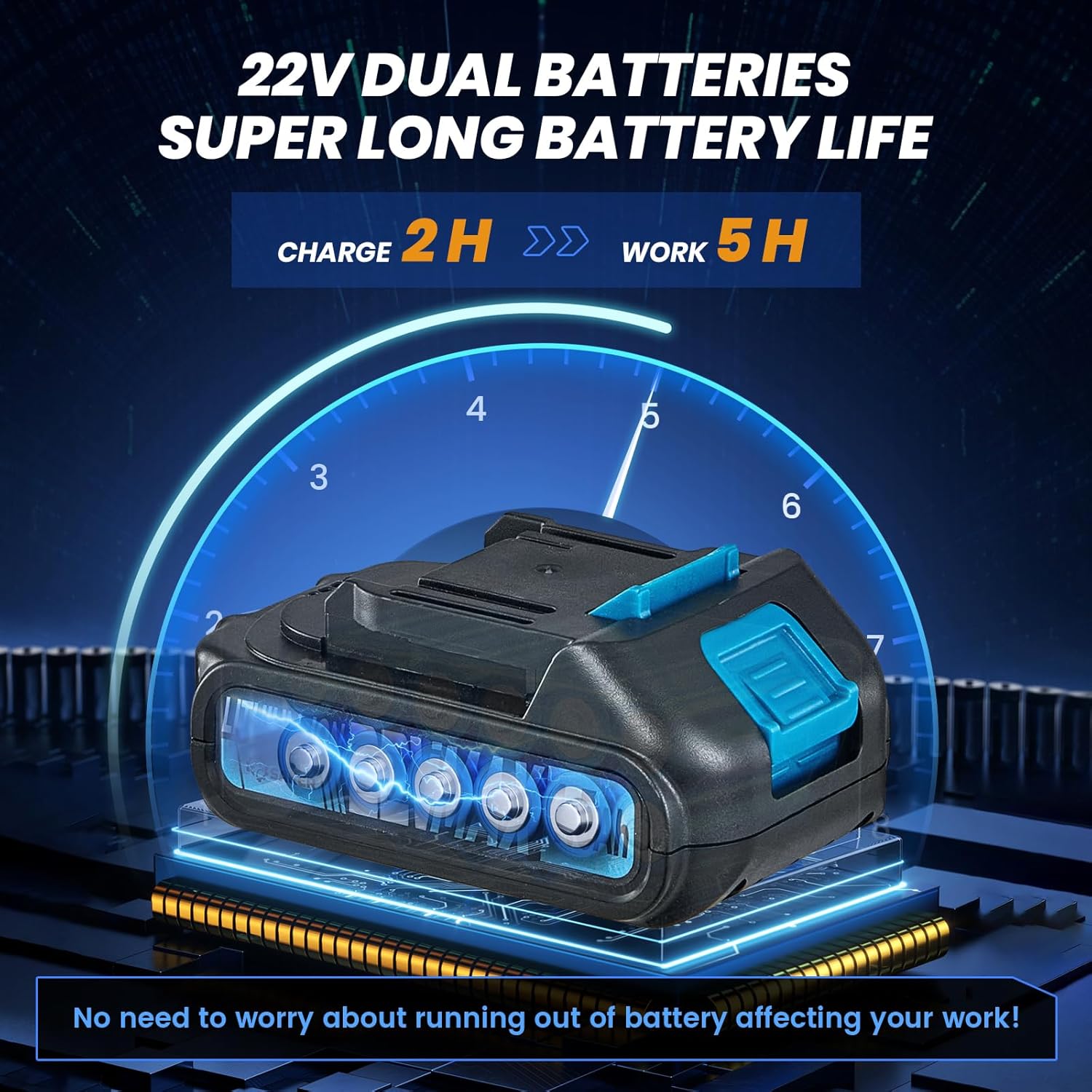
Figure 4: Charging the 22V Lithium-Ion battery.
5.2 Устаноўка батарэі
- Пераканайцеся, што выключальнік інструмента знаходзіцца ў становішчы ВЫКЛ.
- Align the charged battery with the battery slot at the base of the tool handle.
- Устаўце батарэйку ў слот, пакуль яна надзейна не зафіксуецца пачуўшы пстрычку.
- Каб выняць акумулятар, націсніце кнопку фіксацыі (калі яна ёсць) і выцягніце акумулятар.

Figure 5: Installing the battery into the tool.
6. Інструкцыя па эксплуатацыі
6.1 Уключэнне/выключэнне
Locate the main power switch on the tool's handle. Flip the switch to the 'ON' position to power on the tool. Flip it to 'OFF' when not in use or when changing batteries.

Figure 6: Engaging the main power switch.
6.2 Attaching to Tile (Suction Function)
- Ensure the tile surface is clean and dry for optimal suction.
- Place the suction cup flat onto the tile surface.
- Press down firmly on the tool and engage the Lifting Rod (refer to Figure 3) to create a vacuum seal. The Lock Bolt can be used to maintain suction.
- Verify that the tile is securely held by the suction cup before lifting or moving. The tool can absorb tiles with a load-bearing capacity of over 130 pounds.

Figure 7: Engaging the lifting rod for suction.
6.3 Adjusting Vibration Speed
- With the tool powered on, press the 'Start-up' Power Button (refer to Figure 3) to begin vibration.
- Use the '+' and '-' buttons on the control panel to adjust the vibration speed. There are 5 levels of adjustment, up to 18000r/min.
- The Digital Display will show the current vibration level. Adjust the speed based on the tile size, type, and adhesive thickness.

Figure 8: Control panel for vibration adjustment.
6.4 Vibrating the Tile for Adhesion
- After applying adhesive to the surface and placing the tile, attach the tool's suction cup to the tile.
- Activate the vibration function and gently move the tool across the tile surface. This helps to spread the adhesive evenly, remove air pockets, and ensure a strong bond.
- Use the integrated Level Bubble to check for proper alignment and flatness during the process.
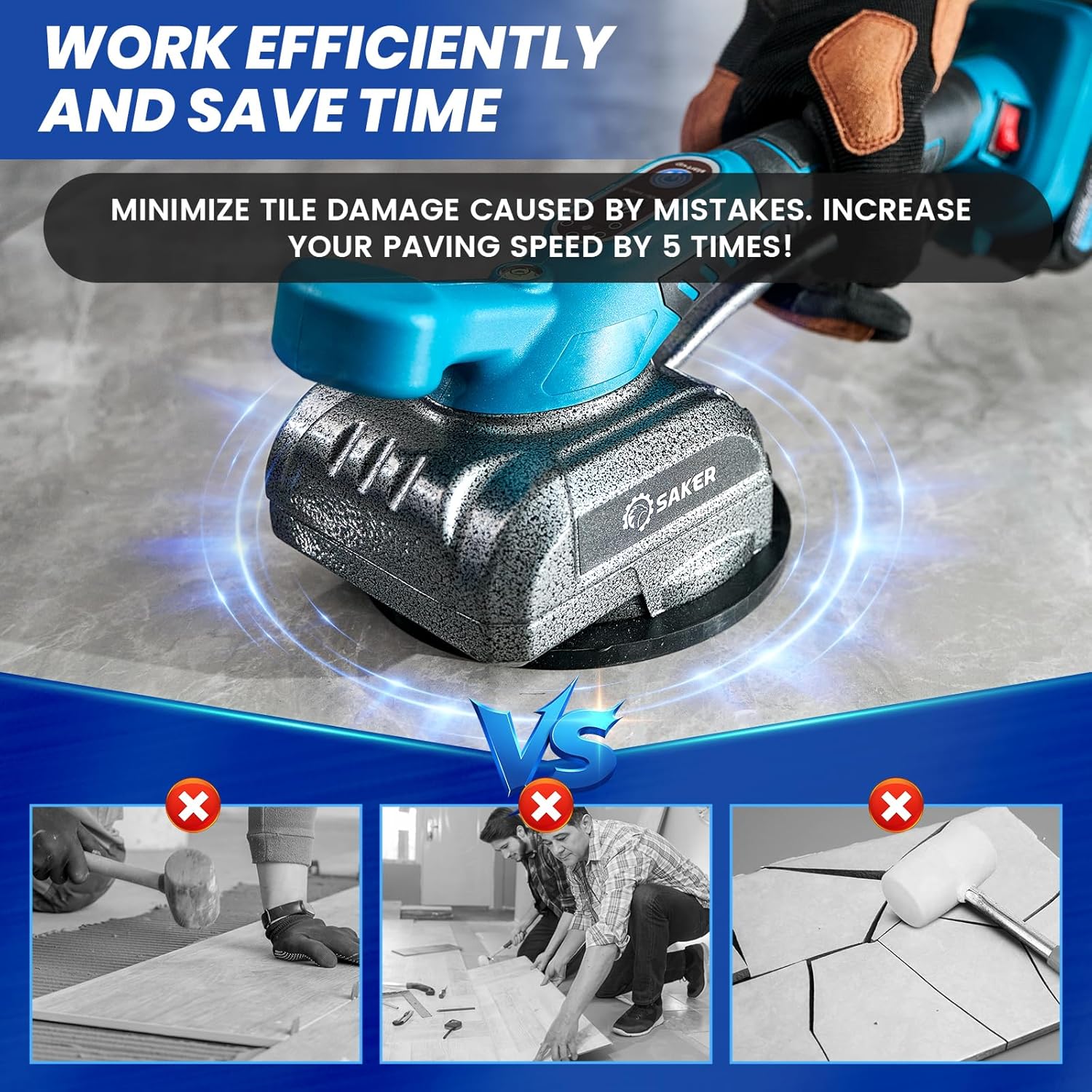
Figure 9: Using the tool to vibrate and level tiles.
6.5 Removing the Tool
To release the suction, disengage the Lifting Rod. Carefully lift the tool from the tile surface.
7. Тэхнічнае абслугоўванне
7.1 Ачыстка
- Always ensure the tool is powered off and the battery is removed before cleaning.
- Wipe the tool body with a clean, damp тканіна. Не выкарыстоўвайце агрэсіўныя хімікаты або абразіўныя ачышчальнікі.
- Clean the suction cup thoroughly after each use to remove any adhesive residue or debris. A clean suction cup ensures optimal performance.
7.2 Сыход за батарэяй і яе захоўванне
- Захоўвайце батарэі ў прахалодным, сухім месцы, удалечыні ад прамых сонечных прамянёў і экстрэмальных тэмператур.
- Для працяглага захоўвання зараджайце акумулятары прыблізна да 50% ёмістасці.
- Avoid fully discharging batteries, as this can reduce their lifespan.
7.3 Агульны агляд
- Regularly inspect the tool for any signs of damage, wear, or loose components.
- Пераканайцеся, што ўсе рухомыя часткі працуюць плаўна.
- If any damage is found, discontinue use and contact customer support for repair or replacement.
8. Выпраўленне непаладак
This section addresses common issues you might encounter with your Saker Cordless Tile Vibration Tool.
| праблема | Магчымая прычына | Рашэнне |
|---|---|---|
| Інструмент не ўключаецца. | Battery not charged or improperly installed. Main power switch is off. | Ensure battery is fully charged and correctly inserted. Flip the main power switch to 'ON'. |
| Poor or no suction. | Suction cup is dirty or damaged. Tile surface is wet or uneven. Lifting rod not fully engaged. | Clean the suction cup. Ensure tile surface is clean and dry. Fully engage the lifting rod and lock bolt. |
| Вібрацыя слабая або нераўнамерная. | Low battery charge. Incorrect speed setting. | Charge the battery. Adjust the vibration speed using the '+' button. |
| Акумулятар не зараджаецца. | Charger not connected. Faulty battery or charger. | Ensure charger is properly plugged in. Try a different outlet. Contact customer support if issue persists. |
9. Тэхнічныя характарыстыкі
| Асаблівасць | Спецыфікацыя |
|---|---|
| Марка | Балабан |
| мадэль | SK-7019A |
| тtage | 22 вольт |
| Тып батарэі | Літый-іённы |
| Колькасць батарэек | 2 (1.5 Аг) |
| Вага прадмета | 5.17 фунта |
| Памеры прадукту (ДxШxВ) | 14.29" x 7.17" x 5.67" |
| Максімальная грузападымальнасць | Больш за 130 фунтаў |
| Max Tile Size | 59 цалі х 59 цалі |
| Хуткасць вібрацыі | 5 levels, up to 18000 r/min |
| Матэрыял | Легаваная сталь |
10. Гарантыя і падтрымка
The Saker Cordless Tile Vibration Tool comes with a limited warranty. Please refer to the warranty card included in your package for specific terms and conditions. For any quality problems, questions about the product, or technical support, please contact Saker customer service. Keep your purchase receipt as proof of purchase for warranty claims.