
1. Уводзіны
This manual provides detailed instructions for the setup, operation, and maintenance of your JoFomp 17.3" Large Digital Wall Clock. Please read this manual thoroughly before use to ensure proper functionality and longevity of the product.
2. Інфармацыя па бяспецы
- Ensure the clock is connected to a stable power source (5V/2A adapter included).
- Не падвяргайце прыладу ўздзеянню экстрэмальных тэмператур, прамых сонечных прамянёў або высокай вільготнасці.
- Захоўваць у месцах, недаступных дзецям.
- Не спрабуйце самастойна разабраць або адрамантаваць прыладу. Звярніцеся ў службу падтрымкі па дапамогу.
- Для пульта дыстанцыйнага кіравання патрэбныя 2 батарэйкі ААА (не ўваходзяць у камплект).
- A 1 AAA battery (not included) is required for the memory function to retain settings during power outagэс.
3. Змесціва ўпакоўкі
Праверце наяўнасць усіх прадметаў у камплекце:
- JoFomp 17.3" Digital Wall Clock
- Пульт дыстанцыйнага кіравання
- Адаптар сілкавання 5V/1A пастаяннага току
- Шнур харчавання
- Mounting Hooks (2)
- Mounting Template Ruler
- Кіраўніцтва карыстальніка (гэты дакумент)

Малюнак 3.1: Камплектуючыя аксэсуары і асноўны блок.
4. Прадукт скончыўсяview
The JoFomp 17.3" Large Digital Wall Clock features a clear LED display and multiple functions for convenience.

Figure 4.1: Front display of the digital wall clock.
4.1 Функцыі дысплея
- Дысплей часу: Large 17.3" LED digits.
- Дысплей даты: Month and Day.
- Дзень тыдня: Indicated by illuminated text (Mon-Sun).
- тэмпература: Displays in Celsius or Fahrenheit.
- Вільготнасць: Displays relative humidity percentage.
- Падвойныя будзільнікі: Two independent alarm settings.
- Індыкатар летняга часу: Daylight Saving Time status.

Figure 4.2: Labeled display functions.
4.2 Back Panel and Buttons
The back of the clock houses control buttons and connection ports.

Figure 4.3: Back panel with labeled components.
- Кнопкі налад: Five buttons for manual adjustments (Light, SET, +, -, Alarm).
- Memory Battery Compartment: For 1 AAA battery (not included) to retain settings.
- Порт харчавання: Для падлучэння адаптара сілкавання.
- Мацаванне адтулін: For wall installation.
5. Настройка
5.1 Падключэнне харчавання
- Connect the power cord to the clock's power port.
- Plug the 5V/2A power adapter into a standard electrical outlet. The clock will power on and display.
Заўвага: The clock requires continuous power to operate. It is not battery-powered for primary display.
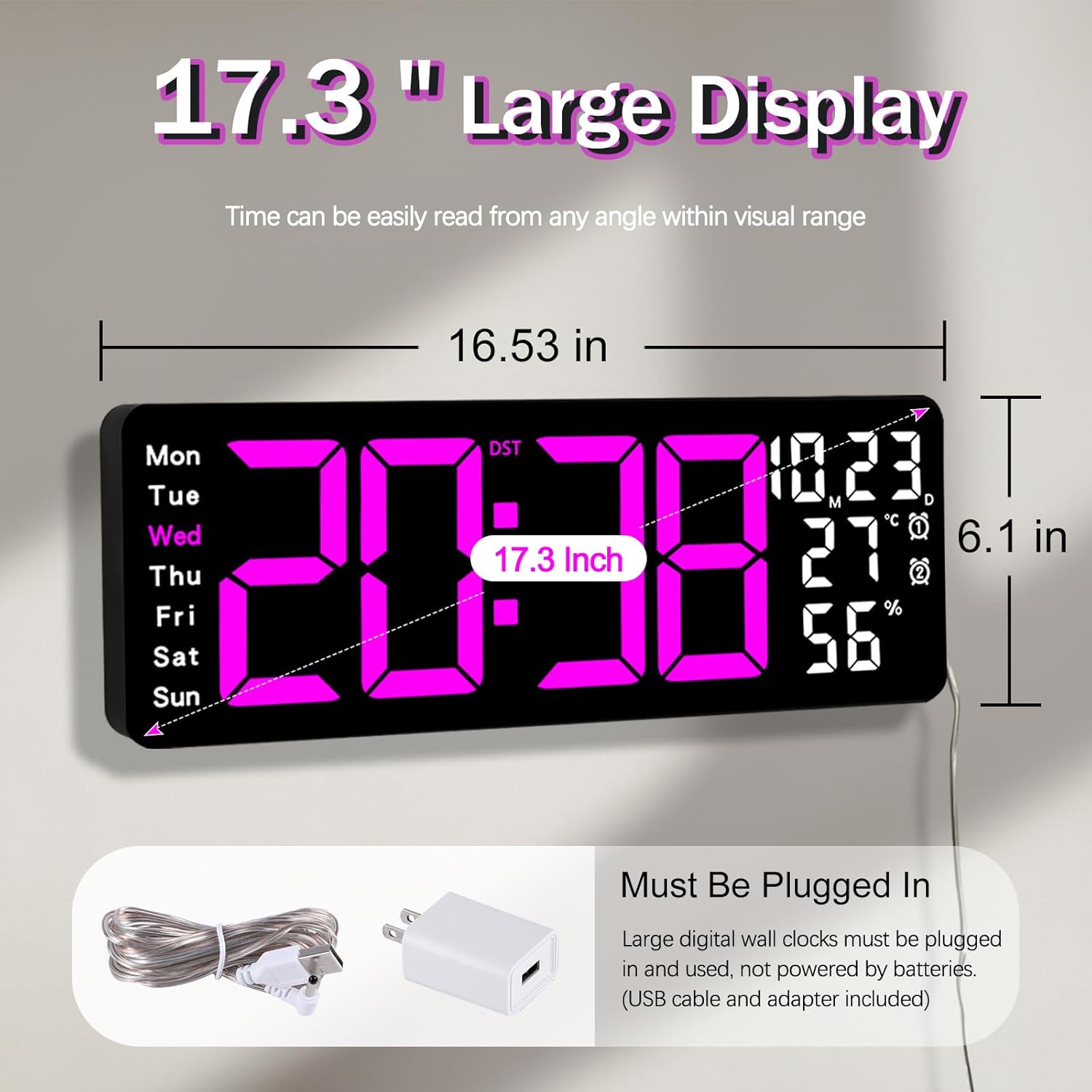
Figure 5.1: Power connection and dimensions.
5.2 Memory Battery Installation (Optional)
To retain time and settings during a power outage, install a 1 AAA battery (not included) into the memory battery compartment on the back of the clock.
- Locate the memory battery compartment on the back of the clock.
- Адкрыйце крышку адсека.
- Insert one 1.5V AAA battery, ensuring correct polarity (+/-).
- Надзейна зачыніце вечка аддзялення.
5.3 Насценны мантаж
Use the included mounting template ruler and hooks for easy wall installation.
- Determine the desired location for your clock.
- Place the mounting template ruler on the wall at the desired height.
- Mark the positions for the mounting hooks according to the ruler's indications.
- Install the mounting hooks into the wall at the marked positions.
- Carefully hang the clock onto the installed hooks, ensuring it is level and secure.
6. Інструкцыя па эксплуатацыі
The clock can be operated using either the remote control or the buttons on the back.
6.1 Устаноўка часу і даты
Use the remote control or the "SET" button on the back of the clock.
- Націсніце НАБОР button (on remote or back of clock) to enter setting mode.
- Выкарыстоўвайце + і - кнопкі для рэгулявання мігаючага значэння (напрыклад, гадзіны, хвіліны, год, месяц, дзень).
- Прэса НАБОР again to confirm the current setting and move to the next parameter.
- Repeat until all settings are configured.
6.2 12/24 Hour Format Conversion
To switch between 12-hour and 24-hour time formats:
- Націсніце спецыяльны 12/24 гадзіны кнопку на пульце.
- Alternatively, during time setting, the format option will appear.

Figure 6.1: 12/24H format conversion.
6.3 Temperature Unit Conversion (°C/°F)
Каб пераключыцца паміж адзінкамі тэмпературы ў градусах Цэльсія і Фарэнгейта:
- Націсніце ° C / ° F кнопку на пульце.
6.4 Alarm Setting (Dual Alarms)
Гадзіннік падтрымлівае два незалежныя будзільнікі.
- Націсніце ТРЫВОГА button on the remote control or the back of the clock.
- Выкарыстоўвайце + і - каб усталяваць патрэбны час будзільніка.
- Прэса ТРЫВОГА again to confirm and move to the next alarm or exit.
- To activate/deactivate an alarm, press the corresponding alarm button (e.g., AL1 or AL2) на пульце.
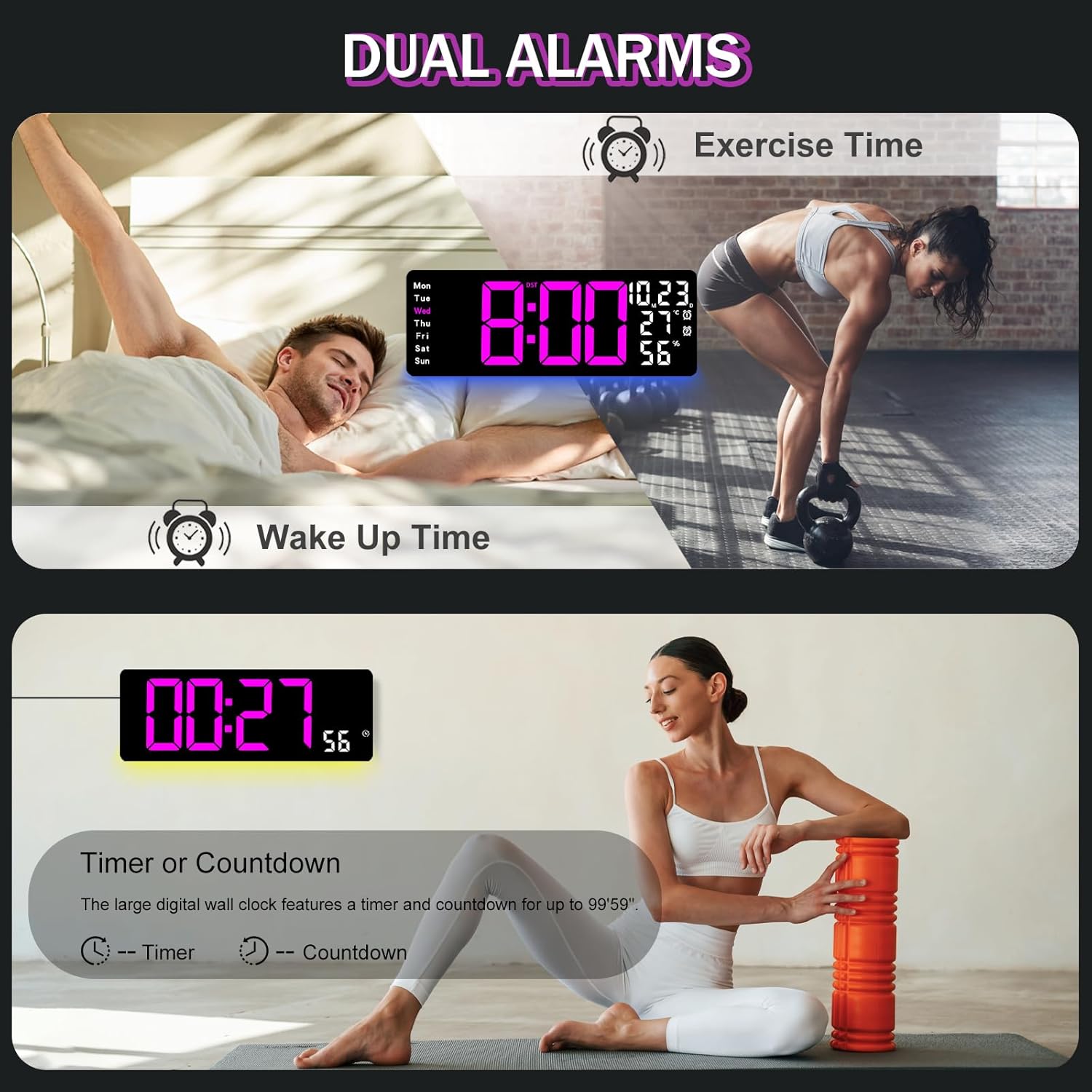
Figure 6.2: Dual alarm and timer functions.
6.5 Рэгуляванне яркасці
The clock offers 10 levels of brightness, adjustable manually or automatically.
- Аўтаматычная яркасць: The built-in light sensor adjusts brightness based on ambient light. Activate this mode by pressing the АЎТА кнопку на пульце.
- Ручная яркасць: Націсніце ЯРКАСЦЬ button on the remote, then use + і - to select one of the 10 levels.

Figure 6.3: Custom and auto-brightness settings.

Figure 6.4: Brightness regulator illustration.
6.6 Ambient Light Features
The clock includes a night light feature at the bottom with multiple color options.
- Націсніце СВЯТЛО button on the remote control or the back of the clock to cycle through 8 fixed colors and 1 multi-color mode.
- In multi-color mode, the colors automatically convert. Press OK to fix a favorite color.
- Adjust the brightness of the ambient light using the + і - buttons when the ambient light is active.

Figure 6.5: Multiple ambient night light options.

Figure 6.6: 9 color ambient light options.
6.7 Timer and Countdown Function
The clock features a timer (count-up) and countdown function up to 99 minutes and 59 seconds.
- Націсніце ТАЙМЕР кнопку на пульце.
- Выкарыстоўвайце + і - to set the desired time for countdown.
- Прэса ПУСК/СТОП to begin or pause the timer/countdown.
- Прэса СКІД каб ачысціць таймер.

Figure 6.7: Timing function (count-up/countdown).
Video 6.1: Demonstration of multi-functional features including night light change, brightness control, count-up, and countdown. This video also shows the time, date, day, alarm clock, temperature, and humidity displayed on the same screen, along with 12/24 hour conversion, Celsius/Fahrenheit conversion, and DST enablement. The back design and buttons are also briefly shown.
6.8 Пераход на летні час (DST)
If DST is observed in your region, you can enable or disable it.
- Доўгі націск - button on the remote control to enable or disable DST. The DST indicator will appear/disappear on the display.

Figure 6.8: Enabling and disabling Daylight Saving Time.

Figure 6.9: Daylight Saving Time (DST) functionality.
6.9 Выкарыстанне дыстанцыйнага кіравання
The remote control provides convenient access to all clock functions without needing to reach the clock directly.

Figure 6.10: Remote control and its functions.

Малюнак 6.11: Выкарыстоўваецца пульт дыстанцыйнага кіравання.
- Ensure the remote control has 2 AAA batteries installed (not included).
- Point the remote control directly at the clock for optimal response.
- Each button on the remote corresponds to a specific function as described in this manual.
7. Тэхнічнае абслугоўванне
- Clean the clock's display and body with a soft, dry cloth. Avoid abrasive cleaners or solvents.
- Ensure the power adapter and cord are free from damage.
- Replace the memory battery annually to ensure settings are retained during power interruptions.
8. Выпраўленне непаладак
| праблема | Магчымая прычына | Рашэнне |
|---|---|---|
| Адлюстраванне гадзінніка выключана. | Няма крыніцы харчавання. | Check if the power adapter is securely plugged into the clock and the outlet. Ensure the outlet is functional. |
| Не працуе пульт дыстанцыйнага кіравання. | Low or dead batteries in remote; obstruction; remote out of range. | Replace remote batteries (2 AAA). Ensure no obstructions between remote and clock. Point directly at the clock within effective range. |
| Налады страчаныя пасля адключэння харчаванняtage. | No memory battery or dead memory battery. | Install a fresh 1.5V AAA battery in the memory compartment. |
| Incorrect temperature/humidity reading. | Sensor interference or placement. | Ensure the clock is not placed near heat sources, direct sunlight, or in areas with extreme drafts. Allow time for the sensor to stabilize. |
| Ambient light not changing colors. | Stuck in fixed color mode. | Press the LIGHT button on the remote to cycle through modes. If stuck on a fixed color, press the OK button to release it from fixed mode. |
9. Тэхнічныя характарыстыкі
| Асаблівасць | Дэталь |
|---|---|
| Марка | ДжоФомп |
| Нумар мадэлі | 6669 |
| Тып дысплея | Лічбавы святлодыёд |
| Памер дысплея | 17.3 цаляў |
| Памеры прадукту | 16.5"Ш х 6.7"В |
| Крыніца харчавання | Corded Electric (5V/2A adapter included) |
| Акумулятар памяці | 1 x AAA (не ўключаны) |
| Узроўні яркасці | 10 (Auto/Manual) |
| Колеры навакольнага асвятлення | 8 Fixed + 1 Multi-color |
| Асаблівасці | Large Display, Adjustable Brightness, Temperature Display, Humidity Display, Dual Alarms, Timer, Countdown, DST, Remote Control |
| Тып мацавання | Насценнае мацаванне |
| Вага прадмета | 1.95 фунта |
10. Гарантыя і падтрымка
JoFomp products are designed for reliability and performance. For warranty information or technical support, please refer to the contact details provided with your purchase or visit the official JoFomp webсайт. Захоўвайце чэк аб куплі як пацверджанне пакупкі.