
1. Уводзіны
The ORICO ACOM2 40Gbps M.2 NVMe SSD Enclosure is designed for high-speed data transfer and efficient heat dissipation. It supports M-Key NVMe SSDs up to 8TB capacity and is compatible with Thunderbolt 3/4 and various USB standards. This manual provides instructions for setup, operation, maintenance, and troubleshooting.
2. Змесціва ўпакоўкі
Калі ласка, пераканайцеся, што ўсе прадметы прысутнічаюць у вашай упакоўцы:
- 40Gbps NVMe Enclosure (1 unit)
- USB C to A/C Cable (1 unit)
- Thermal Pad and Cooling Vest (1 set)
- SSD Fastener (2 units)
- Кіраўніцтва карыстальніка (1 адзінка)
3. Асаблівасці прадукту
- Звышхуткая перадача дадзеных: Equipped with a stable smart chip and Thunderbolt 3/4 compatible Type-C interface, achieving up to 40Gbps data transfer speeds. Read speeds up to 3500MB/s, write speeds up to 2800MB/s.
- Эфектыўная сістэма астуджэння: Features an aluminum alloy body with a 360° stripe pattern, built-in fan, cooling silicone pad, and metal vest to prevent overheating, speed drops, and data loss.
- Ўстаноўка без інструментаў: Simple push-button mechanism for easy SSD installation without screws or screwdrivers.
- Падтрымка вялікай ёмістасці: Supports M.2 NVMe SSDs up to 8TB, suitable for demanding tasks like 4K/8K video projects.
- Шырокая сумяшчальнасць: Supports M-Key 2230/2242/2260/2280 SSDs and is compatible with Thunderbolt 3/4, USB4/3.2/3.1/3.0 ports. Works with Windows, macOS, Linux, and Android.
4. Сумяшчальнасць
The ORICO ACOM2 enclosure is designed for broad compatibility:
- Тып SSD: Supports M-Key NVMe SSDs (PCIe protocol) in 2230, 2242, 2260, and 2280 form factors.
- Несумяшчальныя SSD-назапашвальнікі: Not compatible with SATA AHCI M.2 SSDs, mSATA SSDs, or B-Key/B+M Key SATA SSDs. SSDs with pre-installed heatsinks may not fit.
- Інтэрфейс хоста: Compatible with Thunderbolt 3, Thunderbolt 4, USB4, USB 3.2, USB 3.1, USB 3.0, and USB 2.0 ports.
- Аперацыйныя сістэмы: Fully compatible with Windows, macOS, Linux, and Android.
- Specific SSD Notes: Not recommended for use with Crucial-P3 Plus, WD Black SN750, and Samsung 970 EVO Plus.
- Thunderbolt Port Notes: Not compatible with Intel Thunderbolt ports prior to 12th Gen (except 12th Gen). Compatible with AMD and Apple Thunderbolt ports.
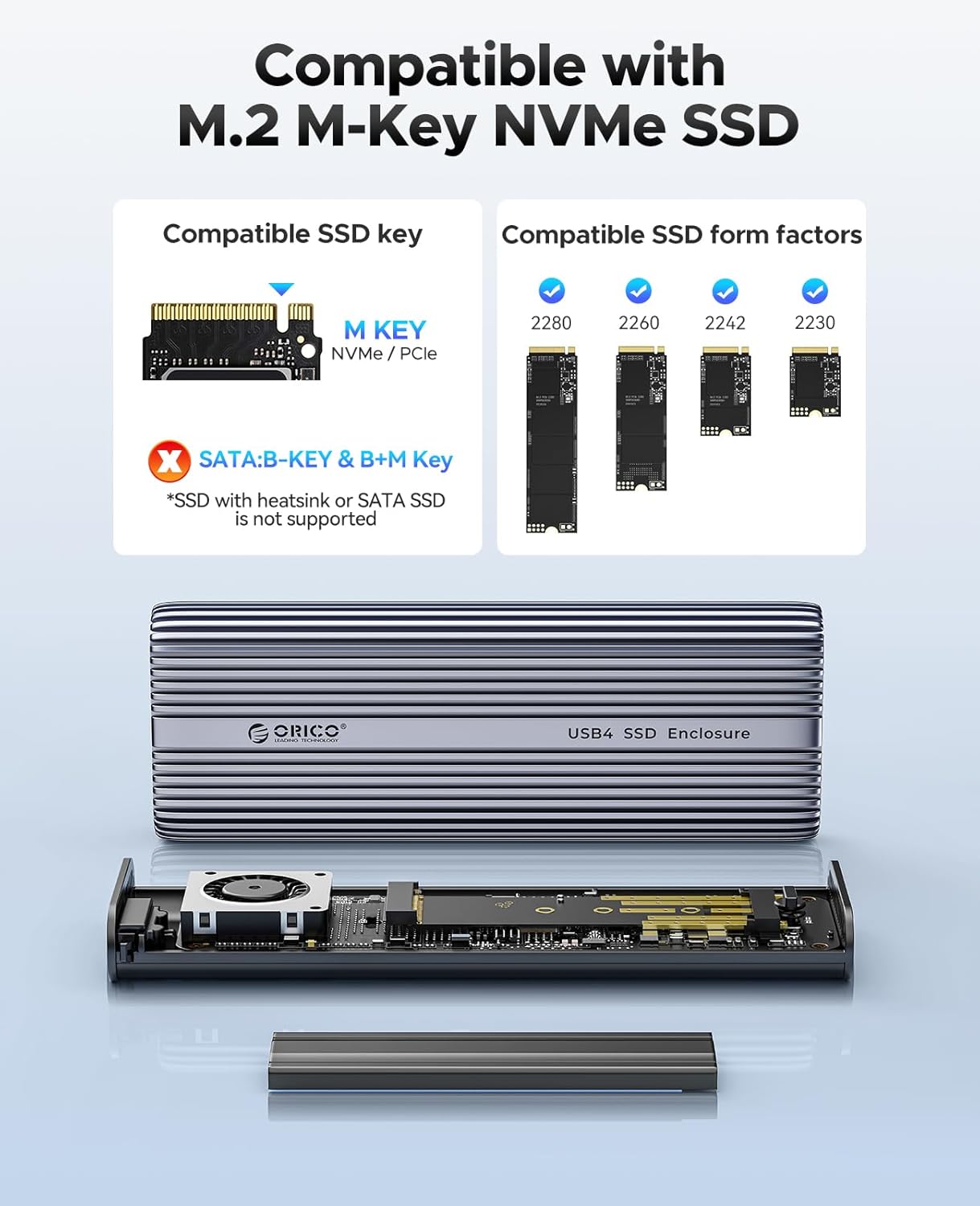
Image: Compatible M.2 M-Key NVMe SSD types and form factors.
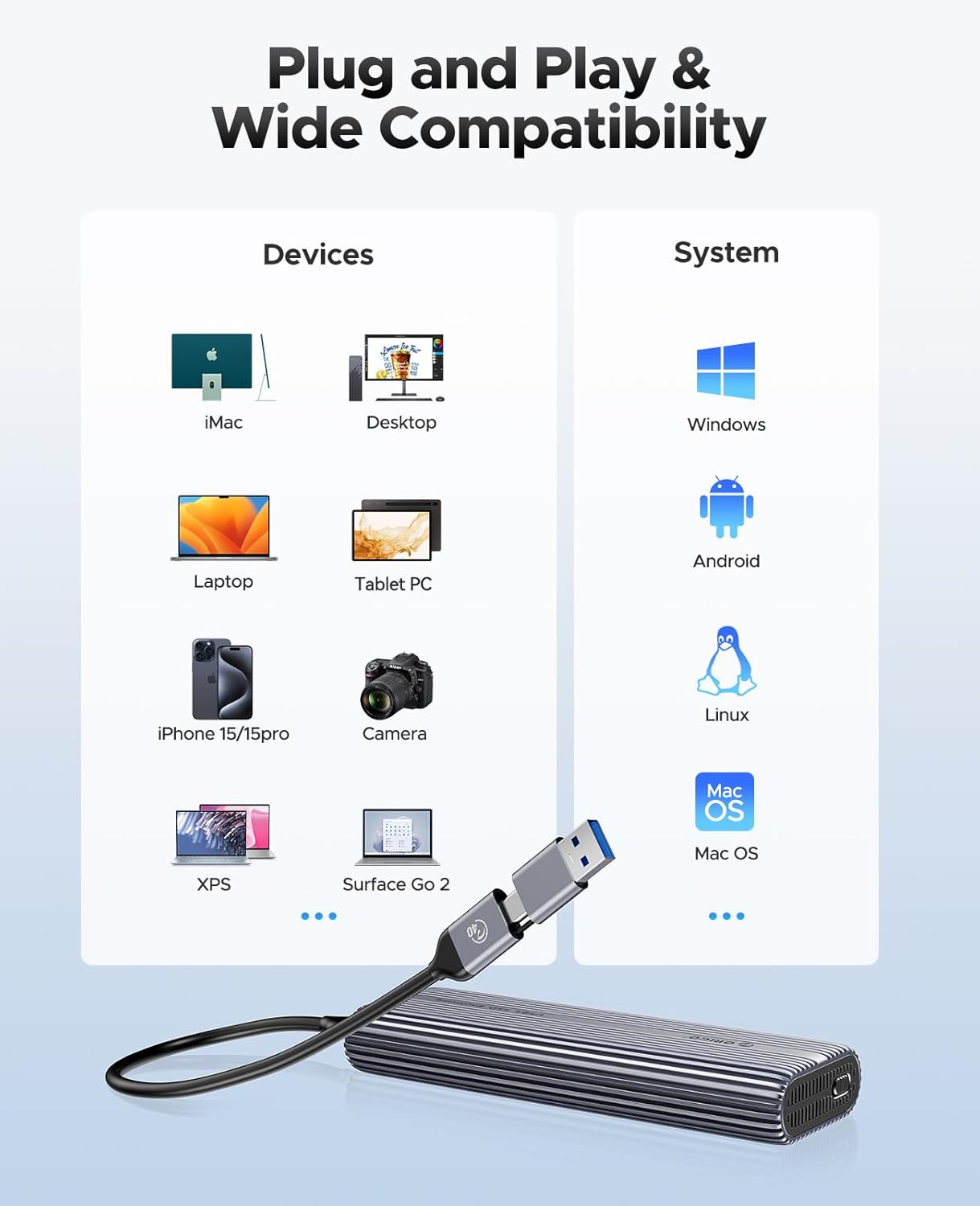
Выява: Зверхуview of device and operating system compatibility.
5. Інструкцыі па ўсталёўцы
Выканайце наступныя дзеянні, каб усталяваць цвёрдацельны назапашвальнік M.2 NVMe ў корпус:
- Адкрыйце корпус: Gently slide the bottom cover and pull the internal tray out of the aluminum shell.
- Prepare the SSD: Attach the thermal pad to the top surface of your M.2 NVMe SSD. Then, place the cooling vest over the thermal pad, ensuring good contact.
- Устаўце SSD: Align your M.2 NVMe SSD with the slot on the circuit board. Insert it firmly and secure it with the provided SSD fastener.
- Зачыніце корпус: Slide the internal tray back into the aluminum shell until it clicks securely into place.
- Падключэнне да прылады: Use the included USB-C to C or USB-C to A cable to connect the enclosure to your computer or compatible device.
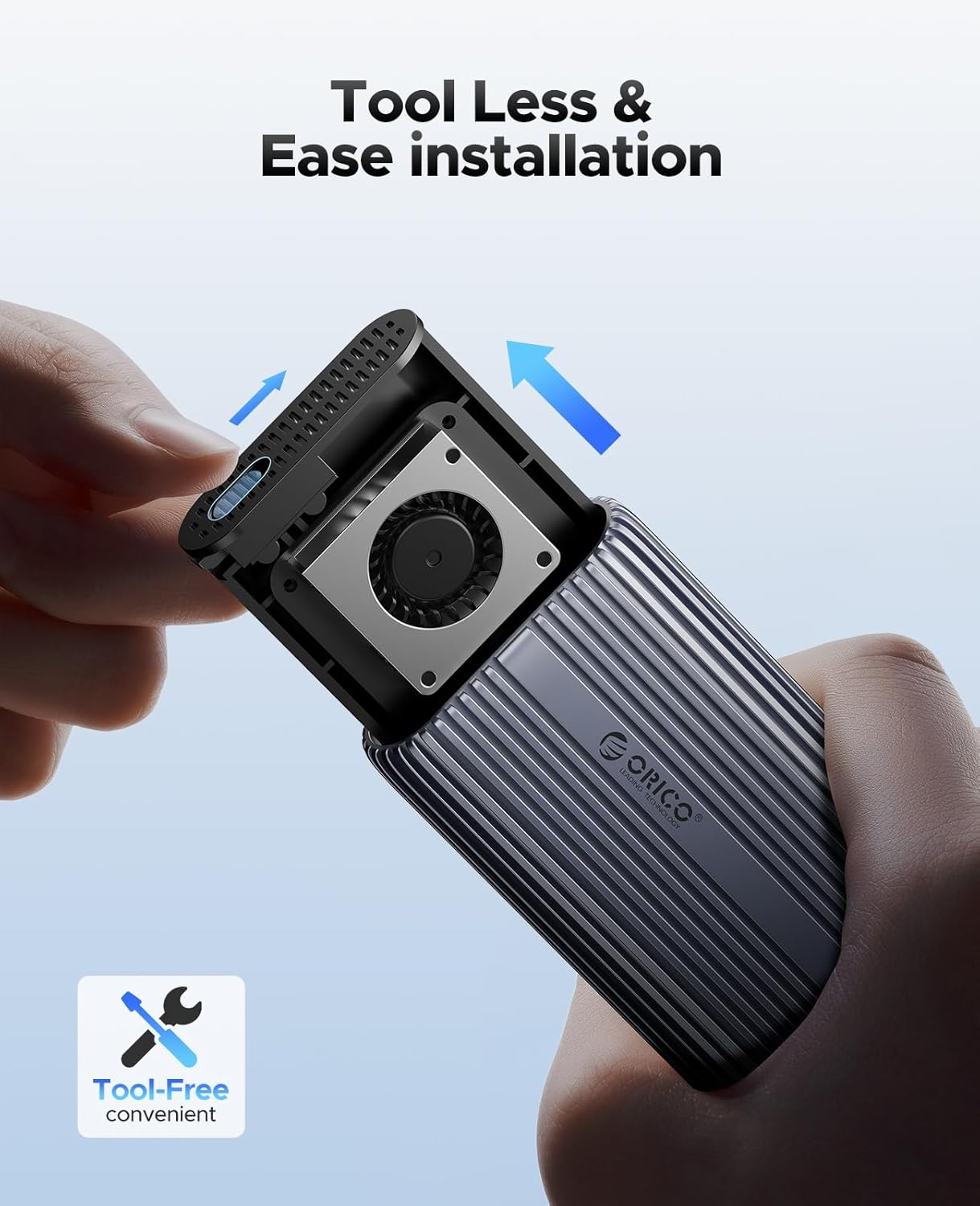
Image: Step-by-step guide for tool-free SSD installation.
Video: A short demonstration of the ORICO 40Gbps M.2 NVMe Enclosure's cooling features and tool-free installation process, including inserting an SSD and connecting the device.
6. Інструкцыя па эксплуатацыі
Once your SSD is installed and the enclosure is connected to your device, it operates as a plug-and-play external storage solution.
- Першапачатковае выкарыстанне: For new SSDs, you may need to initialize and format the drive through your operating system's disk management utility before it appears as a usable drive.
- Перадача дадзеных: Перацягнуць files to and from the enclosure as you would with any external drive. The 40Gbps interface ensures rapid transfers for large files.
- Бяспечнае выдаленне: Always safely eject the drive from your operating system before disconnecting the cable to prevent data corruption.
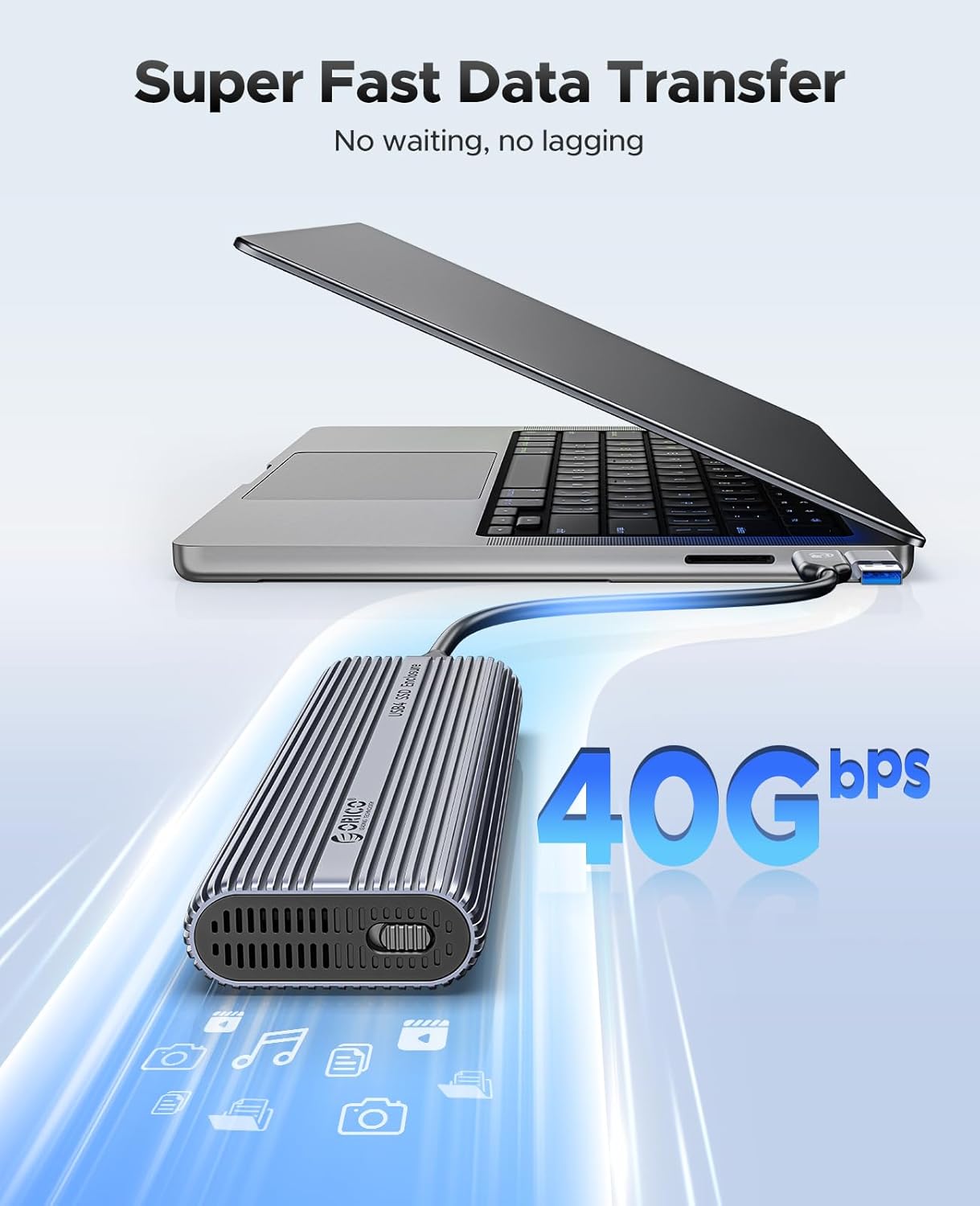
Image: The enclosure connected to a laptop, demonstrating high-speed data transfer.
7. Тэхнічнае абслугоўванне
To ensure the longevity and optimal performance of your ORICO ACOM2 SSD Enclosure:
- Уборка: Use a soft, dry cloth to clean the exterior of the enclosure. Avoid liquid cleaners or solvents.
- Паток паветра: Ensure the ventilation holes are not obstructed to allow for proper heat dissipation by the built-in fan.
- тэмпература: Operate the enclosure in a well-ventilated area and avoid extreme temperatures.
- Апрацоўка: Асцярожна звяртайцеся з корпусам, каб пазбегнуць фізічных пашкоджанняў.
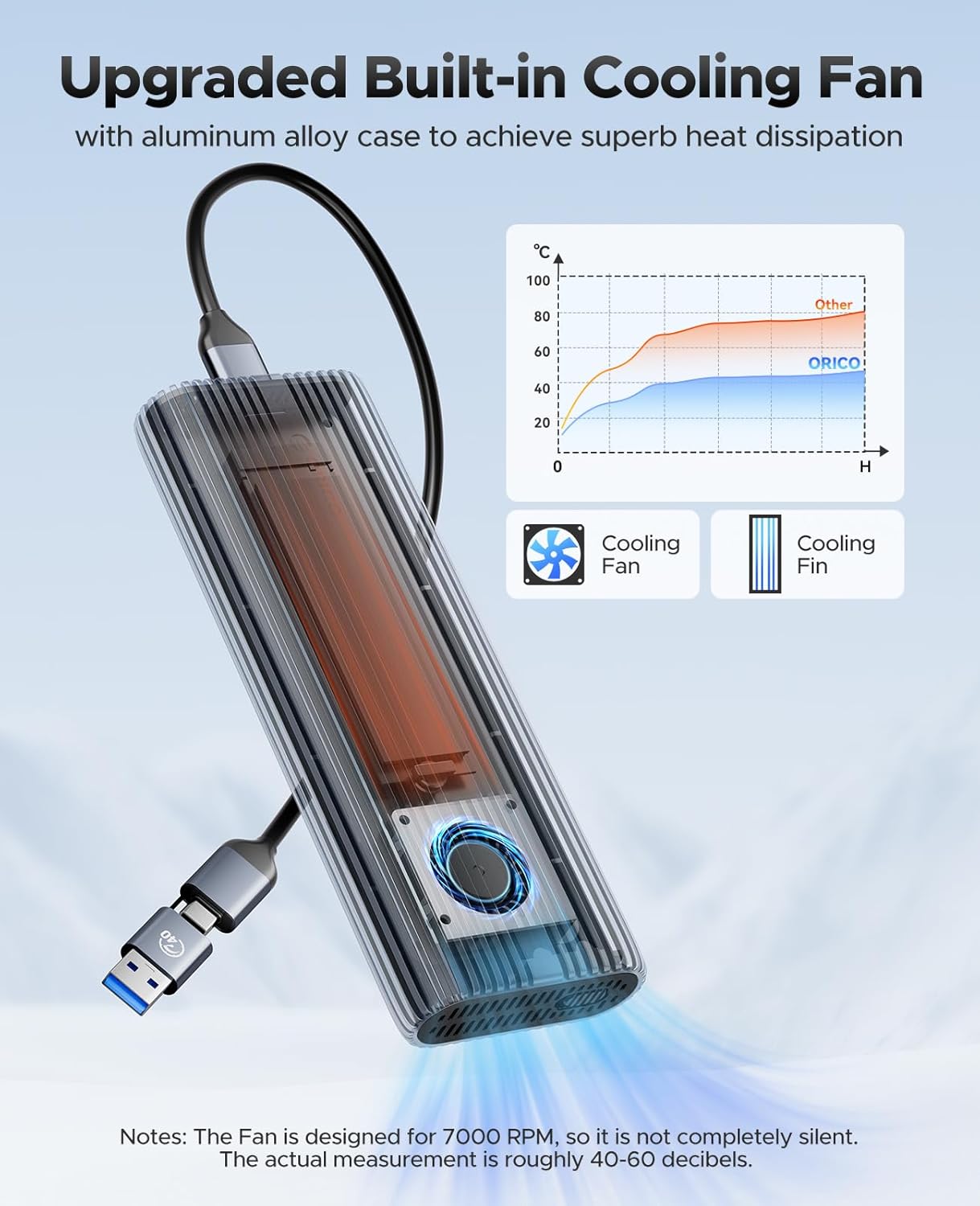
Image: Internal cooling fan and heat dissipation performance graph.
8. Выпраўленне непаладак
If you encounter issues with your ORICO ACOM2 SSD Enclosure, refer to the following common solutions:
- Enclosure Not Detected:
- Ensure the USB cable is securely connected to both the enclosure and your device.
- Паспрабуйце іншы USB-порт або кабель.
- Verify that the SSD is correctly installed and secured within the enclosure.
- For new SSDs, check Disk Management (Windows) or Disk Utility (macOS) to initialize and format the drive.
- Павольная хуткасць перадачы дадзеных:
- Ensure your device's port supports 40Gbps (Thunderbolt 3/4 or USB4) for maximum performance. Connecting to a slower USB port (e.g., USB 3.0) will result in lower speeds.
- Confirm your SSD is an NVMe M-Key type and not a slower SATA M.2 SSD.
- Check the compatibility notes regarding specific SSD models (e.g., Crucial-P3 Plus, WD Black SN750, Samsung 970 EVO Plus) and Intel Thunderbolt ports prior to 12th Gen.
- Ensure the thermal pad and cooling vest are properly installed to prevent thermal throttling.
- Перагрэў:
- Ensure the enclosure is placed in an area with good airflow and not covered.
- Verify the thermal pad and cooling vest are correctly applied to the SSD.
- The built-in fan operates to dissipate heat; ensure its vents are clear.
- Шум вентылятара: The built-in fan operates at 7000 RPM and may produce a sound level of roughly 40-60 decibels. This is normal operation.

Image: ORICO 40Gbps M.2 NVMe Enclosure Test Report for various SSDs.
9. Тэхнічныя характарыстыкі
| Асаблівасць | Дэталь |
|---|---|
| мадэль | ACOM2 |
| Абсталяванне інтэрфейсу | USB Type C (Thunderbolt 3/4, USB4/3.2/3.1/3.0 compatible) |
| Хуткасць перадачы даных | Up to 40 Gigabits Per Second |
| Сумяшчальныя SSD-назапашвальнікі | M-Key NVMe SSDs (2230/2242/2260/2280) |
| Максімальная ёмістасць | 8 ТБ |
| Матэрыял корпуса | Алюмініевы сплаў |
| Сістэма астуджэння | Built-in Fan, Cooling Vest, Silicone Pad |
| Памеры прадукту | 5.9 цалі Д х 2.2 цалі Ш х 0.87 цалі В (150 мм х 56 мм х 22 мм) |
| Сумяшчальныя прылады | Настольны кампутар, ноўтбук, смартфон, планшэт |
| Аперацыйныя сістэмы | Windows, macOS, Linux, Android |

Image: Comparison of data transfer speeds across different USB and Thunderbolt standards.
10. Гарантыя
The ORICO ACOM2 40Gbps M.2 NVMe SSD Enclosure comes with a Гарантыя 2 год з даты пакупкі. Гэтая гарантыя распаўсюджваецца на вытворчыя дэфекты і няспраўнасці пры нармальным выкарыстанні. Калі ласка, захавайце пацвярджэнне пакупкі для прэтэнзій па гарантыі.
11. Падтрымка
For technical assistance, troubleshooting not covered in this manual, or warranty inquiries, please contact ORICO customer support through the official ORICO website or your retailer's support channels. Please have your product model (ACOM2) and proof of purchase ready when contacting support.


