
Уводзіны
Thank you for choosing the INIU P41L Portable Charger. This slim 45W 10000mAh power bank is designed for convenience and fast charging on the go. Featuring a built-in USB-C cable, multiple output ports, and a compact design, it ensures your devices stay powered throughout your day. Please read this manual carefully to ensure proper use and optimal performance.
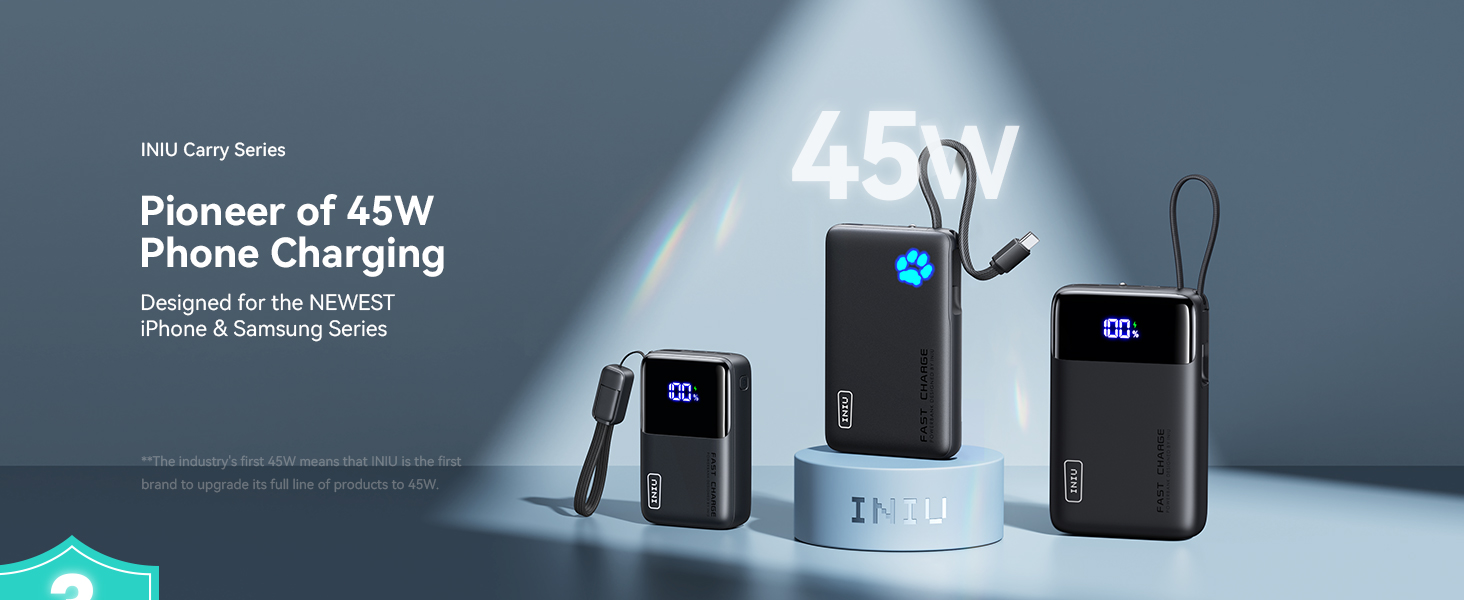
Image: The INIU P41L Portable Charger showcasing its built-in USB-C cable and compact design.
Настройка
Першапачатковая зарадка
Before first use, fully charge your INIU P41L power bank. Connect the built-in USB-C cable or an external USB-C cable to a compatible wall adapter (not included) and plug it into a power source. The Paw Power Indicator will illuminate to show charging progress.
Paw Power Indicator
The unique Paw Power Indicator on the front of the power bank shows the remaining battery level. Each illuminated 'toe' represents approximately 20% of the battery capacity. When all five 'toes' are lit, the power bank is fully charged.

Выява: буйны план view of the INIU P41L's Paw Power Indicator, showing illuminated segments representing battery charge level.
Інструкцыя па эксплуатацыі
Зарадка вашых прылад
The INIU P41L offers multiple ways to charge your devices:
- Убудаваны кабель USB-C: Unplug the integrated USB-C cable from its storage slot and connect it directly to your USB-C compatible device.
- USB-C Port (IN/OUT): Use your own USB-C to USB-C cable to connect your device to the power bank's USB-C port. This port supports both input and output.
- USB-A Port (OUT): Use your own USB-A compatible cable to connect your device to the power bank's USB-A output port.
The power bank supports 45W fast charging, significantly reducing charging times for compatible devices.

Image: The INIU P41L Portable Charger rapidly charging an iPhone, highlighting its 45W fast charging capability.
Перазарадка Power Bank
To recharge the INIU P41L, use the built-in USB-C cable or an external USB-C cable connected to a wall adapter. The power bank supports fast recharging, allowing it to be fully charged in approximately 2.3 hours with a compatible 45W adapter.

Image: The INIU P41L simultaneously charging three devices and illustrating how its built-in cable can be used for recharging the power bank itself.
Скразная зарадка
The INIU P41L supports pass-through charging, meaning you can charge your devices while the power bank itself is being recharged. The power bank will prioritize charging your connected devices first, then recharge its internal battery.
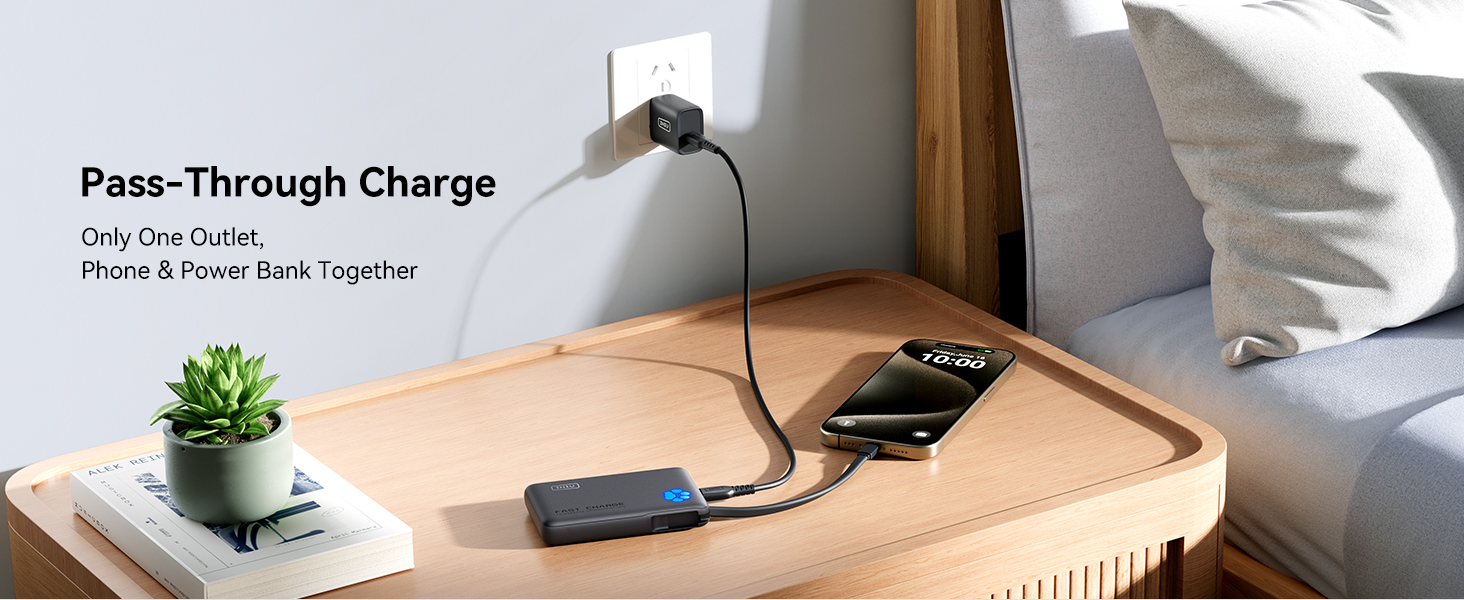
Image: The INIU P41L connected to a wall adapter, simultaneously charging a smartphone, demonstrating its pass-through charging capability.
Аварыйны ліхтарык
To activate the emergency flashlight, double-press the power button located on the side of the power bank. Double-press again to turn it off. This feature is useful in low-light conditions or emergencies.
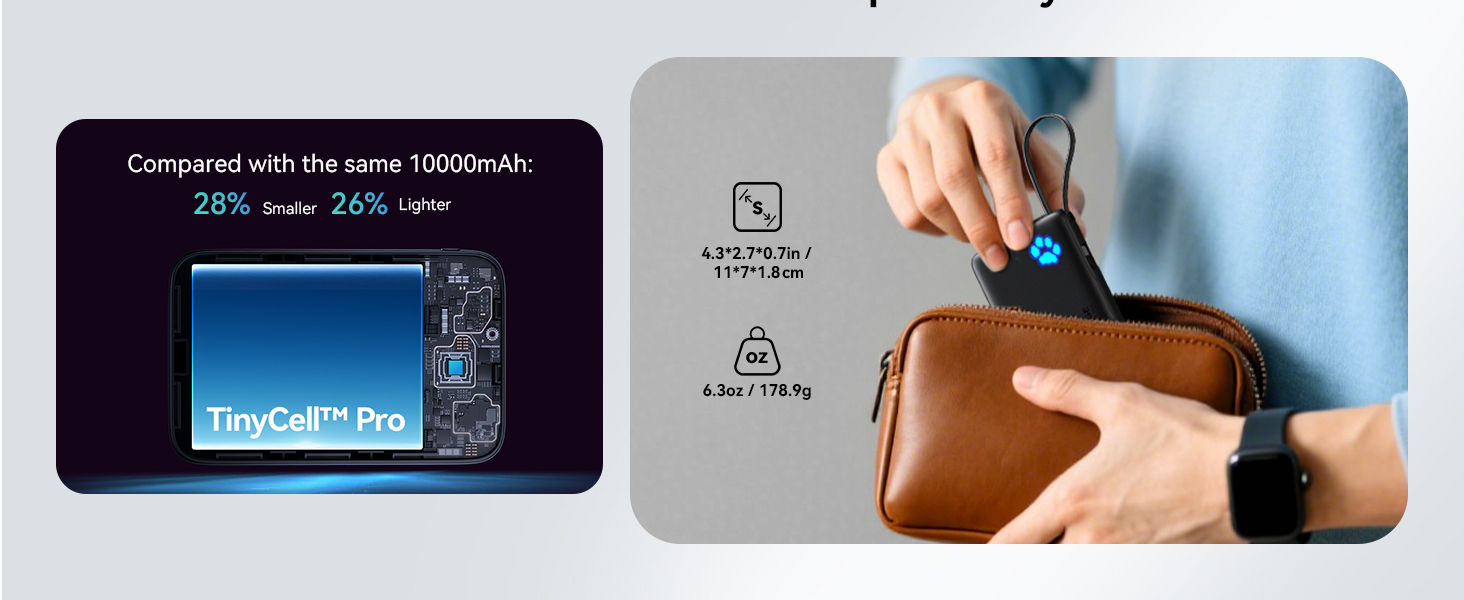
Image: The INIU P41L highlighting its thoughtful design details, including the emergency flashlight and the Paw Power Indicator.
Video: INIU Slim 45W PD Fast Charging 10000mAh Power Bank
Video: This video demonstrates the INIU Slim 45W PD Fast Charging 10000mAh Power Bank in action, highlighting its features and fast charging capabilities.
Video: Reasons I LOVE this INIU 45w Power Bank With Built In USB-C
Video: This video provides a personal review of the INIU 45W Power Bank with Built-In USB-C, detailing the user's favorite aspects and practical uses.
Тэхнічнае абслугоўванне
- Трымайце знешні акумулятар далей ад экстрэмальных тэмператур, прамых сонечных прамянёў і вадкасцей.
- Не кідайце прыладу і не падвяргайце яе моцным ударам.
- Працірайце паверхню мяккай сухой тканінай. Не выкарыстоўвайце агрэсіўныя хімікаты або абразіўныя матэрыялы.
- Для аптымальнага тэрміну службы батарэі цалкам зараджайце знешні акумулятар хаця б раз на тры месяцы, калі ён не выкарыстоўваецца рэгулярна.
Ліквідацыю непаладак
Прылада не зараджаецца
- Ensure the power bank is sufficiently charged (check the Paw Power Indicator).
- Пераканайцеся, што зарадны кабель надзейна падключаны як да паўэрбанка, так і да прылады.
- Паспрабуйце іншы зарадны кабель або порт на знешнім акумулятары.
- Пераканайцеся, што ваша прылада сумяшчальная з выходнымі характарыстыкамі паўэрбанка.
Power Bank Not Recharging
- Ensure the charging cable is securely connected to the power bank and the wall adapter.
- Verify the wall adapter is functioning correctly and plugged into a live power outlet.
- Try a different wall adapter or USB-C cable.
Тэхнічныя характарыстыкі
| Асаблівасць | Дэталь |
|---|---|
| Нумар мадэлі | P41 л |
| Ёмістасць батарэі | 10000 Міліamp Гадзіны |
| Выходная магутнасць | Хуткая зарадка 45 Вт |
| Тып раздыма | Output: USB-C*1 + USB-A*1, Built-in USB-C cable |
| Item Dimensions (L x W x Th) | 4.3" x 2.7" x 0.7" |
| Вага прадмета | 178.9 грам |
| Тып элемента батарэі | Літый-палімерны |
| Асаблівасці | Built-in USB-C Cable for Travel, Mini Size, Pocket-size, Ultra Small, Compact, Travel essential, USB C in&Out, Paw Power Indicator, Emergency Flashlight, Pass-Through Charging |
| Сумяшчальныя прылады | iPhone 12-17 series, Samsung Galaxy S6-S25 series, Google Pixel 2-6 series, iPad Pro/Air, Apple Watch Series 8-9, AirPods |
Гарантыя
INIU provides an industry-leading 3-Year INIU Care warranty. For any quality issues, INIU will send you a new replacement. Please retain your proof of purchase for warranty claims.
Падтрымка
For further assistance or inquiries, please refer to the contact information provided in your product packaging or visit the official INIU website. You can also reach out to INIU Innovations Inc. directly through their Amazon seller page.