
Уводзіны
This manual provides essential information for the safe and efficient operation of your Promethean PRM-30 LCD Projector. Please read these instructions thoroughly before using the projector and retain them for future reference.
Інфармацыя па бяспецы
- Не блакуйце вентыляцыйныя адтуліны. Забяспечце дастатковую цыркуляцыю паветра вакол праектара.
- Пазбягайце прамога траплення ў вочы аб'ектыва праектара падчасamp уключаны.
- Не стаўце праектар на няўстойлівую каляску, падстаўку або стол.
- Unplug the projector from the power outlet before cleaning.
- Звяртайцеся да кваліфікаванага абслугоўваючага персаналу.
Змест пакета
Праверце наяўнасць усіх прадметаў у камплекце:
- Promethean PRM-30 LCD Projector
- Пульт дыстанцыйнага кіравання
- Сілавы кабель
- Кабель HDMI
- Кіраўніцтва карыстальніка (гэты дакумент)
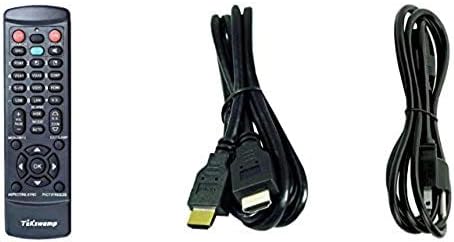
Image: Included accessories, showing the remote control, HDMI cable, and power cable.
Праектар скончыўсяview
Спераду і збоку View
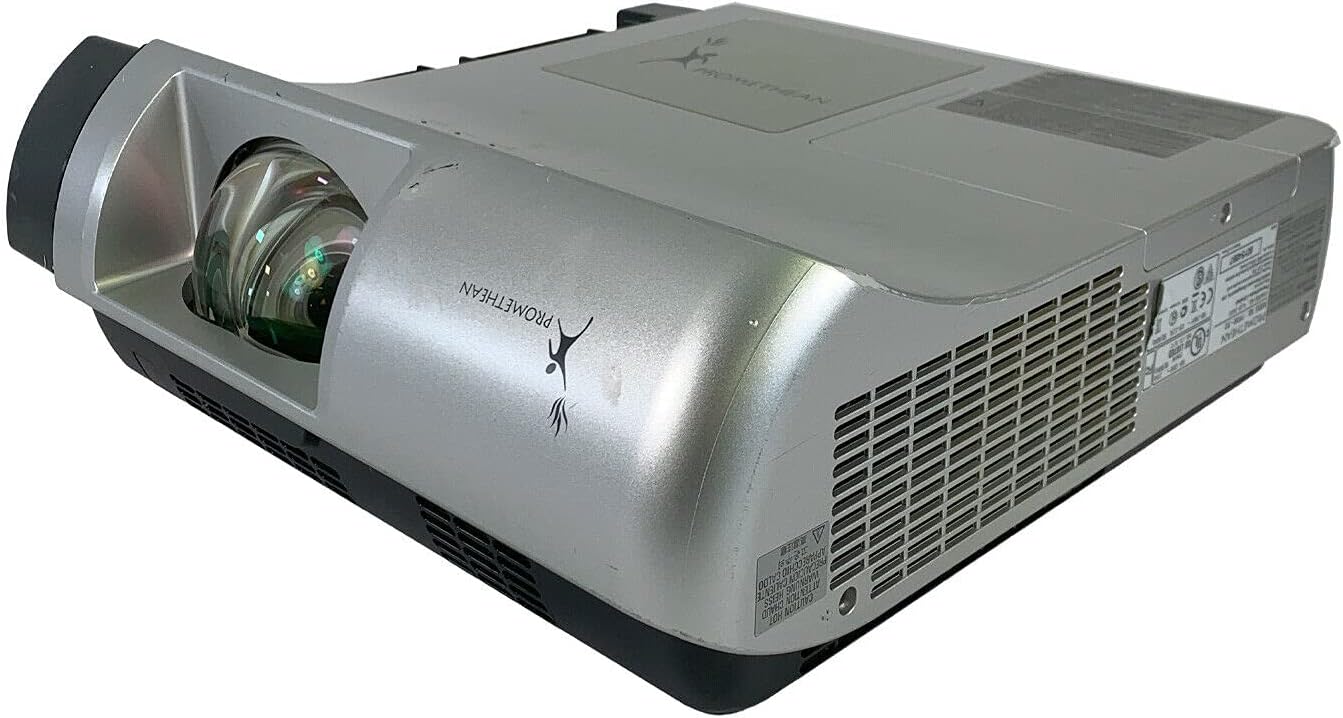
Выява: спераду і збоку view of the Promethean PRM-30 projector, highlighting the lens and ventilation.
Злучэнні задняй панэлі
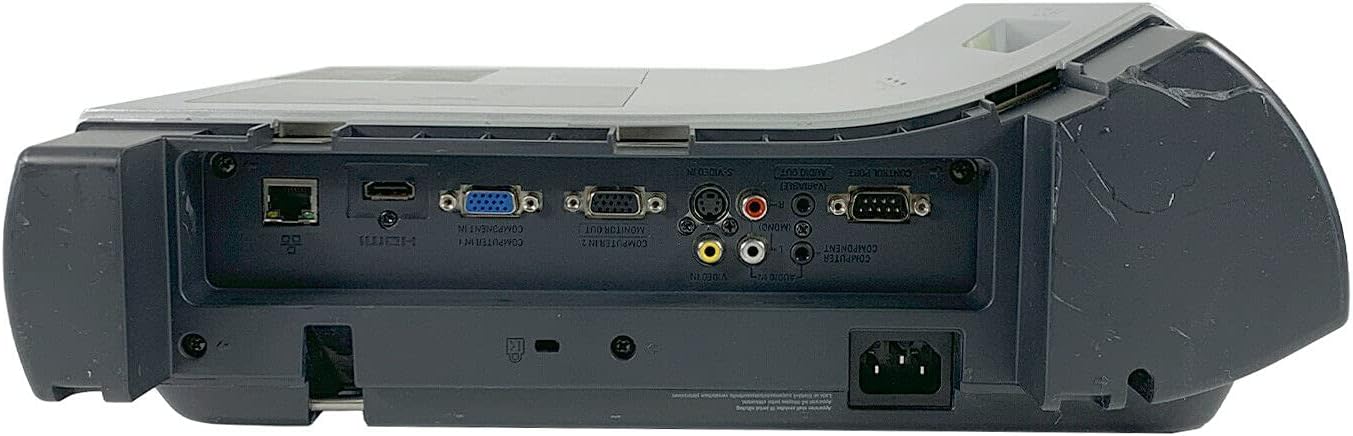
Image: Rear panel of the projector, showing various input and output ports including HDMI, VGA, Composite, LAN, and RS232.
The rear panel provides various connectivity options for your audio and video sources. Refer to the "Connecting Devices" section for detailed instructions.
Top Panel Controls and Indicators

Выява: Уверсе view of the projector, displaying the control panel buttons and indicator lights for power, lamp, and warning.
The top panel features buttons for power, menu navigation, input selection, and focus/zoom adjustment. Indicator lights provide status information for power, lamp life, and warnings.
Настройка
1. Размяшчэнне праектара
Position the projector on a stable, flat surface or mount it securely for ceiling projection. Ensure the projector is within the optimal throw distance for your screen size. The PRM-30 supports front, rear, ceiling, and table-top projection.
- Table Top Projection: Place the projector on a flat surface in front of the screen.
- Праекцыя столі: Mount the projector inverted from the ceiling. Adjust settings in the menu for correct image orientation.
- Задняя праекцыя: Place the projector behind a translucent screen. Adjust settings in the menu for correct image orientation.
2. Падключэнне прылад
Connect your video and audio sources to the appropriate ports on the projector's rear panel.
- HDMI: For high-definition digital video and audio. Use an HDMI cable to connect to your source device.
- VGA/SVGA D-Sub (Computer In): For analog computer signals. Connect using a VGA cable.
- Composite (RCA): For standard definition video. Connect using RCA cables (yellow for video, red/white for audio).
- S-відэа: For enhanced standard definition video.
- Лакальная сетка (RJ-45): Для кіравання і маніторынгу сеткі.
- RS232 (DB-9pin): Для паслядоўнага кіравання.
- Раз'ём для навушнікаў: For audio output to external headphones or speakers.
3. Падключэнне сілкавання
Connect the power cable to the projector's power inlet and then to a suitable electrical outlet.
Інструкцыя па эксплуатацыі
Уключэнне/выключэнне
- Каб уключыць: Press the Power button on the projector's control panel or the remote control. The power indicator light will turn on.
- Каб выключыць: Press the Power button again. The projector will enter a cooling down cycle before completely shutting off. Do not unplug the projector during the cooling cycle.
Выбар крыніцы ўводу
Press the "Input" or "Source" button on the projector or remote control to cycle through available input sources (HDMI, VGA, Composite, S-Video, etc.) until your desired source is displayed.
Карэкціроўка выявы
- Фокус: Паварочвайце кольца факусоўкі на аб'ектыве праектара, пакуль выява не стане рэзкай і выразнай.
- Маштаб: Adjust the zoom ring on the projector lens to change the image size without moving the projector.
- Карэкцыя трапецеідальных скажэнняў: If the image appears trapezoidal, use the keystone correction function (usually via menu or dedicated buttons) to square the image.
- Карэкцыя колеру: Access the projector's on-screen display (OSD) menu to adjust color settings, brightness, and contrast for optimal image quality.
Аўдыёвыхад
The projector has built-in speakers. For external audio, connect speakers or headphones to the Headphone Jack or use the audio output from your source device.
Тэхнічнае абслугоўванне
Lamp Замена
When the "LAMP REPLACE" indicator illuminates, it is time to replace the projector lamp. Refer to the specific lamp replacement instructions provided with your replacement lamp or consult a qualified technician. Always allow the projector to cool down completely before attempting lamp замена.
Ачыстка паветранага фільтра
Regularly clean the air filter to maintain optimal performance and prevent overheating. While this specific unit is noted as having "No Filter Cover", general projector maintenance often involves cleaning air intake areas. Use a soft brush or vacuum cleaner to remove dust from the ventilation grilles.

Выява: Збоку view of the projector showing the ventilation grille, which should be kept clear of dust.
Генеральная ўборка
Працярыце праектар casinг з мяккім, дamp cloth. Do not use abrasive cleaners or solvents. For the lens, use a specialized lens cleaning cloth and solution to avoid scratching.
Ліквідацыю непаладак
| праблема | Магчымая прычына | Рашэнне |
|---|---|---|
| Няма выявы на экране |
|
|
| Image is dim or poor quality |
|
|
| Няма гуку |
|
|
| Пульт дыстанцыйнага кіравання не працуе |
|
|
Тэхнічныя характарыстыкі
| Марка | ПРАМЕТЭЙСКІ |
| мадэль | ПРМ-30 |
| Тып дысплея | ВК |
| Яркасць | 2500 люмен ANSI |
| Каэфіцыент кантраснасці | 500:1 |
| Роднае дазвол | 1280x800 |
| Рэжым HD відэа | 1080i |
| Вага праектара | 12.57 фунтаў. |
| Сувязь | LAN, Composite: RCA, Network: RJ-45, RS232: DB-9pin, S-Video, Headphone Jack, HDMI Standard, VGA/SVGA D-Sub, Wired |
| Асаблівасці | Built-in Speakers, Ceiling Projection, Color Correction, HD Ready, Projection Tilt, Rear Projection, Short Throw Projection, Table Top Projection, Portable |
| Памеры ўпакоўкі | 16 х 16 х 8 цалі |
Гарантыя і падтрымка
This Promethean PRM-30 projector is offered as a renewed product. Please refer to the seller's (PR Renewed) specific return and warranty policies for details. Typically, renewed products come with a limited warranty or return period.
- Палітыка вяртання: This product typically includes a 90-day refund or replacement policy.
- Тэхнічная падтрымка: For technical assistance or warranty claims, please contact the seller, PR Renewed, directly.
- Планы абароны: Optional extended protection plans may be available for purchase separately.