
Jectse Jectsesikcd0et3w-11
Jectse Digital Camera User Manual
Model: Jectsesikcd0et3w-11
Уводзіны
Дзякуй за пакупкуasing the Jectse Digital Camera. This compact and portable camera is designed to capture high-quality photos and videos, offering features such as 5K video resolution, 80MP photo resolution, and 18X digital zoom. This manual provides detailed instructions on how to set up, operate, and maintain your camera to ensure optimal performance and longevity.
Інфармацыя па бяспецы
- Не падвяргайце камеру ўздзеянню вады або празмернай вільгаці.
- Пазбягайце падзення камеры або моцных удараў.
- Трымайце камеру далей ад прамых сонечных прамянёў і высокіх тэмператур.
- Выкарыстоўвайце толькі пазначаны кабель для зарадкі і адаптар сілкавання.
- Не спрабуйце разбіраць або рамантаваць камеру самастойна. Звярніцеся па дапамогу ў службу падтрымкі кліентаў.
- Захоўваць у месцах, недаступных маленькім дзецям.
Змест пакета
Калі ласка, праверце наяўнасць усіх прадметаў у вашай упакоўцы:
- 1 x Jectse Digital Camera
- 1 х зарадны кабель Type-C
- 1 х ручны рэмень
- 1 х Кіраўніцтва карыстальніка
- Note: Small Memory Card is not included.

Image: The Jectse Digital Camera shown alongside its included Type-C charging cable and hand strap, illustrating the complete package contents.
Прадукт скончаныview
Familiarize yourself with the various parts and controls of your Jectse Digital Camera.

Выява: спераду view of the Jectse Digital Camera, highlighting the lens and flash.

Выява: Спіна view of the Jectse Digital Camera, showing the 2.8-inch display screen and control buttons.
Ключавыя кампаненты:
- Аб'ектыў: F/2.2 f=3.83mm wide angle lens with 18X digital zoom capability.
- Успышка: Убудаваная ўспышка для ўмоў нізкай асветленасці.
- Экран дысплея: 2.8-inch screen for framing shots and reviewзмесціва.
- W/T Key: Used for zooming in (W) and out (T).
- Shutter Key: Press to capture photos or start/stop video recording.
- OK/Mode Button: Confirms selections and switches between modes.
- Кнопка меню: Доступ да налад і опцый камеры.
- Кнопка DISP: Changes display information on the screen.
- Батарэйны адсек: Houses the built-in 750mAh rechargeable battery.
- Порт тыпу C: Для зарадкі камеры.
- Слот для карты памяці: Supports Small Memory Cards up to 256GB (not included).
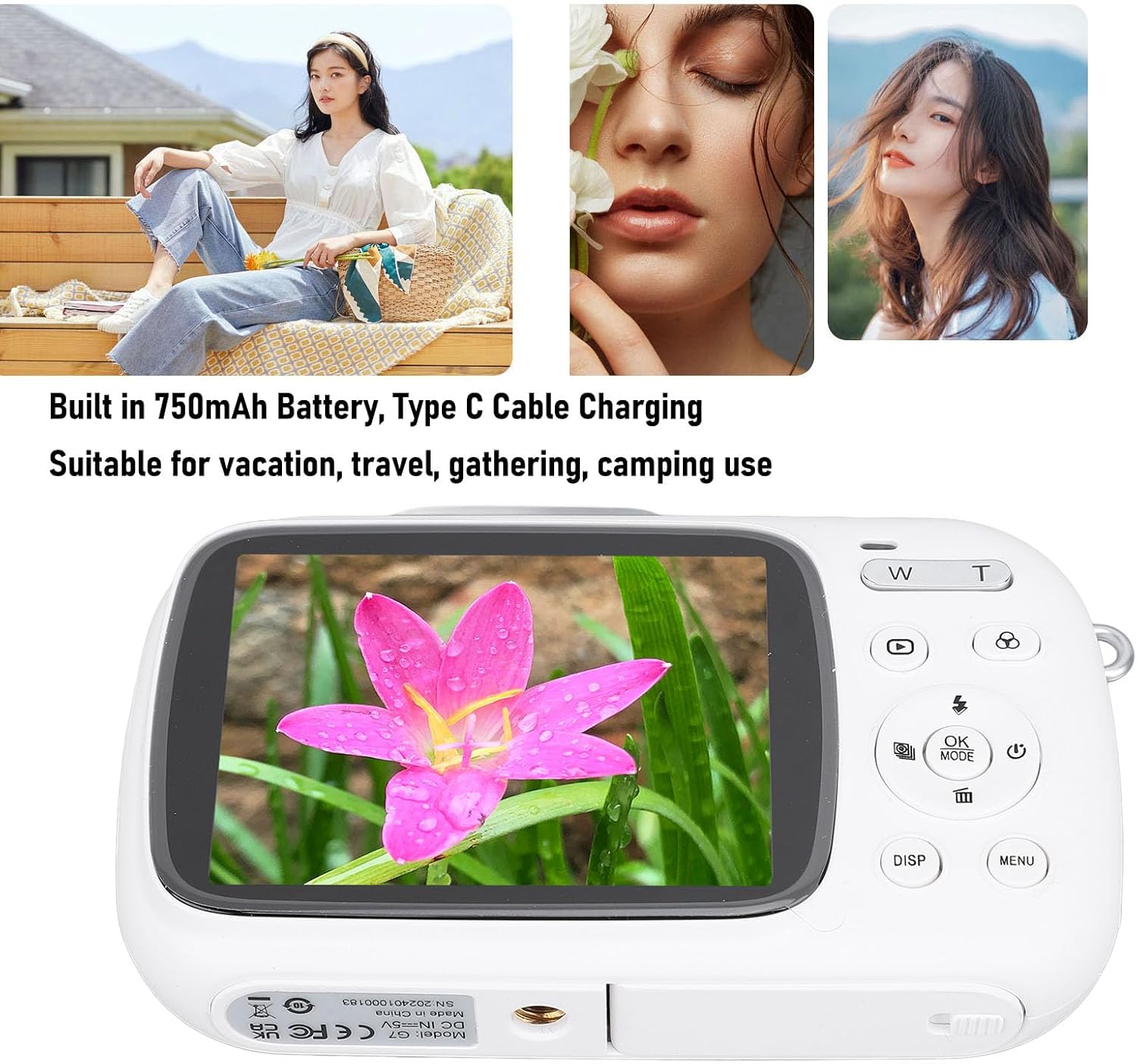
Image: Visual representation of key camera features including 80MP photo pixels, 5K HD video recording, 18X digital zoom, auto focusing, beauty filter, smiling selfie, continuous photo taking, built-in flash, and 2.8-inch display.
Настройка
1. Зарадка акумулятара
The camera has a built-in 750mAh rechargeable lithium-ion battery. Before first use, ensure the battery is fully charged.
- Connect the provided Type-C charging cable to the camera's Type-C port.
- Падключыце другі канец кабеля да адаптара харчавання USB (не ўваходзіць у камплект) або да USB-порта кампутара.
- The charging indicator light will illuminate. Charging typically takes about 3 hours.
- Пасля поўнай зарадкі індыкатар можа змяніць колер або выключыцься. Адключыце кабель.
2. Устаўка карты памяці
A Small Memory Card (up to 256GB) is required to store photos and videos. It is not included in the package.
- Locate the memory card slot on the side or bottom of the camera.
- Insert the Small Memory Card into the slot with the metal contacts facing the correct direction (refer to the diagram near the slot if available).
- Акуратна націсніце на карту, пакуль яна не зафіксуецца пачуўшы пстрычку.
- To remove the card, push it in again until it springs out slightly, then pull it out.
3. Мацаванне раменьчыка для рукі
Attach the included hand strap to prevent accidental drops.
- Thread the thin loop of the hand strap through the strap eyelet on the camera body.
- Прапусціце большы канец раменьчыка праз толькі што створаную пятлю і зацягніце, каб зафіксаваць яго.
Інструкцыя па эксплуатацыі
1. Уключэнне / выключэнне харчавання
- To power on, press and hold the Power button (usually marked with a circle and a vertical line).
- Каб выключыць прыладу, зноў націсніце і ўтрымлівайце кнопку харчавання, пакуль экран не выключыцца.
2. Фатаграфаванне
- Turn on the camera. It will typically default to photo mode. If not, press the РЭЖЫМ кнопку, каб пераключыцца ў рэжым фота.
- Frame your shot using the 2.8-inch display screen.
- Выкарыстоўвайце В/Т keys to zoom in or out (18X digital zoom).
- Націсніце Аканіца key halfway down to focus (if applicable).
- Націсніце Аканіца key fully down to capture the 80MP photo.
3. Запіс відэа
- Turn on the camera. Press the РЭЖЫМ кнопку, каб пераключыцца ў рэжым відэазапісу.
- Frame your video using the display screen.
- Націсніце Аканіца key to start recording 5K video. A recording indicator will appear on the screen.
- Націсніце Аканіца націсніце яшчэ раз, каб спыніць запіс.
4. Using Special Functions
The camera offers several creative functions:
- Continuous Photography: Allows you to take multiple photos in quick succession. Access this setting via the МЕНЮ.
- Time Lapse Photography: Captures images at set intervals to create a time-lapse video. Configure in МЕНЮ.
- Колькаснае відэа: Records video in segments, overwriting older footage when the memory card is full. Useful for continuous recording.
- Лініі кампазіцыі: Displays grid lines on the screen to help with framing and composition. Toggle with ДЫСП button or in МЕНЮ.
- Распазнаванне твараў: Automatically detects and focuses on faces in the frame. Enable/disable in МЕНЮ налады.
- Убудаваная ўспышка: The flash will automatically activate in low-light conditions or can be manually controlled via the flash button or МЕНЮ.
5. Прайграванне і паўторнаеview
- Націсніце Прайграванне button (often indicated by a triangle icon) to enter playback mode.
- Выкарыстоўвайце кнопкі са стрэлкамі для навігацыі па фотаздымках і відэа.
- Прэса OK каб view відэа або павялічыць фота.
- Націсніце Прайграванне button again to exit playback mode.
Тэхнічнае абслугоўванне
Чыстка камеры
- Use a soft, lint-free cloth to wipe the camera body. Do not use liquid cleaners or solvents.
- For the lens and screen, use a specialized lens cleaning cloth or air blower to remove dust. Avoid touching the lens directly with your fingers.
- Перад чысткай пераканайцеся, што камера выключана.
Захоўванне
- Захоўвайце камеру ў прахалодным, сухім месцы, удалечыні ад прамых сонечных прамянёў і экстрэмальных тэмператур.
- Калі вы захоўваеце акумулятар працяглы час, пераканайцеся, што ён часткова зараджаны (каля 50%), і зараджайце яго кожныя некалькі месяцаў, каб падтрымліваць яго ў працоўным стане.
Ліквідацыю непаладак
| праблема | Магчымая прычына / рашэнне |
|---|---|
| Камера не ўключаецца. |
|
| Нельга рабіць фота/запісваць відэа. |
|
| Выявы размытыя. |
|
| Тэрмін службы батарэі кароткі. |
|
Тэхнічныя характарыстыкі
| Асаблівасць | Дэталь |
|---|---|
| Матэрыял прадукту | АБС |
| Дазвол відэа | 5K (Maximum), 15FPS |
| Дазвол фота | 80MP (Maximum) |
| Аб'ектыў | F/2.2 f=3.83mm Wide Angle Lens |
| Лічбавы зум | 18X |
| Экран дысплея | 2.8 цаляў |
| Захоўванне | Small Memory Card, up to 256GB (not included) |
| акумулятар | 750mAh Lithium Ion Battery (built-in) |
| Порт для зарадкі | Тып-C |
| Час зарадкі | Прыбл. 3 гадзіны |
| Час вынослівасці | Approx. 2 hours (usage dependent) |
| Вага прадмета | 9.1 унцыі |
| Нумар мадэлі | Jectsesikcd0et3w-11 |
Гарантыя і падтрымка
Jectse products are manufactured to the highest quality standards. For information regarding warranty coverage, technical support, or service inquiries, please refer to the contact information provided with your purchase or visit the official Jectse webсайт.
Калі ласка, захавайце доказы пакупкі для прэтэнзій па гарантыі.
Ask a question about this manual
Ask about setup, troubleshooting, compatibility, parts, safety, or missing instructions. Manuals+ will review the question and use this page’s manual context to help answer it.