
1. Уводзіны
Thank you for choosing the MESWAO 15.6 inch Android 14 Tablet Pro. This tablet is designed to provide a superior visual and performance experience with its large Full HD display, powerful octa-core processor, and extended battery life. This manual will guide you through the setup, operation, maintenance, and troubleshooting of your new device, ensuring you get the most out of its advanced features.
2. Што ў скрынцы
Калі ласка, праверце змесціва вашай упакоўкі. Калі якія-небудзь прадметы адсутнічаюць або пашкоджаныя, звярніцеся ў службу падтрымкі кліентаў.
- 1 x MESWAO 15.6 inch Android Tablet
- 1 х адаптар сілкавання
- 1 х кабель Type-C
- 1 х Кіраўніцтва карыстальніка
- 1 адаптар Type-C да USB
- 1 x Stuck pin (SIM ejector tool)

Image: Visual representation of the MESWAO tablet and its included accessories.
3. Прадукт скончыўсяview
3.1 Асноўныя магчымасці
- 15.6-inch 1080P FHD IPS Display: Large screen with 1920x1080p resolution, 16:9 aspect ratio, 85% screen-to-body ratio, and 350 nits adjustable brightness for clear visuals.
- АС Android 14: Latest Android version for faster app launches, intuitive user interface, split-screen multitasking, and GMS certification for Google Play access.
- MediaTek Helio G99 CPU: Octa-core processor (6nm, up to 2.2GHz) and ARM Mali-G57 GPU for smooth performance in multitasking, streaming, and gaming.
- 12,000mAh Mega Battery & 30W Fast Charging: Provides up to 15 hours of video playback and 12+ hours of daily use, with 90% charge in 3 hours.
- 6 ГБ аператыўнай памяці + 128 ГБ убудаванай памяці (з магчымасцю пашырэння да 1 ТБ): Ample storage for apps, photos, and videos, with expandable memory via microSD card (FAT32 format).
- Dual-band Wi-Fi & Bluetooth 5.0: High-speed 2.4G/5G Wi-Fi and efficient Bluetooth connectivity for peripherals.
- 5MP Front + 32MP Rear Cameras: Capture moments and conduct clear video calls.
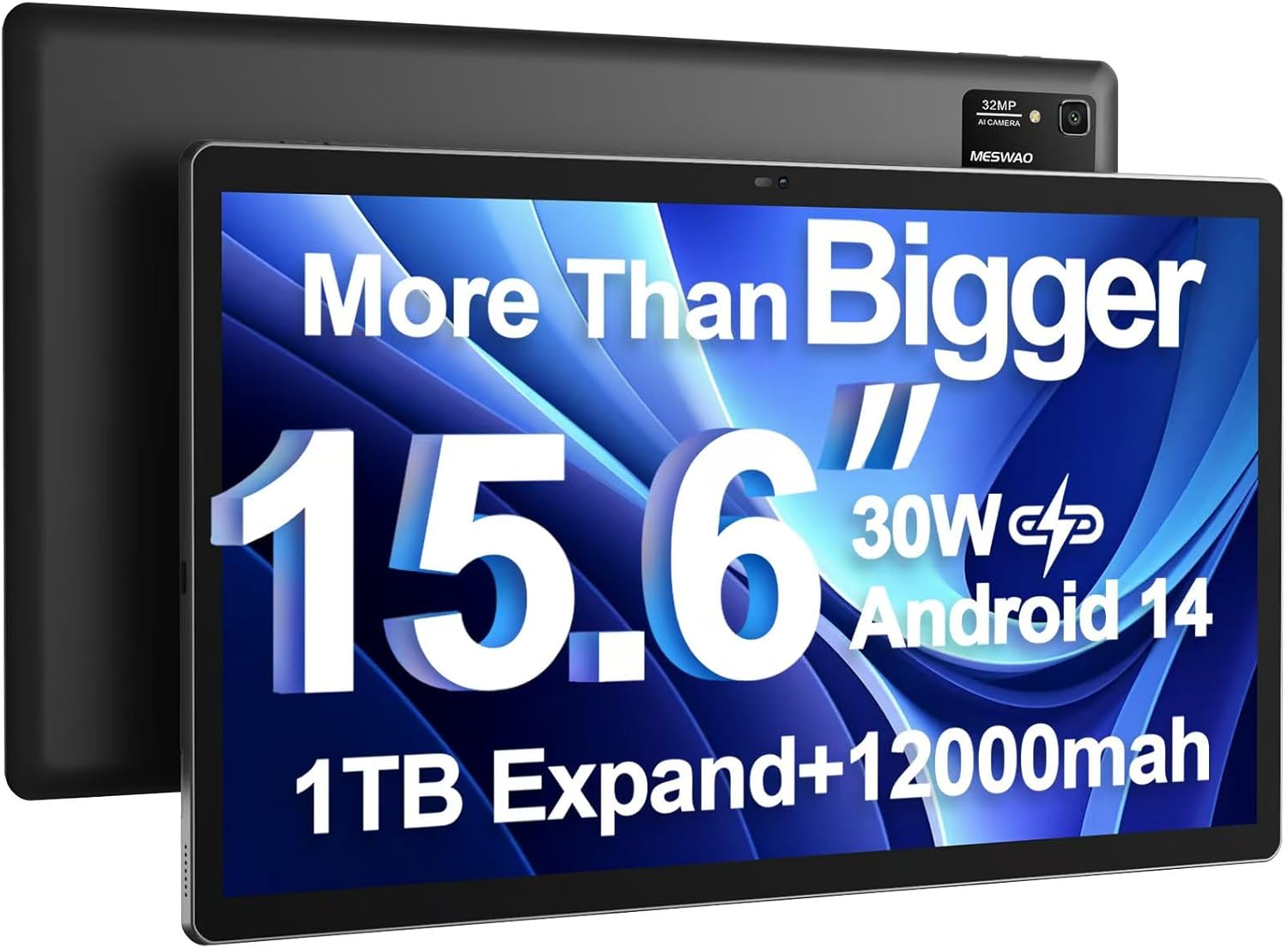
Image: The MESWAO 15.6 inch Android 14 Tablet Pro, showcasing its large display and rear camera module.

Image: Visual comparison highlighting the significantly larger screen area of the 15.6-inch tablet compared to a standard 10-inch tablet.

Image: Illustration of the tablet's 12,000mAh ultra-large capacity battery and 30W fast charging, indicating quick charge times and extended usage.
3.2 Кампаненты планшэта
Familiarize yourself with the physical components of your MESWAO tablet:
- Кнопка харчавання: Размешчаны збоку, выкарыстоўваецца для ўключэння/выключэння планшэта або абуджэння/пераключэння экрана ў рэжым сну.
- Кнопкі гучнасці: Adjust audio output levels.
- Пярэдняя камера: 5MP camera for video calls and selfies.
- Задняя камера: 32MP camera with flash for high-resolution photos and videos.
- Порт тыпу C: Для зарадкі і перадачы дадзеных.
- Слот TF карты: Для пашырэння памяці з дапамогай карты microSD.
- Стэрэадынамікі: Чатыры дынамікі для палепшанага гукавога досведу.
- Гняздо для гарнітуры 3.5 мм: For wired audio connection (requires included Type-C to 3.5mm adapter).
4. Настройка
4.1 Першапачатковае ўключэнне
- Націсніце і ўтрымлівайце Кнопка харчавання until the MESWAO logo appears on the screen.
- Выконвайце падказкі на экране, каб выбраць мову, рэгіён і падключыцца да сеткі Wi-Fi.
- Sign in with your Google account or create a new one to access Google Play Store and other services.
4.2 Зарадка планшэта
Before first use, fully charge the tablet. Use the provided power adapter and Type-C cable.
- Connect the Type-C cable to the tablet's Type-C port.
- Падключыце адаптар сілкавання да насценнай разеткі.
- The charging indicator will appear on the screen. A full charge takes approximately 3 hours with the 30W fast charger.
4.3 Устаўка карты MicroSD
To expand storage, insert a microSD card (FAT32 format, up to 1TB, sold separately).
- Знайдзіце слот для карты TF на бакавой панэлі планшэта.
- Use the provided stuck pin to gently press into the small hole next to the slot to eject the tray.
- Устаўце карту microSD у латок залатымі кантактамі ўніз.
- Асцярожна ўстаўце латок назад у слот, пакуль ён не зафіксуецца са шчоўкам.
5. Інструкцыя па эксплуатацыі
5.1 Асноўная навігацыя
- Галоўны экран: Правядзіце пальцам улева або ўправа, каб перамяшчацца паміж галоўнымі экранамі.
- Скрыня праграм: Access all installed applications (if using a launcher with an app drawer, otherwise apps are on home screens).
- Апавяшчэнні і хуткія налады: Swipe down from the top of the screen to access notifications and quick settings toggles (Wi-Fi, Bluetooth, Brightness, etc.).
- Апошнія праграмы: Націсніце на квадратны значок (або правядзіце пальцам уверх знізу і ўтрымлівайце яго, калі выкарыстоўваецца навігацыя жэстамі), каб view і пераключацца паміж нядаўна выкарыстанымі праграмамі.
5.2 Multitasking with Split Screen
The Android 14 OS supports split-screen functionality for enhanced productivity.
- Адкрыйце першае прыкладанне, якім хочаце скарыстацца.
- Go to the Recent Apps view.
- Tap the app icon at the top of the first app's card and select 'Split screen'.
- Choose the second app from your recent apps or app drawer to open it in the other half of the screen.
- Adjust the size of each app by dragging the divider in the middle.

Выява: Зверхуview of key features of the Android 14 operating system on the tablet, including multitasking capabilities.
5.3 Падключэнне
- Wi-Fi: Перайсці да Налады > Сетка і інтэрнэт > Wi-Fi to connect to available networks. Supports 2.4Ghz and 5Ghz bands.
- Bluetooth: Перайсці да Налады > Падключаныя прылады > Параметры злучэння > Bluetooth to pair with Bluetooth headphones, keyboards, or other devices.
- Трансляцыя экрана: The tablet supports wireless screen casting to compatible displays. Access this feature from Quick Settings or Settings > Connected devices > Connection preferences > Cast.

Image: Depiction of the tablet's stable dual-band Wi-Fi and Bluetooth 5.0 capabilities, enabling seamless wireless connections.
6. Тэхнічнае абслугоўванне
6.1 Сыход за акумулятарам
- Пазбягайце экстрэмальных тэмператур (высокіх або нізкіх), бо яны могуць пагоршыць тэрмін службы батарэі.
- Не дапускайце поўнай разрадкі акумулятара. Зараджайце яго, пакуль ён не дасягне 0%.
- Use only the provided charger or a certified 30W PD fast charger.
6.2 Ачыстка
- Для чысткі экрана і корпуса выкарыстоўвайце мяккую тканіну без ворса.
- Для ўстойлівых плям злёгкуampпрацярыце тканіну вадой або сродкам для чысткі экранаў. Пазбягайце агрэсіўных хімічных рэчываў.
- Не распыляйце вадкасці непасрэдна на планшэт.
6.3 Абнаўленне праграмнага забеспячэння
Рэгулярна правярайце наяўнасць абнаўленняў сістэмы і ўсталёўвайце іх, каб забяспечыць аптымальную прадукцыйнасць і бяспеку.
- Connect your tablet to a stable Wi-Fi network.
- Перайсці да Налады > Сістэма > Абнаўленне сістэмы.
- Выконвайце інструкцыі на экране, каб загрузіць і ўсталяваць усе даступныя абнаўленні.
7. Выпраўленне непаладак
Калі ў вас узніклі праблемы з планшэтам, звярніцеся да наступных распаўсюджаных рашэнняў:
| праблема | Магчымая прычына | Рашэнне |
|---|---|---|
| Планшэт не ўключаецца | Нізкі зарад батарэі; збой сістэмы | Зараджайце планшэт не менш за 30 хвілін. Націсніце і ўтрымлівайце кнопку харчавання на працягу 10-15 секунд, каб прымусова перазагрузіць яго. |
| Павольная прадукцыйнасць/Затрымка | Занадта шмат запушчаных праграм; мала месца ў памяці; састарэлае праграмнае забеспячэнне | Закрыйце фонавыя праграмы. Ачысціце кэш. Вызваліце месца для захоўвання. Праверце наяўнасць абнаўленняў сістэмы. |
| Праблемы з падключэннем да Wi-Fi | Incorrect password; Router issue; Tablet Wi-Fi off | Ensure Wi-Fi is on. Re-enter password. Restart router. Forget and reconnect to network. |
| Акумулятар хутка разраджаецца | High screen brightness; Background apps; Heavy usage | Reduce screen brightness. Close unused apps. Limit background data. Check battery usage in settings. |
| Touchscreen unresponsive/Phantom touches | Temporary software glitch; Defective unit | Restart the tablet. If the issue persists, contact MESWAO customer support for assistance. |
If the problem persists after trying these solutions, please contact MESWAO customer support for further assistance.
8. Тэхнічныя характарыстыкі
| Асаблівасць | Дэталь |
|---|---|
| Назва мадэлі | MES-B3 Pro |
| Аперацыйная сістэма | Android 14 |
| Памер экрана | 15.6 цалі |
| Дазвол экрана | 1920 x 1080 пікселяў (Full HD IPS) |
| Працэсар | Васьміядзерны працэсар MediaTek Helio G99 (да 2.2 ГГц) |
| Графічны супрацэсар | ARM Mali, G57 |
| АЗП | 6 ГБ |
| Унутраная памяць (ROM) | 128 ГБ |
| Сховішча з магчымасцю пашырэння | Up to 1TB via MicroSD card (FAT32 format) |
| Ёмістасць батарэі | 12,000 мАг |
| Тэрмін службы батарэі (сярэдні) | 13 Hours (up to 15 hours video playback) |
| Зарадка | Хуткая зарадка PD магутнасцю 30 Вт |
| Бесправоднае падключэнне | 802.11a/b/ac/ax (2.4G/5G Dual-band Wi-Fi), Bluetooth 5.0 |
| Пярэдняя камера | 5 МП |
| Задняя камера | 32 МП |
| Вага прадмета | 4.42 фунта (прыблізна 2 кг) |
| Памеры прадукту | 14.49 х 8.66 х 0.39 цалі (36.8 х 22 х 1 см) |
9. Гарантыя і падтрымка
MESWAO products come with a standard manufacturer's warranty. Please refer to the warranty card included in your package for specific terms and conditions. For technical support, troubleshooting assistance, or warranty claims, please contact MESWAO customer service through the contact information provided on the official MESWAO webсайт або ваша платформа для пакупак.
Кантактная інфармацыя: Please visit the official MESWAO website or refer to the support card included in your product packaging for the most up-to-date contact details.