
1. Уводзіны
This manual provides detailed instructions for the installation, operation, and maintenance of your INSEETECH 6MP WiFi Dual Lens Outdoor Security Camera. Please read this manual thoroughly before use to ensure proper functionality and safety.

Image 1.1: INSEETECH 6MP WiFi Dual Lens Outdoor Security Camera.
2. Прадукт скончыўсяview
Асноўныя характарыстыкі
- Сістэма падвойных лінзаў: Features a fixed wide-angle lens and a PTZ (Pan/Tilt/Zoom) tracking lens for comprehensive coverage.
- 6MP HD-дазвол: Delivers clear and detailed images and video.
- Падключэнне да Wi-Fi 2.4 ГГц: Ensures stable wireless connection.
- AI Human Detection & Auto-Tracking: Intelligently identifies human movement and tracks subjects.
- Тры рэжымы начнога бачання: Full-Color, Infrared, and Dual-Light Alarm for optimal visibility in low light.
- Двухбаковы аўдыё: Убудаваны мікрафон і дынамік для сувязі.
- IP66 Воданепранікальнасць: Прызначаны для выкарыстання на вуліцы, устойлівы да дажджу і пылу.
- Лакальнае сховішча: Supports MicroSD card up to 128GB for 24/7 recording.
Змест пакета
- 1 x Outdoor Security Camera
- 1 х кранштэйн для камеры
- 1 х Кіраўніцтва карыстальніка
- 1 х адаптар сілкавання
- 1 x Accessories (screws, wall plugs)

Image 2.1: Illustration of package contents and connection methods.
3. Кіраўніцтва па наладцы
3.1 Фізічная ўстаноўка
- Выберыце месца: Выберыце месца на адкрытым паветры з празрыстым view of the area you wish to monitor and within range of your 2.4GHz WiFi network. Ensure a power outlet is accessible.
- Устанавіце кранштэйн: Use the provided screws and wall plugs to securely attach the camera bracket to a wall or ceiling.
- Прымацаваць камеру: Secure the camera to the mounted bracket. Adjust the camera angle as needed.
- Падключыце харчаванне: Plug the power adapter into the camera and then into a power outlet. The camera will power on and initiate self-test.

Image 3.1: The camera is IP66 waterproof, suitable for outdoor installation.
3.2 Усталёўка праграмы і падключэнне да сеткі
- Спампаваць прыкладанне: Пошук 'INSEECam' in your smartphone's app store (iOS or Android) and download the application.
- Рэгістрацыя/Уваход: Open the INSEECam app and follow the on-screen instructions to register a new account or log in if you already have one.
- Дадаць прыладу: Tap the '+' icon in the app to add a new device. Select your camera model or scan the QR code on the camera if available.
- Connect to 2.4GHz WiFi: Выконвайце падказкі праграмы, каб падключыць камеру да сеткі Wi-Fi 2.4 ГГц. Заўвага: This camera requires a 2.4GHz Wi-Fi connection. 5GHz networks are not supported.
- Поўная ўстаноўка: Пасля падключэння дайце назву камеры і завяршыце працэс налады.

Image 3.2: The camera connects via a stable 2.4GHz WiFi network.
4. Інструкцыя па эксплуатацыі
4.1 App Control and Dual Lens Functionality
The INSEECam app provides full control over your camera. You can view live feeds, adjust settings, and manage recordings.
- Кантроль PTZ: Use the app to remotely pan the tracking camera 355° horizontally and tilt it 90° vertically.
- Monitoring Zones: Наладзьце пэўныя вобласці ў камеры view to focus on, reducing unnecessary alerts.
- Сувязь падвойнага аб'ектыва: If the fixed wide-angle lens detects movement, the PTZ tracking lens will automatically adjust to follow and record the detected activity, providing comprehensive coverage.

Image 4.1: Dual lens system with 355° pan and 90° tilt capabilities.
4.2 AI Human Detection and Auto-Tracking
The camera's advanced AI technology is designed to enhance security by focusing on relevant events.
- Выяўленне чалавека: The camera can differentiate human shapes from other moving objects, minimizing false alarms caused by animals or swaying branches.
- Аўтаматычнае адсочванне: Upon detecting human movement, the camera will automatically track the subject across its field of view, ensuring continuous recording of the event.

Image 4.2: The camera features auto-tracking and sends alerts upon human detection.
4.3 Рэжымы начнога бачання
The camera offers three distinct night vision modes to adapt to various lighting conditions:
- Поўнакаляровы начны бачанне: Utilizes white-light LEDs to provide full-color video in dark environments.
- Інфрачырвонае начное бачанне: Uses infrared LEDs for clear black-and-white video in complete darkness.
- Dual-Light Alarm: Combines infrared for general monitoring with white-light activation upon motion detection, illuminating the area and deterring intruders.

Image 4.3: Visual representation of Full-Color, Infrared, and Dual-Light Alarm night vision modes.
4.4 Двухбаковае аўдыё
The integrated microphone and speaker allow for real-time two-way communication through the camera.
- Аддаленая сувязь: Speak to visitors or deter unwanted guests directly from your smartphone.
- Аўдыёкантроль: Listen to sounds from the camera's vicinity.
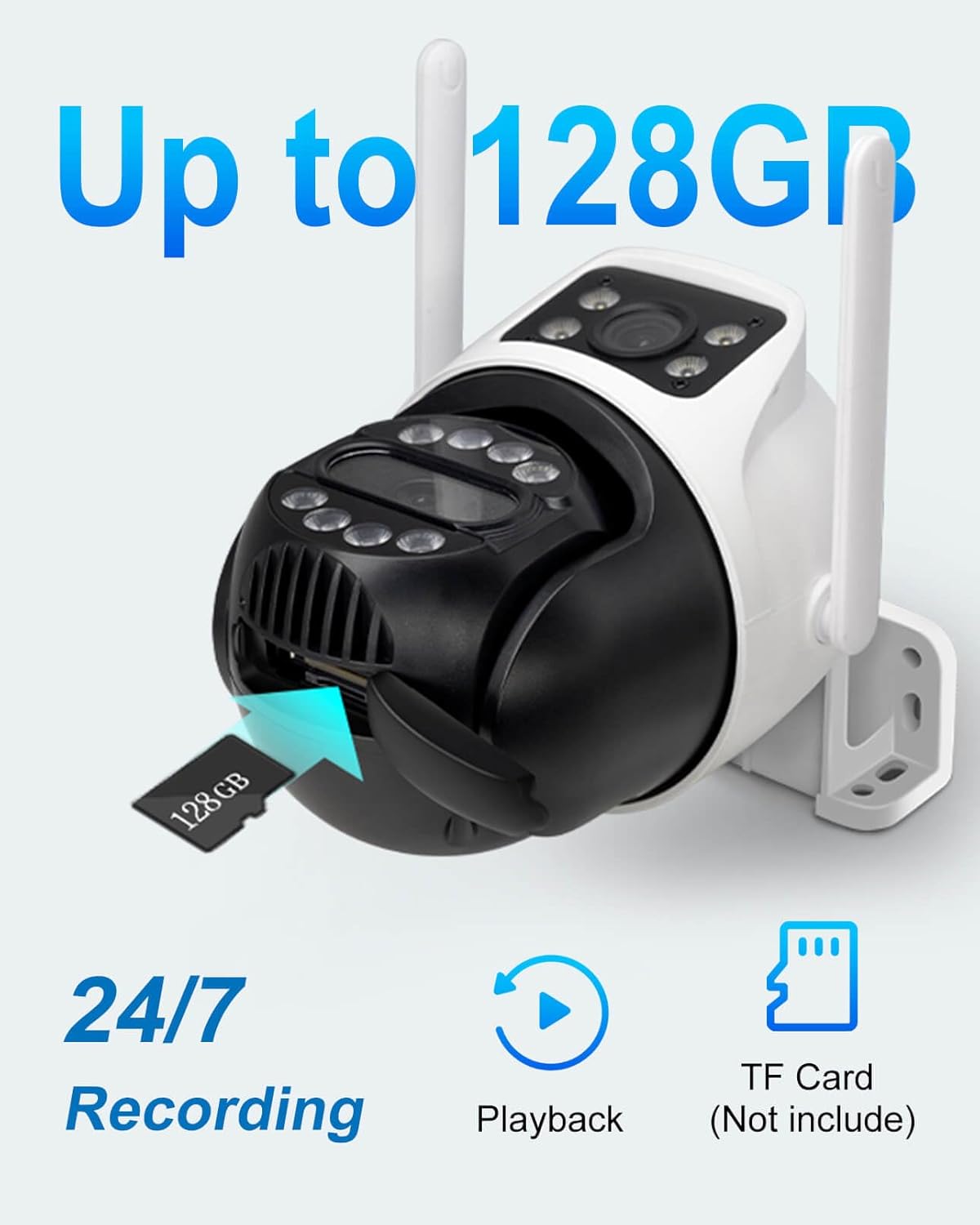
Image 4.4: Demonstrates two-way audio communication via the camera and app.
4.5 Запіс і захоўванне відэа
The camera supports continuous recording and event-triggered recording.
- Захоўванне карты MicroSD: Insert a MicroSD card (up to 128GB, not included) into the designated slot for local storage of video footage.
- Запіс 24/7: Configure the camera for continuous recording to the MicroSD card.
- Прайграванне: Доступ да запісанага footage directly through the INSEECam app, filtering by date and event.
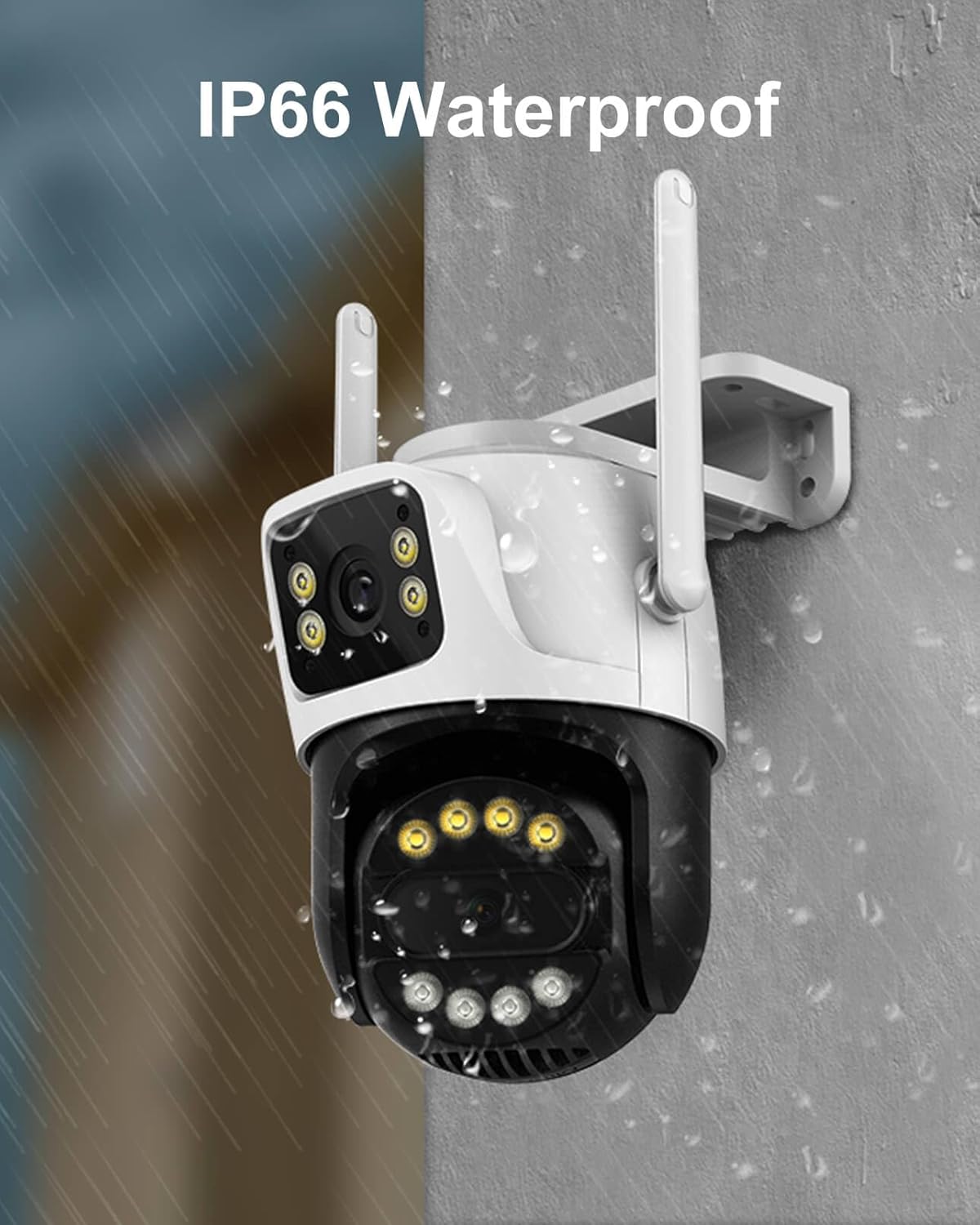
Image 4.5: The camera supports up to 128GB MicroSD card for local storage.
4.6 Сямейны доступ
Share access to your camera's live feed and recordings with trusted family members or friends through the INSEECam app.
5. Тэхнічнае абслугоўванне
- Уборка: Рэгулярна працірайце аб'ектыў і корпус камеры мяккай сурвэткайamp cloth to remove dust and dirt. Do not use harsh chemicals.
- Абнаўленні прашыўкі: Check the INSEECam app periodically for firmware updates to ensure optimal performance and security.
- крыніца харчавання: Пераканайцеся, што адаптар харчавання і кабель не пашкоджаны.
6. Выпраўленне непаладак
| выпуск | Магчымае рашэнне |
|---|---|
| Camera fails to power on. | Check the power adapter and cable connection. Ensure the power outlet is functional. |
| Немагчыма падключыцца да Wi-Fi. | Ensure your router is broadcasting a 2.4GHz WiFi signal. Verify the WiFi password. Move the camera closer to the router. |
| Частыя адключэнні. | Check WiFi signal strength in the camera's location. Reduce interference from other electronic devices. Restart your router and camera. |
| No video recording to MicroSD card. | Ensure a MicroSD card (up to 128GB) is inserted correctly and formatted within the app. Check recording settings in the app. |
| False alarms from motion detection. | Adjust the motion detection sensitivity in the app. Utilize human detection features and customize monitoring zones to exclude irrelevant areas. |
| Двухбаковая аўдыёсувязь не працуе. | Check microphone and speaker permissions for the INSEECam app on your smartphone. Ensure volume levels are adequate. |
7. Тэхнічныя характарыстыкі
| Спецыфікацыя | Дэталь |
|---|---|
| Назва мадэлі | INC003B |
| Дазвол відэазахопу | 6MP (3MP+3MP) |
| Тэхналогія падлучэння | Бесправадная сувязь (2.4 ГГц Wi-Fi) |
| Дыяпазон павароту/нахілу | Панарамаванне 355°, нахіл 90° |
| Дыяпазон начнога бачання | 66 футаў |
| Рэжымы начнога бачання | Full-Color, Infrared, Dual-Light Alarm |
| Выяўленне чалавека | Yes, with Auto-Tracking |
| Двухбаковае аўдыё | так |
| Захоўванне | Карта памяці MicroSD (да 128 ГБ) |
| Міжнародны рэйтынг абароны | IP66 (атмасфератрывалы) |
| Крыніца харчавання | Электрычны шнур (12 В) |
| Матэрыял | Акрыланітрылбутадыенстырол (АБС) |
| Памеры (Д х Ш х У) | 3.06 х 3.15 х 2.34 цалі |
| Вага прадмета | 1.17 фунта (0.53 кілаграма) |
| Частата кадраў | 20 кадраў у секунду |
| Кадзіроўка відэа | H.265AI |
8. Гарантыя і падтрымка
INSEETECH products are designed for reliability and performance. For warranty information, technical support, or any inquiries, please refer to the official INSEETECH website or contact customer service through the INSEECam app.
Вы таксама можаце наведаць в INSEETECH Store on Amazon для атрымання дадатковай інфармацыі і рэсурсаў падтрымкі.