
1. Уводзіны
This manual provides essential information for setting up, operating, and maintaining your GenMachine Mini PC AMD Ryzen 7 7735HS. Please read this manual thoroughly before using the device to ensure proper functionality and safety.
2. Інфармацыя па бяспецы
Каб пазбегнуць пашкоджання прылады або траўмаў, выконвайце наступныя правілы бяспекі:
- Не падвяргайце прыладу ўздзеянню вады, вільгаці або экстрэмальных тэмператур.
- Забяспечце належную вентыляцыю, каб прадухіліць перагрэў. Не закрывайце вентыляцыйныя адтуліны.
- Выкарыстоўвайце толькі адаптар сілкавання, які ўваходзіць у камплект.
- Не кідайце прыладу і не падвяргайце яе моцным ударам.
- Не спрабуйце адкрываць або рамантаваць прыладу самастойна. Звяртайцеся да кваліфікаванага персаналу па любыя паслугі па абслугоўванні.
3. Змесціва ўпакоўкі
Праверце наяўнасць усіх прадметаў у камплекце:
- GenMachine Mini PC
- Кіраўніцтва карыстальніка
- Адаптар сілкавання
- Кабель HDMI
- Мантажны кранштэйн (з шрубамі)

Image: Package Contents. This image displays the items included in the GenMachine Mini PC box: the Mini PC unit, user manual, power adapter, HDMI cable, and a mounting bracket with screws.
4. Прадукт скончыўсяview
The GenMachine Mini PC is a compact, high-performance computer designed for various applications, from home office tasks to multimedia consumption. Its small footprint allows for versatile placement.

Выява: спераду View of GenMachine Mini PC. This image shows the front panel of the GenMachine Mini PC, featuring the power button, USB-C port, audio jack, and two USB 3.0 ports.
4.1 Пярэдняя панэль
- Кнопка харчавання: Націсніце, каб уключыць/выключыць прыладу.
- Порт USB-C: For data transfer and display output.
- Аўдыёраз'ём: Для навушнікаў або знешніх дынамікаў.
- Парты USB 3.0 (x2): For connecting peripherals like keyboards, mice, or external storage.
4.2 Задняя панэль

Выява: Задняя частка View of GenMachine Mini PC. This image illustrates the rear panel of the Mini PC, highlighting the power input, HDMI ports, Ethernet ports, and additional USB ports.
- Power Input (DC IN): Падключыце адаптар сілкавання сюды.
- Парты HDMI (2): Connect to monitors or TVs for video output. Supports 4K resolution.
- Ethernet Ports (x2): For wired network connections (Dual 2.5G).
- Парты USB 2.0 (x2): Для падлучэння розных прылад USB.
4.3 Design and Dimensions

Image: GenMachine Mini PC Size Comparison. This image compares the compact size of the GenMachine Mini PC to a traditional tower chassis, illustrating its space-saving design. Dimensions are shown as 126mm x 130mm x 40mm.
The GenMachine Mini PC features an ultra-durable, lightweight metal casing. Its compact design (approximately 126 x 130 x 40 mm) makes it significantly smaller than traditional desktop computers, ideal for any work environment.
5. Настройка
5.1 Падключэнне перыферыйных прылад
- Connect your monitor(s) to the HDMI ports or the USB-C port using appropriate cables.
- Падключыце клавіятуру і мыш USB да даступных партоў USB.
- If using wired internet, connect an Ethernet cable to one of the Ethernet ports.
- Connect the power adapter to the DC IN port on the Mini PC, then plug it into a power outlet.
5.2 Уключэнне
Press the power button on the front panel of the Mini PC. The power indicator light will illuminate, and the system will begin to boot.
5.3 Initial Operating System Setup
Upon first boot, you will be guided through the operating system setup process (e.g., Windows 11). Follow the on-screen instructions to configure language, region, network, and user accounts.
6. Інструкцыя па эксплуатацыі
6.1 Падключэнне да сеткі
- Wi-Fi: During initial setup or via the operating system's network settings, select your Wi-Fi network and enter the password. The Mini PC supports Wi-Fi 6 for faster and more stable wireless connections.
- Ethernet: If an Ethernet cable is connected, the system should automatically detect and connect to the wired network. The Mini PC features dual 2.5G network ports for enhanced connectivity.
6.2 Прылады Bluetooth
The Mini PC supports Bluetooth 5.2. To pair a Bluetooth device (e.g., headphones, keyboard, mouse):
- Enable Bluetooth on your device and set it to pairing mode.
- On the Mini PC, go to the operating system's Bluetooth settings.
- Пошук and select your device from the list, then follow any on-screen prompts to complete pairing.
6.3 Налада некалькіх дысплеяў
The GenMachine Mini PC supports up to four displays simultaneously, utilizing its two HDMI ports and one full-function USB-C port (which supports 4K display output).
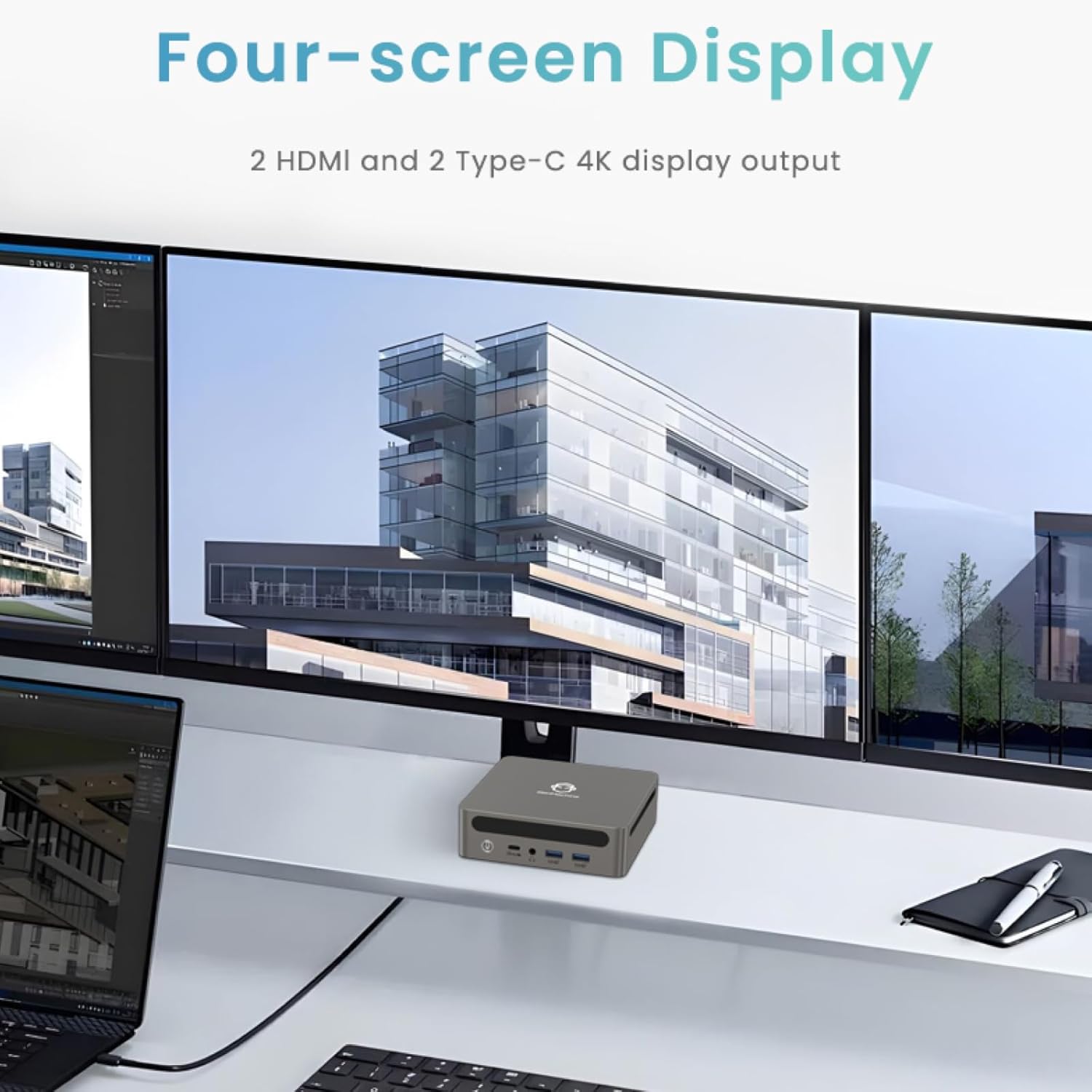
Image: Four-Screen Display Setup. This image demonstrates the GenMachine Mini PC connected to four monitors, showcasing its multi-display capabilities for enhanced productivity.
To configure multiple displays, connect your monitors and then adjust display settings within your operating system (e.g., Extend, Duplicate, or Second screen only).
7. Тэхнічнае абслугоўванне
7.1 Ачыстка
Regularly clean the exterior of the Mini PC with a soft, dry cloth. For stubborn dirt, slightly dampen the cloth with water. Do not use harsh chemicals or abrasive cleaners. Ensure ventilation openings are free of dust buildup.
7.2 Абнаўленне праграмнага забеспячэння
Keep your operating system and drivers updated to ensure optimal performance and security. Check for updates regularly through your operating system's settings.
7.3 Захоўванне
When not in use for extended periods, store the Mini PC in a cool, dry place, away from direct sunlight and extreme temperatures.
8. Выпраўленне непаладак
| праблема | Магчымая прычына | Рашэнне |
|---|---|---|
| Няма ўлады | Адаптар сілкавання не падключаны; разетка няспраўная. | Ensure power adapter is securely connected to the Mini PC and a working power outlet. Try a different outlet. |
| Няма адлюстравання на маніторы | Манітор не падключаны; на маніторы выбрана няправільная крыніца ўваходнага сігналу; няспраўны кабель. | Check HDMI/USB-C cable connections. Ensure the monitor is set to the correct input source. Try a different cable or monitor. |
| Wi-Fi не падключаецца | Incorrect password; router issue; Wi-Fi adapter driver issue. | Verify Wi-Fi password. Restart your router. Check operating system settings for Wi-Fi adapter status and drivers. |
| Сістэма павольная або не рэагуе | Too many applications running; insufficient free storage; outdated drivers. | Close unnecessary applications. Free up disk space. Update operating system and drivers. Restart the Mini PC. |
9. Тэхнічныя характарыстыкі
The following table details the technical specifications of the GenMachine Mini PC AMD Ryzen 7 7735HS:
| Асаблівасць | Дэталь |
|---|---|
| Працэсар | AMD Ryzen 7 7735HS (3.2 GHz, 8 Cores, 16 Threads, up to 4.75 GHz Max Boost Clock) |
| Графіка | AMD Radeon Graphics (Integrated, 680 MB RAM) |
| АЗП | 32GB LPDDR5 (up to 6400 Mb/s) |
| Захоўванне | 512GB 2280 SSD (PCIE x 16 interface) |
| Аперацыйная сістэма | OS (Windows 11 typically pre-installed) |
| Відэавыхад | 2x HDMI (4K @ 60Hz), 1x USB-C (4K display output), supports up to 3 displays |
| Парты USB | 2x USB 3.0, 2x USB 2.0, 1x USB-C (full-function USB 4.0 port) |
| Сеткавыя сувязі | Wi-Fi 6, Bluetooth 5.2, Dual 2.5G Ethernet |
| Аўдыё | Аўдыёраз'ём |
| Памеры | 6.34 х 6.3 х 3.62 цалі (прыблізна 16.1 х 16 х 9.2 см) |
| Вага | 2.4 фунта (прыблізна 1.09 кг) |
| Колер | Ашчэрка |

Image: AMD Ryzen 7 7735HS Processor. This image highlights the specifications of the AMD Ryzen 7 7735HS processor, including its 8 cores, 16 threads, and up to 4.75 GHz max boost clock.

Image: LPDDR5 Memory Performance. This image illustrates the enhanced speed of LPDDR5 RAM, showing a 50% increase in maximum DRAM bandwidth compared to LPDDR4X, reaching up to 6400 Mb/s.
10. Гарантыя і падтрымка
For warranty information and technical support, please refer to the documentation included with your purchase or visit the official GenMachine webсайт. Захоўвайце пацвярджэнне пакупкі для прэтэнзій па гарантыі.
For further assistance, you may contact GenMachine customer service through their official channels.