
1. Важныя папярэджанні па бяспецы
WARNING: THIS ESC IS NOT A TOY. It is a high-power electronic component for use by knowledgeable hobbyists. Misuse can cause property damage, personal injury, or fire. NEVER short-circuit the battery terminals (+ and -). This will cause extreme heat, fire, or explosion. DISCONNECT the battery immediately after use.
Always ensure proper ventilation around the ESC during operation. Do not operate the ESC in wet conditions. Read this manual completely before installation and operation.
2. Увядзенне прадукту
The ZTW Mantis Slim G2 15A Electronic Speed Controller (ESC) is designed for micro to small-sized RC airplanes and drones. It features a compact and lightweight design, providing reliable and efficient power delivery for various flight applications, including F3P, 3D, and 4D flying. This ESC incorporates advanced technology for smooth operation and multiple protection features to ensure safety and longevity.
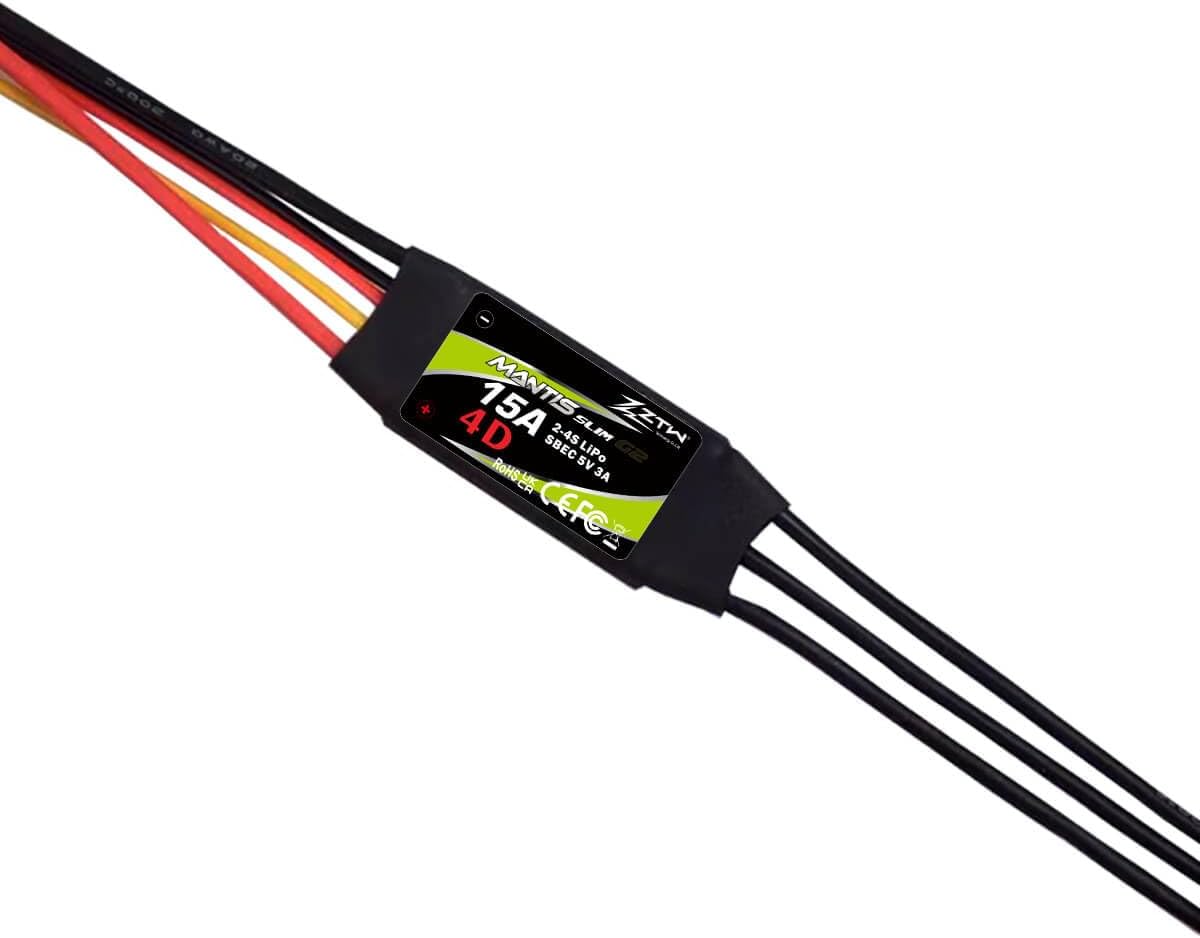
Image 1: ZTW Mantis Slim G2 15A ESC showing the product label and wire connections.
3. Асноўныя магчымасці
- High-Efficiency 15A Output: Delivers a continuous 15A current for stable performance.
- Integrated 5V/3A Switching BEC: Provides clean, stable power to the receiver and servos, preventing brown-outs.
- Ультракампактны і лёгкі дызайн: Allows for easy installation in tight spaces, maintaining optimal model balance.
- Comprehensive Protection Suite: Includes Low Voltage Cutoff (LVC) and Over-Heat protection to prevent damage.
- Smooth Operation & Wide Compatibility: Offers smooth throttle response and is compatible with 2-4S LiPo battery setups and various sensorless brushless motors.
- Праграмуемы: Supports programming via transmitter or ZTW LCD programming card (sold separately).
4. Тэхнічныя характарыстыкі
| Параметр | Каштоўнасць |
|---|---|
| мадэль | ZTW Mantis Slim G2 15A |
| Бесперапынны ток | 15А |
| Пікавы ток | 30А |
| Уваходны кнtage | 2-4S LiPo / 5-12NC |
| Тып BEC | Switching BEC |
| Выхад BEC | 5 В / 3 А |
| Вага | 10 г (0.32 унцыі) |
| Памеры (Д*Ш*У) | 25.5*15*5 мм (1 х 0.59 х 0.2 цалі) |
| Разетка для акумулятара | JST Female |
| Раз'ём рухавіка | Куля 2.0 мм |
| Спосаб праграмавання | Transmitter / ZTW LCD Program Card G2 |
5. Настройка і ўстаноўка
Follow these steps for proper installation of your ZTW Mantis Slim G2 15A ESC:
- Падключэнне да рухавіка: Connect the three motor wires from the ESC to the three wires of your brushless motor using the 2.0mm bullet connectors. The order of connection may affect motor rotation direction; if the motor spins in the wrong direction, swap any two of the motor wires.
- Падключэнне да прыёмніка: Plug the servo lead (signal cable) from the ESC into the throttle channel of your RC receiver. This is typically channel 3.
- Падключэнне да акумулятара: Connect your 2-4S LiPo battery (or 5-12NC battery) to the JST female connector on the ESC. Ensure correct polarity.
- Secure the ESC: Mount the ESC securely in your aircraft, ensuring good airflow for cooling. Avoid placing it near sources of interference.

Выява 2: Канецview of the ZTW Mantis Slim G2 15A ESC showing all connection points: battery (JST), receiver (servo lead), and motor (bullet connectors).
6. Інструкцыя па эксплуатацыі
6.1 Throttle Range Calibration
For optimal performance, calibrate the ESC's throttle range with your transmitter:
- Turn on your transmitter and set the throttle stick to its maximum position (100% throttle).
- Connect the battery to the ESC. The ESC will emit a series of beeps.
- When you hear the confirmation beeps (usually a long beep or a specific tone sequence), move the throttle stick to its minimum position (0% throttle).
- The ESC will emit another series of beeps to confirm the minimum throttle position. The calibration is now complete.
6.2 Рэжымы праграмавання
The ZTW Mantis Slim G2 15A ESC supports two main operating modes:
- Forward Only: Standard mode for fixed-wing aircraft.
- Наперад і назад: For specific 3D/4D flying applications where reverse thrust is required.
Programming can be done via your transmitter's stick commands or more conveniently with the ZTW LCD Program Card G2 (sold separately). Refer to the program card's manual for detailed instructions on adjusting parameters such as battery type, cutoff voltage, timing, and brake settings.
7. Тэхнічнае абслугоўванне
- Keep the ESC clean and free from dust, dirt, and moisture.
- Рэгулярна правярайце ўсе правады і раздымы на наяўнасць пашкоджанняў або няшчыльных злучэнняў.
- Ensure adequate airflow around the ESC to prevent overheating, especially during prolonged use.
- Store the ESC in a dry, cool place when not in use.
8. Выпраўленне непаладак
If you encounter issues with your ESC, consider the following:
- Motor not spinning: Check all connections (battery, motor, receiver). Ensure the throttle is calibrated correctly. Verify the battery is charged.
- Erratic motor behavior/stuttering: This could indicate incorrect motor timing, a loose connection, or a damaged motor/ESC. Check connections and try adjusting motor timing if programmable.
- ESC overheating: Ensure sufficient airflow. Check for excessive current draw from the motor or an undersized propeller.
- No power to receiver/servos: Check the BEC output. Ensure the ESC is properly connected to the receiver.
- ESC beeps continuously: This often indicates a low voltage cutoff or an error code. Refer to the programming card manual for specific beep codes if available.
If problems persist, contact ZTW customer support for further assistance.
9. Гарантыя і падтрымка
For warranty information and technical support, please refer to the official ZTW webсайт або звярніцеся да прадаўца. Захоўвайце пацвярджэнне пакупкі для прэтэнзій па гарантыі.