
1. Уводзіны
Thank you for choosing the Codnida 5.5" LCD Baby Monitor Camera. This device is designed to provide a secure and reliable way to monitor your baby, offering high-definition video, two-way audio, and various smart features to ensure peace of mind. Please read this manual thoroughly before use to ensure proper operation and to maximize the lifespan of your product.
2. Важная інфармацыя па бяспецы
Please keep this manual for future reference. Failure to follow these safety instructions could result in fire, electric shock, or other injury or damage.
- Небяспека ўдушэння: Keep the camera and monitor cords out of reach of children (at least 3 feet / 1 meter away). Never place the camera or cords within the crib or playpen.
- Небяспека паразы электрычным токам: Do not expose the product to rain or moisture. Do not open the casing of the product. There are no user-serviceable parts inside.
- Перагрэў: Do not place the product in direct sunlight or near heat sources. Ensure adequate ventilation around the camera and monitor.
- Перашкоды: Keep the product away from other electronic devices that may cause interference, such as microwaves or Wi-Fi routers.
- Бяспека акумулятара: The monitor contains a rechargeable lithium-ion battery. Do not disassemble, crush, or expose the battery to extreme temperatures. Dispose of batteries properly according to local regulations.
- Размяшчэнне: Place the camera on a flat, stable surface or mount it securely to a wall, ensuring a clear view дзіцяці.
3. Змесціва ўпакоўкі
Акуратна распакуйце скрынку і пераканайцеся, што ўсе пералічаныя ніжэй прадметы наяўныя і ў добрым стане. Калі якія-небудзь прадметы адсутнічаюць або пашкоджаныя, звярніцеся ў службу падтрымкі кліентаў.
- 5.5" LCD Baby Monitor (Parent Unit)
- 2K 3MP Baby Camera (Baby Unit)
- Адаптар харчавання для манітора
- Power Adapter for Camera
- Зарадныя кабелі USB (2)
- Wall Mounting Kit (Screws and Anchors)
- Кіраўніцтва карыстальніка

4. Прадукт скончыўсяview
4.1 Бацькоўскі блок (манітор)
The parent unit features a 5.5-inch LCD screen for clear viewing of your baby. It includes control buttons for navigation, volume, zoom, and two-way audio. The built-in rechargeable battery allows for portable use.
- 5.5-цалевы ВК-дысплей
- Кнопка харчавання / меню
- Navigation Buttons (Up/Down/Left/Right/OK)
- Рэгулятар гучнасці
- Кнопка маштабавання
- Two-Way Audio Button
- Мікрафон і дынамік
- Антэна
- Порт для зарадкі
4.2 Дзіцячы блок (камера)
The baby unit is equipped with a 2K 3MP HD camera, infrared LEDs for night vision, and a microphone and speaker for two-way audio. It also features pan, tilt, and zoom (PTZ) capabilities for comprehensive room coverage.
- 2K 3MP HD Camera Lens
- Infrared LEDs (for Night Vision)
- Мікрафон і дынамік
- Датчык тэмпературы/вільготнасці
- Кнопка спалучэння
- Порт харчавання
- Мантажнае адтуліну
5. Настройка
5.1 Першапачатковая зарадка
Before first use, fully charge the parent unit for approximately 8 hours. Connect the power adapter to the parent unit and a power outlet. The charging indicator will show the charging status.

5.2 Размяшчэнне камеры
Place the baby unit (camera) in a location that provides a clear view of your baby, but always keep it at least 3 feet (1 meter) away from the crib or playpen to avoid strangulation hazards from the power cord. You can place it on a flat surface or mount it to a wall using the provided kit.
5.3 Уключэнне
- Connect the power adapter to the baby unit (camera) and a power outlet. The camera will power on automatically.
- Press and hold the Power button on the parent unit (monitor) for a few seconds to turn it on.
- The parent unit and baby unit are pre-paired at the factory. If they do not connect automatically, refer to the "Pairing Camera and Monitor" section.
5.4 Pairing Camera and Monitor
If the monitor displays "No Signal" or you wish to add another camera (sold separately), follow these steps:
- On the parent unit, press the Menu button.
- Navigate to the "Camera" or "Add Camera" option and select it.
- Select an empty camera channel (e.g., CAM 2, CAM 3).
- The monitor will display a message to press the pairing button on the camera.
- Within 10 seconds, press the Pairing button on the back or bottom of the baby unit (camera).
- Once paired, the image from the camera will appear on the monitor.
5.5 App Installation and Connection (Optional)
The Codnida baby monitor also supports connection via the "Tuya" application for remote monitoring. This feature requires a Wi-Fi connection.
- Запампуйце праграму «Tuya Smart» або «Smart Life» з крамы праграм вашага смартфона (iOS App Store або Google Play Store).
- Зарэгіструйце новы ўліковы запіс або ўвайдзіце ў сістэму, калі ён у вас ужо ёсць.
- Выконвайце інструкцыі ў дадатку, каб дадаць новую прыладу. Выберыце «Бяспека і відэаназіранне», а затым «Разумная камера (Wi-Fi)».
- Ensure your camera is powered on and in pairing mode (usually indicated by a flashing light).
- Падключыце тэлефон да сеткі Wi-Fi 2.4 ГГц.
- Scan the QR code displayed on your phone with the baby unit camera, or follow alternative pairing methods if prompted.
- Пасля падключэння вы можаце view the live feed, control PTZ, and access other features via the app.
6. Аперацыя
6.1 Асноўны маніторынг
Once the camera and monitor are connected, the live video feed of your baby's room will be displayed on the 5.5" LCD screen.

6.2 Рэжым VOX (галасавая станцыя)
VOX mode is an energy-saving feature. When enabled, the monitor screen will turn off to conserve battery. It will automatically activate and display the video feed when a sound (like crying) is detected in the baby's room.
- To activate/deactivate VOX mode: Press the Menu button, navigate to "VOX" or "Sound Activation", and select your desired sensitivity level (Low, Medium, High) or turn it off.

6.3 Двухбаковае аўдыё
Communicate with your baby remotely using the two-way audio feature.
- Press and hold the Talk button (microphone icon) on the parent unit to speak. Release the button to hear your baby.

6.4 Панарамаванне, нахіл і маштабаванне (PTZ)
Кіруйце камерай viewing angle and zoom level directly from the parent unit.
- Use the Navigation buttons (Up/Down/Left/Right) to pan and tilt the camera.
- Press the Zoom button (magnifying glass icon) to zoom in (up to 4X digital zoom). Press again to zoom out.

6.5 Начное бачанне
Камера аўтаматычна пераключаецца ў рэжым інфрачырвонага начнога бачання ва ўмовах нізкай асветленасці, забяспечваючы выразнае чорна-белае выява вашага дзіцяці.

6.6 Калыханкі
Soothe your baby with built-in lullabies played directly from the baby unit.
- To play lullabies: Press the Menu button, navigate to "Lullabies", and select a melody or play all.
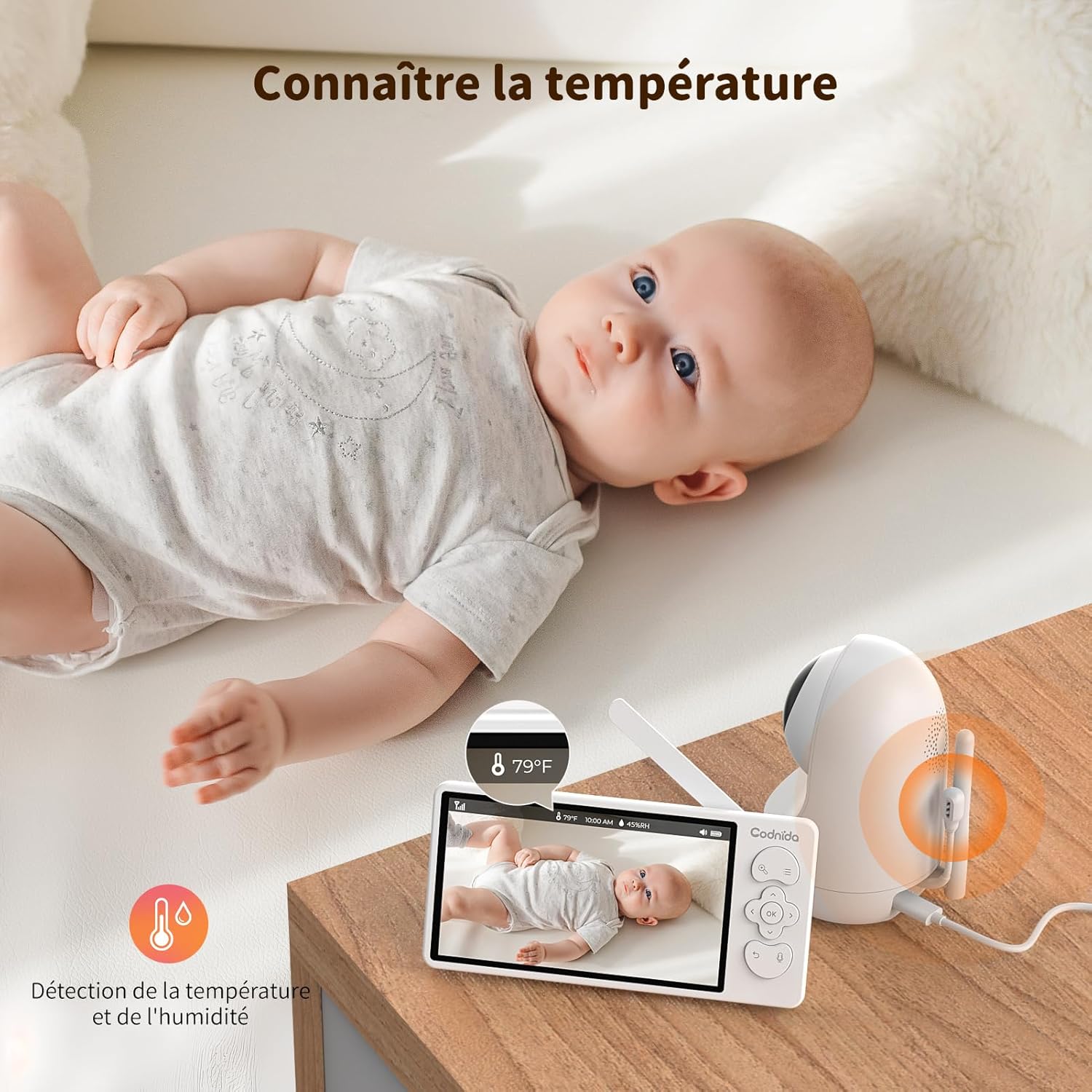
6.7 Маніторынг тэмпературы і вільготнасці
The baby unit includes sensors to monitor the room's temperature and humidity, displayed on the parent unit screen. You can set alerts for out-of-range conditions.
6.8 Напамін аб кармленні
Set reminders for feeding times to help maintain your baby's schedule.
- To set a feeding reminder: Press the Menu button, navigate to "Feeding Reminder", and set the desired interval.

7. Тэхнічнае абслугоўванне
7.1 Ачыстка
To keep your baby monitor clean and functioning properly:
- Disconnect both units from power before cleaning.
- Wipe the surfaces of the camera and monitor with a soft, dry, lint-free cloth.
- Do not use cleaning sprays or liquid cleaners directly on the units.
- Для ўстойлівых плям злёгку пачысціцеampпрамыйце тканіну вадой і акуратна вытрыце, затым адразу ж высушыце.
- Не выкарыстоўвайце абразіўныя ачышчальнікі або растваральнікі.
7.2 Захоўванне
If you do not plan to use the baby monitor for an extended period:
- Fully charge the parent unit before storing.
- Захоўвайце прылады ў прахалодным, сухім месцы, удалечыні ад прамых сонечных прамянёў і экстрэмальных тэмператур.
- Keep all components, including cables and adapters, neatly organized to prevent damage.
8. Выпраўленне непаладак
If you encounter issues with your Codnida baby monitor, please refer to the following common problems and solutions:
| праблема | Магчымая прычына | Рашэнне |
|---|---|---|
| No signal on monitor / Screen is black |
|
|
| Poor image quality / Blurry image |
|
|
| Адсутнічае гук альбо скажаецца гук |
|
|
| Акумулятар не трымае зарад |
|
|
9. Тэхнічныя характарыстыкі
| Асаблівасць | Дэталь |
|---|---|
| Нумар мадэлі | MWM553+MWZ553C |
| Памер дысплея | 5.5-цалевы ВК-экран |
| Дазвол камеры | 2K 3MP (1296p recording, 1440 effective video resolution) |
| Дыяпазон начнога бачання | Да 5 метраў |
| Кіраванне PTZ | Pan (350°), Tilt (90°), 4X Digital Zoom |
| Тэхналогія падлучэння | Бесправадная сувязь (Wi-Fi для праграмы) |
| Двухбаковае аўдыё | так |
| Рэжым VOX | так |
| Датчык тэмпературы/вільготнасці | так |
| Калыханкі | так |
| Напамін аб кармленні | так |
| Увод магутнасці | 5 вольт, 3.8 ват |
| Матэрыял | Пластыкавыя |
| Памеры (Д х Ш х У) | 10 х 5 х 10 см (прыблізна) |
| Вага | 850 грамаў (прыблізна) |
| Тып батарэі | Літый-іённы |
10. Гарантыя і падтрымка
10.1 Інфармацыя аб гарантыі
The Codnida 5.5" LCD Baby Monitor Camera comes with a Гарантыя 1 год з даты пакупкі. Гэтая гарантыя распаўсюджваецца на вытворчыя дэфекты і няспраўнасці пры нармальным выкарыстанні. Яна не распаўсюджваецца на пашкоджанні, выкліканыя няправільным выкарыстаннем, аварыямі, несанкцыянаваным рамонтам або звычайным зносам.
Акрамя таго, а 30-дзённая палітыка вяртання is offered. Please refer to your retailer's return policy for specific details.
10.2 Падтрымка кліентаў
If you have any questions, concerns, or require technical assistance with your Codnida baby monitor, please contact our customer support team. For Amazon purchases, you can typically reach support by navigating to "Your account - Choose your order - Ask us your question" on the Amazon platform.
Please have your model number (MWM553+MWZ553C) and purchase date ready when contacting support to expedite the process.
11. Афіцыйныя відэа пра прадукт
No official product videos from the seller were found in the provided product data. For visual demonstrations or additional information, please refer to the product page or contact Codnida customer support.