
1. Уводзіны
The Xigmatek Aqua V AIR is a high-performance mid-tower PC case designed for gaming enthusiasts. It features a spacious interior, optimized airflow, and tempered glass panels on the front and side to showcase your components. Equipped with seven 120mm ARGB fans, it supports graphics cards up to 410mm in length and is compatible with motherboards featuring hidden connectors for a clean build.
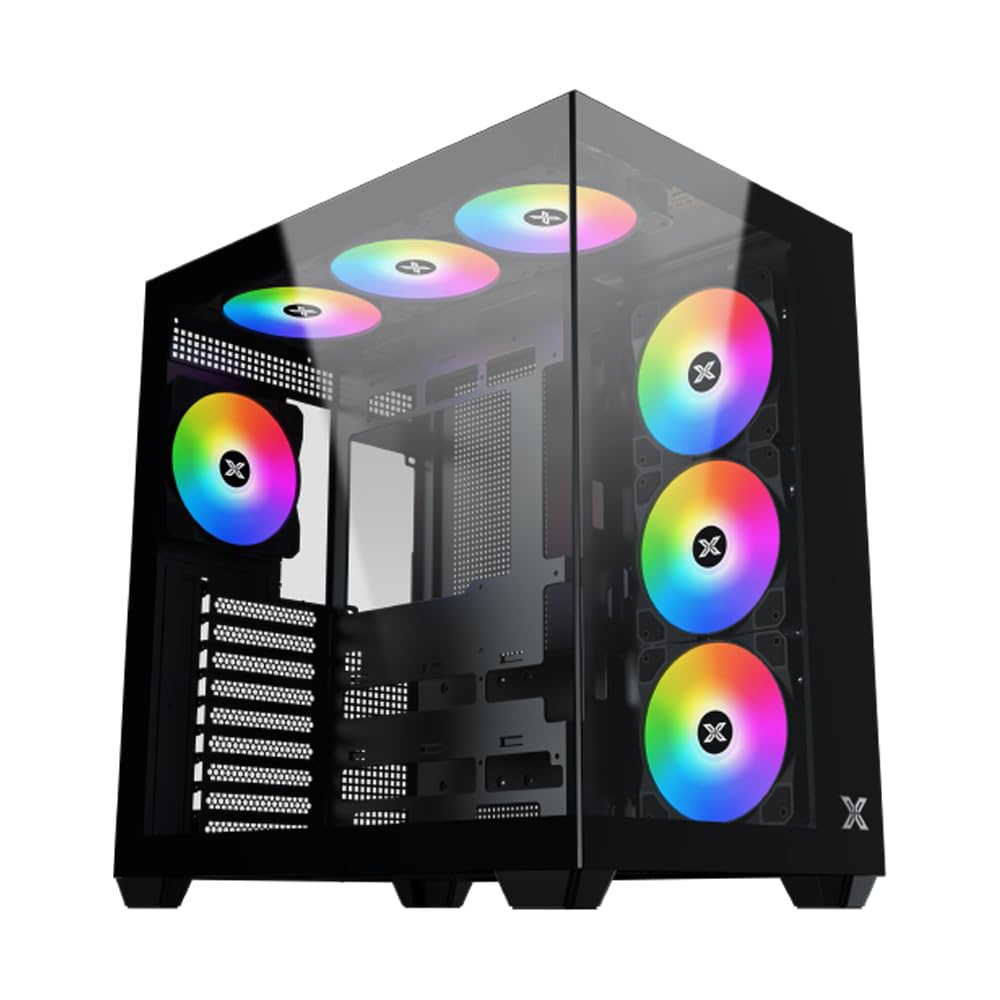
Малюнак 1: У цэлым view of the Xigmatek Aqua V AIR PC Case.
2. Асноўныя магчымасці
- матэрыял: Constructed from high-quality steel for durability and reliability.
- Памеры: 427 x 285 x 455 mm (L x W x H), offering a spacious interior.
- Сістэма астуджэння: Supports up to three 120mm or two 140mm fans for optimal cooling performance.
- Падтрымка радыятара: Compatible with 240/280/360mm radiators on the top, bottom, and rear for versatile cooling options.
- Панэль уводу/вываду: Features 2x USB 3.0 ports, 1x USB-C port, and HD audio for convenient connectivity.
- Сумяшчальнасць матчынай платы: Supports ATX, Micro ATX, and Mini ITX motherboards, including those with hidden connectors.
- Даўжыня GPU: Accommodates graphics cards up to 410mm in length.
- Падтрымка захоўвання: Забяспечвае ample space for multiple storage drives.
3. Тэхнічныя характарыстыкі
| Асаблівасць | Дэталь |
|---|---|
| Марка | Ксігматэк |
| Нумар мадэлі | EN45820 |
| серыял | Aqua V AIR BLACK |
| Колер | Чорны |
| Памеры (Д х Ш х У) | 42.7 х 28.5 х 45.5 см |
| Вага прадукту | 8.8 кілаграма |
| Матэрыял | Легаваная сталь, загартаванае шкло |
| Сумяшчальнасць матчыных поплаткаў | ATX, мікра ATX, міні ITX |
| Тып корпуса | Сярэдняя вежа |
| Рэкамендуемае выкарыстанне | Gaming, High-Performance Computing |
| Парты USB 3.0 | 2 |
| Парты USB-C | 1 |
| Спосаб астуджэння | Water (Liquid Cooling Support) |
| Памер вентылятара | 120 Millimeters (Pre-installed ARGB fans) |
| Тып мацавання блока харчавання | Ніжняе мацаванне |
4. Настройка і ўстаноўка
This section provides general guidance for installing components into your Xigmatek Aqua V AIR PC case. Always refer to the specific manuals for your motherboard, power supply, and other components for detailed instructions.
4.1 Падрыхтоўка справы
- Unpack the PC case and remove all packaging materials.
- Carefully remove the tempered glass side panel(s) and front panel (if applicable) to access the interior. Store them safely to prevent damage.
- Identify the accessory box, which typically contains screws, cable ties, and other small parts.
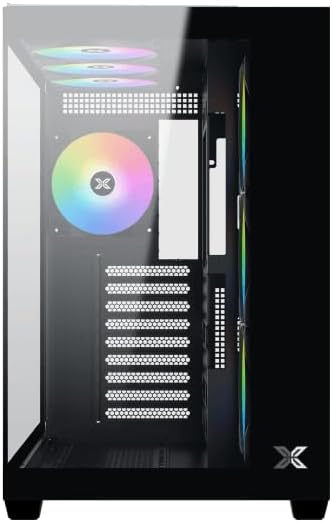
Малюнак 2: Інтэр'ер view са знятай бакавой панэллю.
4.2 Устаноўка мацярынскай платы
- Install the I/O shield (if not pre-installed on your motherboard) into the rear opening of the case.
- Align your ATX, Micro ATX, or Mini ITX motherboard with the standoffs inside the case. Ensure all standoffs match the screw holes on your motherboard.
- Secure the motherboard with the appropriate screws provided in the accessory kit.

Figure 3: Motherboard tray and cable management area.
4.3 Устаноўка блока сілкавання (БП).
- Знайдзіце месца для мацавання блока харчавання ў ніжняй задняй частцы корпуса.
- Slide your PSU into position, ensuring the fan faces downwards (if the case has a bottom vent) or upwards.
- Замацуеце блок харчавання шрубамі з задняй часткі корпуса.
4.4 Усталёўка назапашвальніка
The case supports various storage configurations. Refer to the case diagram for specific drive bay locations.
- Install 2.5" SSDs or 3.5" HDDs into the designated drive bays or mounting brackets.
- Замацуеце прывады шрубамі.
4.5 Усталёўка відэакарты (GPU)
- Зніміце неабходныя вечкі слотаў PCIe з задняй панэлі корпуса.
- Устаўце відэакарту ў адпаведны слот PCIe на матчынай плаце.
- Замацуеце відэакарту шрубамі.
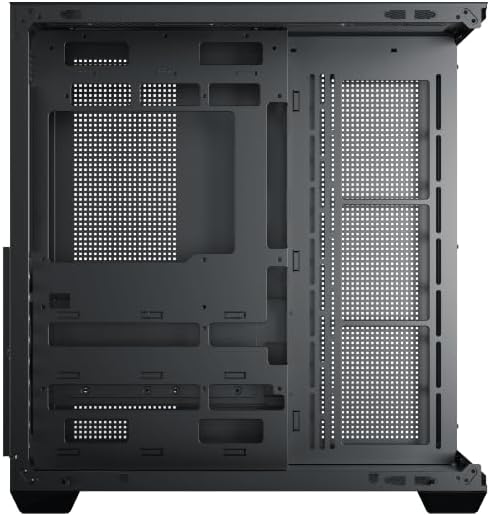
Figure 4: Components installed inside the case.
4.6 Арганізацыя кабеляў
Utilize the cable routing cutouts and tie-down points behind the motherboard tray to manage cables for improved airflow and aesthetics.
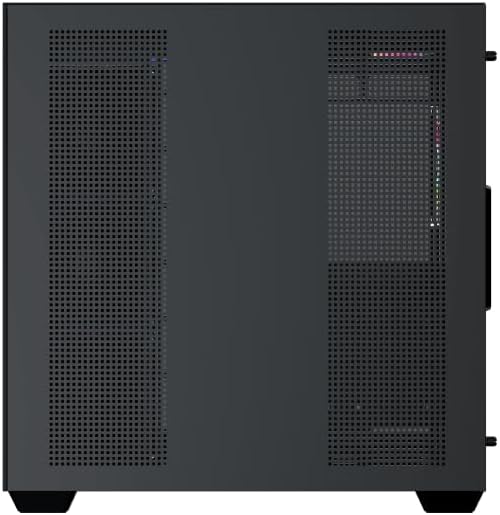
Figure 5: Top panel and I/O ports.
5. Інструкцыя па эксплуатацыі
5.1 Уключэнне
Once all components are securely installed and connected, close the side panels. Connect your power cable to the PSU and press the power button on the case's front I/O panel.
5.2 Кіраванне вентылятарам ARGB
The Xigmatek Aqua V AIR comes with pre-installed ARGB fans. These fans can typically be controlled via:
- Праграмнае забеспячэнне матчынай платы: If your motherboard supports ARGB synchronization, connect the fan's ARGB cables to the motherboard's 3-pin 5V ARGB header and use the motherboard's software (e.g., ASUS Aura Sync, MSI Mystic Light, Gigabyte RGB Fusion) to customize lighting effects.
- Integrated Controller: If your case includes a built-in ARGB controller, use the dedicated button on the I/O panel to cycle through various lighting modes and colors.
6. Тэхнічнае абслугоўванне
Рэгулярнае тэхнічнае абслугоўванне дапамагае забяспечыць аптымальную прадукцыйнасць і даўгавечнасць кампанентаў вашага ПК.
6.1 Ачыстка пылавога фільтра
The Xigmatek Aqua V AIR case is equipped with dust filters to prevent dust buildup. Locate and gently remove the dust filters (typically on the top, front, and bottom). Clean them with compressed air or by rinsing with water. Ensure they are completely dry before reattaching.
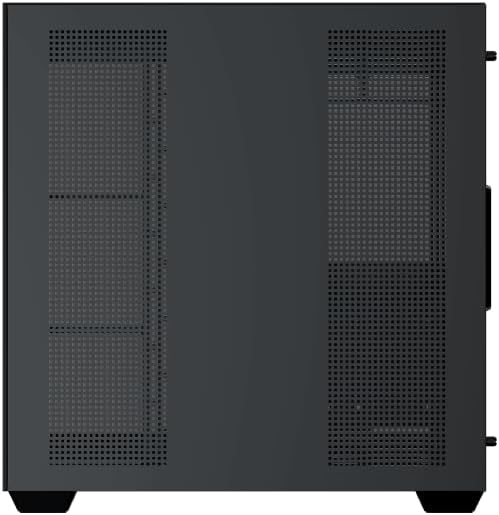
Figure 6: Bottom dust filter.
6.2 Генеральная ўборка
Use a soft, dry cloth to wipe down the exterior of the case. For tempered glass panels, use a glass cleaner and a microfiber cloth to avoid streaks. Avoid using abrasive cleaners or solvents.
7. Выпраўленне непаладак
Калі ў вас узніклі праблемы, разгледзьце наступныя распаўсюджаныя дзеянні па ліквідацыі непаладак:
- Няма харчавання:
- Ensure the PSU is switched on and properly connected to the wall outlet and motherboard.
- Check all power connections to components (motherboard, CPU, GPU, drives).
- Verify the front panel power switch cable is correctly connected to the motherboard.
- Вентылятары не круцяцца / RGB не працуе:
- Check if fan power cables are securely connected to the motherboard or fan controller.
- Ensure ARGB cables are connected to the correct 3-pin 5V ARGB header (not 4-pin 12V RGB).
- If using a controller, ensure it has power and is functioning correctly.
- Перагрэў:
- Ensure all fans are spinning and oriented correctly for optimal airflow (intake/exhaust).
- Ачысціце пылавыя фільтры і ўнутраныя кампаненты.
- Праверце, ці правільна ўсталяваны і працуюць кулеры працэсара і відэакарты.
8. Гарантыя і падтрымка
The Xigmatek Aqua V AIR PC Case comes with a 2-гадовая гарантыя вытворцы. For technical support, warranty claims, or further assistance, please contact Xigmatek customer service or visit their official webсайт.
Калі ласка, захавайце пацвярджэнне пакупкі для гарантыйных мэт.