
Уводзіны
Thank you for choosing the GENBOLT GB102HD Dual-Lens Wi-Fi Indoor Security Camera. This manual provides essential information for the safe and efficient use of your device. Please read it thoroughly before installation and operation, and retain it for future reference.
The GB102HD camera is designed for indoor surveillance, offering advanced features such as dual lenses for comprehensive coverage, 1080P HD video, AI-powered motion detection, two-way audio, and versatile recording options. It is ideal for monitoring pets, children, or the elderly, providing peace of mind through remote access and smart alerts.
Прадукт скончаныview
Асноўныя характарыстыкі
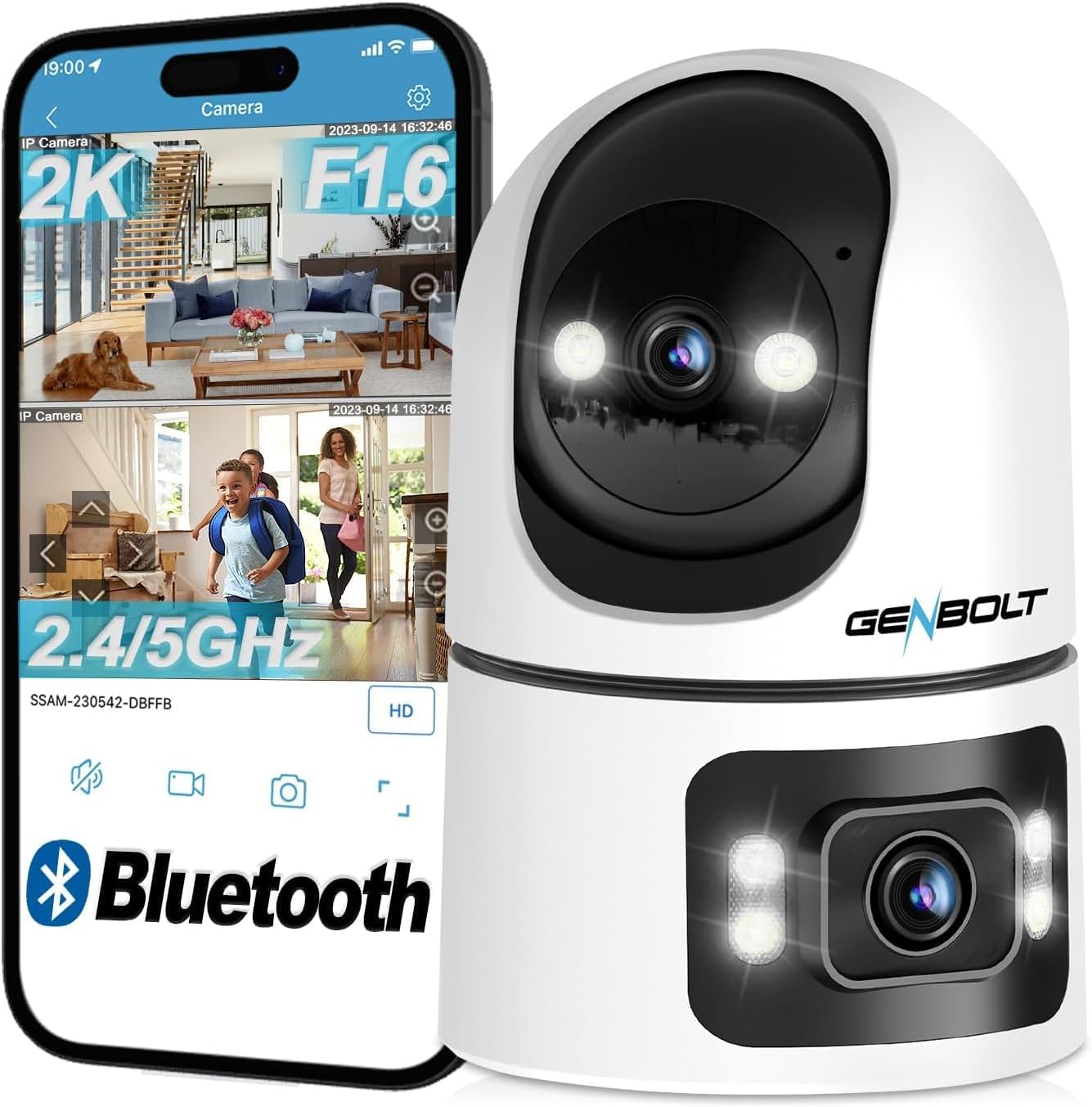
- Сістэма з падвойным аб'ектывам: Combines a pan-tilt lens for dynamic tracking and a fixed wide-angle lens for static overview, providing a 360-degree field of view.
- Раздзяленне 1080P HD: Забяспечвае выразнае і дэталёвае відэаtage.
- AI Human & Motion Detection: Intelligent algorithms detect human shapes and motion, reducing false alarms and triggering automatic tracking.
- Аўтаматычнае адсочванне: The camera automatically follows detected subjects within its field of view.
- Двухбаковы аўдыё: Built-in speaker and microphone allow for real-time communication.
- Поўнакаляровы начны бачанне: Provides clear, colorful images even in low-light conditions, up to 10 meters.
- Гнуткае захоўванне: Supports up to 128GB MicroSD card and offers a 7-day free trial for cloud storage.
- Multi-Platform Access: View live feeds and recordings via smartphone (iOS/Android), tablet, or computer (macOS/Windows) applications.
- Падключэнне Wi-Fi: Supports 2.4GHz and 5GHz Wi-Fi for stable and fast network connection.
Змест пакета
- GENBOLT GB102HD Camera Body
- Кіраўніцтва карыстальніка
- Power Adapter (USB)
- Mounting Accessories (if applicable, not explicitly listed but common for cameras)
Схема прадукту
Кіраўніцтва па ўстаноўцы
1. Уключэнне прылады
Connect the camera to a power source using the provided USB power adapter. The camera will initiate its startup sequence. Wait for the voice prompt indicating that the camera has started and is ready for network configuration.

2. Усталёўка прыкладання
Download the "GENBOLT CAM" application from your smartphone's app store (available for iOS and Android). Install the application on your device.
3. Initial Device Pairing
- Open the "GENBOLT CAM" app.
- Tap the "+" icon to add a new camera.
- The app may request permission to access location services and Bluetooth. Grant these permissions for proper device detection and setup. For iPhone users, ensure "New Connections" is allowed for Bluetooth.
- The app will scan for nearby Bluetooth devices. Select your camera from the list (e.g., "SSAS-200386-DFAAF") and tap "Add" or "Connect".
4. Злучэнне Wi-Fi
- After successful Bluetooth pairing, the app will prompt you to select your Wi-Fi network. Choose your 2.4GHz or 5GHz Wi-Fi network (note: some older models may only support 2.4GHz).
- Enter your Wi-Fi password and confirm.
- The camera will attempt to connect to the Wi-Fi network. Once connected, the app will confirm the successful addition of the device.
- You can then name your camera (e.g., "Living Room", "Baby Room") and begin monitoring.

Інструкцыя па эксплуатацыі
1. Жыць View and Dual-Lens Control
Access the live feed through the GENBOLT CAM app. The dual-lens system allows for simultaneous monitoring of two areas. The upper lens provides a pan-tilt view that can be remotely controlled, while the lower lens offers a fixed 90-degree wide-angle view.

2. Pan/Tilt and Digital Zoom
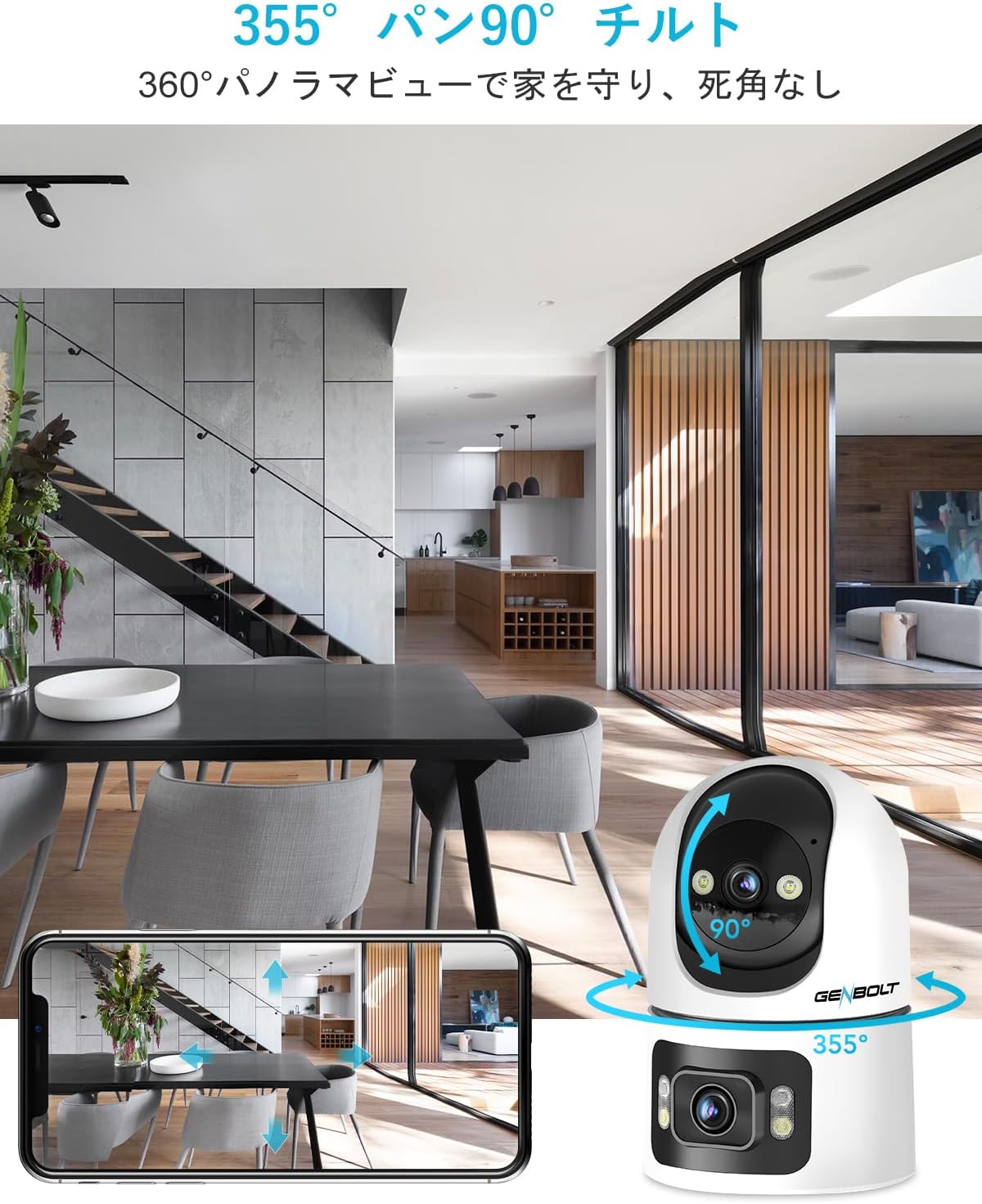
Use the controls within the app to remotely pan the upper lens 355 degrees horizontally and tilt it 90 degrees vertically. The camera also supports 4x digital zoom to focus on specific details.
3. Выяўленне руху і абвесткі
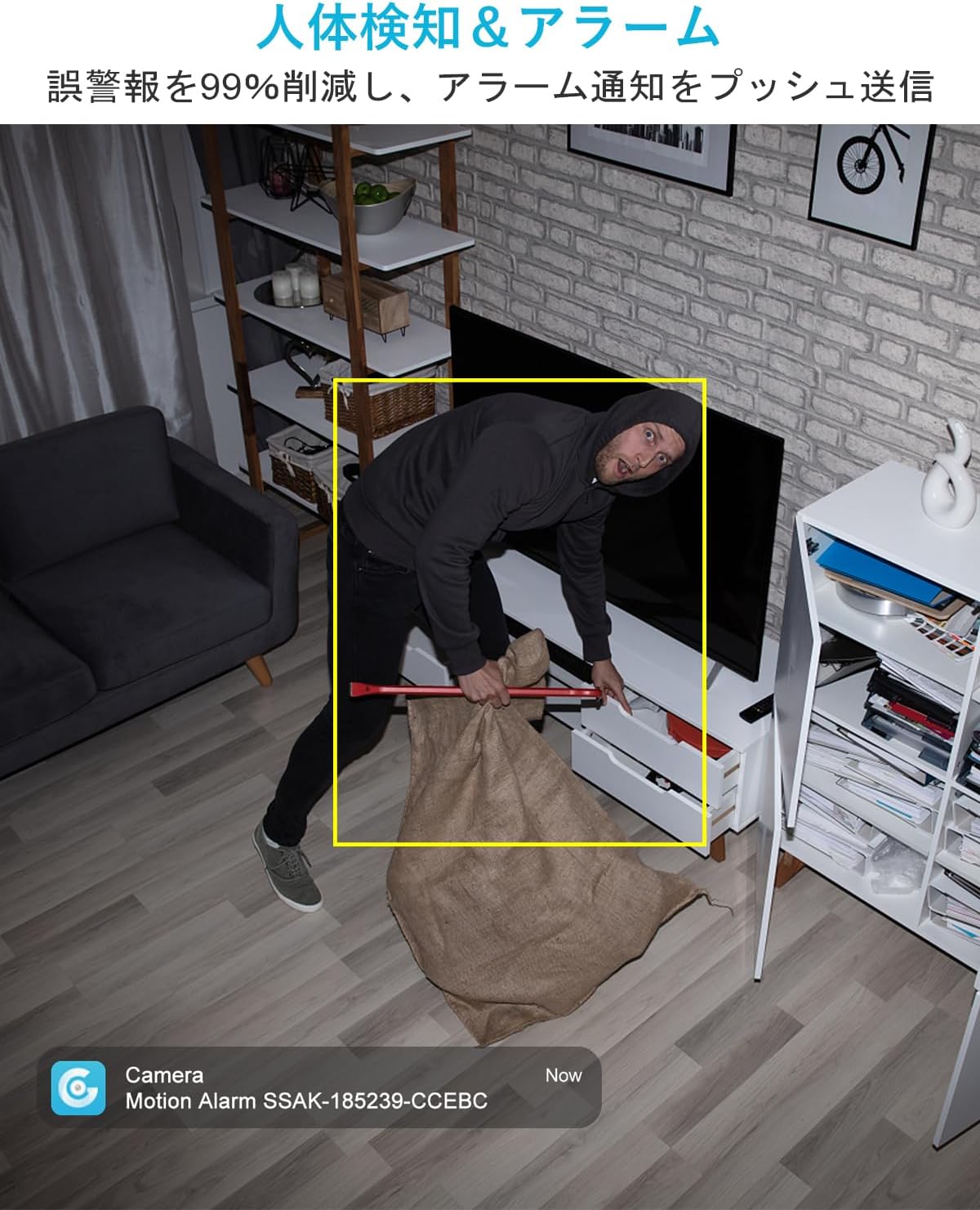
The camera features AI-powered human and motion detection. When unusual movement or a human shape is detected, the camera will automatically track the subject, record video, and send instant notifications to your smartphone. This helps ensure you don't miss important events.

4. Двухбаковая аўдыёсувязь
Utilize the built-in speaker and microphone for two-way communication. This allows you to speak to family members, pets, or even deter intruders directly through the camera from your smartphone, regardless of your location.

5. Рэжымы начнога бачання
The GB102HD offers advanced night vision capabilities. It can automatically switch to full-color night vision mode in low-light conditions, providing clear and vibrant images up to 10 meters. You can also customize LED brightness and motion-triggered lighting.

6. Запіс і прайграванне
The camera supports continuous recording or event-triggered recording to a MicroSD card (up to 128GB) or cloud storage. A 7-day free trial for cloud storage is available. Easily review запісана footagнепасрэдна з праграмы.

7. Multi-Device Access
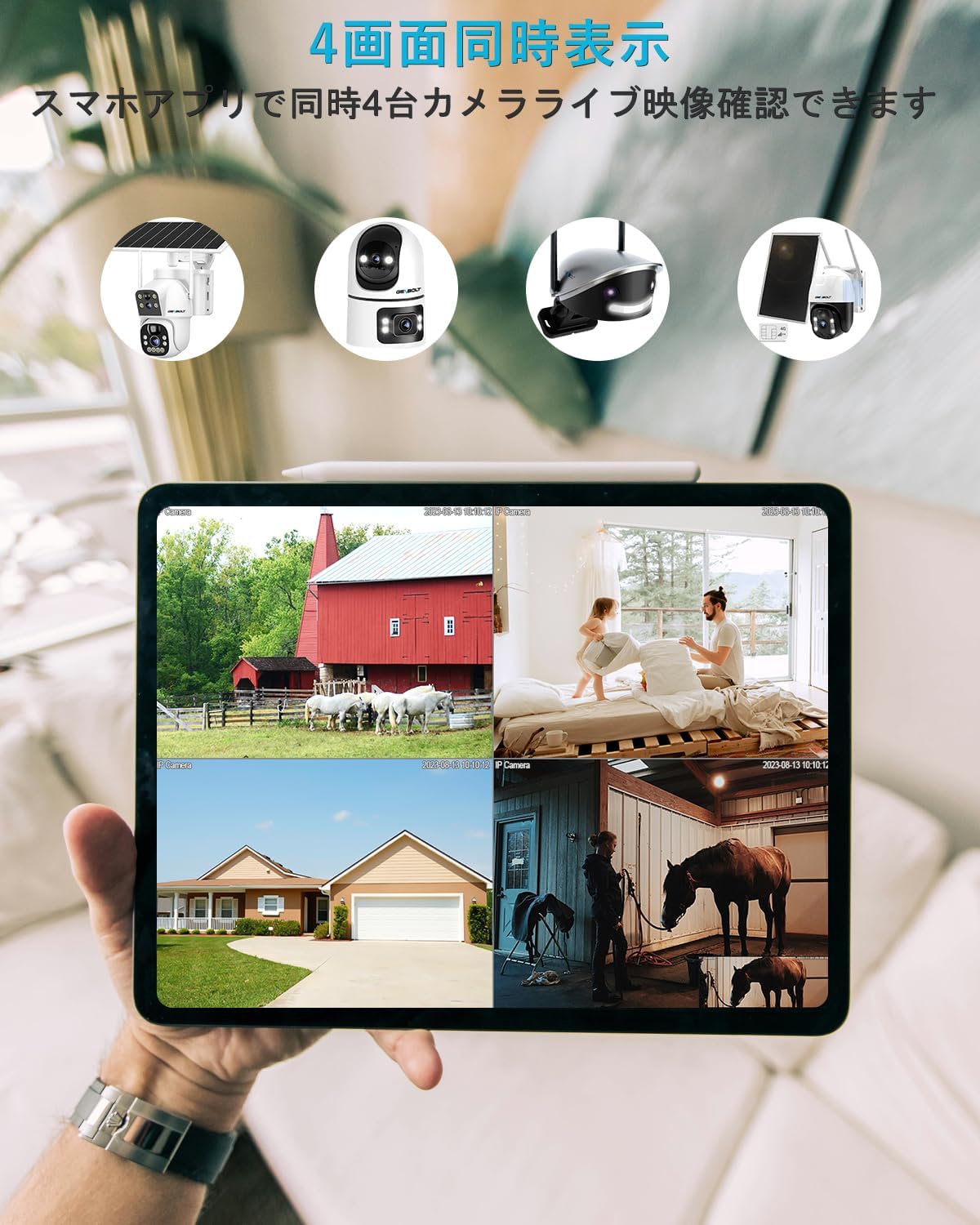
Monitor your camera feed from various devices, including smartphones (iPhone/Android), tablets, and computers (macOS/Windows). The app allows for simultaneous viewing of up to four cameras.

Тэхнічнае абслугоўванне
- Уборка: Акуратна працярыце аб'ектыў і корпус камеры мяккай сухой тканінай. Пазбягайце выкарыстання агрэсіўных хімічных рэчываў або абразіўных матэрыялаў, якія могуць пашкодзіць паверхню або аб'ектыў.
- Размяшчэнне: Ensure the camera is placed in a stable indoor environment, away from direct sunlight, extreme temperatures, and high humidity.
- Абнаўленні праграмнага забеспячэння: Regularly check the GENBOLT CAM app for firmware updates to ensure optimal performance and security.
- крыніца харчавання: Каб пазбегнуць пашкоджанняў, выкарыстоўвайце толькі арыгінальны адаптар сілкавання, які пастаўляецца з камерай.
Ліквідацыю непаладак
- Камера не падключаецца да Wi-Fi: Ensure your Wi-Fi network is 2.4GHz or 5GHz (depending on camera model compatibility) and the password is correct. Move the camera closer to the router.
- Частыя адключэнні: Check your Wi-Fi signal strength. Reduce interference from other electronic devices.
- Няма апавяшчэнняў: Verify that app notifications are enabled in your phone settings and within the GENBOLT CAM app. Check motion detection sensitivity settings.
- Дрэнная якасць выявы: Ensure the lens is clean. Check your internet connection speed.
- Праблемы з двухбаковым аўдыё: Ensure microphone and speaker permissions are granted to the app. Check volume settings on both the camera and your smartphone.
- Камера не рэагуе: Try restarting the camera by unplugging and re-plugging the power adapter. If issues persist, perform a factory reset (refer to the app for instructions).
Тэхнічныя характарыстыкі
| Асаблівасць | Спецыфікацыя |
|---|---|
| Назва мадэлі | GB102HD |
| Дазвол відэазахопу | 1080p |
| Колер | Белы |
| Колькасць элементаў | 1 |
| Тэхналогія бесправадной сувязі | Wi-Fi (2.4 ГГц/5 ГГц) |
| Тып ўстаноўкі | Freestanding / Tabletop Mount |
| Дыяпазон начнога бачання | Да 8 метраў (прыблізна 26 футаў) |
| Матэрыял | Акрыланітрылбутадыенстырол (АБС) |
| Памеры прадукту (ДxШxВ) | 7.5 х 7.5 х 15 см (прыблізна 2.95 х 2.95 х 5.9 цалі) |
| Узровень воданепранікальнасці | Not Waterproof (Indoor Use Only) |
| Рэжым выхаду | USB |
| Тып кіравання | Кантроль прыкладанняў |
| Рэкамендуемае выкарыстанне | Pet Monitoring, Baby Monitoring, Home Security |
| Сумяшчальныя прылады | Smartphones, Tablets, Desktops, Laptops |
Гарантыя і падтрымка
GENBOLT is committed to providing reliable products and excellent customer service.
- 12-Month Service Warranty: Your GENBOLT GB102HD camera is covered by a 12-month service warranty from the date of purchase.
- 30-дзённая гарантыя вяртання грошай: If you are not satisfied with your purchase, you may be eligible for a refund within 30 days.
- Пажыццёвая тэхнічная падтрымка: GENBOLT offers lifetime technical support for its products.
For detailed instructions, application downloads, and further assistance, please visit our official webсайт: www.genbolt.com. If you have any questions or encounter issues, please do not hesitate to contact our support team.