
1. Прадукт скончыўсяview
Experience wireless freedom and exceptional sound quality with the LX-09 Wireless Single Earphone. Designed with a sleek, ergonomic ear hook style, it offers a secure and comfortable fit for all-day wear. The rechargeable Type-C battery ensures uninterrupted audio enjoyment, while intelligent noise cancellation technology delivers crystal-clear audio, even in noisy environments. This HIFI headset is perfect for music, calls, or any audio activity on the go.
Асноўныя характарыстыкі:
- Універсальны дызайн: Sleek and ergonomic in-ear earhook style for a secure and comfortable fit during active use or daily wear.
- Падаўленне шуму: Intelligent noise cancellation technology effectively blocks out ambient sounds for an immersive audio experience.
- Бесправаднае падключэнне: Utilizes Bluetooth for a hassle-free wireless connection to your devices without tangled cords.
- Доўгі тэрмін службы батарэі: Built-in rechargeable battery provides up to 6 hours of continuous playback on a single charge.
- Кампактны і партатыўны: Lightweight and compact design allows for easy carrying and storage when not in use.

Image: The LX-09 Wireless Single Earphone, showcasing its ergonomic ear hook design and compact form factor.

Выява: некалькі views of the LX-09 earphone, highlighting its sleek black finish and the integrated speaker components.

Image: A graphic illustrating key features of the LX-09 earphone, including Bluetooth 5.4, double horn speakers, comfort, suitability for driving, office use, running, riding, light weight, fast charge, hands-free, IP56 waterproof rating, and HiFi sound quality.
2. Што ў скрынцы
Калі ласка, праверце змесціва пакета пасля распакавання, каб пераканацца ў наяўнасці ўсіх прадметаў:
- LX-09 Wireless Single Earphone
- Зарадны кабель Type-C
3. Кіраўніцтва па наладцы
3.1 Зарадка навушнікаў
Before first use, fully charge the earphone. Use the provided Type-C charging cable.
- Connect the Type-C end of the charging cable to the charging port on the LX-09 earphone.
- Падключыце канец USB-A зараднага кабеля да сумяшчальнага адаптара харчавання USB (не ўваходзіць у камплект) або да USB-порта кампутара.
- The indicator light on the earphone will illuminate during charging and turn off or change color when fully charged. A full charge takes approximately 1.5 hours.

Image: The LX-09 earphone connected to a Type-C charging cable, illustrating the fast charging capability.
3.2 Спалучэнне па Bluetooth
To connect your LX-09 earphone to a device, follow these steps:
- Пераканайцеся, што навушнікі зараджаныя і выключаныя.
- Press and hold the multi-function button on the earphone until the indicator light flashes red and blue alternately, indicating it is in pairing mode.
- На вашай прыладзе (смартфоне, планшэце і г.д.) уключыце Bluetooth і знайдзіце даступныя прылады.
- Select "LX-09" from the list of found devices.
- Once connected, the indicator light on the earphone will stop flashing and may turn solid blue or off, depending on the model.
- The earphone will automatically attempt to reconnect to the last paired device when powered on.

Image: A visual representation of the LX-09 earphone's internal Bluetooth 5.4 chip, emphasizing stable and anti-jamming wireless connectivity.
4. Інструкцыя па эксплуатацыі
4.1 Уключэнне/выключэнне сілкавання
- Уключэнне: Націсніце і ўтрымлівайце шматфункцыянальную кнопку прыблізна 3 секунды, пакуль індыкатар не пачне міргаць сінім колерам.
- Выключэнне: Націсніце і ўтрымлівайце шматфункцыянальную кнопку прыблізна 5 секунды, пакуль індыкатар не заміргае чырвоным, а затым не пагасне.
4.2 Music Playback (Touch Control)
The LX-09 earphone features touch controls for convenient music management.
- Прайграванне/Паўза: Аднаразова націсніце на вобласць сэнсарнага кіравання.
- Наступны трэк: Двойчы націсніце на вобласць сэнсарнага кіравання.
- Папярэдні трэк: Тройчы націсніце на вобласць сэнсарнага кіравання.
4.3 Call Management (Touch Control)
Manage your calls with simple touch gestures.
- Адказ/завяршэнне выкліку: Single tap the touch control area during an incoming call or active call.
- Адхіліць выклік: Падчас уваходнага званка націсніце і ўтрымлівайце сэнсарную вобласць кіравання на працягу 2 секунд.
4.4 Шумапрыглушэнне
The LX-09 features intelligent noise cancellation for an enhanced audio experience.
- Activate/Deactivate Noise Cancellation: Refer to your device's Bluetooth settings or specific app controls, as this feature is often managed at the source device level for optimal performance.

Image: The LX-09 earphone shown worn on an ear, demonstrating its "ear-hanging" and "non-inductive wearing experience" design for comfort and secure fit.

Image: A close-up of the LX-09 earphone worn, highlighting its lightweight integrated liquid silicone and ergonomic design for comfortable wear and freedom of movement.
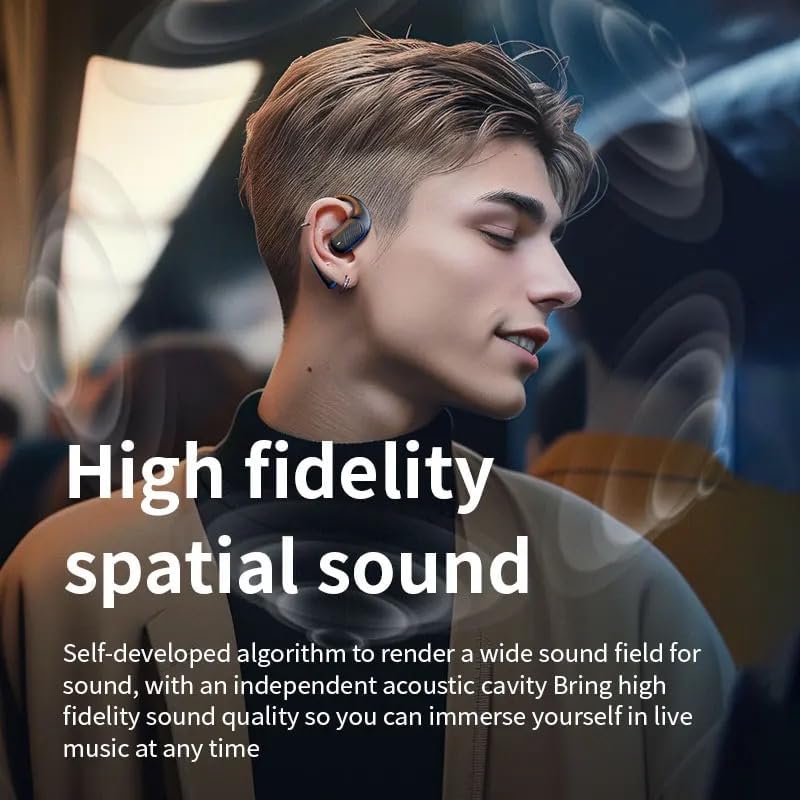
Image: A person wearing the LX-09 earphone, with visual effects indicating high fidelity spatial sound and an immersive audio experience.
5. Тэхнічнае абслугоўванне
Proper maintenance ensures the longevity and optimal performance of your LX-09 earphone.
- Уборка: Gently wipe the earphone with a soft, dry, lint-free cloth. Do not use abrasive cleaners, alcohol, or chemical solvents.
- захоўванне: When not in use, store the earphone in a cool, dry place, away from direct sunlight and extreme temperatures.
- Сыход за батарэяй: To preserve battery life, avoid fully discharging the earphone frequently. Charge it regularly, even if not in use for extended periods.
- Воданепранікальнасць: The earphone is rated Water Resistant (IP56). This means it can withstand splashes and light rain, but it is not designed for submersion in water. Avoid exposing it to heavy rain or direct water jets.
6. Выпраўленне непаладак
If you encounter issues with your LX-09 earphone, refer to the following common solutions:
- Няма харчавання:
- Пераканайцеся, што навушнікі цалкам зараджаныя.
- Праверце, ці правільна працуюць зарадны кабель і крыніца харчавання.
- Немагчыма спалучыць прыладу:
- Make sure the earphone is in pairing mode (indicator light flashing red and blue).
- Пераканайцеся, што Bluetooth уключаны на вашай прыладзе і знаходзіцца ў зоне дзеяння (звычайна 10 метраў).
- Forget "LX-09" from your device's Bluetooth list and attempt to pair again.
- Restart both the earphone and your device.
- Няма гуку або нізкая гучнасць:
- Праверце ўзровень гучнасці як на навушніках, так і на падлучанай прыладзе.
- Пераканайцеся, што навушнікі правільна падключаны да прылады.
- Паспрабуйце прайграць аўдыё з іншай праграмы або крыніцы.
- Перарывістае злучэнне:
- Падыдзіце бліжэй да падлучанай прылады, каб паменшыць перашкоды.
- Avoid obstacles between the earphone and your device.
- Ensure no other strong wireless signals are causing interference.
7. Тэхнічныя характарыстыкі
| Асаблівасць | Дэталь |
|---|---|
| Назва мадэлі | LX-09 |
| Марка | Радавыя |
| Тэхналогія падлучэння | Wireless, Bluetooth, Type-C |
| Тэхналогія бесправадной сувязі | Bluetooth 5.3 (as per image, product spec says Bluetooth) |
| Кантроль шуму | Актыўнае падаўленне шуму |
| Гняздо для навушнікаў | Тып-C |
| Уключаныя кампаненты | Earphone, Type-C Charging Cable |
| Матэрыял | Пластыкавыя |
| Рэкамендуемае выкарыстанне | Музыка, званкі |
| Сумяшчальныя прылады | Смартфоны, планшэты |
| Тып кіравання | Сэнсарнае кіраванне |
| Узровень воданепранікальнасці | Воданепранікальнасць (IP56) |
| Размяшчэнне вушэй | У вуха |
| Формаў-фактар | Single Earpiece |
| Вага прадмета | 1.6 унцыі |
| Вытворца | Pintotronics |
8. Гарантыя і падтрымка
Каб атрымаць інфармацыю аб гарантыі і падтрымцы кліентаў, звярніцеся да прадаўца або афіцыйнага прадстаўніка вытворцы. website where the product was purchased. Keep your proof of purchase for any warranty claims.
Manufacturer: Pintotronics