
1. Уводзіны
Thank you for choosing the YI Smart Security Camera 360° PTZ Dome Camera. This camera provides comprehensive surveillance with its 360° pan and tilt capabilities, delivering crystal-clear 1080p Full HD video. Designed for indoor use, it features advanced motion detection, smart auto-tracking, enhanced night vision, and two-way audio communication. This manual will guide you through the setup, operation, and maintenance of your new security camera.
Асноўныя характарыстыкі:
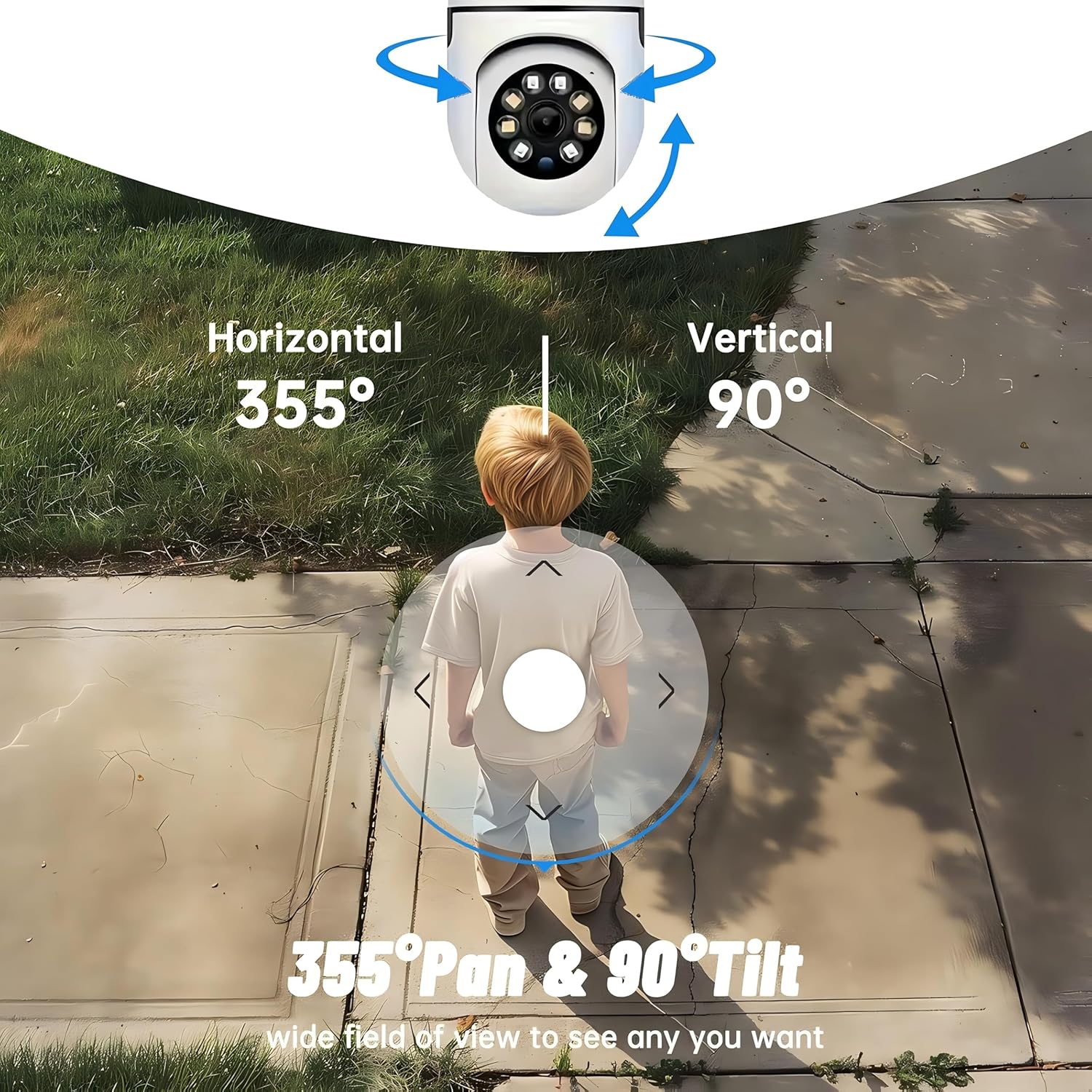
- 360° ахоп: 355° horizontal and 90° vertical rotation for zero blind spots.
- 1080p Full HD: High-definition video for clear monitoring.
- Выяўленне руху і аўтаматычнае адсочванне: Alerts and tracks moving objects automatically.
- Палепшанае начное бачанне: Multiple modes including full-color night vision.
- Двухбаковы аўдыё: Убудаваны мікрафон і дынамік для сувязі ў рэжыме рэальнага часу.
- Гнуткае захоўванне: Supports Cloud storage and local storage via microSD card (up to 128GB).
2. Змесціва ўпакоўкі
Калі ласка, праверце ўпакоўку на наяўнасць наступных прадметаў:
- YI Smart Security Camera x1
- USB-кабель x1
- User Manual x1 (This document)
3. Прадукт скончыўсяview
Familiarize yourself with the components of your YI Smart Security Camera.

Малюнак 3.1: Спераду view of the YI Smart Security Camera, showing the lens, LED lights, and two antennas.

Figure 3.2: Dimensions of the YI Smart Security Camera, indicating a height of 180mm (7.08in), width of 102mm (4.0in), and depth of 85mm (3.34in).
4. Настройка і ўстаноўка
4.1 Першапачатковае ўключэнне
- Connect the provided USB cable to the camera's power port and plug the other end into a compatible USB power adapter (not included).
- The camera will power on and initiate its self-test sequence. Wait for the indicator light to flash, indicating it's ready for setup.
4.2 Загрузка праграмы і стварэнне ўліковага запісу
- Спампаваць YI IOT App з App Store (iOS) або Google Play Store (Android).
- Адкрыйце праграму і выконвайце інструкцыі на экране, каб стварыць новы ўліковы запіс, або ўвайдзіце ў сістэму, калі ў вас ужо ёсць уліковы запіс.
4.3 Adding Your Camera to the App
- In the YI IOT App, tap the "+" icon to add a new device.
- Выберыце мадэль вашай камеры са спісу.
- Follow the app's instructions to connect the camera to your 2.4GHz Wi-Fi network. This typically involves scanning a QR code generated by the app with the camera's lens.
- Пасля падключэння вы можаце даць назву камеры і пачаць прамую трансляцыю viewінж.
4.4 Мантаж камеры
The camera is designed for indoor use and can be placed on a flat surface or wall-mounted. For wall mounting, use the included mounting accessories (if applicable) and ensure the camera is securely fastened.
Малюнак 4.1: Выпamples of multi-scene applications, including wall and ceiling mounting, and placement in living rooms, bedrooms, and studies.
5. Кіраванне камерай
5.1 Pan-Tilt Control
The YI Smart Security Camera offers extensive pan and tilt capabilities, allowing you to monitor a wide area.
- Гарызантальнае паварот: 355°
- Вертыкальнае паварот: 90°
In the YI IOT App, use the directional controls on the live view screen to remotely adjust the camera's viewкут нахілу.

Figure 5.1: Illustration of the camera's 355° horizontal pan and 90° vertical tilt capabilities, providing a wide field of view.
5.2 Motion Detection & Smart Auto Tracking
The camera can detect movement and automatically track objects, sending alerts to your smartphone.
- Выяўленне руху: When motion is detected, the camera will send an instant push notification with a 6-second video clip to your phone via the YI IOT App.
- Smart Auto Tracking: If enabled, the camera will automatically follow moving objects for up to 10 seconds after detection, ensuring continuous monitoring of the activity.
Adjust sensitivity settings and notification preferences within the app.

Figure 5.2: Real-time alarm notification on the YI IOT app, showing an intruder detected by the camera.
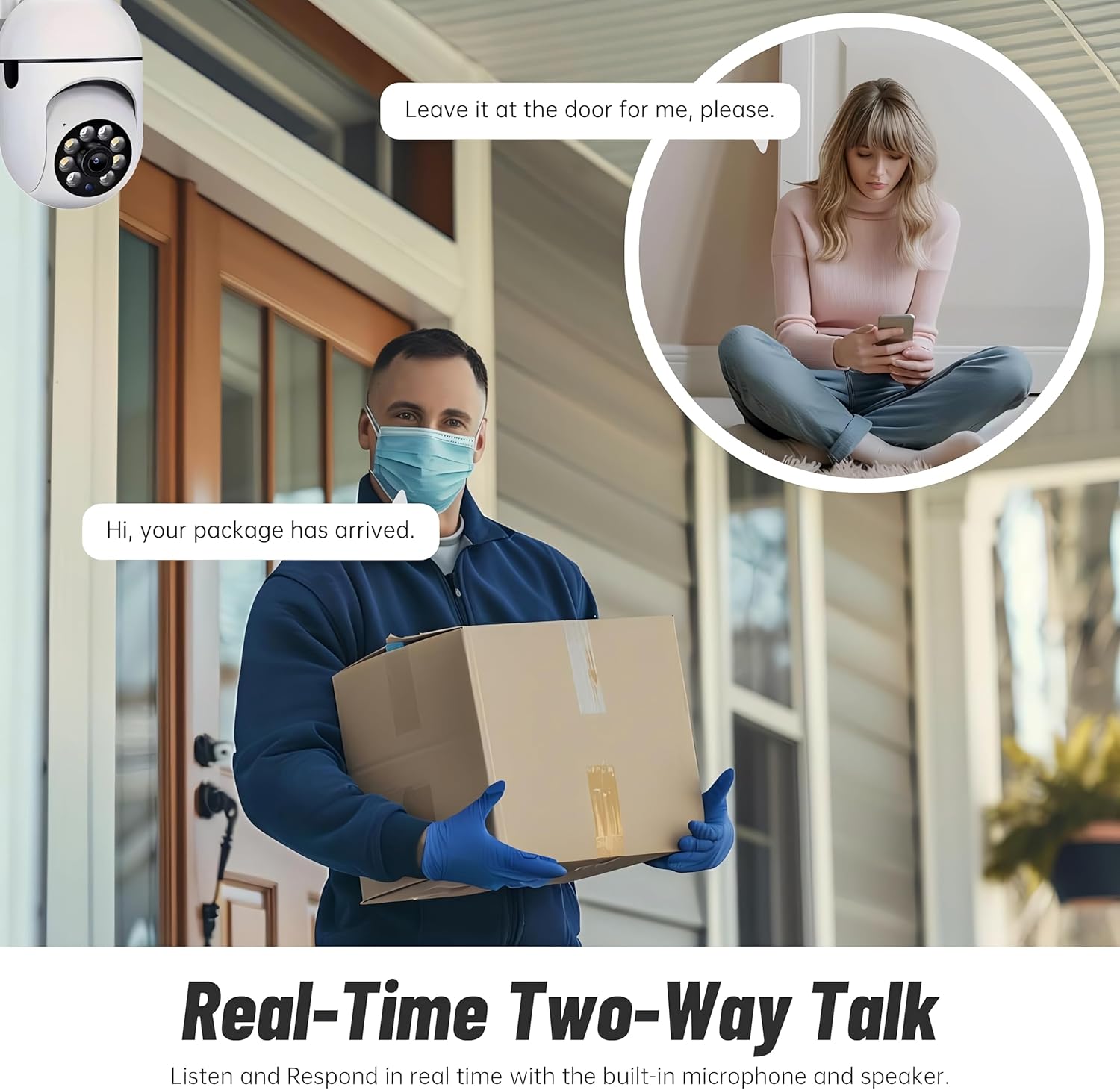
Figure 5.3: The camera's motion tracking feature focusing on a moving pet.

Figure 5.4: Visual representation of a motion detection alert, showing the camera capturing movement and sending notifications.
5.3 Enhanced Night Vision
The camera is equipped with ultra-long-distance infrared LEDs and floodlight LEDs, offering multiple night vision modes for clear visibility in low-light conditions.
- Звычайнае начное зрок: Standard black and white infrared view.
- Intelligent Night Vision: Automatically switches between infrared and full-color based on detected activity.
- Поўнакаляровы начны бачанне: Provides a color image even in low light, utilizing the built-in floodlight.
You can switch between these modes directly from the YI IOT App.

Figure 5.5: Comparison illustrating the difference between standard infrared night vision (monochrome) and 1080p full-color night vision.
5.4 Двухбаковае аўдыё
Communicate through the camera using its built-in microphone and high-power speaker.
- Рэжым дамафона: Press and hold the microphone icon in the app to speak, and release to listen. Ideal for giving commands to pets or deterring unwanted visitors.
- Рэжым гучнай сувязі: Allows for a continuous two-way conversation, similar to a phone call.
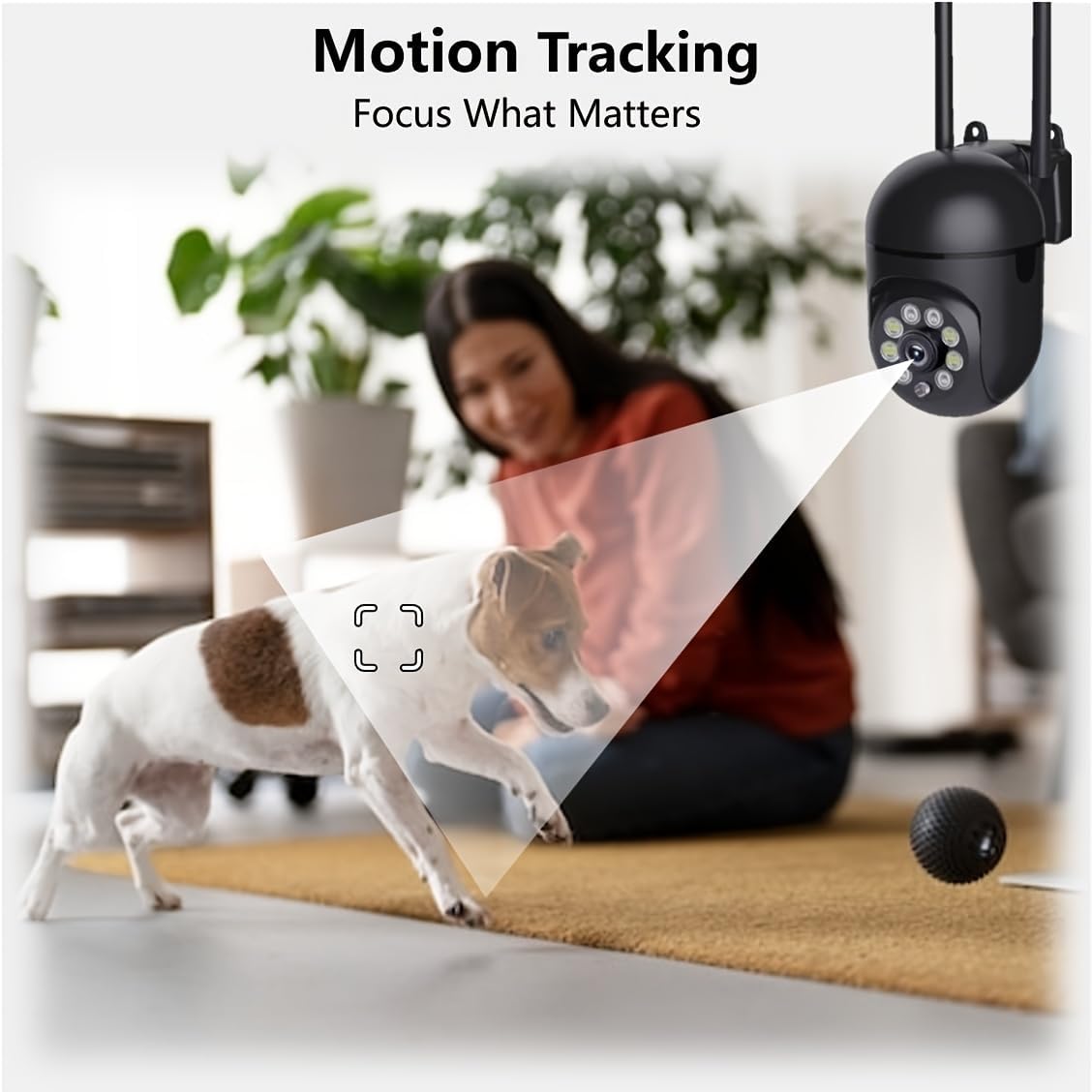
Figure 5.6: Demonstration of real-time two-way talk, allowing communication between the camera's location and the app user.
5.5 Cloud & Local Storage
Your camera offers flexible storage options for your video footage.
- YI Cloud Storage: Securely store 6-second video clips triggered by motion or sound detection. This ensures your footage is safe from loss, theft, or damage to local storage. Available for both iOS and Android.
- Лакальнае сховішча: The camera supports microSD cards up to 128GB (not included) for continuous recording or event-triggered recordings.
6. Тэхнічнае абслугоўванне
To ensure optimal performance and longevity of your camera, follow these maintenance guidelines:
- Уборка: Акуратна працярыце аб'ектыў і корпус камеры мяккай сухой тканінай. Пазбягайце выкарыстання агрэсіўных хімічных рэчываў або абразіўных матэрыялаў.
- Абнаўленні прашыўкі: Regularly check for and install firmware updates via the YI IOT App. Updates often include performance improvements, new features, and security enhancements.
- Цыкл харчавання: If the camera becomes unresponsive, unplug it from the power source for 10 seconds, then plug it back in to restart it.
7. Выпраўленне непаладак
Калі ў вас узніклі праблемы з камерай, звярніцеся да наступных распаўсюджаных праблем і іх рашэнняў:
| праблема | Магчымая прычына | Рашэнне |
|---|---|---|
| Камера ў аўтаномным рэжыме | Няма харчавання; адключаны Wi-Fi; праблема з маршрутызатарам | Check power connection; Restart camera and router; Reconnect camera to Wi-Fi via app. |
| Дрэнная якасць выявы | Dirty lens; Insufficient lighting; Network bandwidth | Clean the lens; Ensure adequate lighting or enable night vision; Check Wi-Fi signal strength. |
| Выяўленне руху не працуе | Feature disabled; Incorrect sensitivity; Obstruction | Enable motion detection in app; Adjust sensitivity; Ensure clear view. |
| Праблемы з двухбаковым гукам | Microphone/speaker muted; App permissions; Network delay | Check app settings; Grant microphone permissions; Ensure stable network connection. |
| Карта MicroSD не распазнана | Card not inserted correctly; Incompatible card; Corrupted card | Reinsert card; Use a compatible card (Class 10 or higher); Format card in app or replace. |
If the problem persists, please contact YI customer support.
8. Тэхнічныя характарыстыкі
Detailed technical specifications for the YI Smart Security Camera.
| Асаблівасць | Спецыфікацыя |
|---|---|
| Назва мадэлі | CB201-1X-W |
| Выкарыстанне ў памяшканні/на вуліцы | У памяшканні |
| Дазвол відэазахопу | 1080p Full HD |
| Тэхналогія падлучэння | Бесправадная сувязь (Wi-Fi 2.4 ГГц) |
| Дыяпазон павароту/нахілу | Па гарызанталі 355°, па вертыкалі 90° |
| Дыяпазон начнога бачання | 10 метраў |
| Двухбаковае аўдыё | так |
| Параметры захоўвання | Воблачнае сховішча, карта MicroSD (да 128 ГБ) |
| Крыніца харчавання | Правадная электрычная |
| Сумяшчальныя прылады | Смартфон (iOS/Android) |
| Памеры прадукту (Д х Ш х У) | 4 х 3.35 х 7.09 цалі |
| Уключаныя кампаненты | Security Camera x1, USB Cable x1 |
9. Гарантыя і падтрымка
For warranty information and technical support, please refer to the official YI website or contact their customer service directly. Details can typically be found on the product packaging or within the YI IOT App's 'About' or 'Support' section.
Інтэрнэт-падтрымка: Visit the official YI webсайт з часта задаванымі пытаннямі, інструкцыямі па ліквідацыі непаладак і варыянтамі кантакту.
Падтрымка прыкладанняў: Access support resources directly within the YI IOT App.