
Прадукт скончаныview
The MCHOSE X75 V2 is a versatile 75% layout mechanical keyboard designed for various uses, from gaming to professional work. It features multiple connectivity options, customizable RGB lighting, and an ergonomic design for comfortable use.
Асноўныя характарыстыкі
- Убудаваная мультымедыйная ручка: Convenient control for media and mouse actions.
- Ergonomic Design & 75% Compact Layout: 18.5mm front height for comfortable typing, 82 keys saving 30% desktop space.
- Hot-Swappable Custom Mechanical Keyboard: Supports 3-pin & 5-pin mechanical switches, equipped with pre-lubed Hyacinth Switches.
- 5-Layer Gasket Structure Design: Enhances sound dampening and shock absorption for a consistent typing feel.
- Double-Shot PBT Keycaps: Durable keycaps that resist wear and shine.
- Per-key RGB Lighting & MCHOSE HUB: 16.8 million colors, various lighting effects, customizable via MCHOSE HUB software.
- Tri-Mode Connection & Large Capacity 8000mAh Battery: Bluetooth 5.0, 2.4GHz wireless, and USB-C wired connections, with long battery life.

Image: The MCHOSE X75 V2 Wireless Mechanical Keyboard in Retro White, highlighting its compact design and vibrant RGB lighting.
Што ў скрынцы
Your MCHOSE X75 V2 keyboard package includes the following items:
- Клавіятура MCHOSE X75 V2
- Пылаахоўны чахол
- USB-кабель C
- 1 x Handy Guide
- Прыёмнік 2.4 ГГц
- Выцягвальнік кнопак і перамыкачоў
- 2 x Hyacinth Switches
- 1 х Кіраўніцтва карыстальніка

Image: Contents of the MCHOSE X75 V2 keyboard box, including the keyboard, USB-C cable, 2.4GHz receiver, keycap/switch puller, extra switches, and documentation.
Настройка і падключэнне
Трохрэжымнае злучэнне
The MCHOSE X75 V2 keyboard supports three connection modes: Bluetooth 5.0, 2.4GHz wireless, and USB-C wired.

Image: The MCHOSE X75 V2 keyboard supports Bluetooth 5.0, 2.4GHz wireless, and USB-C wired connections, compatible with various devices.
Бесправадное злучэнне 2.4 ГГц
- Locate the 2.4GHz USB receiver. It is stored in a hidden magnetic compartment on the right side of the keyboard.
- Падключыце прыёмнік да вольнага порта USB на прыладзе.
- Toggle the switch on the right side of the keyboard to "2.4G" mode.
- The keyboard will automatically connect.
Падключэнне Bluetooth 5.0
- Toggle the switch on the right side of the keyboard to "BT" mode.
- On your device, search for Bluetooth devices and select "MCHOSE X75 V2".
- Pair the keyboard with your device.
Правадное злучэнне USB-C
- Connect the provided USB-C cable to the keyboard's port (located on the front top edge).
- Connect the other end of the USB-C cable to an available USB port on your device.
- Клавіятура будзе працаваць у правадным рэжыме і адначасова зараджацца.
Video: This video demonstrates how to connect the MCHOSE X75 V2 keyboard using its web driver and desktop driver.
Інструкцыя па эксплуатацыі
Мультымедыйная ручка
The embedded multimedia knob on the left side of the keyboard allows for easy volume control. Rotate to adjust volume, press to mute/unmute.
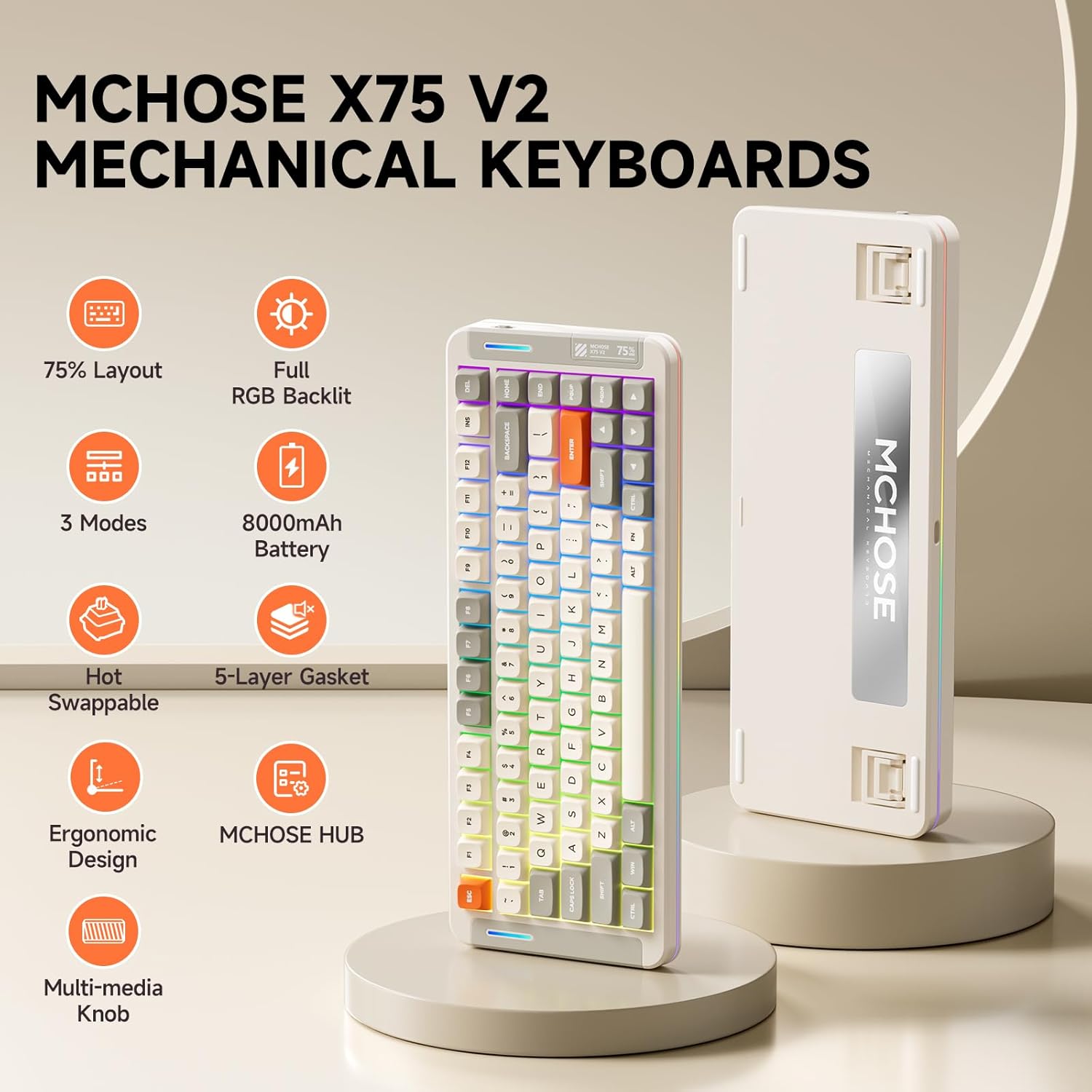
Image: The multimedia knob on the MCHOSE X75 V2 keyboard for volume control.
Кіраванне RGB асвятленнем
The keyboard features per-key RGB lighting and an atmosphere light bar with 16.8 million colors and various effects.
Налады падсветкі
- Fn + Tab: Пераключыць колер падсветкі.
- Fn + Q/W/E/R/T/Y: Пераключыць рэжым падсветкі.
- Fn + стрэлка ўверх/уніз: Адрэгулюйце яркасць падсвятлення.
- Fn + стрэлка ўлева/ўправа: Адрэгулюйце хуткасць падсветкі.
Atmosphere Lighting Settings
- Fn + правы Shift: Switch atmosphere lighting mode.
- Fn + B: Switch ambient light strip to power mode.
- Fn + Z: Switch atmosphere lighting color.

Image: Key combinations for adjusting the keyboard's RGB backlight and atmosphere lighting.
Video: An introduction to the MCHOSE X75 V2 Retro White keyboard, highlighting its features and design.
Эрганамічны дызайн
The keyboard features a front height of approximately 18.5mm for comfortable typing. It also includes two-stage adjustable tilt legs on the underside to customize your typing angle, reducing strain on your fingers and wrists.

Image: The ergonomic design of the MCHOSE X75 V2 keyboard with adjustable tilt legs for personalized comfort.
Customization with MCHOSE HUB
The MCHOSE HUB software allows you to customize various settings of your X75 V2 keyboard, including macros, key assignments, rhythm effects, and lighting modes. Download the software from the official MCHOSE webсайт.
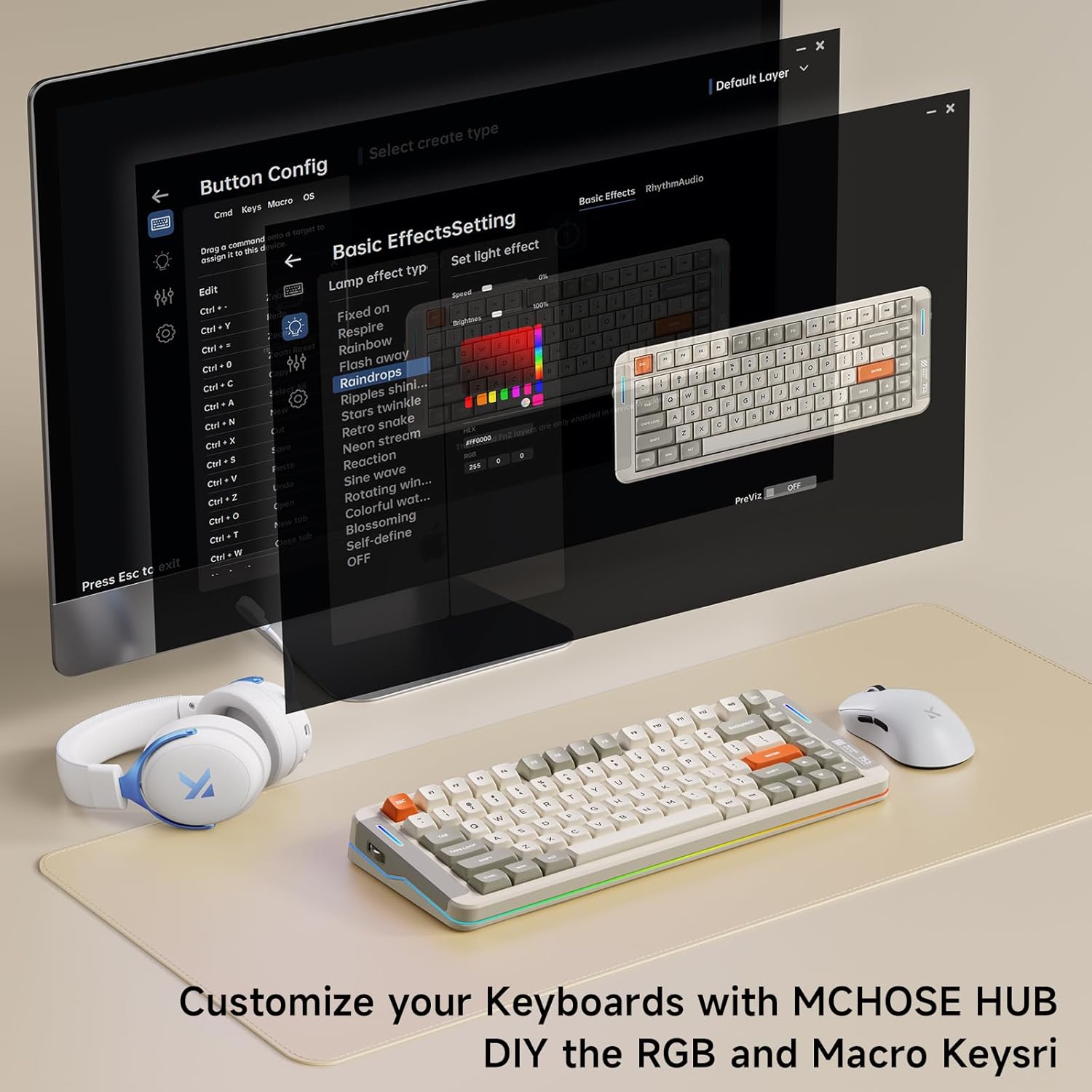
Image: The MCHOSE HUB software interface for customizing keyboard settings.
Тэхнічнае абслугоўванне
Пераключальнікі з магчымасцю гарачай замены
The MCHOSE X75 V2 features hot-swappable PCB sockets, allowing you to easily change 3-pin and 5-pin mechanical switches without soldering. Use the provided keycap and switch puller for safe removal and installation.

Image: The hot-swappable design allows for easy customization of switches.
Сыход за каўпачкамі клавіш
The double-shot PBT keycaps are designed for durability and resistance to shine and wear. Clean them with a soft, damp тканіна. Пазбягайце рэзкіх хімікатаў.
5-Layer Gasket Structure
The keyboard's 5-layer gasket structure enhances sound dampening and shock absorption, contributing to a consistent and pleasant typing experience. This design also helps protect internal components.

Выява: Разабраная view of the keyboard's 5-layer gasket structure, detailing its components for enhanced typing feel and sound.
Video: A typing sound test of the MCHOSE X75 V2 keyboard, demonstrating its 'creamy' sound profile.
Тэхнічныя характарыстыкі
| Асаблівасць | Дэталь |
|---|---|
| Марка | MCHOSE |
| Нумар мадэлі | X75 V2 |
| Тэхналогія падлучэння | Бесправадная сувязь 2.4 ГГц, BT5.0, USB-C |
| Апісанне клавіятуры | Механічны |
| Асаблівасці | Падсветка, наладжвальныя клавішы дысплея, эрганамічны, магчымасць гарачай замены, акумулятар |
| Колер | White (Retro White variant) |
| Падсвятленне клавіятуры | RGB |
| Памеры прадукту | 13.7 см Д х 5.5 см Ш х 1.57 см В |
| Крыніца харчавання | Акумулятар (8000 мАг) |
| Тып перамыкача | Linear (Hyacinth Switches) |
| Колькасць ключоў | 82 |
| Матэрыял корпуса | Metal, Plastic, Polycarbonate, Silicone |
Ліквідацыю непаладак
Праблемы з падключэннем
- Бесправадная сувязь 2.4 ГГц: Ensure the USB receiver is securely plugged in and the keyboard switch is set to "2.4G". Try a different USB port.
- Bluetooth: Ensure the keyboard switch is set to "BT" and your device's Bluetooth is enabled. Re-pair the device if necessary.
- Wired: Праверце падключэнне кабеля USB-C з абодвух канцоў. Паспрабуйце іншы кабель або порт USB-C.
Асвятленне не працуе
- Check battery level; low battery can affect lighting.
- Ensure RGB lighting is enabled via Fn key combinations or MCHOSE HUB software.
Клавішы не рэагуюць
- Ensure the keyboard is properly connected and powered on.
- If using wireless modes, check battery level.
- For individual keys, ensure the switch is properly seated in the hot-swappable socket.
Гарантыя і падтрымка
The MCHOSE X75 V2 keyboard comes with a 1-year manufacturer warranty.
For further assistance, please visit the MCHOSE Official webсайт або звярніцеся ў службу падтрымкі кліентаў.
MCHOSE Official Seller: MCHOSE Official